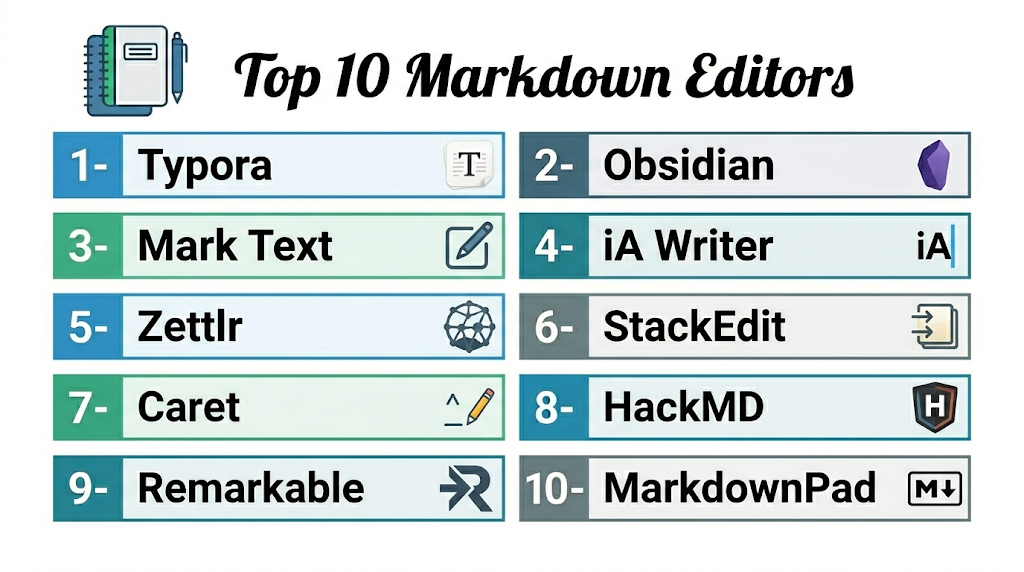
Introduction
Markdown editors are specialized software tools that allow users to write, format, and preview Markdown text efficiently. Markdown is a lightweight markup language widely used for documentation, content creation, and developer notes due to its simplicity and readability. Markdown editors convert plain text into well-formatted HTML or other output formats without relying on complex word processors.
Markdown editors remain crucial for developers, technical writers, content creators, and teams who need fast, clean, and portable documentation. These editors help maintain consistency, version control, and integration with collaborative platforms. Many support features like live preview, syntax highlighting, plugins, and cloud sync to enhance productivity.
Real-world use cases:
- Technical documentation for software projects
- Writing README files for GitHub repositories
- Blog content creation in Markdown-supported CMS platforms
- Knowledge base and wiki management for teams
- Note-taking for developers, researchers, and project managers
Evaluation criteria for buyers:
- Cross-platform availability
- Live preview and syntax highlighting
- Export options (HTML, PDF, DOCX)
- Plugin and integration support
- Version control and collaboration features
- Ease of use and learning curve
- Performance with large files
- Customization and theme options
- Offline support
- Pricing and licensing flexibility
Best for: Developers, technical writers, bloggers, and content teams requiring structured, lightweight, and portable documentation.
Not ideal for: Users seeking WYSIWYG editors with heavy formatting features or desktop publishing capabilities.
Key Trends in Markdown Editors.
- AI-assisted content formatting and summarization
- Cloud-based collaboration and syncing across devices
- Integration with Git repositories and version control systems
- Real-time preview and live editing
- Plugin ecosystems for extended functionality
- Multi-format export including HTML, PDF, and DOCX
- Cross-platform support including web, desktop, and mobile
- Focus on lightweight and distraction-free interfaces
- Security compliance for enterprise environments
How We Selected These Tools (Methodology)
- Evaluated market adoption and brand recognition
- Assessed feature completeness: preview, export, and plugins
- Considered performance and reliability with large Markdown files
- Reviewed security features and compliance
- Examined integration with Git, CMS, and productivity tools
- Evaluated suitability for freelancers, SMBs, and enterprises
- Checked cross-platform and mobile support
- Considered cost, community support, and ease of onboarding
1- Typora
Short description: Clean, minimal Markdown editor with live preview for writers and developers.
Key Features
- Live preview of Markdown content
- Cross-platform support
- Syntax highlighting and inline formatting
- Export to PDF, HTML, and Word
- Theme customization
Pros
- Minimal and distraction-free interface
- Real-time rendering
- Supports multiple export formats
Cons
- Limited collaboration features
- No cloud sync by default
- Premium features require license
Platforms / Deployment
- Windows / macOS / Linux
- Desktop
Security & Compliance
- Not publicly stated
Integrations & Ecosystem
Integrates with cloud storage via third-party tools.
- Dropbox
- Google Drive
- GitHub
Support & Community
Documentation, forums, and community plugins.
2- Obsidian
Short description: Local-first knowledge management and Markdown note-taking editor.
Key Features
- Markdown notes with bidirectional linking
- Graph view for visualizing connections
- Plugin ecosystem for extended functionality
- Local storage with optional cloud sync
- Cross-platform support
Pros
- Excellent for knowledge management
- Strong privacy with local-first storage
- Highly extensible
Cons
- Collaboration requires plugins
- Initial learning curve
- Mobile features vary
Platforms / Deployment
- Windows / macOS / Linux / iOS / Android
- Desktop / Cloud via sync
Security & Compliance
- Not publicly stated
Integrations & Ecosystem
Plugins enable integration with productivity and cloud tools.
- Git
- Google Drive
- Third-party sync
Support & Community
Active forums, documentation, and plugin community.
3- Mark Text
Short description: Open-source, simple Markdown editor with live preview.
Key Features
- Cross-platform support
- Live preview and syntax highlighting
- Export to PDF, HTML, and DOCX
- Minimal interface with themes
- Open-source and free
Pros
- Free and open-source
- Lightweight and fast
- Clean interface
Cons
- Limited collaboration tools
- No built-in cloud sync
- Smaller plugin ecosystem
Platforms / Deployment
- Windows / macOS / Linux
- Desktop
Security & Compliance
- Not publicly stated
Integrations & Ecosystem
Basic cloud integration via external storage.
- Dropbox
- Google Drive
Support & Community
Open-source documentation and GitHub issues.
4- Zettlr
Short description: Markdown editor optimized for academic writing and research.
Key Features
- Citation management integration
- Multi-file projects and folder support
- Syntax highlighting
- Export to PDF, Word, LaTeX
- Cross-platform support
Pros
- Ideal for researchers and academics
- Supports citations and references
- Open-source and free
Cons
- Collaboration limited
- Requires learning for advanced features
- User interface less polished
Platforms / Deployment
- Windows / macOS / Linux
- Desktop
Security & Compliance
- Not publicly stated
Integrations & Ecosystem
Integrates with reference managers and cloud storage.
- Zotero
- Google Drive
- Dropbox
Support & Community
Documentation, forums, and GitHub community.
5- iA Writer
Short description: Minimalist Markdown editor focused on writing clarity and productivity.
Key Features
- Syntax highlighting
- Focus mode for distraction-free writing
- Export to PDF and Word
- Cross-platform support
- Customizable themes
Pros
- Excellent writing experience
- Clean and distraction-free
- Smooth cross-platform experience
Cons
- Limited collaboration features
- Paid app
- Fewer integrations than competitors
Platforms / Deployment
- Windows / macOS / iOS / Android
- Desktop / Cloud via sync
Security & Compliance
- Not publicly stated
Integrations & Ecosystem
Supports cloud storage sync and export.
- iCloud
- Dropbox
- Google Drive
Support & Community
Official documentation and community forums.
6- Caret
Short description: Developer-focused Markdown editor with code-friendly features.
Key Features
- Git integration
- Syntax highlighting
- Split preview and live editing
- Cross-platform support
- Export to PDF and HTML
Pros
- Developer-oriented
- Clean interface with shortcuts
- Supports Git versioning
Cons
- Limited collaboration
- No native cloud sync
- Paid version required
Platforms / Deployment
- Windows / macOS / Linux
- Desktop
Security & Compliance
- Not publicly stated
Integrations & Ecosystem
Integrates with Git and external cloud storage.
- GitHub
- Google Drive
- Dropbox
Support & Community
Documentation and online forums.
7- StackEdit
Short description: Web-based Markdown editor ideal for online collaboration and blogging.
Key Features
- Real-time cloud syncing
- Offline mode via browser
- Export to HTML, PDF, and Word
- Collaboration and sharing
- GitHub integration
Pros
- Web-based, no installation needed
- Offline support
- Good for online publishing
Cons
- UI can feel cluttered
- Limited advanced formatting
- Requires account for cloud features
Platforms / Deployment
- Web / Windows / macOS / Linux / iOS / Android
- Cloud
Security & Compliance
- Not publicly stated
Integrations & Ecosystem
Supports GitHub, Google Drive, and cloud export.
- GitHub
- Google Drive
- Dropbox
Support & Community
Documentation and community forums.
8- HackMD
Short description: Online collaborative Markdown editor for teams and developers.
Key Features
- Real-time editing
- GitHub integration
- Presentation mode
- Export to PDF and HTML
- Cross-platform access
Pros
- Strong collaboration
- Team-friendly for documentation
- Supports Git workflows
Cons
- Limited offline features
- Subscription required for advanced features
- Web-only features may vary
Platforms / Deployment
- Web / Windows / macOS / iOS / Android
- Cloud
Security & Compliance
- SOC 2, GDPR
Integrations & Ecosystem
Integrates with GitHub, GitLab, and productivity tools.
- GitHub
- GitLab
- Google Workspace
Support & Community
Documentation, online support, and community forums.
9- Remarkable
Short description: Cross-platform Markdown editor for writers and developers.
Key Features
- Live preview
- Export to PDF, HTML, and Word
- Cross-platform
- Syntax highlighting
- Focus mode
Pros
- Clean interface
- Multi-platform support
- Supports distraction-free writing
Cons
- No real-time collaboration
- Paid version for advanced features
- Limited plugin support
Platforms / Deployment
- Windows / macOS / Linux
- Desktop
Security & Compliance
- Not publicly stated
Integrations & Ecosystem
Supports export and basic cloud storage.
- Dropbox
- Google Drive
Support & Community
Documentation and forums.
10- MarkdownPad
Short description: Windows-focused Markdown editor with live preview.
Key Features
- Live preview
- Syntax highlighting
- Export to HTML and PDF
- Customizable interface
- Windows integration
Pros
- Lightweight and fast
- Simple interface
- Windows native support
Cons
- Windows-only
- Limited collaboration
- Minimal integrations
Platforms / Deployment
- Windows
- Desktop
Security & Compliance
- Not publicly stated
Integrations & Ecosystem
Supports file export and basic cloud syncing.
- Dropbox
- Google Drive
Support & Community
Documentation and community forums.
Comparison Table (Top 10)
| Tool Name | Best For | Platform(s) Supported | Deployment | Standout Feature | Public Rating |
|---|---|---|---|---|---|
| Typora | Writers & developers | Windows / macOS / Linux | Desktop | Live preview & minimal interface | N/A |
| Obsidian | Knowledge management | Windows / macOS / Linux / iOS / Android | Desktop / Cloud via plugins | Backlinks & graph view | N/A |
| Mark Text | Open-source users | Windows / macOS / Linux | Desktop | Lightweight & live preview | N/A |
| Zettlr | Academic writing | Windows / macOS / Linux | Desktop | Citation & research tools | N/A |
| iA Writer | Writers | Windows / macOS / iOS / Android | Desktop / Cloud | Focus mode & minimal UI | N/A |
| Caret | Developers | Windows / macOS / Linux | Desktop | Git integration & syntax highlighting | N/A |
| StackEdit | Bloggers & online content | Web / Windows / macOS / Linux / iOS / Android | Cloud | Web-based & offline mode | N/A |
| HackMD | Teams & developers | Web / Windows / macOS / iOS / Android | Cloud | Collaborative Markdown | N/A |
| Remarkable | Writers & developers | Windows / macOS / Linux | Desktop | Clean interface & cross-platform | N/A |
| MarkdownPad | Windows users | Windows | Desktop | Windows native support | N/A |
Evaluation & Scoring of Markdown Editors
| Tool Name | Core (25%) | Ease (15%) | Integrations (15%) | Security (10%) | Performance (10%) | Support (10%) | Value (15%) | Weighted Total (0–10) |
|---|---|---|---|---|---|---|---|---|
| Typora | 9 | 9 | 7 | 7 | 9 | 8 | 8 | 8.2 |
| Obsidian | 9 | 8 | 8 | 7 | 8 | 8 | 8 | 8.0 |
| Mark Text | 8 | 8 | 6 | 6 | 8 | 7 | 9 | 7.5 |
| Zettlr | 8 | 7 | 7 | 7 | 8 | 7 | 8 | 7.7 |
| iA Writer | 8 | 8 | 7 | 6 | 8 | 7 | 8 | 7.7 |
| Caret | 7 | 8 | 7 | 6 | 7 | 7 | 8 | 7.1 |
| StackEdit | 8 | 8 | 8 | 6 | 8 | 7 | 8 | 7.7 |
| HackMD | 8 | 7 | 8 | 8 | 8 | 8 | 8 | 7.9 |
| Remarkable | 7 | 8 | 6 | 6 | 7 | 7 | 8 | 7.1 |
| MarkdownPad | 6 | 8 | 6 | 6 | 7 | 6 | 8 | 6.8 |
Interpretation: Scores are comparative across features, usability, integrations, security, performance, support, and value. Higher weighted totals indicate broader suitability.
Which Markdown Editor Is Right for You?
Solo / Freelancer
- Typora, Mark Text, or iA Writer for minimal, distraction-free writing.
SMB
- Obsidian, StackEdit, or HackMD for team knowledge sharing and collaboration.
Mid-Market
- Zettlr, HackMD, or Obsidian for research, documentation, and project workflows.
Enterprise
- Obsidian, HackMD, or StackEdit for cross-team documentation, version control, and cloud collaboration.
Budget vs Premium
- Budget: Mark Text, MarkdownPad, StackEdit
- Premium: Typora, Obsidian, iA Writer
Feature Depth vs Ease of Use
- Feature depth: Obsidian, HackMD, Zettlr
- Ease of use: Typora, iA Writer, Mark Text
Integrations & Scalability
- HackMD, Obsidian, and StackEdit integrate with Git, cloud storage, and productivity tools for scalable workflows.
Security & Compliance Needs
- HackMD and Obsidian meet enterprise security standards; others rely on local storage or third-party cloud security.
Frequently Asked Questions (FAQs)
1. Are these editors beginner-friendly?
Yes, Typora and iA Writer are intuitive for beginners. Obsidian and HackMD offer advanced features, which may take some time to learn.
2. Can teams collaborate in real-time?
HackMD and StackEdit allow real-time collaboration. Other editors may require sharing files or plugins for team editing.
3. Are AI-assisted features available?
Some editors, such as HackMD and Notion (via integrations), include AI for formatting, summarization, or syntax suggestions.
4. Which tool is best for developers?
Caret, Obsidian, and Typora support Git, Markdown syntax, and developer-friendly workflows.
5. Can notes export to multiple formats?
Yes, most editors export to PDF, HTML, DOCX, and images, making content easy to share or publish.
6. Are mobile apps available?
iA Writer, Obsidian, StackEdit, and Typora provide mobile or web access for note-taking on the go.
7. Are there free options?
Mark Text, StackEdit, and MarkdownPad offer free versions suitable for solo users or small projects.
8. How secure are cloud-based notes?
HackMD and Obsidian support cloud storage with encryption; others rely on local storage or third-party sync.
9. Which apps are best for writers?
Typora, iA Writer, and Remarkable provide clean, distraction-free writing environments.
10. Can these tools integrate with project management software?
HackMD, StackEdit, and Obsidian integrate with Git, CMS platforms, and productivity tools for workflow alignment.
Conclusion
Markdown editors streamline writing, documentation, and knowledge management for developers, writers, and teams. Solo users benefit from Typora, iA Writer, and Mark Text for minimal, distraction-free note-taking. SMBs and mid-market teams benefit from Obsidian, HackMD, and StackEdit for collaboration, project documentation, and cloud access. Enterprises rely on HackMD, Obsidian, or StackEdit for large-scale documentation, team collaboration, and integration with productivity tools. When choosing an editor, consider ease of use, collaboration, export options, cloud sync, and security. Next steps: shortlist 2–3 editors, test workflows, and validate integrations and security for broader team adoption.

Find Trusted Cardiac Hospitals
Compare heart hospitals by city and services — all in one place.
Explore Hospitals
Markdown editors are explained clearly, and the comparison helps in understanding which tools are best for writing, documentation, and developer-friendly note-taking workflows.