Introduction
Server Management Tools are software solutions designed to monitor, configure, and maintain physical and virtual servers efficiently. They provide IT teams with centralized control over hardware, operating systems, applications, and security policies, helping ensure uptime, performance, and compliance. In with the rise of hybrid and multi-cloud infrastructures, effective server management is critical for operational efficiency and cost optimization.
Real-world use cases include automating server provisioning, monitoring server health and performance metrics, managing patches and updates, ensuring compliance with security standards, and orchestrating workload scaling in virtualized environments. Buyers should evaluate features such as centralized monitoring, automation capabilities, patch management, remote administration, security controls, integration with existing IT tools, multi-platform support, alerting and reporting, scalability, and cost-effectiveness.
Best for: IT administrators, system engineers, DevOps teams, and enterprises managing multiple physical and virtual servers across on-premises and cloud environments.
Not ideal for: Small organizations with minimal server infrastructure, or teams relying solely on managed cloud services with limited server management needs.
Key Trends in Server Management Tools
- AI-driven predictive analytics for performance and failure prevention
- Automated patch management and configuration enforcement
- Integration with hybrid and multi-cloud infrastructure
- Zero-trust security implementations with RBAC and MFA
- Real-time monitoring with AI alerts and anomaly detection
- Container and virtual machine management integration
- Policy-based compliance automation
- Subscription and consumption-based pricing models
- Remote administration and orchestration capabilities
- Integration with DevOps pipelines and ITSM tools
How We Selected These Tools (Methodology)
- Market adoption and overall mindshare in enterprises
- Completeness of server monitoring, configuration, and automation features
- Reliability and performance signals from deployments
- Security posture including access control, encryption, and audit capabilities
- Ecosystem and integration with cloud platforms, DevOps, and ITSM tools
- Fit across SMBs, mid-market, and enterprise organizations
- Support tiers, community engagement, and documentation quality
- AI and automation capabilities for proactive management
- Multi-platform support for Windows, Linux, and virtual environments
- Total cost of ownership relative to functionality and scalability
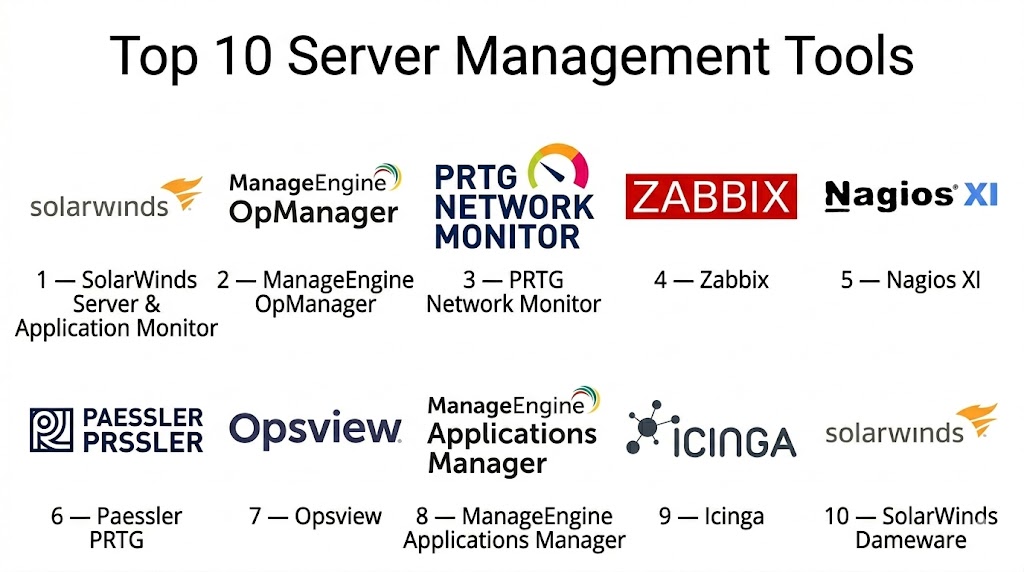
Top 10 Server Management Tools
#1 — SolarWinds Server & Application Monitor
Short description: SolarWinds Server & Application Monitor provides comprehensive monitoring for servers and applications, helping IT teams detect and resolve performance issues proactively.
Key Features
- Real-time server and application monitoring
- Automated alerts and notifications
- Performance metrics and trend analysis
- Multi-platform support (Windows, Linux, Unix)
- Dependency and topology mapping
- Remote management capabilities
- Integration with ITSM and network monitoring tools
Pros
- Comprehensive monitoring and alerting
- Strong reporting and dashboards
Cons
- Can be resource-intensive
- Licensing costs may be high for large deployments
Platforms / Deployment
- Windows, Linux, Unix
- Cloud / On-premises / Hybrid
Security & Compliance
- RBAC, encryption, audit logs
- Not publicly stated
Integrations & Ecosystem
- ITSM tools: ServiceNow, Jira
- Network monitoring: SolarWinds NPM
- APIs for automation and custom reporting
Support & Community
- Vendor support tiers available
- Active user community and documentation
#2 — ManageEngine OpManager
Short description: OpManager offers server monitoring, network management, and performance analytics for enterprises, focusing on proactive detection and resolution.
Key Features
- Server and application performance monitoring
- Real-time alerting and notifications
- Infrastructure mapping and visualization
- Multi-platform support
- Automation for routine maintenance
- CI/CD integration options
- Reporting and SLA management
Pros
- User-friendly interface
- Automation for operational efficiency
Cons
- Advanced features may require additional modules
- Performance metrics may need customization
Platforms / Deployment
- Windows, Linux
- Cloud / On-premises / Hybrid
Security & Compliance
- Role-based access
- Not publicly stated
Integrations & Ecosystem
- ITSM tools: ServiceDesk Plus
- Monitoring integrations: SNMP, API support
- DevOps pipeline integration
Support & Community
- Vendor support available
- Active online community
#3 — PRTG Network Monitor
Short description: PRTG provides unified monitoring for servers, networks, and applications, combining real-time insights with customizable alerts and dashboards.
Key Features
- Server and application performance monitoring
- Traffic and bandwidth analysis
- Customizable alerts and notifications
- Multi-platform and virtual server support
- Detailed reporting and historical analysis
- Automation for recurring checks
- Cloud and on-premises integration
Pros
- Comprehensive monitoring and analytics
- Flexible alerting and dashboard customization
Cons
- May require configuration for complex environments
- Licensing can be complex for large sensor counts
Platforms / Deployment
- Windows, Linux
- Cloud / On-premises / Hybrid
Security & Compliance
- RBAC, encryption
- Not publicly stated
Integrations & Ecosystem
- ITSM integrations: ServiceNow
- API for custom reporting
- Cloud services monitoring
Support & Community
- Vendor support tiers
- Strong online forums and documentation
#4 — Zabbix
Short description: Zabbix is an open-source server and network monitoring tool with enterprise capabilities, offering detailed monitoring and alerting for hybrid infrastructures.
Key Features
- Server and application performance monitoring
- Network device monitoring
- Customizable dashboards and alerts
- Multi-platform support (Linux, Windows, Unix)
- API access for automation
- Reporting and analytics
- Historical data analysis
Pros
- Open-source and flexible
- Wide range of monitoring capabilities
Cons
- Complex setup for beginners
- Enterprise support requires subscription
Platforms / Deployment
- Linux, Windows, Unix
- On-premises / Hybrid
Security & Compliance
- Encryption, RBAC
- Not publicly stated
Integrations & Ecosystem
- CI/CD tools
- ITSM integration via APIs
- Alerting and notification systems
Support & Community
- Community support for open-source version
- Vendor support available for enterprise edition
#5 — Nagios XI
Short description: Nagios XI provides monitoring for servers, applications, and network devices, emphasizing scalability and comprehensive alerting for IT teams.
Key Features
- Multi-platform server monitoring
- Customizable alerts and notifications
- Performance trend analysis
- Multi-site monitoring support
- Automation for common maintenance tasks
- Reporting dashboards
- Integration with ITSM tools
Pros
- Scalable for large infrastructures
- Extensive plugin ecosystem
Cons
- User interface is dated
- Complex configuration for advanced monitoring
Platforms / Deployment
- Linux, Windows
- On-premises / Hybrid
Security & Compliance
- Encryption, RBAC
- Not publicly stated
Integrations & Ecosystem
- ITSM: ServiceNow
- APIs for automation
- Plugin support
Support & Community
- Vendor support tiers
- Large user community
#6 — Paessler PRTG
Short description: Paessler PRTG offers unified infrastructure monitoring, focusing on servers, applications, and network performance with real-time alerting.
Key Features
- Server and application monitoring
- Network traffic analysis
- Real-time alerts and notifications
- Multi-platform support
- Historical performance analytics
- Integration with cloud services
- API access for automation
Pros
- Comprehensive monitoring
- Flexible alerting and dashboards
Cons
- Licensing complexity
- High sensor counts may increase cost
Platforms / Deployment
- Windows, Linux
- Cloud / On-premises / Hybrid
Security & Compliance
- RBAC, encryption
- Not publicly stated
Integrations & Ecosystem
- ITSM integration: ServiceNow
- CI/CD pipelines
- API for custom monitoring
Support & Community
- Vendor support tiers
- Active online forums
#7 — Opsview
Short description: Opsview offers server and network monitoring with dashboards, alerting, and reporting tailored for enterprise environments.
Key Features
- Multi-platform server monitoring
- Alerts and notifications
- Performance analytics and dashboards
- Multi-cloud support
- Automated checks and remediation
- Reporting for SLAs
- Integration with ITSM and DevOps tools
Pros
- Enterprise-grade monitoring
- Automation and observability
Cons
- Premium pricing
- Learning curve for complex environments
Platforms / Deployment
- Linux, Windows
- Cloud / On-premises / Hybrid
Security & Compliance
- RBAC, encryption
- Not publicly stated
Integrations & Ecosystem
- ITSM tools: ServiceNow, Jira
- CI/CD pipelines
- API and automation integration
Support & Community
- Vendor support available
- Active user community
#8 — ManageEngine Applications Manager
Short description: Applications Manager provides server, application, and cloud monitoring with alerting, dashboards, and predictive analytics.
Key Features
- Server and application monitoring
- Multi-cloud support
- Performance trend analysis
- Predictive alerts
- Integration with ITSM tools
- Automation for routine maintenance
- Detailed reporting
Pros
- Predictive analytics
- Centralized monitoring
Cons
- Advanced features require configuration
- Resource-intensive for large deployments
Platforms / Deployment
- Windows, Linux
- Cloud / On-premises / Hybrid
Security & Compliance
- RBAC, encryption
- Not publicly stated
Integrations & Ecosystem
- ITSM: ServiceDesk Plus, Jira
- API for automation
- CI/CD integration
Support & Community
- Vendor support tiers
- Active community and documentation
#9 — Icinga
Short description: Icinga is an open-source server and network monitoring tool providing real-time alerting, reporting, and scalable monitoring for IT infrastructures.
Key Features
- Multi-platform server monitoring
- Alerts and notifications
- Dashboards and reporting
- Multi-site and cloud monitoring
- Automation and scripting
- API access
- Performance analytics
Pros
- Open-source and extensible
- Scalable and flexible
Cons
- Requires configuration expertise
- Community support for free version
Platforms / Deployment
- Linux, Windows
- Cloud / On-premises / Hybrid
Security & Compliance
- Encryption, RBAC
- Not publicly stated
Integrations & Ecosystem
- CI/CD pipelines
- ITSM tools via APIs
- Notification and alerting systems
Support & Community
- Vendor support for enterprise edition
- Active open-source community
#10 — SolarWinds Dameware
Short description: Dameware provides remote server management, monitoring, and administrative capabilities for Windows and Linux servers in enterprise environments.
Key Features
- Remote administration and troubleshooting
- Multi-platform support
- Patch and configuration management
- Real-time performance metrics
- Alerting and notifications
- Reporting dashboards
- Integration with ITSM tools
Pros
- Powerful remote management
- Ease of administration for IT teams
Cons
- Primarily Windows-focused
- Less comprehensive monitoring than full server management suites
Platforms / Deployment
- Windows, Linux
- Cloud / On-premises / Hybrid
Security & Compliance
- RBAC, encryption
- Not publicly stated
Integrations & Ecosystem
- ITSM: ServiceNow, Jira
- APIs for automation
- Patch management tools
Support & Community
- Vendor support available
- Strong user community
Comparison Table (Top 10)
| Tool Name | Best For | Platform(s) Supported | Deployment | Standout Feature | Public Rating |
|---|---|---|---|---|---|
| SolarWinds SAM | Enterprise monitoring | Windows, Linux, Unix | Cloud / On-prem / Hybrid | Comprehensive server monitoring | N/A |
| ManageEngine OpManager | SMB and enterprise | Windows, Linux | Cloud / On-prem / Hybrid | Network & server monitoring | N/A |
| PRTG Network Monitor | IT teams | Windows, Linux | Cloud / On-prem / Hybrid | Unified monitoring | N/A |
| Zabbix | Open-source monitoring | Linux, Windows, Unix | On-prem / Hybrid | Customizable dashboards | N/A |
| Nagios XI | Enterprise | Linux, Windows | On-prem / Hybrid | Plugin ecosystem | N/A |
| Paessler PRTG | IT teams | Windows, Linux | Cloud / On-prem / Hybrid | Unified analytics | N/A |
| Opsview | Enterprise | Linux, Windows | Cloud / On-prem / Hybrid | Automation & observability | N/A |
| Applications Manager | SMB & enterprise | Windows, Linux | Cloud / On-prem / Hybrid | Predictive analytics | N/A |
| Icinga | Open-source | Linux, Windows | Cloud / On-prem / Hybrid | Scalable monitoring | N/A |
| SolarWinds Dameware | Remote server admin | Windows, Linux | Cloud / On-prem / Hybrid | Remote management | N/A |
Evaluation & Scoring of Server Management Tools
| Tool Name | Core (25%) | Ease (15%) | Integrations (15%) | Security (10%) | Performance (10%) | Support (10%) | Value (15%) | Weighted Total (0–10) |
|---|---|---|---|---|---|---|---|---|
| SolarWinds SAM | 9 | 7 | 8 | 8 | 8 | 7 | 8 | 7.9 |
| ManageEngine OpManager | 8 | 8 | 7 | 8 | 8 | 7 | 8 | 7.8 |
| PRTG Network Monitor | 8 | 8 | 8 | 8 | 8 | 7 | 8 | 8.0 |
| Zabbix | 8 | 7 | 7 | 7 | 8 | 6 | 8 | 7.5 |
| Nagios XI | 8 | 7 | 7 | 7 | 8 | 6 | 7 | 7.4 |
| Paessler PRTG | 8 | 8 | 7 | 8 | 8 | 7 | 8 | 7.9 |
| Opsview | 8 | 7 | 8 | 8 | 8 | 7 | 7 | 7.8 |
| Applications Manager | 8 | 7 | 8 | 8 | 8 | 7 | 7 | 7.8 |
| Icinga | 7 | 7 | 7 | 7 | 7 | 6 | 8 | 7.2 |
| SolarWinds Dameware | 7 | 8 | 7 | 7 | 7 | 6 | 8 | 7.3 |
Interpretation: Weighted scores show comparative performance across core monitoring, usability, integrations, security, and overall value. Higher scores indicate stronger overall capability.
Which Server Management Tools Tool Is Right for You?
Solo / Freelancer
Icinga and SolarWinds Dameware provide lightweight, cost-effective server monitoring and administration for small IT environments.
SMB
ManageEngine OpManager, Paessler PRTG, and Applications Manager simplify monitoring and automation for mid-sized infrastructures.
Mid-Market
SolarWinds SAM, Opsview, and PRTG Network Monitor provide scalable monitoring, reporting, and automation features for growing IT environments.
Enterprise
Nagios XI, SolarWinds SAM, and Opsview offer enterprise-grade monitoring, compliance, automation, and remote management for large-scale server deployments.
Budget vs Premium
- Budget: Icinga, SolarWinds Dameware
- Premium: SolarWinds SAM, Opsview, Applications Manager
Feature Depth vs Ease of Use
- Feature-rich: SolarWinds SAM, Opsview, Nagios XI
- Easier to use: Paessler PRTG, Applications Manager
Integrations & Scalability
- Large enterprises: SolarWinds SAM, Opsview
- Smaller environments: Icinga, SolarWinds Dameware
Security & Compliance Needs
Organizations requiring role-based access, encryption, and audit logging should prioritize SolarWinds SAM, ManageEngine OpManager, or Opsview.
Frequently Asked Questions (FAQs)
1. How are server management tools priced?
Pricing varies: open-source tools are free, while enterprise editions use subscription or per-server licensing.
2. How quickly can servers be monitored?
Managed or pre-configured tools can start monitoring within hours; full deployment for large infrastructures may take days.
3. What are common implementation mistakes?
Neglecting automated patching, misconfiguring alerts, and underestimating monitoring scope.
4. How secure are server management platforms?
Security depends on RBAC, MFA, encryption, and audit logging. Enterprise tools provide additional compliance features.
5. Can server management tools scale?
Yes, enterprise-grade tools support thousands of servers and multi-site environments.
6. Which operating systems are supported?
Most tools support Windows, Linux, and Unix. Some also support macOS for administrative access.
7. How do integrations work?
Integrations connect server management tools to ITSM, CI/CD pipelines, monitoring, and alerting systems.
8. Can these tools manage virtual machines?
Yes, most modern server management platforms provide VM monitoring and configuration capabilities.
9. Are these tools suitable for cloud environments?
Yes, many support hybrid and multi-cloud environments with integration to AWS, Azure, and GCP.
10. What are alternatives to server management tools?
Alternatives include native cloud monitoring, manual administration, or lightweight open-source monitoring tools.
Conclusion
Server Management Tools are essential for maintaining server health, performance, and security in modern IT infrastructures. Enterprises benefit from SolarWinds SAM, Opsview, and PRTG Network Monitor for comprehensive monitoring, automation, and reporting, while SMBs and small teams can leverage ManageEngine OpManager, Applications Manager, or Icinga for cost-effective solutions. Evaluating scalability, multi-platform support, security features, and integration capabilities ensures operational efficiency and resilience. Organizations should pilot shortlisted tools, validate monitoring coverage, and select solutions aligned with their IT strategy and operational goals.

Find Trusted Cardiac Hospitals
Compare heart hospitals by city and services — all in one place.
Explore Hospitals
Server management becomes much easier when teams know which changes were made and when. A simple change history can help explain why a server started behaving differently after an update or configuration change. This can save a lot of time when troubleshooting production issues.