Introduction
Performance testing tools are essential for organizations aiming to deliver high-quality, reliable applications. They simulate real-world usage patterns to evaluate speed, responsiveness, stability, and scalability under various load conditions. In as web, mobile, and cloud-native applications dominate, ensuring optimal performance is more critical than ever. These tools help prevent downtime, maintain user satisfaction, and optimize resource utilization.
Real-world use cases include testing e-commerce websites during high-traffic sales, validating API performance for SaaS platforms, monitoring mobile applications under heavy user loads, analyzing microservices behavior under peak demand, and assessing cloud infrastructure for auto-scaling efficiency. When selecting performance testing tools, buyers should evaluate scalability, protocol support, automation, real-time reporting, CI/CD integration, scripting flexibility, ease of use, cloud and on-prem deployment, analytics capabilities, and security compliance.
Best for: QA engineers, DevOps teams, performance testers, IT managers, and organizations of all sizes running critical applications.
Not ideal for: Teams with minimal traffic, simple applications, or those using fully managed testing services that abstract performance testing.
Key Trends in Performance Testing Tools
- AI-powered scenario generation and anomaly detection
- Cloud-based and hybrid testing solutions
- CI/CD pipeline integration for continuous performance validation
- Microservices and API-first testing capabilities
- Real-time monitoring and interactive dashboards
- Automation and reusable scripting for regression testing
- Support for containerized and Kubernetes-based environments
- Flexible subscription and usage-based pricing models
- Security-first approach for test data and compliance
- Enhanced reporting with actionable insights
How We Selected These Tools (Methodology)
- Evaluated market adoption and industry mindshare
- Assessed feature completeness including protocol and scenario coverage
- Analyzed reliability and performance signals from production deployments
- Verified security posture and compliance capabilities
- Reviewed ecosystem integrations with CI/CD, monitoring, and reporting tools
- Examined customer fit across SMB, mid-market, and enterprise segments
- Assessed support and community engagement
- Evaluated automation, scripting, and scenario management capabilities
- Considered cloud and hybrid deployment readiness
- Balanced cost-to-value for enterprise and smaller teams
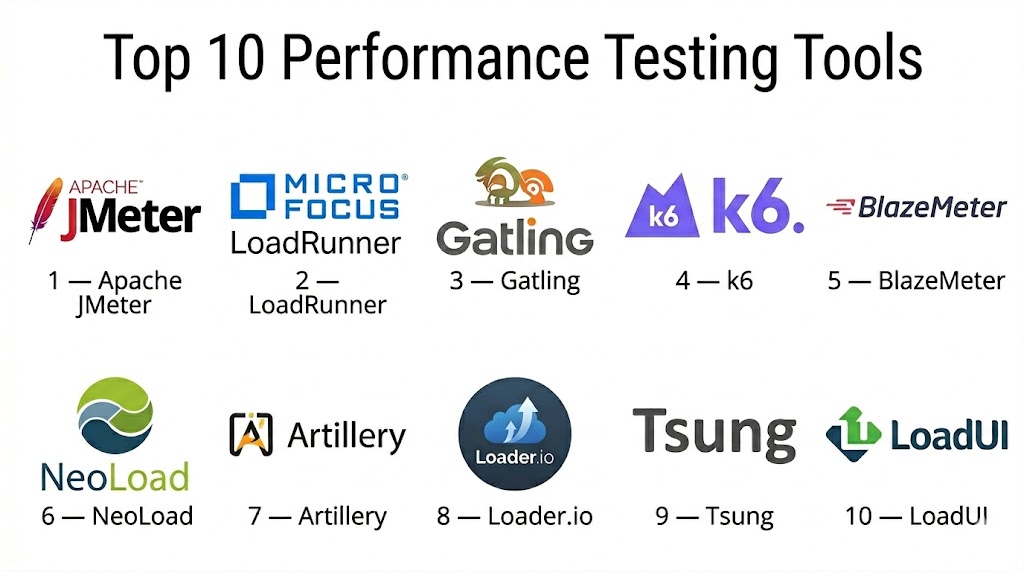
Top 10 Performance Testing Tools
#1 — Apache JMeter
Short description: Apache JMeter is an open-source tool for load and performance testing of web applications, APIs, and services. Widely used by developers and QA engineers, it simulates high-concurrency scenarios to ensure system reliability.
Key Features
- HTTP, HTTPS, SOAP, REST, WebSocket support
- Distributed load testing
- Real-time monitoring and reporting
- Thread groups to simulate concurrent users
- Java and Groovy scripting
- CI/CD integration
- Extensive plugin ecosystem
Pros
- Free and open-source
- Highly extensible
Cons
- GUI can be resource-intensive
- Advanced scripting has a learning curve
Platforms / Deployment
- Windows, Linux, macOS
- Cloud / On-prem / Hybrid
Security & Compliance
- SSL/TLS support
- Not publicly stated
Integrations & Ecosystem
- Jenkins, Bamboo, GitHub Actions
- Docker, Kubernetes
- Monitoring tools
Support & Community
- Active open-source community
- Comprehensive documentation
#2 — LoadRunner (Micro Focus)
Short description: LoadRunner is a commercial performance testing solution for web, mobile, and enterprise applications. It provides high-fidelity load simulation and detailed performance analytics.
Key Features
- Multi-protocol support
- Cloud and on-prem execution
- Real-time monitoring and dashboards
- Advanced scenario and script management
- CI/CD integration
- Detailed analytics and reporting
- Correlation and parameterization
Pros
- Enterprise-grade reliability
- Handles large-scale simulations
Cons
- High licensing cost
- Complex configuration
Platforms / Deployment
- Windows, Linux
- Cloud / On-prem / Hybrid
Security & Compliance
- SSL/TLS, RBAC
- Not publicly stated
Integrations & Ecosystem
- Jenkins, Azure DevOps
- Docker, Kubernetes
- Monitoring tools
Support & Community
- Vendor support tiers
- Training and documentation
#3 — Gatling
Short description: Gatling is a high-performance open-source tool for load and stress testing of web applications and APIs. It offers Scala-based scripting and real-time dashboards for insightful analytics.
Key Features
- HTTP, WebSocket, JMS support
- Distributed load testing
- Scala scripting for complex scenarios
- CI/CD pipeline integration
- Reusable modular test scenarios
- Cloud execution support
- Rich reporting and visualization
Pros
- High scalability and performance
- Developer-friendly scripting
Cons
- Programming knowledge required
- Limited GUI features
Platforms / Deployment
- Windows, Linux, macOS
- Cloud / On-prem / Hybrid
Security & Compliance
- SSL/TLS
- Not publicly stated
Integrations & Ecosystem
- Jenkins, GitLab CI
- Docker, Kubernetes
- CI/CD pipelines
Support & Community
- Active community
- Extensive documentation
#4 — k6
Short description: k6 is a modern open-source performance testing tool designed for APIs and cloud-native applications. It emphasizes automation, developer-friendly scripting, and cloud scalability.
Key Features
- JavaScript-based scenario scripting
- Cloud and on-prem execution
- API and microservices testing
- CI/CD integration
- Real-time dashboards and alerting
- Thresholds and pass/fail criteria
- Extensible with modules
Pros
- Developer-friendly
- Easy cloud integration
Cons
- Minimal GUI
- Requires scripting knowledge
Platforms / Deployment
- Windows, Linux, macOS
- Cloud / On-prem / Hybrid
Security & Compliance
- SSL/TLS
- Not publicly stated
Integrations & Ecosystem
- CI/CD pipelines
- Docker, Kubernetes
- Monitoring tools
Support & Community
- Active community
- Documentation available
#5 — BlazeMeter
Short description: BlazeMeter is a cloud-based load testing platform compatible with JMeter, Gatling, and Selenium, providing scalable and distributed performance testing with actionable insights.
Key Features
- Multi-protocol support
- Cloud distributed execution
- Real-time dashboards
- CI/CD integration
- Scenario parameterization
- Automated scheduling
- Comprehensive reporting
Pros
- Rapid cloud deployment
- Multi-tool compatibility
Cons
- Subscription cost
- Limited offline testing
Platforms / Deployment
- Web-based
- Cloud
Security & Compliance
- SSL/TLS
- Not publicly stated
Integrations & Ecosystem
- Jenkins, Bamboo, GitHub Actions
- Docker, Kubernetes
- Monitoring tools
Support & Community
- Vendor support tiers
- Tutorials and documentation
#6 — NeoLoad
Short description: NeoLoad is a commercial performance testing tool focused on continuous testing for web and mobile apps, offering AI-assisted test optimization.
Key Features
- Multi-protocol support
- Continuous integration-ready
- Real-time monitoring
- AI-based scenario optimization
- Distributed load generation
- Advanced reporting
- Virtual user management
Pros
- Enterprise-grade automation
- AI-assisted scenario design
Cons
- Licensing costs
- Complex setup
Platforms / Deployment
- Windows, Linux, macOS
- Cloud / On-prem / Hybrid
Security & Compliance
- SSL/TLS
- Not publicly stated
Integrations & Ecosystem
- CI/CD pipelines
- Docker, Kubernetes
- Monitoring tools
Support & Community
- Vendor support
- Documentation and training
#7 — Artillery
Short description: Artillery is a lightweight open-source load testing tool optimized for APIs, microservices, and serverless environments. It provides fast and scalable testing with developer-friendly scripting.
Key Features
- HTTP, WebSocket support
- JavaScript/YAML scripting
- Cloud and on-prem execution
- Real-time reporting
- CI/CD integration
- Scenario reusability
- Plugin extensibility
Pros
- Lightweight and fast
- Developer-friendly
Cons
- Limited GUI
- Minimal enterprise features
Platforms / Deployment
- Windows, Linux, macOS
- Cloud / On-prem / Hybrid
Security & Compliance
- SSL/TLS
- Not publicly stated
Integrations & Ecosystem
- CI/CD pipelines
- Docker, Kubernetes
Support & Community
- Community support
- Documentation
#8 — Loader.io
Short description: Loader.io is a cloud-based SaaS tool for rapid load testing of web apps and APIs, designed for teams seeking quick deployment and scalability.
Key Features
- HTTP/HTTPS load testing
- Cloud execution
- Real-time dashboards
- Easy scenario creation
- CI/CD integration
- Automated scheduling
- Reporting
Pros
- Fast setup
- Cloud-native scaling
Cons
- Limited advanced protocol support
- Paid plans for high usage
Platforms / Deployment
- Web-based
- Cloud
Security & Compliance
- SSL/TLS
- Not publicly stated
Integrations & Ecosystem
- CI/CD pipelines
- Webhooks and cloud services
Support & Community
- Vendor support
- Documentation
#9 — Tsung
Short description: Tsung is an open-source distributed load testing tool for HTTP, WebSocket, and messaging protocols, designed for high-concurrency scenarios.
Key Features
- Multi-protocol support
- Distributed load generation
- Real-time metrics
- XML-based scripting
- Cloud and on-prem deployment
- Session tracking
- High-concurrency simulation
Pros
- Free and scalable
- Multi-protocol support
Cons
- Complex XML scripting
- Steep learning curve
Platforms / Deployment
- Linux, macOS
- Cloud / On-prem / Hybrid
Security & Compliance
- SSL/TLS
- Not publicly stated
Integrations & Ecosystem
- Docker, CI/CD pipelines
- Monitoring tools
Support & Community
- Community support
- Documentation
#10 — LoadUI
Short description: LoadUI is a commercial tool for API load testing with visual scripting, dashboards, and analytics, suitable for microservices and enterprise APIs.
Key Features
- API load testing
- Visual scenario design
- Real-time dashboards
- CI/CD integration
- Distributed testing
- Reporting and analytics
- Cloud and on-prem deployment
Pros
- Visual and easy to use
- API-focused
Cons
- Licensing costs
- Limited protocol support
Platforms / Deployment
- Windows, Linux, macOS
- Cloud / On-prem / Hybrid
Security & Compliance
- SSL/TLS
- Not publicly stated
Integrations & Ecosystem
- CI/CD pipelines
- Docker, Kubernetes
Support & Community
- Vendor support
- Tutorials and documentation
Comparison Table (Top 10)
| Tool Name | Best For | Platform(s) Supported | Deployment | Standout Feature | Public Rating |
|---|---|---|---|---|---|
| Apache JMeter | Open-source web/API | Windows, Linux, macOS | Cloud/On-prem/Hybrid | Plugin ecosystem | N/A |
| LoadRunner | Enterprise | Windows, Linux | Cloud/On-prem/Hybrid | Multi-protocol | N/A |
| Gatling | Devs & APIs | Windows, Linux, macOS | Cloud/On-prem/Hybrid | Scala scripting | N/A |
| k6 | Cloud-native apps | Windows, Linux, macOS | Cloud/On-prem/Hybrid | JS scripting | N/A |
| BlazeMeter | SaaS cloud testing | Web-based | Cloud | Multi-tool compatibility | N/A |
| NeoLoad | Enterprise & microservices | Windows, Linux, macOS | Cloud/On-prem/Hybrid | AI-assisted | N/A |
| Artillery | Microservices & APIs | Windows, Linux, macOS | Cloud/On-prem/Hybrid | Lightweight & fast | N/A |
| Loader.io | Rapid cloud testing | Web-based | Cloud | Quick cloud setup | N/A |
| Tsung | High-concurrency | Linux, macOS | Cloud/On-prem/Hybrid | Distributed load | N/A |
| LoadUI | API-focused | Windows, Linux, macOS | Cloud/On-prem/Hybrid | Visual scripting | N/A |
Evaluation & Scoring of Performance Testing Tools
| Tool Name | Core (25%) | Ease (15%) | Integrations (15%) | Security (10%) | Performance (10%) | Support (10%) | Value (15%) | Weighted Total (0–10) |
|---|---|---|---|---|---|---|---|---|
| Apache JMeter | 8 | 7 | 8 | 7 | 8 | 7 | 8 | 7.7 |
| LoadRunner | 9 | 7 | 8 | 8 | 9 | 8 | 7 | 8.3 |
| Gatling | 8 | 8 | 7 | 7 | 8 | 7 | 7 | 7.6 |
| k6 | 8 | 8 | 7 | 7 | 8 | 7 | 7 | 7.6 |
| BlazeMeter | 8 | 8 | 7 | 7 | 8 | 7 | 7 | 7.6 |
| NeoLoad | 9 | 7 | 8 | 8 | 9 | 8 | 7 | 8.3 |
| Artillery | 8 | 8 | 7 | 7 | 8 | 7 | 7 | 7.6 |
| Loader.io | 7 | 9 | 7 | 7 | 7 | 7 | 7 | 7.4 |
| Tsung | 8 | 7 | 7 | 7 | 8 | 7 | 7 | 7.5 |
| LoadUI | 8 | 8 | 7 | 7 | 8 | 7 | 7 | 7.6 |
Interpretation: Weighted totals provide a comparative perspective on feature depth, usability, integrations, performance, support, and value. Higher scores indicate stronger suitability for diverse performance testing scenarios.
Which Performance Testing Tools Tool Is Right for You?
Solo / Freelancer
k6, Artillery, Apache JMeter – lightweight, developer-friendly, and efficient for small projects.
SMB
BlazeMeter, Gatling, Loader.io – cloud-friendly, scalable, and easy to deploy for mid-sized teams.
Mid-Market
NeoLoad, LoadRunner, Gatling – robust enterprise features, multi-protocol testing, and integration-ready.
Enterprise
LoadRunner, NeoLoad, BlazeMeter, Apache JMeter – handle massive traffic loads with detailed analytics.
Budget vs Premium
- Budget: Apache JMeter, Gatling, Artillery
- Premium: LoadRunner, NeoLoad, BlazeMeter
Feature Depth vs Ease of Use
- Feature-rich: LoadRunner, NeoLoad, BlazeMeter
- Quick setup: k6, Artillery, Loader.io
Integrations & Scalability
- Enterprise scale: LoadRunner, NeoLoad
- Developer-centric: Gatling, k6, Artillery
Security & Compliance Needs
Enterprise teams benefit from LoadRunner and NeoLoad for secure and auditable test execution.
Frequently Asked Questions (FAQs)
1. How are performance testing tools priced?
Open-source options are free; commercial tools use subscriptions or per-virtual-user licensing.
2. How fast can tests run?
Simple tests may take minutes; complex distributed tests can require hours to execute.
3. What are common mistakes?
Skipping realistic user scenarios, ignoring peak traffic, and neglecting performance monitoring.
4. How secure are these tools?
Secure connections (SSL/TLS) and role-based access control are standard for enterprise tools.
5. Can they simulate thousands of users?
Yes. Tools like LoadRunner, BlazeMeter, and JMeter handle high concurrency.
6. Which protocols are supported?
HTTP, HTTPS, WebSocket, SOAP, REST, and some messaging protocols.
7. Cloud or on-premise?
Cloud offers scalability and convenience; on-prem provides full control.
8. Integration with CI/CD pipelines?
All top tools provide APIs or plugins for Jenkins, GitHub Actions, Azure DevOps.
9. Can I test APIs and web apps together?
Yes, multi-protocol and hybrid testing is supported.
10. Alternatives to traditional performance testing?
Serverless frameworks, synthetic monitoring, and cloud-native performance services.
Conclusion
Performance testing tools are the backbone of reliable, scalable applications. Apache JMeter, k6, and Gatling provide open-source flexibility, while LoadRunner, NeoLoad, and BlazeMeter deliver enterprise-grade capabilities with AI-assisted optimization. Choosing the right tool depends on traffic, deployment environment, team skill sets, and integration needs. Pilot selected tools, simulate real-world workloads, and adopt a continuous performance strategy to ensure application excellence.

Find Trusted Cardiac Hospitals
Compare heart hospitals by city and services — all in one place.
Explore Hospitals
Performance testing should also check how an application behaves when traffic changes suddenly. A system may work well under normal load but slow down when many users arrive at once. Testing these sudden traffic changes can help teams find capacity problems before they affect real users.