Introduction
Cloud Workload Protection Platforms (CWPP) are specialized security solutions designed to protect cloud-based workloads, including virtual machines, containers, and serverless functions. They provide visibility, threat detection, and automated enforcement of security policies across diverse cloud environments. CWPPs help organizations secure cloud workloads from misconfigurations, vulnerabilities, malware, and compliance violations while integrating seamlessly with DevOps pipelines.
In , as organizations adopt multi-cloud and hybrid cloud architectures, CWPP has become essential for comprehensive cloud security. These platforms allow security teams to proactively monitor workloads, detect threats in real-time, and enforce security standards across all cloud resources, ensuring both operational continuity and compliance.
Real-world use cases include:
- Protecting multi-cloud virtual machines, containers, and serverless workloads.
- Automated detection and remediation of vulnerabilities and misconfigurations.
- Compliance enforcement for standards such as GDPR, HIPAA, and ISO 27001.
- Threat detection and behavioral analytics across cloud workloads.
- Integration with CI/CD pipelines to enforce security in DevSecOps workflows.
Evaluation criteria for buyers often include:
- Cloud provider coverage (AWS, Azure, GCP, hybrid)
- Runtime protection and threat detection
- Vulnerability assessment and patch management
- Automated remediation and policy enforcement
- Compliance monitoring and reporting
- Integration with SIEM, SOAR, and ticketing systems
- Ease of deployment and scalability
- Role-based access control and audit logs
- Pricing and licensing flexibility
- Security analytics and reporting dashboards
Best for: Security teams, cloud architects, DevSecOps teams, and enterprises with multi-cloud workloads.
Not ideal for: Small organizations with limited cloud presence or minimal workloads where basic cloud security features suffice.
Key Trends in Cloud Workload Protection Platforms (CWPP)
- AI and machine learning-powered threat detection and anomaly monitoring.
- Continuous monitoring of multi-cloud and hybrid cloud workloads.
- Runtime protection for containers, VMs, and serverless functions.
- Automated remediation and policy enforcement for misconfigurations and vulnerabilities.
- Integration with DevSecOps and CI/CD pipelines to enforce shift-left security.
- Risk-based prioritization and contextual threat analytics.
- API-first design enabling extensibility and workflow automation.
- Subscription and usage-based pricing for flexibility.
- Compliance reporting and audit readiness for GDPR, HIPAA, and ISO standards.
- Cloud-native deployment for scalability and minimal operational overhead.
How We Selected These Tools (Methodology)
- Evaluated market adoption and enterprise mindshare in cloud security.
- Reviewed feature completeness, including runtime protection, threat detection, and compliance monitoring.
- Assessed performance and reliability for large-scale, multi-cloud deployments.
- Verified security posture and compliance support, including RBAC, encryption, and auditing.
- Examined integration capabilities with SIEM, SOAR, ITSM, and DevSecOps platforms.
- Considered customer fit across SMB, mid-market, and enterprise segments.
- Balanced commercial and emerging solutions for diversity.
- Reviewed ease of deployment, usability, and reporting capabilities.
- Checked vendor support, documentation, and community engagement.
- Assessed licensing flexibility and total cost of ownership.
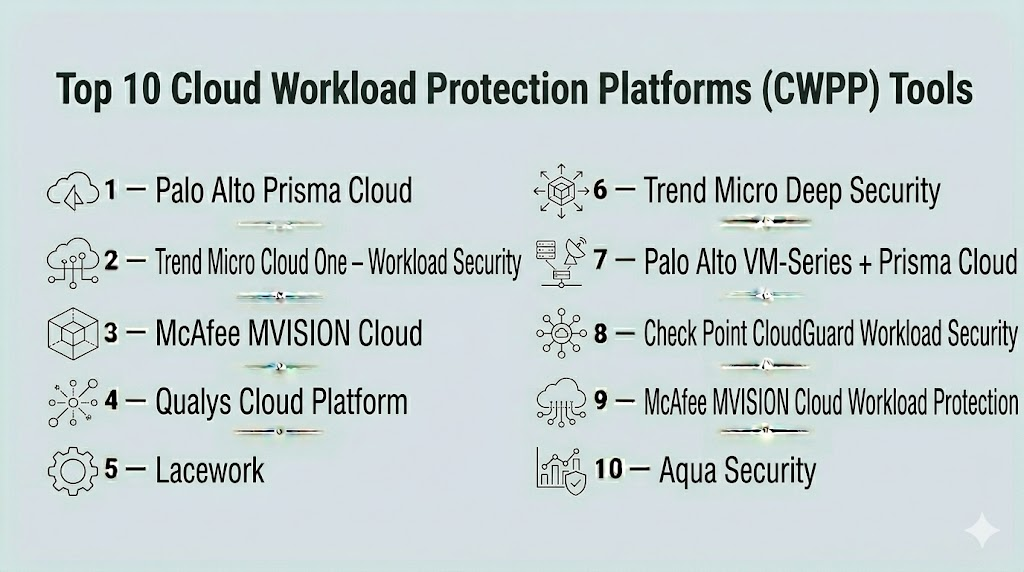
Top 10 Cloud Workload Protection Platforms (CWPP) Tools
#1 — Palo Alto Prisma Cloud
Short description : Prisma Cloud provides full-spectrum workload protection, including VM, container, and serverless security across AWS, Azure, and GCP. It is designed for enterprise security teams requiring comprehensive visibility and enforcement.
Key Features
- Runtime protection for VMs, containers, and serverless workloads
- Vulnerability assessment and patch management
- Cloud compliance monitoring (GDPR, HIPAA, ISO)
- Threat detection with AI/ML analytics
- Automated remediation and policy enforcement
- Integration with DevSecOps pipelines
Pros
- Comprehensive cloud workload coverage
- Real-time monitoring and alerting
- Scales across multi-cloud environments
Cons
- Premium pricing
- Complexity may require training
Platforms / Deployment
- Web
- Cloud
Security & Compliance
- Encryption, RBAC
- ISO 27001, GDPR, HIPAA
Integrations & Ecosystem
Supports SIEM, SOAR, DevSecOps tools.
- Jenkins, GitHub Actions, Azure DevOps
- Splunk, ServiceNow, Jira
- API access for custom workflows
Support & Community
- Enterprise support tiers
- Detailed documentation
- Active user community
#2 — Trend Micro Cloud One – Workload Security
Short description : Trend Micro Cloud One protects cloud workloads with intrusion detection, runtime defense, and compliance enforcement for enterprise and hybrid cloud deployments.
Key Features
- Malware detection and runtime protection
- Vulnerability scanning for VMs and containers
- Policy enforcement for compliance
- Behavioral analytics for threat detection
- Cloud-native and hybrid support
Pros
- Strong runtime threat protection
- Integrated compliance management
- Supports multi-cloud workloads
Cons
- Advanced features require configuration
- Premium licensing
Platforms / Deployment
- Web
- Cloud
Security & Compliance
- Encryption, RBAC
- ISO 27001, GDPR
Integrations & Ecosystem
- SIEM, DevSecOps, ITSM tools
- API-driven automation
- Cloud platform connectors
Support & Community
- Vendor support
- Documentation and training
#3 — McAfee MVISION Cloud
Short description : MVISION Cloud provides CSPM and CWPP capabilities, securing cloud workloads, containers, and serverless functions with automated threat detection and compliance enforcement.
Key Features
- Cloud workload monitoring
- Automated compliance and policy enforcement
- Threat detection and remediation
- Multi-cloud and hybrid support
- API access for integrations
Pros
- Cloud-native and scalable
- Real-time threat detection
- Integration-friendly for DevSecOps
Cons
- Premium pricing
- Complexity for small teams
Platforms / Deployment
- Web
- Cloud
Security & Compliance
- Encryption, RBAC
- ISO 27001, GDPR
Integrations & Ecosystem
- CI/CD, SIEM, Jira
- API access for automation
Support & Community
- Vendor support
- Documentation
#4 — Qualys Cloud Platform
Short description : Qualys CWPP secures cloud workloads with vulnerability detection, configuration assessment, and continuous monitoring, integrating seamlessly with enterprise security workflows.
Key Features
- Vulnerability scanning for VMs, containers, and serverless functions
- Configuration and compliance assessment
- Threat detection and analytics
- Integration with SIEM and ITSM
- Automated alerts and reporting
Pros
- Unified vulnerability and workload protection
- Scalable for large enterprises
- Continuous monitoring
Cons
- Complexity for SMB teams
- Licensing cost
Platforms / Deployment
- Web
- Cloud / On-prem
Security & Compliance
- Encryption, RBAC
- ISO 27001, GDPR
Integrations & Ecosystem
- SIEM, Jira, ServiceNow
- API access for automation
- CI/CD integrations
Support & Community
- Vendor support
- Documentation
#5 — Lacework
Short description : Lacework provides CWPP with agentless runtime monitoring, container security, and behavioral analytics for cloud workloads.
Key Features
- Agentless cloud workload monitoring
- Container and serverless security
- Behavioral analytics for threat detection
- Compliance dashboards
- Automated alerts
Pros
- Fast deployment and agentless monitoring
- Supports cloud-native workloads
- Continuous visibility
Cons
- Enterprise pricing
- Advanced configuration needed for complex environments
Platforms / Deployment
- Web
- Cloud
Security & Compliance
- Not publicly stated
Integrations & Ecosystem
- SIEM, DevSecOps pipelines
- API access
Support & Community
- Vendor support
- Documentation
#6 — Trend Micro Deep Security
Short description : Deep Security protects cloud workloads, virtual machines, and containers with intrusion detection, anti-malware, and integrity monitoring across hybrid environments.
Key Features
- Anti-malware and runtime protection
- Intrusion detection and prevention
- Vulnerability shielding
- Configuration compliance
- Multi-cloud and hybrid support
Pros
- Enterprise-grade runtime security
- Multi-platform support
- Integration with DevOps workflows
Cons
- Licensing complexity
- Setup may require training
Platforms / Deployment
- Web, Windows, Linux
- Cloud / On-prem
Security & Compliance
- Encryption, RBAC
- ISO 27001, GDPR
Integrations & Ecosystem
- CI/CD pipelines, SIEM tools
- API-driven automation
- Cloud connectors
Support & Community
- Vendor support
- Documentation
#7 — Palo Alto VM-Series + Prisma Cloud
Short description : Combines VM-Series firewall security with Prisma Cloud CWPP for multi-cloud workload protection, threat detection, and automated policy enforcement.
Key Features
- Firewall and runtime protection
- Threat detection for cloud workloads
- Automated compliance checks
- Integration with SIEM and DevSecOps
- Multi-cloud and hybrid support
Pros
- Integrated network and workload security
- Enterprise-grade visibility
- Automated remediation
Cons
- High complexity
- Premium pricing
Platforms / Deployment
- Web
- Cloud / Hybrid
Security & Compliance
- Encryption, RBAC
- ISO 27001, GDPR
Integrations & Ecosystem
- SIEM, DevSecOps, Jira
- API access for automation
Support & Community
- Vendor support
- Documentation
#8 — Check Point CloudGuard Workload Security
Short description : CloudGuard protects VMs, containers, and serverless workloads in cloud environments with automated security enforcement, runtime threat detection, and compliance reporting.
Key Features
- Runtime threat detection
- Policy enforcement for cloud workloads
- Vulnerability assessment
- Compliance dashboards
- Multi-cloud support
Pros
- Cloud-native runtime protection
- Automation-ready
- Strong visibility dashboards
Cons
- Licensing cost
- Complexity for SMBs
Platforms / Deployment
- Web
- Cloud
Security & Compliance
- Encryption, RBAC
- ISO 27001, GDPR
Integrations & Ecosystem
- SIEM, DevSecOps pipelines
- API integration
Support & Community
- Vendor support
- Documentation
#9 — McAfee MVISION Cloud Workload Protection
Short description : MVISION provides runtime protection, misconfiguration detection, and compliance enforcement for multi-cloud workloads.
Key Features
- Cloud workload monitoring
- Automated remediation
- Threat detection
- Compliance reporting
- Multi-cloud coverage
Pros
- Real-time monitoring
- Integrated cloud security platform
- Scalable for enterprises
Cons
- Premium pricing
- Setup complexity
Platforms / Deployment
- Web
- Cloud
Security & Compliance
- Encryption, RBAC
- ISO 27001, GDPR
Integrations & Ecosystem
- SIEM, DevSecOps, Jira
- API support
Support & Community
- Vendor support
- Documentation
#10 — Aqua Security
Short description : Aqua Security provides container and cloud-native workload protection, runtime threat detection, and policy enforcement for enterprise cloud deployments.
Key Features
- Container and serverless workload protection
- Runtime threat detection
- Compliance policy enforcement
- Automated alerts and dashboards
- Multi-cloud support
Pros
- Strong container and serverless security
- Real-time monitoring
- Compliance-ready
Cons
- Premium pricing
- Complexity for small teams
Platforms / Deployment
- Web
- Cloud
Security & Compliance
- Encryption, RBAC
- ISO 27001, GDPR
Integrations & Ecosystem
- SIEM, DevSecOps pipelines
- API for automation
Support & Community
- Vendor support
- Documentation
Comparison Table (Top 10)
| Tool Name | Best For | Platform(s) Supported | Deployment | Standout Feature | Public Rating |
|---|---|---|---|---|---|
| Prisma Cloud | Enterprise multi-cloud | Web | Cloud | Runtime workload protection | N/A |
| Trend Micro Cloud One | Cloud workloads | Web | Cloud | Runtime threat detection | N/A |
| MVISION Cloud | Multi-cloud enterprise | Web | Cloud | Automated remediation | N/A |
| Qualys CSPM | Enterprise | Web | Cloud / On-prem | Compliance dashboards | N/A |
| Lacework | Cloud-native & containers | Web | Cloud | Agentless monitoring | N/A |
| Deep Security | VMs & hybrid workloads | Web, Windows, Linux | Cloud / On-prem | Runtime protection & IDS | N/A |
| VM-Series + Prisma | Multi-cloud enterprises | Web | Cloud / Hybrid | Integrated network & workload security | N/A |
| CloudGuard Workload | Cloud security teams | Web | Cloud | Automated runtime protection | N/A |
| MVISION Workload | Multi-cloud security | Web | Cloud | Threat detection & compliance | N/A |
| Aqua Security | Container & serverless | Web | Cloud | Container & serverless protection | N/A |
Evaluation & Scoring of CWPP Tools
| Tool Name | Core (25%) | Ease (15%) | Integrations (15%) | Security (10%) | Performance (10%) | Support (10%) | Value (15%) | Weighted Total |
|---|---|---|---|---|---|---|---|---|
| Prisma Cloud | 9 | 8 | 9 | 9 | 9 | 8 | 7 | 8.5 |
| Trend Micro Cloud One | 8 | 8 | 8 | 8 | 8 | 7 | 7 | 7.9 |
| MVISION Cloud | 8 | 7 | 8 | 8 | 8 | 7 | 7 | 7.7 |
| Qualys CSPM | 8 | 7 | 8 | 8 | 8 | 7 | 7 | 7.7 |
| Lacework | 8 | 8 | 7 | 8 | 8 | 7 | 7 | 7.8 |
| Deep Security | 8 | 7 | 8 | 8 | 8 | 7 | 7 | 7.7 |
| VM-Series + Prisma | 9 | 7 | 8 | 9 | 8 | 7 | 7 | 8.1 |
| CloudGuard Workload | 8 | 7 | 8 | 8 | 8 | 7 | 7 | 7.8 |
| MVISION Workload | 8 | 7 | 8 | 8 | 8 | 7 | 7 | 7.8 |
| Aqua Security | 8 | 7 | 8 | 8 | 8 | 7 | 7 | 7.8 |
Interpretation: Weighted totals provide a comparative overview of CWPP platforms across core features, usability, integrations, security, performance, support, and value. Scores are comparative, and organizations should evaluate according to workload complexity and cloud deployment needs.
Which CWPP Tool Is Right for You?
Solo / Freelancer
Lightweight, cloud-native tools like Lacework or Aqua Security allow fast deployment and basic workload protection.
SMB
Qualys CSPM, Trend Micro Cloud One, or MVISION Cloud provide balanced coverage for cloud workloads with manageable complexity.
Mid-Market
Prisma Cloud, CloudGuard Workload, and Deep Security offer robust monitoring, threat detection, and compliance reporting.
Enterprise
VM-Series + Prisma Cloud, Prisma Cloud Enterprise, and MVISION Workload provide comprehensive, scalable CWPP solutions with deep integration capabilities.
Budget vs Premium
Small teams may use lightweight solutions with essential features, whereas premium enterprise solutions justify cost with advanced automation, multi-cloud support, and compliance enforcement.
Feature Depth vs Ease of Use
Small teams prioritize ease of deployment; enterprises require feature-rich platforms capable of integrating with SIEM, SOAR, and DevSecOps pipelines.
Integrations & Scalability
Enterprise environments require CWPP solutions that integrate with SIEM, ITSM, and multi-cloud platforms while scaling with workload growth.
Security & Compliance Needs
Regulated industries should ensure encryption, RBAC, audit logs, and compliance reporting are supported.
Frequently Asked Questions (FAQs)
1. What pricing models exist for CWPP tools?
Most platforms offer subscription-based SaaS or enterprise licensing, with usage-based tiers for multi-cloud deployments.
2. How long does onboarding take?
Small teams can onboard in days, while enterprise deployments may require weeks for configuration, integrations, and policy setup.
3. Can CWPP tools integrate with CI/CD pipelines?
Yes, integration with Jenkins, GitHub Actions, GitLab, and Azure DevOps is commonly supported.
4. Do these tools support multi-cloud and hybrid environments?
Yes, leading CWPP platforms provide visibility and security across AWS, Azure, GCP, and hybrid infrastructures.
5. How often do CWPP platforms scan workloads?
Most tools provide continuous or near real-time monitoring for proactive threat detection.
6. Are CWPP tools suitable for regulated industries?
Yes, they offer compliance reporting, encryption, RBAC, and audit trail features for HIPAA, GDPR, ISO 27001, and other standards.
7. Can small organizations benefit from CWPP tools?
Yes, cloud-native and agentless solutions like Lacework or Aqua Security provide actionable protection for smaller teams.
8. Do CWPP tools provide automated remediation?
Many platforms offer automated or guided remediation for detected vulnerabilities and misconfigurations.
9. Can CWPP tools prioritize threats and exposures?
Yes, risk-based scoring and alerting help teams focus on critical threats.
10. How do I choose the best CWPP tool?
Evaluate your workload complexity, cloud deployment, compliance needs, integrations, and budget to shortlist the most suitable platform.
Conclusion
Cloud Workload Protection Platforms are essential for securing virtual machines, containers, and serverless workloads in multi-cloud and hybrid environments. SMBs and developers can leverage solutions like Lacework or Aqua Security for rapid deployment and workload protection, while enterprises gain maximum value from Prisma Cloud, VM-Series + Prisma Cloud, and MVISION Cloud, which provide scalable, automated, and integrated security across all cloud workloads. Organizations should evaluate their cloud environment, compliance requirements, and integration needs, pilot selected solutions, and integrate them into DevSecOps and security operations to strengthen cloud security posture and minimize risk exposure.

Find Trusted Cardiac Hospitals
Compare heart hospitals by city and services — all in one place.
Explore Hospitals
CWPP tools can give strong visibility, but running them across many workloads can also create extra alerts and security tasks for the team. It would be useful to also track which findings are actually fixed and which ones keep coming back. This can help teams focus their time on problems that have the biggest impact on production.