Introduction
Subcontractor Management Tools are software solutions designed to help businesses manage relationships, contracts, compliance, and performance of subcontractors efficiently. In today’s global supply chain and project-heavy industries, managing subcontractors manually can lead to delays, miscommunication, and compliance risks. Modern tools automate onboarding, track performance metrics, maintain documentation, and ensure timely payments.
Real-world use cases include:
- Construction projects: coordinating multiple subcontractors for building, electrical, and plumbing tasks.
- IT and software services: managing freelance developers or outsourced teams across geographies.
- Manufacturing: ensuring third-party suppliers adhere to quality and delivery standards.
- Events & logistics: handling temporary staffing, contractors, or service vendors.
- Facilities management: scheduling maintenance subcontractors and tracking service completion.
What buyers should evaluate:
- Contract management and digital signature capabilities
- Compliance tracking (safety, licensing, certifications)
- Performance monitoring and reporting
- Integration with ERP, payroll, and procurement systems
- Mobile access and field-level updates
- Automated notifications and reminders
- Budgeting, invoicing, and payment workflows
- Scalability and multi-location support
Best for: mid-sized to large organizations, construction firms, IT services companies, and manufacturing businesses managing multiple subcontractors across projects.
Not ideal for: businesses with only one or two subcontractors or those using internal manual tracking; spreadsheet-based systems may suffice in simpler setups.
Key Trends in Subcontractor Management Tools
- AI-powered performance analytics for predicting delays and identifying high-risk subcontractors
- Automated compliance tracking for licenses, safety certifications, and insurance renewals
- Cloud-native and mobile-first deployment for on-site updates and approvals
- Integration with ERP and project management platforms for seamless workflows
- Digital contract lifecycle management with e-signatures and version control
- Predictive risk scoring for subcontractor reliability and quality
- Collaboration portals for real-time communication with subcontractors
- Dynamic scheduling and resource allocation
- Data-driven cost optimization and budget tracking
- Regulatory reporting and audit-ready documentation
How We Selected These Tools (Methodology)
- Evaluated market adoption and mindshare in construction, manufacturing, IT, and services industries
- Assessed feature completeness: compliance, performance, invoicing, reporting
- Checked reliability signals: uptime, bug tracking, user feedback
- Reviewed security posture: access control, encryption, audit logs
- Integrated ecosystem: compatibility with ERPs, project management, and accounting software
- Considered customer fit across SMB, mid-market, and enterprise segments
- Looked for mobile and cloud deployment flexibility
- Evaluated usability and ease of onboarding
- Verified real-world user case studies and testimonials
- Balanced pricing, ROI, and value proposition
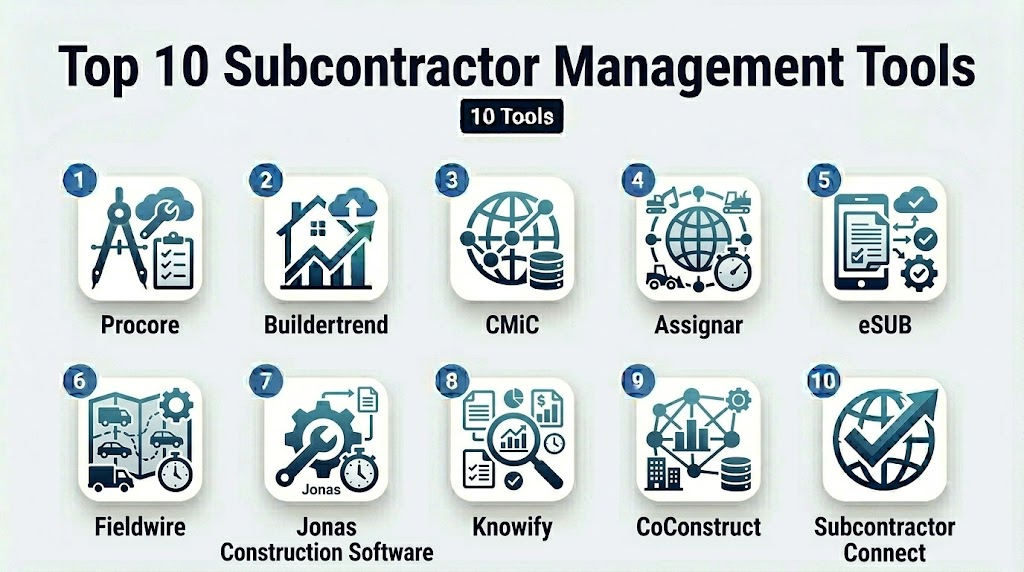
Top 10 Subcontractor Management Tools
1- Procore
Short description: Procore is a construction-focused platform that centralizes subcontractor management, project documentation, and communication for contractors of all sizes.
Key Features
- Subcontractor onboarding and contract management
- Real-time project tracking and reporting
- Safety and compliance documentation
- Integrated scheduling and task assignment
- Budgeting and invoice management
Pros
- Streamlines communication across multiple subcontractors
- Strong integration with construction tools and accounting systems
Cons
- Can be expensive for smaller projects
- Some users report a steep learning curve
Platforms / Deployment
- Web / iOS / Android
- Cloud
Security & Compliance
- SSO/SAML, MFA, encryption
- SOC 2, Not publicly stated for ISO
Integrations & Ecosystem
Supports integrations with accounting, ERP, and project management software:
- QuickBooks, Sage, Oracle
- API for custom integrations
- Mobile app integration for field updates
Support & Community
- Online documentation, onboarding support
- Dedicated customer success managers
- Active user community forums
2- Buildertrend
Short description: Buildertrend is a cloud-based construction management platform helping subcontractors and general contractors track projects, costs, and communications.
Key Features
- Subcontractor scheduling and assignments
- Digital contracts and e-signatures
- Change order tracking
- Budget and cost tracking
- Mobile field management
Pros
- Intuitive UI with drag-and-drop scheduling
- Efficient document management and communication
Cons
- Limited advanced analytics
- Pricing may be high for smaller teams
Platforms / Deployment
- Web / iOS / Android
- Cloud
Security & Compliance
- Not publicly stated
Integrations & Ecosystem
- QuickBooks, Xero, Sage, Zapier integration
- API for custom workflows
- Cloud storage for project documents
Support & Community
- Email and phone support
- Learning resources and tutorials
- Active online community
3- CMiC
Short description: CMiC provides enterprise construction software with subcontractor management, financials, and project collaboration features.
Key Features
- Vendor management and approvals
- Contract and change order workflows
- Compliance documentation
- Resource and schedule tracking
- Financial reporting and cost control
Pros
- Strong financial and accounting modules
- Scalable for large enterprise construction projects
Cons
- Interface may feel complex for SMBs
- Implementation can be time-intensive
Platforms / Deployment
- Web / Windows
- Cloud / Hybrid
Security & Compliance
- SOC 2, SSO, MFA, encryption
Integrations & Ecosystem
- Integrates with ERP, accounting, and project management platforms
- API for custom integrations
- Document management for subcontractor files
Support & Community
- Dedicated support, training, and professional services
- Community forums for knowledge sharing
4- Assignar
Short description: Assignar is a subcontractor and field operations management platform that helps automate scheduling, compliance, and performance tracking.
Key Features
- Subcontractor onboarding and licensing verification
- Mobile workforce tracking
- Schedule optimization
- Automated notifications and reminders
- Performance dashboards
Pros
- Strong mobile-first design for field operations
- Automates compliance tracking
Cons
- Limited international availability
- Advanced reporting requires extra configuration
Platforms / Deployment
- Web / iOS / Android
- Cloud
Security & Compliance
- Not publicly stated
Integrations & Ecosystem
- Integrates with ERP and accounting tools
- API access for custom workflows
- Supports digital signatures
Support & Community
- Online documentation
- Email and phone support
- Training modules available
5- eSUB
Short description: eSUB is a construction project management platform with subcontractor focus, offering task tracking, document management, and reporting.
Key Features
- Subcontractor task management
- Field documentation capture
- Digital forms and checklists
- Project communication and notifications
- Reporting and dashboards
Pros
- Simplifies field documentation
- Strong task assignment and tracking
Cons
- Limited integrations compared to enterprise platforms
- Steep learning curve for first-time users
Platforms / Deployment
- Web / iOS / Android
- Cloud
Security & Compliance
- Not publicly stated
Integrations & Ecosystem
- Supports accounting tools, project management apps
- API for custom workflows
- Cloud document storage
Support & Community
- Knowledge base and guides
- Phone and email support
- Online community forums
6- Fieldwire
Short description: Fieldwire is a jobsite management software that helps manage subcontractors, tasks, and project documentation efficiently.
Key Features
- Task and punch list management
- Subcontractor assignments
- Plan and blueprint management
- Real-time communication
- Reporting and analytics
Pros
- Easy task tracking for teams in the field
- User-friendly mobile interface
Cons
- Less robust financial management
- Advanced reporting limited to higher plans
Platforms / Deployment
- Web / iOS / Android
- Cloud
Security & Compliance
- Not publicly stated
Integrations & Ecosystem
- Integrates with project management and accounting software
- API access for custom workflows
- Cloud storage for files
Support & Community
- Email and chat support
- Online knowledge base
- Active forum for users
7- Jonas Construction Software
Short description: Jonas provides ERP and construction management solutions for subcontractor management, including financials and project oversight.
Key Features
- Subcontractor contracts and approvals
- Scheduling and resource management
- Billing and invoice management
- Document and compliance tracking
- Reporting and analytics
Pros
- Comprehensive ERP for subcontractor management
- Scalable for larger construction firms
Cons
- Can be complex for small teams
- Implementation time may be long
Platforms / Deployment
- Web / Windows
- Cloud / Hybrid
Security & Compliance
- SOC 2, Not publicly stated
Integrations & Ecosystem
- ERP, accounting, and project management integrations
- API for custom workflows
- Document management modules
Support & Community
- Professional support services
- Training and onboarding programs
- User community forums
8- Knowify
Short description: Knowify is a subcontractor and project management platform for trade contractors, combining job tracking, budgeting, and compliance.
Key Features
- Subcontractor management and approvals
- Job costing and budgeting
- Change order management
- Contract and document management
- Scheduling and task tracking
Pros
- Affordable for SMBs
- Combines financial and project management
Cons
- Reporting capabilities may be limited
- Mobile app less mature than competitors
Platforms / Deployment
- Web / iOS / Android
- Cloud
Security & Compliance
- Not publicly stated
Integrations & Ecosystem
- Integrates with accounting and payroll software
- API for custom workflows
- Cloud document storage
Support & Community
- Email and chat support
- Knowledge base
- Online tutorials and guides
9- CoConstruct
Short description: CoConstruct manages home-building and remodeling projects, focusing on subcontractor management, budgeting, and client communications.
Key Features
- Subcontractor scheduling and task management
- Budget and cost tracking
- Change order processing
- Document management
- Client and team communication
Pros
- Strong for residential construction projects
- Client-facing features integrated with subcontractor workflows
Cons
- Less suited for large commercial projects
- Learning curve for full functionality
Platforms / Deployment
- Web / iOS / Android
- Cloud
Security & Compliance
- Not publicly stated
Integrations & Ecosystem
- Accounting and payment software integration
- API for custom workflows
- Cloud document storage
Support & Community
- Customer support via phone/email
- Knowledge base and online guides
- Community forums
10- Subcontractor Connect
Short description: Subcontractor Connect is designed to streamline subcontractor onboarding, compliance tracking, and communication for contractors of all sizes.
Key Features
- Centralized subcontractor database
- Compliance and certification tracking
- Digital contracts and approvals
- Messaging and notifications
- Reporting dashboards
Pros
- Simplifies compliance management
- Enhances subcontractor communication
Cons
- Limited integrations
- Smaller ecosystem compared to enterprise tools
Platforms / Deployment
- Web / iOS / Android
- Cloud
Security & Compliance
- Not publicly stated
Integrations & Ecosystem
- Basic API for document management
- Integrates with select accounting tools
- Cloud storage for records
Support & Community
- Online documentation
- Email support
- Limited community presence
Comparison Table (Top 10)
| Tool Name | Best For | Platform(s) Supported | Deployment | Standout Feature | Public Rating |
|---|---|---|---|---|---|
| Procore | Enterprise construction firms | Web / iOS / Android | Cloud | Comprehensive project oversight | N/A |
| Buildertrend | SMBs and mid-sized builders | Web / iOS / Android | Cloud | Scheduling and budgeting | N/A |
| CMiC | Large enterprise projects | Web / Windows | Cloud / Hybrid | Financial integration | N/A |
| Assignar | Field operations | Web / iOS / Android | Cloud | Mobile-first compliance | N/A |
| eSUB | Construction task management | Web / iOS / Android | Cloud | Task tracking and documentation | N/A |
| Fieldwire | Field team coordination | Web / iOS / Android | Cloud | Jobsite task tracking | N/A |
| Jonas Construction Software | Enterprise ERP | Web / Windows | Cloud / Hybrid | ERP integration | N/A |
| Knowify | Trade contractors | Web / iOS / Android | Cloud | Budgeting and job costing | N/A |
| CoConstruct | Home-building and remodeling | Web / iOS / Android | Cloud | Client & subcontractor workflow | N/A |
| Subcontractor Connect | Small to medium contractors | Web / iOS / Android | Cloud | Compliance tracking | N/A |
Evaluation & Scoring of Subcontractor Management Tools
| Tool Name | Core (25%) | Ease (15%) | Integrations (15%) | Security (10%) | Performance (10%) | Support (10%) | Value (15%) | Weighted Total |
|---|---|---|---|---|---|---|---|---|
| Procore | 9 | 7 | 8 | 8 | 9 | 8 | 7 | 8.2 |
| Buildertrend | 8 | 8 | 7 | 7 | 8 | 8 | 8 | 7.9 |
| CMiC | 9 | 6 | 8 | 8 | 9 | 7 | 7 | 8.0 |
| Assignar | 7 | 8 | 6 | 7 | 7 | 7 | 8 | 7.3 |
| eSUB | 7 | 7 | 6 | 6 | 7 | 7 | 7 | 6.7 |
| Fieldwire | 6 | 8 | 6 | 6 | 7 | 7 | 7 | 6.7 |
| Jonas Construction Software | 8 | 6 | 8 | 8 | 8 | 7 | 7 | 7.7 |
| Knowify | 7 | 7 | 6 | 6 | 7 | 7 | 8 | 6.9 |
| CoConstruct | 7 | 7 | 6 | 6 | 7 | 7 | 7 | 6.7 |
| Subcontractor Connect | 6 | 7 | 5 | 6 | 6 | 6 | 7 | 6.3 |
Which Subcontractor Management Tool Is Right for You?
Solo / Freelancer
- Assignar or Subcontractor Connect are lightweight and affordable options for managing few subcontractors.
SMB
- Buildertrend, Knowify, or eSUB provide strong scheduling, task management, and budgeting without high overhead.
Mid-Market
- Procore and Fieldwire balance project scale with mobile field tracking and compliance oversight.
Enterprise
- CMiC, Jonas Construction Software, and Procore scale to large projects, integrating financials and ERP systems.
Budget vs Premium
- Smaller teams can start with Assignar or Subcontractor Connect.
- Premium tools like Procore or CMiC offer advanced analytics, ERP integration, and enterprise-grade compliance.
Feature Depth vs Ease of Use
- Procore and CMiC excel in depth but require more training.
- Buildertrend and Fieldwire are easier to onboard with moderate features.
Integrations & Scalability
- Enterprises with ERP and payroll needs should prioritize CMiC, Procore, or Jonas.
- SMBs can rely on Buildertrend or Knowify for cloud-based integrations.
Security & Compliance Needs
- Organizations handling high-value projects or sensitive data should select tools with SOC 2, MFA, and audit logs.
- For less regulated environments, Assignar or eSUB may suffice.
Frequently Asked Questions (FAQs)
1- What pricing models do these tools use?
Most tools use subscription-based pricing, often tiered by number of projects, users, or features. Some offer free trials. Enterprise pricing may be custom.
2- How long does onboarding take?
Small teams may onboard in days with self-service tutorials, while large enterprises can require weeks for data migration and configuration.
3- Can I integrate with existing ERP systems?
Yes, most top tools offer integrations with ERP, accounting, and project management platforms; check APIs for custom needs.
4- Are these tools mobile-friendly?
Yes, most include iOS and Android apps for field updates, task tracking, and document uploads in real time.
5- How do they handle compliance tracking?
Tools track licenses, certifications, safety documentation, and automate reminders for renewals, keeping projects audit-ready.
6- Can I manage multiple subcontractors across projects?
All top tools support multi-project management, allowing centralized tracking of tasks, payments, and performance metrics.
7- What are common mistakes when implementing?
Skipping training, not defining workflows, and failing to integrate with accounting or ERP systems can reduce ROI.
8- Is reporting customizable?
Yes, most platforms provide dashboards and custom reports for budget, performance, and compliance analytics.
9- How secure is subcontractor data?
Enterprise-grade tools offer encryption, SSO, MFA, and audit logging. Smaller tools may have basic protections.
10- What are alternatives to full subcontractor management tools?
Smaller teams may use spreadsheets, project management software, or standalone compliance tools for lightweight tracking.
Conclusion
Subcontractor management tools help streamline project execution, track performance, and ensure compliance across multiple vendors. Choosing the right solution depends on company size, project complexity, and integration needs. SMBs may prioritize ease of use and cost, while enterprises require advanced features and ERP connectivity. Mobile access and automated notifications improve field coordination and reduce delays. A pilot implementation helps validate workflows, integrations, and user adoption. Shortlisting 2–3 tools and testing them in real projects ensures optimal selection and ROI.

Find Trusted Cardiac Hospitals
Compare heart hospitals by city and services — all in one place.
Explore Hospitals
Subcontractor management tools are most valuable when they provide a centralized view of compliance, performance, contracts, and project progress. By improving collaboration and ensuring that documentation, certifications, and communication stay up to date, these platforms help reduce project delays, strengthen accountability, and improve overall project execution.