Introduction
Punch List Management Tools are software solutions designed to help construction teams, project managers, and contractors efficiently track, assign, and resolve punch list items—tasks that must be completed before a project is considered finished. In plain terms, these tools ensure nothing is overlooked, from minor fixes to major corrective actions. with complex construction projects, hybrid work models, and tighter deadlines, having a digital punch list solution is critical. These tools centralize communication, automate notifications, and offer real-time updates, reducing costly delays and rework.
Real-world use cases include:
- Construction project closeout tracking for commercial and residential buildings.
- Facility management inspections for ongoing maintenance tasks.
- Renovation and remodeling project task assignment and verification.
- Safety compliance and regulatory checklist management.
- Collaborative punch list tracking between contractors, subcontractors, and clients.
Evaluation criteria for buyers:
- Core punch list features and task management capabilities
- Ease of use and mobile accessibility
- Integration with project management and collaboration platforms
- Reporting and analytics for oversight
- Security and compliance (SSO, encryption, SOC 2, GDPR)
- Deployment flexibility (cloud, on-premise, hybrid)
- Pricing and value for scale
- Customer support and training resources
- AI/automation features for issue detection and resolution
- Customization and workflow adaptability
Best for: Project managers, general contractors, construction teams, facility management departments, and organizations managing multiple projects simultaneously.
Not ideal for: Small teams with minimal punch list needs, or projects that do not require formal documentation or digital tracking; simple spreadsheets or basic task lists may suffice.
Key Trends in Punch List Management Tools
- AI-assisted task identification and automated assignment.
- Mobile-first platforms enabling on-site real-time updates.
- Integration with BIM, ERP, and other construction management platforms.
- Cloud-native deployment with offline capabilities for remote sites.
- Advanced analytics for predicting delays and bottlenecks.
- Compliance tracking for safety, building codes, and client requirements.
- Collaboration features with stakeholders, subcontractors, and clients.
- Subscription pricing models and scalable licensing for project size.
- Automated reminders, notifications, and escalation workflows.
- Enhanced security with enterprise-grade encryption, SSO, and audit logs.
How We Selected These Tools (Methodology)
- Evaluated market adoption and industry recognition in construction tech.
- Assessed feature completeness covering task tracking, collaboration, and reporting.
- Reviewed reliability, performance, and uptime in production environments.
- Considered security posture, including access controls and compliance standards.
- Analyzed integrations with project management, ERP, and collaboration tools.
- Examined fit for different company sizes and project complexity.
- Considered mobile usability and offline capabilities.
- Reviewed customer support options, onboarding, and documentation.
- Compared flexibility in workflow customization and automation capabilities.
- Prioritized solutions with clear ROI and efficiency improvements.
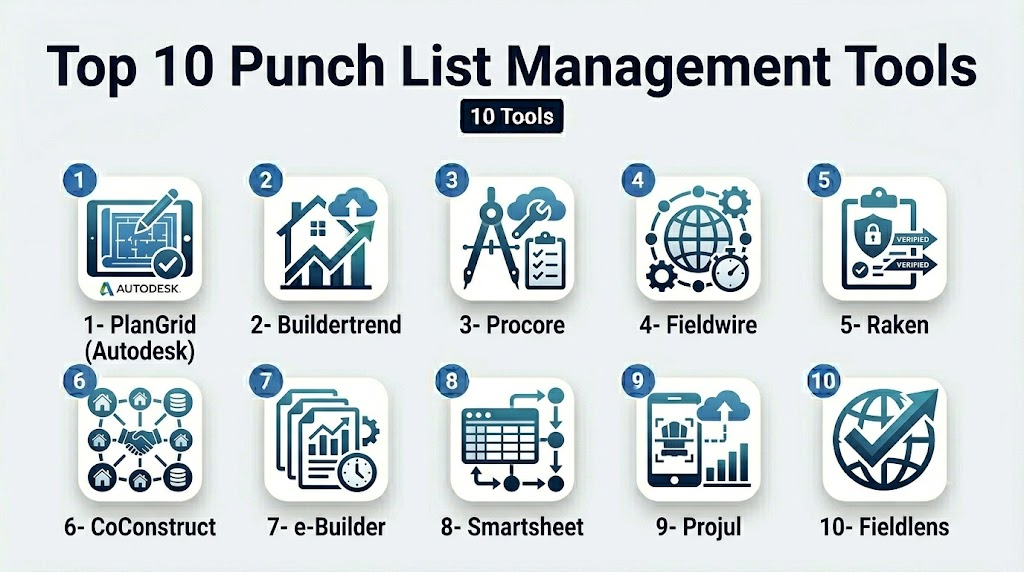
Top 10 Punch List Management Tools
1- PlanGrid (Autodesk)
Short description: PlanGrid simplifies punch list creation, tracking, and collaboration for construction projects of all sizes. Ideal for field teams requiring mobile access and real-time updates.
Key Features
- Mobile punch list creation and photo attachments
- Issue tracking and task assignment
- Real-time updates for all stakeholders
- Customizable templates and workflows
- Integration with Autodesk construction suite
- Reporting and analytics dashboards
- Offline mode for remote site usage
Pros
- Intuitive mobile-first interface
- Strong collaboration features across teams
- Robust integration with Autodesk ecosystem
Cons
- May be costly for small projects
- Some users report a learning curve for advanced reporting
Platforms / Deployment
- iOS / Android / Web
- Cloud
Security & Compliance
- Not publicly stated
Integrations & Ecosystem
PlanGrid integrates seamlessly with Autodesk BIM 360 and other construction management platforms, enabling project-wide visibility.
- Autodesk BIM 360
- Procore
- Box / Dropbox
- API access for custom integrations
Support & Community
- Extensive documentation and tutorials
- 24/7 support available
- Community forums for collaboration
- Training webinars offered
2- Buildertrend
Short description: Buildertrend provides punch list and project management tools for residential construction, remodelers, and specialty contractors.
Key Features
- Digital punch lists with photo capture
- Task assignment and due dates
- Client collaboration portal
- Change order tracking
- Scheduling and project timeline management
- Mobile app with offline capabilities
Pros
- Strong client communication features
- Consolidates project management and punch lists
- User-friendly interface
Cons
- Pricing scales with project size
- Advanced features may require training
Platforms / Deployment
- Web / iOS / Android
- Cloud
Security & Compliance
- Not publicly stated
Integrations & Ecosystem
Buildertrend connects with popular accounting and CRM platforms.
- QuickBooks
- Xero
- Zapier integrations
- Email notifications
Support & Community
- Knowledge base and tutorials
- Email and phone support
- Active user community
3- Procore
Short description: Procore offers enterprise-grade punch list management integrated with comprehensive construction project management capabilities.
Key Features
- Punch list creation and tracking
- Real-time mobile updates
- Automated notifications and escalation
- Integration with Procore project modules
- Reporting dashboards and analytics
- Workflow automation
Pros
- Scales for large enterprises
- Centralized project documentation
- Strong reporting and visibility
Cons
- May be overkill for smaller projects
- Requires configuration for optimal workflow
Platforms / Deployment
- Web / iOS / Android
- Cloud
Security & Compliance
- Not publicly stated
Integrations & Ecosystem
- Procore ERP and scheduling modules
- BIM integrations
- API for third-party connections
Support & Community
- 24/7 support
- Online resources and training
- Community forums for knowledge sharing
4- Fieldwire
Short description: Fieldwire is a punch list and task management platform for field construction teams, focusing on mobile efficiency and team coordination.
Key Features
- Punch list and issue tracking
- Task assignment with deadlines
- Photo and document attachments
- Blueprint markups
- Reporting and analytics
- Offline mobile access
Pros
- Simple interface for field teams
- Offline functionality
- Affordable for small-to-medium projects
Cons
- Limited advanced analytics
- Some users desire deeper integrations
Platforms / Deployment
- iOS / Android / Web
- Cloud
Security & Compliance
- Not publicly stated
Integrations & Ecosystem
- Google Drive
- Dropbox
- BIM/CAD file support
- API for custom workflows
Support & Community
- Email and chat support
- Online knowledge base
- Community forums for tips
5- Raken
Short description: Raken streamlines field reporting and punch list tracking for construction projects with mobile-first tools and automated reporting.
Key Features
- Daily reports and punch lists
- Task assignments and reminders
- Photo and video attachments
- Real-time updates to stakeholders
- Offline access for field teams
Pros
- Fast mobile reporting
- Easy-to-use interface
- Strong task visibility
Cons
- Less suitable for large enterprise projects
- Reporting customization may be limited
Platforms / Deployment
- iOS / Android / Web
- Cloud
Security & Compliance
- Not publicly stated
Integrations & Ecosystem
- Dropbox
- Google Drive
- QuickBooks
- API access
Support & Community
- Email and chat support
- Resource library
- User webinars
6- CoConstruct
Short description: CoConstruct offers punch list and project management tools tailored for custom home builders and remodelers.
Key Features
- Digital punch list creation
- Task tracking with photo documentation
- Client communication portal
- Change order and budget management
- Scheduling and project timeline tools
Pros
- Excellent client-facing features
- Centralized project documentation
- Good workflow customization
Cons
- Learning curve for advanced modules
- Limited third-party integrations
Platforms / Deployment
- Web / iOS / Android
- Cloud
Security & Compliance
- Not publicly stated
Integrations & Ecosystem
- QuickBooks
- Xero
- Email notifications
Support & Community
- Knowledge base
- Phone/email support
- User webinars
7- e-Builder
Short description: e-Builder provides enterprise punch list management for capital construction projects, emphasizing process standardization and compliance.
Key Features
- Punch list tracking with automated workflows
- Real-time project updates
- Document management and version control
- Reporting and analytics
- Integration with ERP systems
Pros
- Enterprise-ready for large projects
- Strong compliance tracking
- Centralized documentation
Cons
- Higher cost for small teams
- Complex setup and training required
Platforms / Deployment
- Web
- Cloud
Security & Compliance
- Not publicly stated
Integrations & Ecosystem
- ERP integrations
- Document management systems
- API for custom workflows
Support & Community
- Dedicated account managers
- Knowledge base and support portal
- Training programs
8- Smartsheet
Short description: Smartsheet offers versatile punch list management with spreadsheet-style project tracking and collaboration features.
Key Features
- Task and punch list tracking
- Automated notifications
- Collaboration and commenting
- Reporting dashboards
- Workflow automation
Pros
- Flexible for multiple project types
- Easy to adopt for spreadsheet users
- Integrates with various collaboration tools
Cons
- Not specialized for construction
- Mobile experience less optimized than field-first tools
Platforms / Deployment
- Web / iOS / Android
- Cloud
Security & Compliance
- Not publicly stated
Integrations & Ecosystem
- Microsoft Teams
- Slack
- Jira
- Google Workspace
Support & Community
- Documentation and tutorials
- Community forums
- Email support
9- Projul
Short description: Projul is a project management and punch list tool for residential construction, offering client communication and field updates.
Key Features
- Task and punch list management
- Mobile app for field teams
- Client portal for approvals
- Scheduling and budget tracking
- Photo and document attachments
Pros
- Affordable for small-to-medium projects
- Strong client communication
- Mobile-friendly interface
Cons
- Limited enterprise scalability
- Fewer advanced integrations
Platforms / Deployment
- Web / iOS / Android
- Cloud
Security & Compliance
- Not publicly stated
Integrations & Ecosystem
- QuickBooks
- Xero
- Email notifications
- API access
Support & Community
- Email and chat support
- Knowledge base
- Community webinars
10- Fieldlens
Short description: Fieldlens provides real-time punch list and communication tools for construction teams, emphasizing collaboration and issue resolution.
Key Features
- Real-time punch list tracking
- Photo/video attachments for issues
- Task assignment and notifications
- Collaboration across teams and stakeholders
- Reporting dashboards
Pros
- Real-time collaboration
- Easy mobile adoption
- Strong issue documentation
Cons
- Limited advanced analytics
- May lack deeper integrations for ERP
Platforms / Deployment
- iOS / Android / Web
- Cloud
Security & Compliance
- Not publicly stated
Integrations & Ecosystem
- Dropbox
- Google Drive
- API access for workflow extensions
Support & Community
- Email and chat support
- Online resources and knowledge base
- Community engagement
Comparison Table (Top 10)
| Tool Name | Best For | Platform(s) Supported | Deployment | Standout Feature | Public Rating |
|---|---|---|---|---|---|
| PlanGrid | Field teams, medium-large projects | iOS, Android, Web | Cloud | Real-time punch list collaboration | N/A |
| Buildertrend | Residential construction | iOS, Android, Web | Cloud | Client collaboration portal | N/A |
| Procore | Enterprise construction | iOS, Android, Web | Cloud | Enterprise-grade project visibility | N/A |
| Fieldwire | Field construction teams | iOS, Android, Web | Cloud | Offline punch list access | N/A |
| Raken | Field reporting & punch lists | iOS, Android, Web | Cloud | Daily report automation | N/A |
| CoConstruct | Custom home builders | iOS, Android, Web | Cloud | Client-facing communication | N/A |
| e-Builder | Capital projects | Web | Cloud | Compliance and workflow automation | N/A |
| Smartsheet | Multi-project environments | iOS, Android, Web | Cloud | Spreadsheet-style task management | N/A |
| Projul | Residential construction | iOS, Android, Web | Cloud | Client portal & mobile updates | N/A |
| Fieldlens | Construction teams | iOS, Android, Web | Cloud | Real-time collaboration | N/A |
Evaluation & Scoring of Punch List Management Tools
| Tool Name | Core (25%) | Ease (15%) | Integrations (15%) | Security (10%) | Performance (10%) | Support (10%) | Value (15%) | Weighted Total (0–10) |
|---|---|---|---|---|---|---|---|---|
| PlanGrid | 9 | 8 | 8 | 7 | 9 | 8 | 7 | 8.2 |
| Buildertrend | 8 | 9 | 7 | 7 | 8 | 8 | 8 | 8.0 |
| Procore | 10 | 7 | 9 | 8 | 9 | 8 | 7 | 8.6 |
| Fieldwire | 8 | 9 | 7 | 7 | 8 | 7 | 8 | 8.0 |
| Raken | 7 | 9 | 6 | 7 | 7 | 7 | 8 | 7.7 |
| CoConstruct | 8 | 8 | 7 | 7 | 8 | 7 | 8 | 7.9 |
| e-Builder | 9 | 7 | 8 | 8 | 9 | 8 | 7 | 8.3 |
| Smartsheet | 7 | 8 | 8 | 7 | 8 | 7 | 8 | 7.8 |
| Projul | 7 | 8 | 6 | 7 | 7 | 7 | 8 | 7.5 |
| Fieldlens | 8 | 8 | 7 | 7 | 8 | 7 | 8 | 7.9 |
Which Punch List Management Tool Is Right for You?
Solo / Freelancer
- Fieldwire or Raken provide mobile-first, affordable options for small projects with minimal overhead.
SMB
- Buildertrend or Projul balance cost, mobile access, and client communication for small-to-medium residential projects.
Mid-Market
- PlanGrid, CoConstruct, or Fieldlens provide robust collaboration and reporting features suitable for multiple concurrent projects.
Enterprise
- Procore and e-Builder are ideal for large-scale projects requiring compliance, workflow standardization, and comprehensive reporting.
Budget vs Premium
- Budget-conscious teams can start with Fieldwire, Raken, or Projul.
- Premium features and enterprise integration warrant Procore, PlanGrid, or e-Builder.
Feature Depth vs Ease of Use
- Tools like Procore and e-Builder offer deep functionality but may require training.
- Fieldwire, Raken, and Buildertrend prioritize ease of use.
Integrations & Scalability
- Enterprise tools (Procore, e-Builder, PlanGrid) integrate with ERP, BIM, and accounting platforms.
- SMB solutions have limited integrations but are easier to adopt quickly.
Security & Compliance Needs
- Larger organizations should prioritize tools with strong audit, access control, and compliance capabilities.
- Smaller teams may rely on standard cloud security features with MFA and encrypted storage.
Frequently Asked Questions (FAQs)
1- What pricing models are common for punch list tools?
Most tools use subscription-based pricing, often per user or per project, with tiers based on features, storage, and integrations. Some offer free trials or entry-level plans.
2- Can I use punch list tools offline?
Many mobile-first tools like Fieldwire, Raken, and PlanGrid provide offline access, allowing updates without internet connectivity that sync once online.
3- How long does implementation take?
Implementation varies: simple tools can be set up in days, whereas enterprise platforms like Procore or e-Builder may require weeks for configuration and training.
4- Are these tools suitable for multi-site projects?
Yes, enterprise and mid-market tools excel at managing multiple sites with centralized dashboards, while smaller tools may be limited in scalability.
5- How do punch list tools integrate with project management software?
Most tools offer API connections or built-in integrations with BIM, ERP, and scheduling tools, enabling task synchronization and reporting.
6- Is security a concern with cloud-based tools?
Cloud providers offer encryption, access control, and SSO/SAML support. Enterprises may request SOC 2 or ISO 27001 compliance, depending on vendor disclosures.
7- Can clients access the punch list?
Many tools, including Buildertrend and CoConstruct, offer client portals for approvals and status updates, enhancing transparency.
8- How are notifications handled?
Automated notifications, reminders, and escalations ensure tasks are addressed promptly. Most tools allow customization by user or project.
9- Can I switch tools mid-project?
Switching is possible but requires data migration. Choosing flexible platforms with import/export and API capabilities reduces friction.
10- Are AI features useful?
AI can assist with issue detection from photos, automated prioritization, and predictive analytics to reduce delays, though adoption varies by tool.
Conclusion
Punch list management tools are absolutely vital for modern construction and renovation projects. By streamlining the identification and resolution of outstanding work, these platforms significantly improve task tracking and project accountability. They foster better team collaboration, ensuring that all stakeholders remain perfectly aligned from the initial phase to final completion. Furthermore, these tools are essential for maintaining rigorous compliance oversight throughout the entire project lifecycle. While smaller teams may find that simple, mobile-focused solutions perfectly meet their everyday operational needs, enterprise-level projects benefit greatly from feature-rich platforms that offer advanced reporting, deep system integration, and complex automation. Ultimately, adopting the right management tool is a strategic investment that directly contributes to project quality, timely delivery, and long-term operational success.

Find Trusted Cardiac Hospitals
Compare heart hospitals by city and services — all in one place.
Explore Hospitals
Punch list management tools deliver the greatest value when they help teams resolve issues quickly without losing visibility into project progress. Features like mobile reporting, photo documentation, task assignments, and real-time status updates improve collaboration, speed up project closeout, and ensure higher construction quality.