Introduction
Construction Management Software refers to digital platforms designed to help construction companies plan, manage, and execute projects efficiently. These solutions centralize project planning, scheduling, budgeting, communication, and reporting to streamline workflows across on-site and office teams. the construction industry is increasingly adopting digital solutions to improve productivity, reduce cost overruns, and ensure compliance with safety and regulatory standards. Cloud-based and mobile-friendly construction software enables real-time collaboration among architects, engineers, contractors, and subcontractors, allowing data-driven decision-making throughout the project lifecycle.
Real-world use cases:
- Project scheduling and planning: Coordinating timelines, resources, and milestones across multiple teams and sites.
- Budgeting and cost tracking: Monitoring expenses, managing contracts, and preventing overruns.
- Document management: Centralizing blueprints, permits, and approvals for easy access.
- Field reporting: Capturing daily logs, inspections, and progress updates via mobile devices.
- Safety and compliance management: Ensuring adherence to OSHA, ISO, and local regulations.
Evaluation criteria for buyers:
- Project scheduling and resource management
- Budgeting, invoicing, and cost tracking
- Mobile and offline capabilities
- Collaboration and document management
- Reporting and analytics
- Integration with ERP, accounting, or BIM systems
- User interface and ease of adoption
- AI-assisted project insights and risk prediction
- Security and compliance features
- Scalability for multi-project and multi-site operations
Best for: Construction managers, project engineers, contractors, and large-scale construction companies.
Not ideal for: Very small contractors or solo builders who may manage projects without software.
Key Trends in Construction Management Software
- AI-assisted project planning and risk assessment
- Cloud-based collaboration with real-time updates
- Integration with BIM (Building Information Modeling) and CAD systems
- Mobile-first apps with offline capabilities for field teams
- Predictive maintenance and material management using IoT data
- Enhanced analytics dashboards for performance and compliance
- Automation in invoicing, approvals, and reporting workflows
- Multi-site project visibility and resource allocation
- Emphasis on sustainability and green construction metrics
- API-driven platforms for seamless ERP, accounting, and procurement integration
How We Selected These Tools (Methodology)
- Evaluated market adoption and industry mindshare
- Assessed feature completeness across scheduling, budgeting, and collaboration
- Reviewed reliability and performance signals
- Examined security posture including encryption, MFA, and audit logs
- Considered integration capabilities with ERP, accounting, and BIM systems
- Analyzed customer fit for SMB, mid-market, and enterprise construction projects
- Checked mobile and offline functionality
- Evaluated AI-assisted insights for scheduling and risk prediction
- Reviewed support options, onboarding resources, and documentation
- Considered scalability for multi-project and multi-site deployments
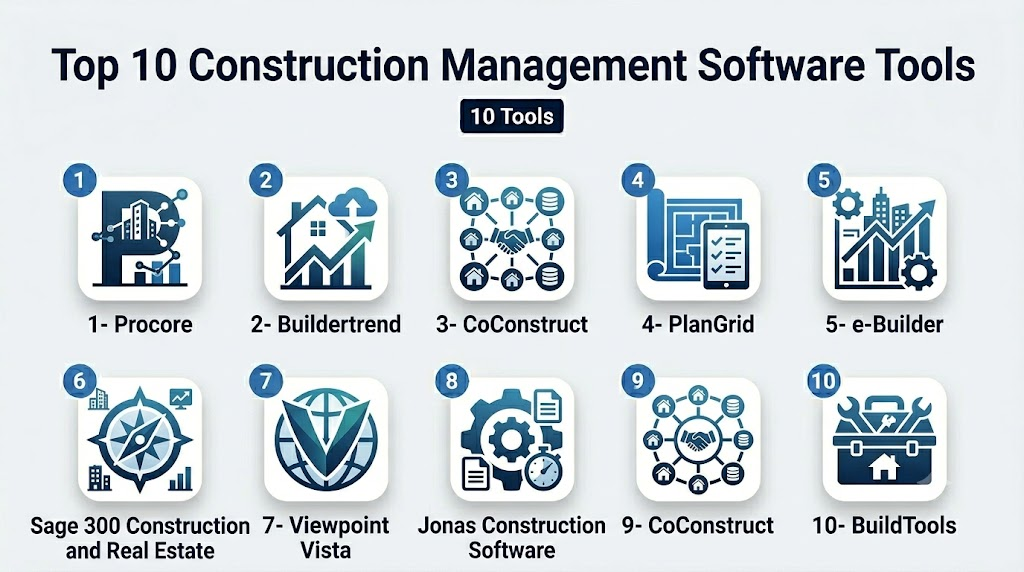
Top 10 Construction Management Software Tools
1- Procore
Short description: Procore is a cloud-based construction management platform that centralizes project planning, budgeting, and collaboration for large-scale construction projects.
Key Features
- Project scheduling and resource management
- Budgeting, contract, and change order tracking
- Document management and version control
- Mobile field reporting
- Safety and quality management
- Reporting dashboards and analytics
Pros
- Enterprise-grade scalability
- Strong collaboration across office and field teams
Cons
- Higher cost for small projects
- Learning curve for first-time users
Platforms / Deployment
- Web, iOS, Android
- Cloud
Security & Compliance
- SOC 2, ISO 27001 (Not publicly verified)
Integrations & Ecosystem
- ERP, accounting, and BIM integrations
- API for custom workflows
- Cloud storage and collaboration tools
Support & Community
- Email, chat, and phone support
- Extensive knowledge base and community forums
2- Buildertrend
Short description: Buildertrend provides project management, scheduling, and client communication tools for residential and commercial builders.
Key Features
- Project scheduling and timeline management
- Budget tracking and invoicing
- Client communication portal
- Mobile field updates
- Document and photo management
Pros
- Easy-to-use interface for small and mid-sized builders
- Strong customer communication tools
Cons
- Limited advanced analytics
- Integration with complex ERP systems can be challenging
Platforms / Deployment
- Web, iOS, Android
- Cloud
Security & Compliance
- Not publicly stated
Integrations & Ecosystem
- Accounting software integration
- CRM and document storage APIs
- Workflow automation tools
Support & Community
- Email, chat, and onboarding support
- Online documentation and tutorials
3- CoConstruct
Short description: CoConstruct is tailored for custom home builders and remodelers, providing project management, estimating, and client communication tools.
Key Features
- Estimating and budgeting
- Scheduling and task tracking
- Client portal with updates and approvals
- Mobile field management
- Reporting and analytics
Pros
- Streamlined for custom residential projects
- Integrates client communication effectively
Cons
- Less suited for large commercial projects
- Some advanced features require training
Platforms / Deployment
- Web, iOS, Android
- Cloud
Security & Compliance
- Not publicly stated
Integrations & Ecosystem
- Accounting software integration
- File sharing and document management
- Custom API for workflow automation
Support & Community
- Email, chat support, and onboarding
- Knowledge base resources
4- PlanGrid (Autodesk)
Short description: PlanGrid provides mobile construction management for document control, field reporting, and project collaboration.
Key Features
- Blueprint and document management
- Mobile field access
- Progress tracking and punch lists
- Photo and mark-up capture
- Task and inspection management
Pros
- Strong focus on field document control
- Easy mobile access for on-site teams
Cons
- Limited budgeting and financial management
- Enterprise features may require Autodesk ecosystem
Platforms / Deployment
- Web, iOS, Android
- Cloud
Security & Compliance
- Not publicly stated
Integrations & Ecosystem
- Autodesk ecosystem integration
- Cloud storage and collaboration tools
- API for custom workflows
Support & Community
- Email and chat support
- Online resources and tutorials
5- e-Builder
Short description: e-Builder provides construction program management software for capital projects, emphasizing process automation and cost control.
Key Features
- Capital project budgeting and cost tracking
- Workflow automation
- Document and contract management
- Dashboards and reporting
- Mobile field access
Pros
- Suitable for large enterprise capital projects
- Strong cost control and process automation
Cons
- Less suitable for small builders
- Steeper learning curve
Platforms / Deployment
- Web, iOS, Android
- Cloud
Security & Compliance
- Not publicly stated
Integrations & Ecosystem
- ERP and financial system integration
- Workflow automation APIs
- Document storage integration
Support & Community
- Enterprise support, training, and documentation
- Knowledge base and webinars
6- Sage 300 Construction and Real Estate
Short description: Sage 300 CRE provides accounting and project management for construction and real estate organizations.
Key Features
- Project budgeting and cost control
- Scheduling and resource management
- Accounting and invoicing integration
- Reporting dashboards
- Mobile field access
Pros
- Strong accounting and financial management
- Scalable for mid-market and enterprise
Cons
- UI may be less intuitive for field teams
- Limited AI capabilities
Platforms / Deployment
- Windows, Web, iOS, Android
- Cloud / Hybrid
Security & Compliance
- Not publicly stated
Integrations & Ecosystem
- ERP and accounting system integration
- Document management APIs
- Reporting and BI tools
Support & Community
- Email, phone support, and training
- Documentation and community forums
7- Viewpoint Vista
Short description: Viewpoint Vista offers integrated construction management with accounting, project management, and field operations.
Key Features
- Project management and scheduling
- Financial and accounting management
- Document and workflow management
- Field access via mobile
- Reporting and dashboards
Pros
- Enterprise-grade integration of finance and project workflows
- Suitable for large construction companies
Cons
- Implementation is complex
- Costly for small projects
Platforms / Deployment
- Windows, Web, iOS, Android
- Cloud / Hybrid
Security & Compliance
- Not publicly stated
Integrations & Ecosystem
- ERP, accounting, and document management integration
- API for custom workflows
- Collaboration tools
Support & Community
- Enterprise support and training
- Online resources
8- Jonas Construction Software
Short description: Jonas Construction provides integrated construction management, accounting, and service management for mid to large enterprises.
Key Features
- Project management and scheduling
- Accounting and financial management
- Service and maintenance tracking
- Mobile field access
- Reporting dashboards
Pros
- Full integration between project and financial data
- Mobile access for field staff
Cons
- Learning curve for smaller teams
- Limited AI predictive features
Platforms / Deployment
- Web, Windows, iOS, Android
- Cloud / Hybrid
Security & Compliance
- Not publicly stated
Integrations & Ecosystem
- ERP and financial system integration
- API access for custom workflows
- Document management
Support & Community
- Phone and email support
- Documentation and training
9- CoConstruct
Short description: CoConstruct offers project management, estimating, and client communication for custom home builders.
Key Features
- Estimating and budgeting
- Scheduling and task tracking
- Client portal
- Mobile field reporting
- Reporting and analytics
Pros
- Streamlined for residential projects
- Integrates client communication
Cons
- Less suited for large commercial projects
- Some advanced features require training
Platforms / Deployment
- Web, iOS, Android
- Cloud
Security & Compliance
- Not publicly stated
Integrations & Ecosystem
- Accounting and ERP integration
- File sharing and document storage
- Workflow automation APIs
Support & Community
- Email and chat support
- Knowledge base
10- BuildTools
Short description: BuildTools is a construction management platform for residential and commercial builders, focusing on project tracking and client collaboration.
Key Features
- Project scheduling and task management
- Budgeting and invoicing
- Client communication portal
- Document management and sharing
- Reporting dashboards
Pros
- Easy client collaboration
- Simple and intuitive interface
Cons
- Limited advanced analytics
- Integration options are basic
Platforms / Deployment
- Web, iOS, Android
- Cloud
Security & Compliance
- Not publicly stated
Integrations & Ecosystem
- Accounting software integration
- File sharing and document management
- API access
Support & Community
- Email and chat support
- Documentation and tutorials
Comparison Table (Top 10)
| Tool Name | Best For | Platform(s) Supported | Deployment | Standout Feature | Public Rating |
|---|---|---|---|---|---|
| Procore | Large projects | Web, iOS, Android | Cloud | Centralized project collaboration | N/A |
| Buildertrend | Residential & commercial | Web, iOS, Android | Cloud | Client communication & scheduling | N/A |
| CoConstruct | Custom home builders | Web, iOS, Android | Cloud | Estimating & client portal | N/A |
| PlanGrid | Field documentation | Web, iOS, Android | Cloud | Mobile blueprint & field access | N/A |
| e-Builder | Capital projects | Web, iOS, Android | Cloud | Workflow automation & cost control | N/A |
| Sage 300 CRE | Accounting & project mgmt | Windows, Web, iOS, Android | Cloud/Hybrid | Financial integration | N/A |
| Viewpoint Vista | Enterprise construction | Windows, Web, iOS, Android | Cloud/Hybrid | Integrated finance & project mgmt | N/A |
| Jonas Construction | Mid-large enterprises | Web, Windows, iOS, Android | Cloud/Hybrid | Accounting & service management | N/A |
| CoConstruct | Residential projects | Web, iOS, Android | Cloud | Client collaboration | N/A |
| BuildTools | Residential/commercial | Web, iOS, Android | Cloud | Project tracking & client collaboration | N/A |
Evaluation & Scoring of Construction Management Software
| Tool Name | Core (25%) | Ease (15%) | Integrations (15%) | Security (10%) | Performance (10%) | Support (10%) | Value (15%) | Weighted Total (0–10) |
|---|---|---|---|---|---|---|---|---|
| Procore | 9 | 8 | 8 | 7 | 8 | 8 | 7 | 8.0 |
| Buildertrend | 8 | 9 | 7 | 6 | 8 | 7 | 8 | 7.8 |
| CoConstruct | 8 | 8 | 7 | 6 | 7 | 7 | 7 | 7.3 |
| PlanGrid | 8 | 8 | 7 | 6 | 8 | 7 | 7 | 7.4 |
| e-Builder | 9 | 7 | 8 | 7 | 8 | 7 | 7 | 7.8 |
| Sage 300 CRE | 8 | 7 | 8 | 7 | 8 | 7 | 7 | 7.5 |
| Viewpoint Vista | 9 | 7 | 8 | 7 | 8 | 7 | 7 | 7.8 |
| Jonas Construction | 8 | 7 | 7 | 6 | 7 | 7 | 7 | 7.2 |
| CoConstruct | 8 | 8 | 7 | 6 | 7 | 7 | 7 | 7.3 |
| BuildTools | 7 | 8 | 6 | 6 | 7 | 7 | 7 | 7.0 |
Which Construction Management Tool Is Right for You?
Solo / Freelancer
Tools like BuildTools or CoConstruct provide simple project tracking and client communication without overcomplication.
SMB
Buildertrend and PlanGrid balance usability, scheduling, and client collaboration for small-to-mid-sized companies.
Mid-Market
Sage 300 CRE and Jonas Construction offer financial integration, resource management, and field coordination.
Enterprise
Procore, Viewpoint Vista, and e-Builder deliver advanced project management, analytics, and multi-site scalability.
Budget vs Premium
Budget solutions focus on core project and task tracking; premium apps add AI insights, integrations, and enterprise workflows.
Feature Depth vs Ease of Use
Small teams value intuitive interfaces; enterprises benefit from deep integration and analytics, even if the learning curve is higher.
Integrations & Scalability
Enterprise-grade apps offer APIs and ERP integration to scale across multiple projects and locations.
Security & Compliance Needs
Ensure encryption, MFA, SSO, and audit trails are provided, especially for large-scale projects and regulatory environments.
Frequently Asked Questions (FAQs)
1- What pricing models do construction management apps use?
Most offer subscription-based pricing, often tiered by users, projects, or features, with enterprise quotes for large deployments.
2- How long does implementation take?
Small teams can deploy in days; enterprise deployments may require several weeks of setup and training.
3- Are mobile apps included for field teams?
Yes, leading platforms provide iOS and Android apps for real-time updates and reporting.
4- Do these tools integrate with ERP or accounting systems?
Yes, most platforms support ERP, financial, and document management system integrations.
5- Can I track project budgets and costs in real time?
Yes, top platforms offer budgeting, invoicing, and real-time cost tracking dashboards.
6- Do these apps support multiple projects and sites?
Yes, enterprise solutions like Procore and e-Builder manage multi-project, multi-site portfolios.
7- Are offline capabilities available for field teams?
Many apps provide offline data capture to allow field teams to continue work without internet connectivity.
8- Can I customize workflows and reports?
Yes, most platforms allow custom reports, workflows, and document templates to match company processes.
9- Are these apps secure for sensitive project data?
Security varies; verify encryption, MFA, SSO, and audit trail features for compliance and data protection.
10- Are there alternatives to construction management software?
Manual spreadsheets, project management tools, or field reporting apps can suffice for very small projects.
Conclusion
Construction Management Software centralizes project planning, budgeting, and collaboration to improve efficiency and reduce risks. SMBs may benefit from Buildertrend or PlanGrid, while enterprises often require Procore, Viewpoint Vista, or e-Builder for scalability and advanced analytics. Key considerations include mobile capabilities, workflow automation, integration with ERP and accounting systems, and security compliance. Selecting the right tool depends on project complexity, team size, and operational requirements.

Find Trusted Cardiac Hospitals
Compare heart hospitals by city and services — all in one place.
Explore Hospitals
Construction management software delivers the greatest value when it keeps everyone—from the office to the job site—working from the same real-time information. By centralizing schedules, budgets, documents, and communication, these platforms help reduce delays, improve collaboration, and keep projects on time and within budget.