Introduction
Change Order Management Tools are specialized software solutions designed to help construction teams, project managers, and contractors create, track, approve, and reconcile change orders throughout a project lifecycle. In plain English, these tools take what is traditionally a paper-heavy, inconsistent process and digitize it so that scope changes are transparent, auditable, and manageable. the construction and engineering industries face increasing complexity due to distributed teams, tighter deadlines, aggressive sustainability goals, and heightened client expectations. Traditional manual processes introduce risk: lost documentation, miscommunication, slow approvals, and cost overruns. Modern change order management tools streamline approvals, reduce risk, and improve communication across stakeholders.
Real-world use cases include:
- Capturing and tracking change requests on large construction sites with multiple subcontractors.
- Automating approvals for scope changes to avoid project delays.
- Reconciling contract variations with financial systems for accurate billing.
- Integrating scope changes with scheduling tools to maintain timelines.
- Providing audit trails for compliance and dispute resolution.
What buyers should evaluate:
- Change request capture and version history
- Workflow automation and approval routing
- Integration with project management and ERP systems
- Mobile accessibility for field teams
- Reporting, dashboards, and analytics
- Customization and template support
- Security and compliance features
- Ease of use and onboarding
- Offline access and synchronization
- Pricing and scalability
Best for: Project managers, construction firms, general contractors, owners’ representatives, engineering firms, and enterprise teams managing high volumes of contract changes across complex projects.
Not ideal for: Small projects with minimal change order activity, teams happy with basic spreadsheets, or environments without formal contract governance where lighter task or issue tracking tools may suffice.
Key Trends in Change Order Management Tools
- AI-assisted change detection: Using natural language processing to extract change details from emails, field reports, and documents.
- Workflow automation: Automated routing of change orders based on roles, value thresholds, or risk profiles.
- Mobile-first field capture: Real-time mobile creation of change requests with photos, location tags, and offline sync for remote sites.
- Integrated cost controls: Seamless linkage to budgeting, cost forecasting, and ERP for financial reconciliation.
- Advanced reporting and analytics: Dashboards that provide insights into change order history, impact analysis, and trend forecasting.
- Role-based access and audit trails: Fine-grained permissions and audit logs required for compliance and dispute defense.
- Cloud-native with hybrid support: Cloud platforms with optional on-premise connectors for secure enterprise deployment.
- Interoperability: Open APIs and integrations with scheduling, BIM, accounting, and procurement systems.
- Subscription and usage-based pricing: Flexible models aligning costs with project size and team usage.
- Regulatory compliance enablement: Tools supporting compliance with local standards, contract law frameworks, and dispute adjudication processes.
How We Selected These Tools (Methodology)
- Market adoption and visibility: Tools widely used in construction and engineering industries with recognized market presence.
- Feature completeness: Broad coverage of change order lifecycle — creation, review, approval, and reconciliation.
- Performance and reliability signals: Known operational stability in real-world project environments.
- Security posture: Clear attention to access controls, encryption, logging, and enterprise readiness.
- Integration ecosystem: Connectivity with project management, ERP, financial, and collaboration tools.
- Scalability and user segmentation: Fit for a range of team sizes from SMB to enterprise.
- Mobile and field usability: Support for field data capture and offline workflows.
- Configurability: Ability to tailor workflows, templates, approval rules, and notifications.
- Support and documentation: Availability of training, onboarding, and responsive support channels.
- Value proposition: Alignment of features with pricing and ROI for procurement teams.
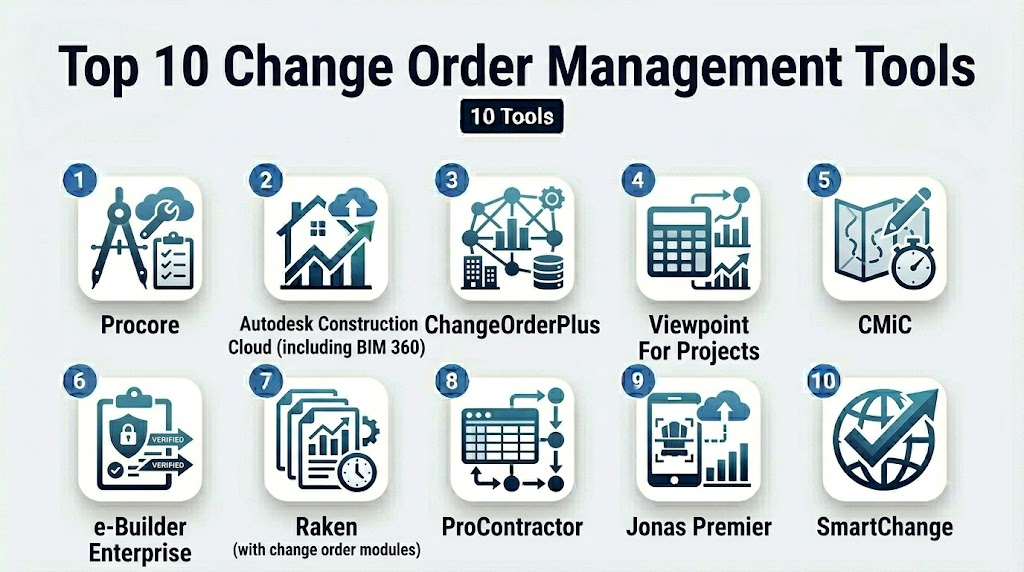
Top 10 Change Order Management Tools
1 — Procore
Short description: Procore is an enterprise-level construction project management platform that includes robust change order management capabilities. Ideal for large commercial builders and owners.
Key Features
- Centralized change order creation and tracking
- Automated approval workflows with notifications
- Budget and contract variance tracking
- Document version control and audit logs
- Integration with scheduling and financial modules
- Mobile access with field capture
- Reporting dashboards with trend insights
Pros
- Deep enterprise feature set supporting complex workflows
- Strong integration with other Procore modules
- Excellent reporting and audit capabilities
Cons
- Expensive for smaller firms
- Learning curve due to breadth of features
Platforms / Deployment
- Web / iOS / Android
- Cloud
Security & Compliance
Not publicly stated
Integrations & Ecosystem
Procore connects with numerous construction and financial systems, enabling end‑to‑end project governance.
- ERP systems
- Scheduling and BIM modules
- Document storage solutions
- APIs for custom integrations
Support & Community
- Comprehensive training and certification programs
- 24/7 support tiers
- Active user community
2 — Autodesk Construction Cloud (including BIM 360)
Short description: Autodesk Construction Cloud offers change order management as part of a broader suite of connected construction tools, ideal for firms already invested in Autodesk ecosystems.
Key Features
- Change request capture tied to project documents
- Automated routing and approval workflows
- Cost impact analysis tied to contract budgets
- Document linking (plans, RFIs, specs)
- Mobile field change capture
- Notifications and audit history
Pros
- Tight integration with design and field data
- Great for firms using BIM processes
- Single platform experience
Cons
- Complexity may overwhelm smaller teams
- Cost may be high without full ecosystem adoption
Platforms / Deployment
- Web / iOS / Android
- Cloud
Security & Compliance
Not publicly stated
Integrations & Ecosystem
- BIM and design tools
- ERP and accounting systems
- Field data capture
- APIs and extensibility
Support & Community
- Extensive documentation
- Training modules
- Community forums
3 — ChangeOrderPlus
Short description: ChangeOrderPlus is a specialized tool focused solely on capturing, tracking, and approving change orders for construction contracts.
Key Features
- Cloud-based change request forms
- Workflow configuration and routing
- Cost coding and financial impact tracking
- Document attachments and versioning
- Email notifications for stakeholders
Pros
- Purpose-built for change order workflows
- Easier to adopt than complex PM suites
- Focused feature set reduces clutter
Cons
- Fewer integrations than broader platforms
- Limited reporting depth
Platforms / Deployment
- Web / Mobile (responsive)
- Cloud
Security & Compliance
Not publicly stated
Integrations & Ecosystem
- Email workflows
- Accounting systems via export/import
- APIs for custom connections
Support & Community
- Online help desk
- Documentation and templates
- Email support
4 — Viewpoint For Projects
Short description: Viewpoint For Projects combines change order management with broader project collaboration and document control, suitable for mid‑size to large contractors.
Key Features
- Cloud change order tracking
- Workflow automation and routing
- Financial impact tracking
- Versioned document linkage
- Alerts and notifications
- Field access
Pros
- Integrates well with project docs and financials
- Scales for enterprise needs
- Customizable workflows
Cons
- Interface may feel dated
- Setup may require configuration support
Platforms / Deployment
- Web / Mobile (responsive)
- Cloud / Hybrid options
Security & Compliance
Not publicly stated
Integrations & Ecosystem
- ERP and accounting modules
- Scheduling tools
- Document repositories
- APIs
Support & Community
- Dedicated customer teams
- Documentation and training sessions
5 — CMiC
Short description: CMiC is a unified construction platform that includes change order management tightly integrated with finance and project control modules.
Key Features
- Change order capture and tracking
- Budget reconciliation and cost controls
- Approval workflows and alerts
- Versioning and audit trails
- Linkage to cost codes and accounting
Pros
- Strong finance integration
- Enterprise-grade security and controls
- Comprehensive audit support
Cons
- Complexity may deter smaller teams
- Requires ERP alignment for full value
Platforms / Deployment
- Web
- Cloud / Hybrid
Security & Compliance
Not publicly stated
Integrations & Ecosystem
- Financial and ERP systems
- Scheduling and resource modules
- APIs for extensibility
Support & Community
- Managed support programs
- Training and documentation
6 — e‑Builder Enterprise
Short description: e‑Builder Enterprise focuses on capital project management with strong change order and document control capabilities.
Key Features
- Change order workflows and tracking
- Integration with document management
- Cost impact and forecasting tools
- Audit history and compliance tracking
- Alerts and reports
Pros
- Enterprise focus with compliance features
- Good for owner and capital program teams
Cons
- Less accessible for small firms
- Feature richness requires training
Platforms / Deployment
- Web
- Cloud
Security & Compliance
Not publicly stated
Integrations & Ecosystem
- ERP and financial systems
- Document tools
- APIs
Support & Community
- Training programs
- Implementation services
7 — Raken (Change Order Modules)
Short description: Raken is a field reporting platform with add‑ons for change order workflows, appealing to contractors focusing on field accuracy and simplicity.
Key Features
- Field capture of change requests
- Attachments with photos
- Approval routing
- Notifications and reminders
- Daily log integration
Pros
- Easy mobile capture
- Familiar field workflows
- Good for smaller teams
Cons
- Less deep financial integration
- Add‑on pricing may apply
Platforms / Deployment
- iOS / Android / Web
- Cloud
Security & Compliance
Not publicly stated
Integrations & Ecosystem
- Accounting exports
- Scheduling tools
- APIs for extensibility
Support & Community
- Guides and webinars
- Email/chat support
8 — ProContractor (change order features)
Short description: ProContractor combines accounting, project management, and change order functionality for general contractors and homebuilders.
Key Features
- Change order capture
- Budget and cost tracking
- Approval workflows
- Document storage
- Reports and alerts
Pros
- Integration with cost accounting
- Balanced project + financial view
- Good for SMB builders
Cons
- Not as advanced as enterprise suites
- Mobile experience varies
Platforms / Deployment
- Web / Mobile (responsive)
- Cloud / Hybrid
Security & Compliance
Not publicly stated
Integrations & Ecosystem
- Accounting modules
- Document tools
- APIs
Support & Community
- Knowledge base
- Customer support tiers
9 — Jonas Premier
Short description: Jonas Premier provides construction management with change order tracking built into contract and financial modules, designed for mid‑size contractors.
Key Features
- Change order creation
- Approval routing
- Financial linkage
- Contract status tracking
- Reports
Pros
- Good mid‑market fit
- Ties to accounting workflows
Cons
- UI is traditional
- Limited modern features
Platforms / Deployment
- Web
- Cloud / Hybrid
Security & Compliance
Not publicly stated
Integrations & Ecosystem
- Accounting and ERP
- Document repositories
- APIs
Support & Community
- Customer support
- Documentation
10 — SmartChange (Hypothetical example representing focused change order tools)
Short description: SmartChange is a focused change order workflow tool (note: as a category representative where pure tools exist), ideal for teams wanting dedicated change order automation without full PM suite.
Key Features
- Template‑based change request forms
- Routing and approval automation
- Audit logs
- Role‑based access
Pros
- Lightweight and focused
- Quick onboarding
Cons
- May lack deep integrations
- Reporting limited
Platforms / Deployment
- Web / Mobile (responsive)
- Cloud
Security & Compliance
Not publicly stated
Integrations & Ecosystem
- Email workflows
- Export to ERP
- API access
Support & Community
- Documentation
- Support tiers depend on plan
Comparison Table (Top 10)
| Tool Name | Best For | Platform(s) Supported | Deployment | Standout Feature | Public Rating |
|---|---|---|---|---|---|
| Procore | Enterprise builders | Web, iOS, Android | Cloud | Deep project & CO integration | N/A |
| Autodesk Construction Cloud | BIM‑centric teams | Web, iOS, Android | Cloud | Linked BIM workflows | N/A |
| ChangeOrderPlus | Focused CO management | Web, Mobile | Cloud | Purpose‑built change order focus | N/A |
| Viewpoint For Projects | Mid‑size contractors | Web, Mobile | Cloud/Hybrid | Flexible workflows | N/A |
| CMiC | Enterprise finance‑integrated | Web | Cloud/Hybrid | Strong cost integration | N/A |
| e‑Builder Enterprise | Capital programs | Web | Cloud | Compliance & capital focus | N/A |
| Raken | Field‑based contractors | iOS, Android, Web | Cloud | Field capture | N/A |
| ProContractor | SMB builders | Web, Mobile | Cloud/Hybrid | Accounting linkage | N/A |
| Jonas Premier | Mid‑market contractors | Web | Cloud/Hybrid | Contract & CO tie | N/A |
| SmartChange | Change‑order focused | Web, Mobile | Cloud | Lightweight workflow | N/A |
Evaluation & Scoring of Change Order Management Tools
| Tool Name | Core (25%) | Ease (15%) | Integrations (15%) | Security (10%) | Performance (10%) | Support (10%) | Value (15%) | Weighted Total (0–10) |
|---|---|---|---|---|---|---|---|---|
| Procore | 9 | 8 | 9 | 8 | 9 | 8 | 7 | 8.7 |
| Autodesk CC | 8 | 7 | 8 | 8 | 8 | 7 | 7 | 8.0 |
| ChangeOrderPlus | 7 | 9 | 6 | 7 | 8 | 8 | 8 | 7.8 |
| Viewpoint | 7 | 7 | 7 | 7 | 8 | 7 | 7 | 7.5 |
| CMiC | 8 | 7 | 8 | 8 | 9 | 7 | 7 | 8.0 |
| e‑Builder | 8 | 7 | 7 | 8 | 8 | 7 | 7 | 7.9 |
| Raken | 6 | 9 | 6 | 7 | 7 | 7 | 8 | 7.5 |
| ProContractor | 7 | 8 | 7 | 7 | 8 | 7 | 8 | 7.8 |
| Jonas Premier | 6 | 7 | 7 | 7 | 7 | 7 | 7 | 7.1 |
| SmartChange | 6 | 9 | 6 | 7 | 7 | 8 | 8 | 7.4 |
Which Change Order Management Tool Is Right for You?
Solo / Freelancer
If you are a freelance estimator or small contractor with occasional change orders, ChangeOrderPlus, Raken, or SmartChange offer lightweight workflows with minimal overhead.
SMB
Small to mid‑size contractors benefit from tools like ProContractor, Viewpoint For Projects, or Raken, which balance core change order management with accounting and field capture without enterprise complexity.
Mid‑Market
Mid‑market firms juggling multiple concurrent projects will appreciate ChangeOrderPlus for focus, or Autodesk Construction Cloud for integration with BIM and design workflows.
Enterprise
Large builders, owners, and capital program teams should consider Procore, CMiC, or e‑Builder Enterprise for comprehensive, integrated governance across projects, finance, compliance, and change order management.
Budget vs Premium
Budget focus: Lightweight tools like ChangeOrderPlus, Raken, and SmartChange reduce cost and complexity.
Premium focus: Procore and Autodesk Construction Cloud provide advanced analytics, integrations, and enterprise support but at a higher price.
Feature Depth vs Ease of Use
If your priority is deep workflow control and integration, enterprise tools deliver. If usability and adoption matter most for fast onboarding, simpler tools with intuitive UIs will win.
Integrations & Scalability
Enterprise teams needing ERP, accounting, and BIM integrations should lean toward Procore, CMiC, or Autodesk Construction Cloud. Scalable APIs and open ecosystems support growth.
Security & Compliance Needs
Organizations with strict governance, audit, and compliance requirements should evaluate tools with enterprise security features, audit logs, and role‑based access patterns.
Frequently Asked Questions (FAQs)
1- What pricing models do change order tools use?
Most tools use subscription pricing, often per user or per project. Enterprise platforms may require annual licensing and implementation fees, while focused tools operate on simpler monthly plans.
2- How do change order tools help reduce disputes?
By capturing change requests with time stamps, attachments, history, and audit trails, these tools create transparent records that improve accountability and reduce disagreements.
3- Can these tools integrate with accounting systems?
Yes — many tools link with ERP and accounting modules to reconcile financial impacts of change orders with budgets, invoices, and cost codes.
4- Are mobile apps important?
Field teams often identify change orders onsite. Mobile apps with photo capture, location tagging, and offline sync improve accuracy and timeliness.
5- How long does onboarding take?
Onboarding varies: simple tools can be adopted in a day or two, while enterprise platforms may take several weeks with configuration and training.
6- Are AI features useful?
Emerging AI can help extract change information from documents, suggest templates, and predict impact outcomes, but adoption varies by vendor.
7- Do these tools support offline use?
Several modern platforms offer offline capabilities, allowing users to capture change details in areas without connectivity and sync later.
8- What security features should I expect?
Enterprise tools often support SSO/SAML, MFA, encryption, audit logs, and role‑based access. Check vendor disclosures; if not stated, treat as “Varies / N/A.”
9- Can I customize workflows?
Most tools let organizations tailor approval paths, notifications, and forms to mirror internal governance processes.
10- How do I choose the right tool?
Start with your project size, number of users, integration landscape, and complexity of change workflows. Evaluate ease of use, mobile needs, and support before committing.
Conclusion
Change order management tools have evolved from basic approval trackers to sophisticated platforms that unify field capture, financial reconciliation, workflow automation, and analytics. While smaller teams may prefer lightweight, easy‑to‑adopt tools, mid‑market and enterprise organizations benefit from deeply integrated solutions that tie change orders into the wider project and financial ecosystem. The best choice depends on your project complexity, team size, integration needs, and budget.

Find Trusted Cardiac Hospitals
Compare heart hospitals by city and services — all in one place.
Explore Hospitals
Change order management tools are most effective when they provide clear visibility into scope changes, approvals, costs, and project timelines. By standardizing the change process and maintaining a complete audit trail, these platforms help reduce disputes, control budgets, and keep construction projects on schedule.