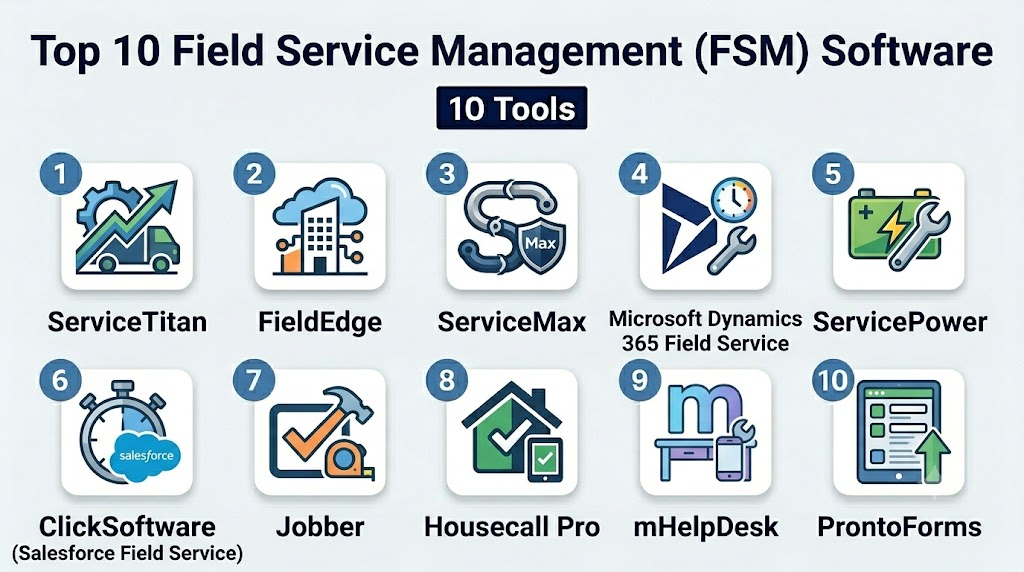
Introduction
Field Service Management (FSM) Software is designed to streamline the operations of field teams, including scheduling, dispatching, task management, and mobile workforce coordination. These platforms ensure that service delivery, maintenance, and customer support are executed efficiently, minimizing downtime and improving customer satisfaction. with the rise of mobile-first workforces, IoT-enabled devices, and AI-powered scheduling, FSM software has become a critical tool for service-intensive industries.
Real-world use cases include:
- Utility companies scheduling and dispatching technicians for repairs and maintenance.
- HVAC and electrical service providers managing service calls, parts, and field crews.
- Telecom operators coordinating installations, upgrades, and fault resolutions.
- Healthcare service teams managing mobile patient care or medical equipment maintenance.
- Logistics and delivery companies optimizing last-mile operations and route planning.
Buyers should evaluate:
- Work order management and scheduling automation
- Mobile app functionality for field technicians
- Real-time location tracking and GPS-based routing
- Inventory and asset management
- Customer communication and self-service portals
- Analytics and reporting dashboards
- AI-assisted predictive maintenance and routing
- Integration with ERP, CRM, and IoT platforms
- Security and compliance for sensitive data
Best for: Enterprises and SMBs with mobile service teams in utilities, healthcare, telecom, logistics, and manufacturing industries.
Not ideal for: Companies with limited or no mobile field workforce, or businesses where service coordination is minimal and handled manually.
Key Trends in Field Service Management Software
- AI-driven scheduling and route optimization for field technicians
- IoT integration for real-time equipment monitoring and predictive maintenance
- Mobile-first apps with offline capabilities and real-time task updates
- Cloud-based deployment with hybrid options for global operations
- Enhanced customer portals for self-service and appointment management
- Predictive analytics and automated reporting dashboards
- Workforce performance tracking and KPI dashboards
- Integration with ERP, CRM, and inventory management systems
- Subscription-based pricing with scalable plans for SMBs and enterprises
- Compliance and security focus with GDPR, HIPAA, and SOC 2
How We Selected These Tools (Methodology)
- Market adoption and industry mindshare evaluation
- Feature completeness including mobile capabilities, scheduling, and IoT integration
- Reliability and performance based on real-world service scenarios
- Security posture, including encryption, SSO, MFA, and compliance
- Integration ecosystem with ERP, CRM, and analytics platforms
- Customer fit across SMB, mid-market, and enterprise segments
- AI and automation capabilities for predictive maintenance and routing
- Ease of onboarding and user experience for field teams
- Support, training, and community strength assessment
- Cost-to-value ratio and scalability for growing organizations
Top 10 Field Service Management Software Tools
1- ServiceTitan
Short description: ServiceTitan is a comprehensive FSM platform for home service businesses, enabling dispatch, scheduling, and mobile workforce management.
Key Features
- Intelligent scheduling and dispatching
- Mobile app for technicians
- Job tracking and work order management
- Customer communication portals
- Inventory and parts tracking
- Reporting and analytics dashboards
- AI-driven route optimization
Pros
- Strong home service industry focus
- Real-time mobile updates
- Integrated CRM and marketing tools
Cons
- Premium pricing
- Learning curve for advanced features
- Limited outside home services
Platforms / Deployment
- Web / iOS / Android
- Cloud
Security & Compliance
- SSO, encryption, audit logs
- SOC 2, GDPR
Integrations & Ecosystem
- QuickBooks, Salesforce, Google Calendar
- API access for custom integrations
- Marketing and invoicing software
Support & Community
- Knowledge base, tutorials
- Phone and chat support
- Active home service user community
2- FieldEdge
Short description: FieldEdge provides FSM software for HVAC, plumbing, and electrical companies to manage service calls, billing, and mobile operations.
Key Features
- Mobile technician app
- Dispatch and scheduling automation
- Customer management and invoicing
- Inventory tracking
- Analytics and reporting
- GPS tracking and routing
- Integration with accounting software
Pros
- Optimized for HVAC and home services
- Mobile-first design for field techs
- Strong dispatch and scheduling automation
Cons
- Limited support for non-home service industries
- Premium subscription pricing
- Complex setup for small businesses
Platforms / Deployment
- Web / iOS / Android
- Cloud
Security & Compliance
- Encryption, SSO, audit logs
- GDPR
Integrations & Ecosystem
- QuickBooks, Xero, Google Workspace
- API for custom workflow integrations
- Inventory management systems
Support & Community
- Tutorials and webinars
- Email and phone support
- Community forums
3- ServiceMax
Short description: ServiceMax is an enterprise FSM platform focusing on asset-centric service management and IoT-enabled predictive maintenance.
Key Features
- IoT and connected equipment monitoring
- Predictive maintenance alerts
- Work order management
- Mobile workforce management
- Analytics and KPI dashboards
- Customer communication tools
- Scheduling and dispatch automation
Pros
- Enterprise-grade asset management
- IoT integration for predictive maintenance
- Scalable for global teams
Cons
- Premium pricing
- Complexity for smaller organizations
- Learning curve for IoT features
Platforms / Deployment
- Web / iOS / Android
- Cloud
Security & Compliance
- SSO, encryption, audit logs
- GDPR, SOC 2
Integrations & Ecosystem
- Salesforce, SAP, ERP systems
- IoT sensors and devices
- API for custom workflows
Support & Community
- Enterprise support
- Training and onboarding programs
- Active forums for large organizations
4- Microsoft Dynamics 365 Field Service
Short description: Microsoft Dynamics 365 FSM integrates with CRM and ERP for enterprise field service, IoT monitoring, and AI-assisted scheduling.
Key Features
- AI-assisted predictive maintenance
- Mobile technician app
- Scheduling and dispatch automation
- IoT and asset monitoring
- Customer self-service portals
- Analytics and reporting dashboards
- Integration with Microsoft 365 and Power Platform
Pros
- Seamless Microsoft ecosystem integration
- Advanced analytics and AI scheduling
- Enterprise scalability
Cons
- Premium licensing cost
- Complexity for small teams
- Setup may require IT support
Platforms / Deployment
- Web / Windows / iOS / Android
- Cloud
Security & Compliance
- SSO, MFA, encryption, audit logs
- SOC 2, GDPR, ISO 27001
Integrations & Ecosystem
- Microsoft 365, Azure, Power BI
- ERP and CRM systems
- API for custom integrations
Support & Community
- Enterprise support tiers
- Extensive documentation and training
- Microsoft community forums
5- ServicePower
Short description: ServicePower provides FSM software for enterprises to manage complex field operations with AI scheduling and mobile apps.
Key Features
- AI-powered scheduling and dispatch
- Mobile workforce management
- Work order and job tracking
- Customer portals and communications
- Inventory and asset tracking
- Analytics and reporting dashboards
- Integration with ERP and CRM
Pros
- Enterprise-grade automation
- Predictive AI scheduling
- Strong mobile capabilities
Cons
- High cost
- Steep learning curve
- Best suited for large operations
Platforms / Deployment
- Web / iOS / Android
- Cloud / Hybrid
Security & Compliance
- Encryption, SSO, MFA
- SOC 2, GDPR
Integrations & Ecosystem
- SAP, Oracle, Salesforce
- IoT device integration
- API for custom workflows
Support & Community
- Enterprise onboarding and support
- Knowledge base and tutorials
- Active enterprise user network
6- ClickSoftware (now Salesforce Field Service)
Short description: ClickSoftware offers advanced FSM with AI-based routing, real-time mobile apps, and predictive maintenance capabilities.
Key Features
- Intelligent scheduling and routing
- Mobile technician apps
- Work order management
- IoT monitoring and predictive maintenance
- Analytics dashboards
- Customer communication portals
- Integration with CRM and ERP
Pros
- AI-assisted routing for efficiency
- Enterprise scalability
- Integration with Salesforce ecosystem
Cons
- Premium pricing
- Complexity for small teams
- Training required for full utilization
Platforms / Deployment
- Web / iOS / Android
- Cloud
Security & Compliance
- SSO, encryption, audit logs
- SOC 2, GDPR
Integrations & Ecosystem
- Salesforce, ERP, CRM systems
- IoT sensors
- API for workflow automation
Support & Community
- Enterprise support tiers
- Documentation and training
- Salesforce user community
7- Jobber
Short description: Jobber provides FSM software for SMB service providers with scheduling, dispatch, invoicing, and mobile management.
Key Features
- Scheduling and dispatch automation
- Mobile app for field technicians
- Customer management and invoicing
- Workflow automation
- Reporting and dashboards
- GPS tracking for field teams
- Template-based job forms
Pros
- SMB-friendly and easy to use
- Mobile-first approach
- Scheduling and invoicing in one platform
Cons
- Limited enterprise-scale features
- Advanced analytics limited
- Integrations fewer than enterprise tools
Platforms / Deployment
- Web / iOS / Android
- Cloud
Security & Compliance
- Encryption, SSO
- GDPR
Integrations & Ecosystem
- QuickBooks, Zapier
- Google Workspace
- API access for custom integrations
Support & Community
- Knowledge base
- Email and chat support
- Community forum
8- ServiceMax
Short description: ServiceMax is an enterprise FSM solution with asset-centric service management, mobile apps, and IoT integration.
Key Features
- Asset and equipment tracking
- Mobile technician apps
- IoT-enabled predictive maintenance
- Workflow automation
- Analytics dashboards
- Customer communication portals
- Integration with ERP and CRM
Pros
- Enterprise-grade FSM
- Predictive maintenance for assets
- Scalable across global teams
Cons
- Premium pricing
- Steep learning curve
- Requires IT support
Platforms / Deployment
- Web / iOS / Android
- Cloud
Security & Compliance
- SSO, encryption, MFA
- GDPR, SOC 2
Integrations & Ecosystem
- SAP, Salesforce, IoT devices
- Analytics platforms
- API for custom workflows
Support & Community
- Enterprise support
- Documentation and training
- Active community
9- Housecall Pro
Short description: Housecall Pro is designed for SMB service companies with scheduling, dispatch, invoicing, and mobile workforce management.
Key Features
- Mobile app for technicians
- Scheduling and dispatch automation
- Customer communication and notifications
- Invoicing and payment processing
- GPS tracking and route optimization
- Reporting dashboards
- Template-based workflow forms
Pros
- User-friendly for SMBs
- Mobile-first experience
- Integrated invoicing
Cons
- Limited enterprise scalability
- Advanced automation features limited
- Fewer integration options
Platforms / Deployment
- Web / iOS / Android
- Cloud
Security & Compliance
- Encryption, SSO
- GDPR
Integrations & Ecosystem
- QuickBooks, Google Workspace
- Zapier and API integrations
- Payment gateways
Support & Community
- Tutorials and knowledge base
- Email support
- Active SMB user community
10- mHelpDesk
Short description: mHelpDesk provides FSM solutions for SMBs with mobile dispatch, scheduling, invoicing, and reporting.
Key Features
- Work order and task management
- Mobile app for field teams
- Scheduling and dispatch
- Customer management
- Invoicing and payment collection
- Reporting and dashboards
- GPS tracking
Pros
- Affordable SMB solution
- Mobile-first design
- Easy scheduling and invoicing
Cons
- Limited enterprise features
- Advanced analytics not included
- Fewer integrations
Platforms / Deployment
- Web / iOS / Android
- Cloud
Security & Compliance
- Encryption, SSO
- GDPR
Integrations & Ecosystem
- QuickBooks, Google Workspace
- API for workflow integration
- Zapier automation
Support & Community
- Knowledge base and tutorials
- Email support
- Community forum
Comparison Table (Top 10)
| Tool Name | Best For | Platform(s) Supported | Deployment | Standout Feature | Public Rating |
|---|---|---|---|---|---|
| ServiceTitan | Home service enterprises | Web, iOS, Android | Cloud | Intelligent scheduling | N/A |
| FieldEdge | HVAC, plumbing | Web, iOS, Android | Cloud | Dispatch automation | N/A |
| ServiceMax | Asset-centric enterprises | Web, iOS, Android | Cloud | IoT-enabled maintenance | N/A |
| Microsoft Dynamics 365 Field Service | Enterprise teams | Web, Windows, iOS, Android | Cloud | AI scheduling | N/A |
| ServicePower | Enterprise field ops | Web, iOS, Android | Cloud/Hybrid | Predictive routing | N/A |
| ClickSoftware | Salesforce FSM | Web, iOS, Android | Cloud | AI-based routing | N/A |
| Jobber | SMB service providers | Web, iOS, Android | Cloud | Scheduling & invoicing | N/A |
| ServiceMax | Enterprise FSM | Web, iOS, Android | Cloud | Asset management | N/A |
| Housecall Pro | SMB service teams | Web, iOS, Android | Cloud | Mobile-first scheduling | N/A |
| mHelpDesk | SMB service companies | Web, iOS, Android | Cloud | Work order & dispatch | N/A |
Evaluation & Scoring of Field Service Management Software
| Tool Name | Core (25%) | Ease (15%) | Integrations (15%) | Security (10%) | Performance (10%) | Support (10%) | Value (15%) | Weighted Total (0–10) |
|---|---|---|---|---|---|---|---|---|
| ServiceTitan | 9 | 8 | 8 | 8 | 9 | 8 | 7 | 8.3 |
| FieldEdge | 8 | 8 | 7 | 8 | 8 | 7 | 7 | 7.8 |
| ServiceMax | 9 | 7 | 8 | 9 | 8 | 8 | 7 | 8.2 |
| Microsoft Dynamics 365 FS | 9 | 7 | 8 | 9 | 8 | 8 | 7 | 8.2 |
| ServicePower | 9 | 7 | 8 | 9 | 8 | 8 | 7 | 8.2 |
| ClickSoftware | 9 | 7 | 8 | 9 | 8 | 8 | 7 | 8.2 |
| Jobber | 8 | 8 | 7 | 7 | 8 | 7 | 7 | 7.7 |
| ServiceMax | 9 | 7 | 8 | 9 | 8 | 8 | 7 | 8.2 |
| Housecall Pro | 8 | 8 | 7 | 7 | 8 | 7 | 7 | 7.7 |
| mHelpDesk | 8 | 8 | 7 | 7 | 8 | 7 | 7 | 7.7 |
Which Field Service Management Tool Is Right for You?
Solo / Freelancer
- Jobber or Housecall Pro for small teams with basic scheduling and mobile dispatch.
SMB
- FieldEdge, Jobber, or mHelpDesk for small to mid-sized service operations.
Mid-Market
- ServiceTitan or ServicePower for growing service teams with workflow automation needs.
Enterprise
- ServiceMax, Microsoft Dynamics 365 FS, or ClickSoftware for global field operations with predictive maintenance and AI routing.
Budget vs Premium
- Budget-friendly: Jobber, Housecall Pro, mHelpDesk
- Premium: ServiceTitan, ServiceMax, Microsoft Dynamics 365 FS, ClickSoftware
Feature Depth vs Ease of Use
- Easy adoption: Jobber, Housecall Pro
- Feature-rich: ServiceMax, ServicePower, Microsoft Dynamics 365 FS
Integrations & Scalability
- Enterprises should prioritize ServiceMax, Microsoft Dynamics 365 FS, and ClickSoftware for integration with ERP, CRM, and IoT systems.
Security & Compliance Needs
- Compliance-heavy operations should opt for ServiceMax, Microsoft Dynamics 365 FS, and ServicePower for SOC 2, GDPR, and ISO certifications.
Frequently Asked Questions (FAQs)
1- What pricing models are common?
Most FSM tools use per-user or per-organization subscription pricing. Enterprise plans include AI routing and advanced analytics features.
2- How easy is onboarding?
SMB-focused tools like Jobber are easy to start; enterprise solutions require structured training and IT support.
3- Can FSM software work offline?
Yes, most mobile apps allow offline data capture and synchronize when connectivity is restored.
4- Are these tools secure for sensitive data?
Enterprise solutions include encryption, RBAC, SSO, and comply with GDPR, SOC 2, or ISO 27001 standards.
5- Do these tools integrate with other systems?
Yes, integrations with ERP, CRM, accounting, and IoT platforms are common.
6- Can AI assist with scheduling?
Yes, predictive routing and AI-assisted scheduling improve technician utilization and reduce travel time.
7- Can FSM software track assets?
Yes, asset tracking is included in enterprise tools to monitor usage, maintenance, and performance.
8- Are dashboards available for analytics?
All top tools provide dashboards for work orders, KPIs, SLA compliance, and workforce performance.
9- Can these tools support multiple locations?
Enterprise FSM software scales across regions, supporting multiple offices, warehouses, and field teams.
10- How do I choose the right tool?
Evaluate team size, workflow complexity, integrations, AI and IoT features, and budget. Pilot 2–3 tools for fit before full deployment.
Conclusion
Selecting the right Field Service Management software depends on workforce size, operational complexity, and compliance requirements. SMBs may prefer Jobber, Housecall Pro, or mHelpDesk for simplicity and mobile-first functionality. Mid-market teams can leverage FieldEdge or ServiceTitan for advanced scheduling and dispatch workflows. Enterprises benefit from ServiceMax, Microsoft Dynamics 365 FS, or ClickSoftware for global operations with AI-assisted routing, predictive maintenance, and robust analytics. Shortlist 2–3 tools, run pilot tests, and validate integration, compliance, and mobile capabilities before full-scale adoption to improve efficiency, reduce downtime, and enhance customer satisfaction.

Find Trusted Cardiac Hospitals
Compare heart hospitals by city and services — all in one place.
Explore Hospitals
Field Service Management (FSM) software delivers the greatest value when it connects scheduling, dispatching, mobile technicians, and customer communication on a single platform. Real-time visibility into field operations helps organizations improve first-time fix rates, reduce operational costs, and deliver a more responsive customer service experience.