Introduction
Computational Fluid Dynamics (CFD) software enables engineers and researchers to simulate how fluids and gases behave under different physical conditions. Instead of building expensive physical prototypes, CFD tools use mathematical models and numerical methods to analyze airflow, heat transfer, turbulence, and pressure distribution digitally.
It matters now more than ever because industries are pushing for faster innovation, energy efficiency, and reduced development costs. With increasing computational power and cloud scalability, CFD has become accessible beyond large enterprises. Modern tools now integrate AI-assisted meshing, automated workflows, and real-time simulation insights.
Real-world use cases:
- Designing aerodynamic vehicles like cars, aircraft, and drones
- Optimizing HVAC systems in buildings for energy efficiency
- Simulating heat transfer in electronics and industrial equipment
- Analyzing fluid flow in pipelines, pumps, and turbines
- Improving combustion processes in engines and power plants
What buyers should evaluate:
- Simulation accuracy and solver robustness
- Meshing capabilities and automation
- Scalability (local vs cloud computing)
- Ease of use and learning curve
- Integration with CAD tools
- Multi-physics support
- Performance speed and compute efficiency
- Licensing and pricing flexibility
- Visualization and post-processing tools
- Support and documentation
Best for: aerospace engineers, automotive designers, mechanical engineers, research institutions, energy sector teams, and advanced manufacturing companies.
Not ideal for: small teams without technical expertise or projects that don’t require physics-based simulation where simpler modeling tools may suffice.
Key Trends in Computational Fluid Dynamics Software
- Increasing use of AI for mesh generation and simulation optimization
- Cloud-based CFD platforms reducing dependency on local hardware
- Real-time simulation for faster design iteration cycles
- Integration with digital twins and IoT systems
- Growing adoption in renewable energy sectors like wind and solar
- GPU acceleration improving simulation speed dramatically
- Multi-physics simulations combining fluid, thermal, and structural analysis
- Low-code/no-code interfaces for broader accessibility
- Open-source CFD gaining popularity among researchers
- Subscription-based pricing replacing traditional licensing
How We Selected These Tools (Methodology)
- Strong industry adoption and engineering usage
- Proven solver accuracy and simulation reliability
- Feature completeness across industries
- Performance benchmarks and scalability
- Integration with CAD and PLM systems
- Availability of cloud or hybrid deployment
- Support ecosystem and documentation quality
- Fit across enterprise, SMB, and research segments
- Continuous innovation and updates
- Community and developer support
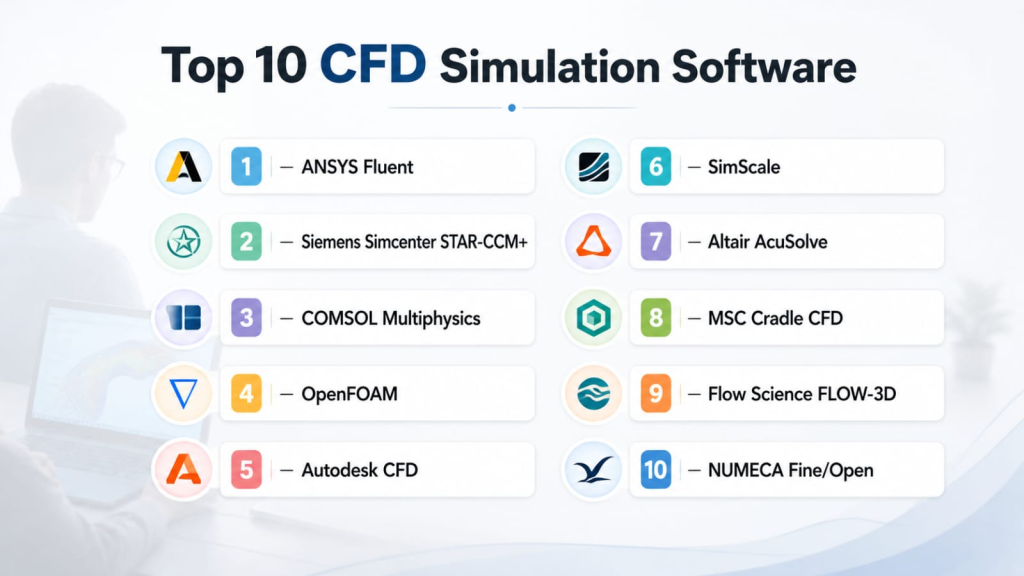
Top 10 Computational Fluid Dynamics Software Tools
1 — ANSYS Fluent
Short description: A widely used CFD tool known for high accuracy and advanced simulation capabilities, especially in complex industrial applications.
Key Features
- Advanced turbulence models
- Multi-phase flow simulation
- Heat transfer analysis
- AI-based mesh optimization
- High-performance computing support
- Extensive physics modeling
- Custom scripting support
Pros
- Industry-standard accuracy
- Scales for large simulations
- Strong enterprise support
Cons
- Expensive licensing
- Steep learning curve
- Requires high compute power
Platforms / Deployment
Windows / Linux | Cloud / On-premise
Security & Compliance
Varies / N/A
Integrations & Ecosystem
Integrates deeply with engineering workflows and CAD tools.
- CAD platforms
- HPC environments
- Data analysis tools
Support & Community
Extensive documentation and strong global user community.
2 — Siemens Simcenter STAR-CCM+
Short description: A powerful CFD platform offering end-to-end simulation workflows with automation and multi-physics capabilities.
Key Features
- Automated meshing
- Multi-physics simulation
- Design exploration tools
- High scalability
- Advanced visualization
- Parametric studies
- Cloud-ready deployment
Pros
- Highly automated workflows
- Strong multi-physics support
- Excellent visualization tools
Cons
- Complex interface
- High cost
- Requires training
Platforms / Deployment
Windows / Linux | Cloud / Hybrid
Security & Compliance
Not publicly stated
Integrations & Ecosystem
Works well within Siemens engineering ecosystem.
- CAD integrations
- PLM systems
- Data management tools
Support & Community
Enterprise-grade support with structured training programs.
3 — COMSOL Multiphysics
Short description: A flexible simulation platform that combines CFD with other physics domains in a unified interface.
Key Features
- Multi-physics modeling
- Customizable simulation environment
- Application builder
- Parametric modeling
- Advanced solver engine
- Visualization tools
Pros
- Extremely flexible
- Supports custom simulations
- Good for research use
Cons
- Expensive
- Complex setup
- Learning curve
Platforms / Deployment
Windows / macOS / Linux | On-premise
Security & Compliance
Not publicly stated
Integrations & Ecosystem
Supports scripting and API-based integrations.
- MATLAB integration
- CAD tools
- Custom APIs
Support & Community
Strong academic and research community.
4 — OpenFOAM
Short description: An open-source CFD toolbox widely used for academic research and custom engineering simulations.
Key Features
- Open-source flexibility
- Custom solver development
- Extensive physics libraries
- Parallel computing support
- Large community contributions
Pros
- Free and customizable
- Highly flexible
- Strong research support
Cons
- No official GUI
- Requires programming knowledge
- Limited commercial support
Platforms / Deployment
Linux | Self-hosted
Security & Compliance
Varies / N/A
Integrations & Ecosystem
Highly extensible through code.
- Python tools
- Custom scripts
- HPC systems
Support & Community
Large global open-source community.
5 — Autodesk CFD
Short description: A user-friendly CFD tool designed for engineers needing quick simulation insights integrated with CAD workflows.
Key Features
- CAD integration
- Thermal simulation
- Fluid flow analysis
- Design optimization
- Simplified UI
Pros
- Easy to learn
- Strong CAD integration
- Faster setup
Cons
- Limited advanced features
- Not ideal for complex simulations
- Lower scalability
Platforms / Deployment
Windows | Cloud / On-premise
Security & Compliance
Not publicly stated
Integrations & Ecosystem
Built into Autodesk ecosystem.
- AutoCAD
- Fusion tools
- Design workflows
Support & Community
Good documentation and support.
6 — SimScale
Short description: A cloud-native CFD platform that removes the need for local hardware and enables scalable simulations.
Key Features
- Browser-based simulation
- Cloud computing
- Real-time collaboration
- Automated meshing
- Multi-physics support
Pros
- No installation needed
- Scalable compute
- Easy collaboration
Cons
- Internet dependency
- Limited offline capabilities
- Subscription model
Platforms / Deployment
Web | Cloud
Security & Compliance
Not publicly stated
Integrations & Ecosystem
Cloud integrations and APIs.
- CAD import tools
- Collaboration tools
- Data sharing
Support & Community
Active online community and tutorials.
7 — Altair AcuSolve
Short description: A robust CFD solver designed for high-performance simulations in engineering applications.
Key Features
- High-performance solver
- Multi-physics support
- Advanced meshing
- GPU acceleration
- Scalability
Pros
- Fast performance
- Accurate simulations
- Enterprise-ready
Cons
- Complex interface
- High cost
- Requires expertise
Platforms / Deployment
Windows / Linux | Hybrid
Security & Compliance
Not publicly stated
Integrations & Ecosystem
Integrates within Altair ecosystem.
- CAD tools
- Simulation tools
- Data systems
Support & Community
Enterprise support with technical documentation.
8 — MSC Cradle CFD
Short description: A specialized CFD tool focusing on thermal and fluid analysis for electronics and industrial applications.
Key Features
- Thermal-fluid simulation
- Electronics cooling analysis
- Advanced meshing
- Multi-physics support
- Visualization tools
Pros
- Strong in thermal analysis
- Good for electronics
- Accurate results
Cons
- Niche focus
- Limited general use
- Learning curve
Platforms / Deployment
Windows / Linux | On-premise
Security & Compliance
Not publicly stated
Integrations & Ecosystem
Supports engineering workflows.
- CAD tools
- Thermal analysis tools
Support & Community
Moderate community and vendor support.
9 — Flow Science FLOW-3D
Short description: A CFD software specialized in free-surface flow simulations like water and liquid behavior.
Key Features
- Free-surface flow modeling
- Multi-phase simulations
- Fluid-structure interaction
- Accurate volume tracking
- Visualization tools
Pros
- Best for water simulations
- High accuracy
- Strong niche capabilities
Cons
- Limited general-purpose use
- Expensive
- Specialized learning
Platforms / Deployment
Windows / Linux | On-premise
Security & Compliance
Not publicly stated
Integrations & Ecosystem
Works with simulation workflows.
- Engineering tools
- Data analysis systems
Support & Community
Focused but smaller user base.
10 — NUMECA Fine/Open
Short description: A high-performance CFD tool mainly used in turbomachinery and aerospace industries.
Key Features
- Turbo-machinery simulation
- High-speed solver
- Advanced meshing
- Multi-stage analysis
- HPC support
Pros
- Excellent for aerospace
- High performance
- Accurate results
Cons
- Specialized use
- Expensive
- Limited general applications
Platforms / Deployment
Windows / Linux | Hybrid
Security & Compliance
Not publicly stated
Integrations & Ecosystem
Supports engineering workflows.
- CAD tools
- Simulation systems
Support & Community
Strong niche support.
Comparison Table (Top 10)
| Tool Name | Best For | Platform(s) Supported | Deployment | Standout Feature | Public Rating |
|---|---|---|---|---|---|
| ANSYS Fluent | Enterprise simulations | Windows/Linux | Hybrid | Advanced solvers | N/A |
| Simcenter STAR-CCM+ | Multi-physics | Windows/Linux | Hybrid | Automation | N/A |
| COMSOL Multiphysics | Research | Cross-platform | On-premise | Multi-physics | N/A |
| OpenFOAM | Open-source users | Linux | Self-hosted | Custom solvers | N/A |
| Autodesk CFD | Beginners | Windows | Hybrid | Ease of use | N/A |
| SimScale | Cloud users | Web | Cloud | Browser-based | N/A |
| Altair AcuSolve | High performance | Windows/Linux | Hybrid | Speed | N/A |
| MSC Cradle | Thermal analysis | Windows/Linux | On-premise | Electronics focus | N/A |
| FLOW-3D | Fluid simulation | Windows/Linux | On-premise | Free-surface flow | N/A |
| NUMECA Fine/Open | Aerospace | Windows/Linux | Hybrid | Turbo simulation | N/A |
Evaluation & Scoring of Computational Fluid Dynamics Software
| Tool | Core | Ease | Integrations | Security | Performance | Support | Value | Weighted Total |
|---|---|---|---|---|---|---|---|---|
| ANSYS Fluent | 9 | 6 | 8 | 7 | 9 | 9 | 6 | 7.9 |
| STAR-CCM+ | 9 | 7 | 8 | 7 | 9 | 8 | 6 | 8.0 |
| COMSOL | 8 | 6 | 7 | 6 | 8 | 7 | 6 | 7.2 |
| OpenFOAM | 8 | 5 | 7 | 5 | 8 | 6 | 9 | 7.1 |
| Autodesk CFD | 7 | 8 | 7 | 6 | 6 | 7 | 8 | 7.2 |
| SimScale | 7 | 9 | 7 | 6 | 7 | 7 | 8 | 7.5 |
| AcuSolve | 8 | 6 | 7 | 6 | 9 | 7 | 6 | 7.4 |
| MSC Cradle | 7 | 6 | 6 | 6 | 7 | 6 | 6 | 6.6 |
| FLOW-3D | 8 | 6 | 6 | 6 | 8 | 6 | 6 | 7.0 |
| NUMECA | 8 | 6 | 7 | 6 | 9 | 7 | 6 | 7.4 |
How to interpret scores:
These scores compare tools relative to each other based on real-world usability and capability. Higher scores indicate stronger all-around performance, while lower scores may still excel in niche scenarios. Always align scoring with your specific use case before deciding.
Which Computational Fluid Dynamics Tool Is Right for You?
Solo / Freelancer
Open-source tools like OpenFOAM are ideal if you have technical expertise and want flexibility without licensing costs.
SMB
Autodesk CFD or SimScale provides easier onboarding and lower infrastructure requirements.
Mid-Market
COMSOL and SimScale offer flexibility and scalability without full enterprise complexity.
Enterprise
ANSYS Fluent and STAR-CCM+ are best for large-scale, mission-critical simulations.
Budget vs Premium
Budget users should consider OpenFOAM or cloud-based tools, while premium users can invest in enterprise-grade solvers.
Feature Depth vs Ease of Use
If you need simplicity, choose Autodesk CFD. For depth, go with ANSYS or Siemens.
Integrations & Scalability
Enterprise tools provide deeper integrations with CAD and PLM systems.
Security & Compliance Needs
Larger vendors offer better enterprise-grade security and governance features.
Frequently Asked Questions (FAQs)
1. What is CFD software used for?
CFD software is used to simulate fluid flow, heat transfer, and related physics. It helps engineers test designs virtually instead of relying on physical prototypes.
2. Is CFD software expensive?
Yes, enterprise CFD tools can be costly, but open-source and cloud-based options offer more affordable alternatives.
3. Do I need coding skills for CFD?
Some tools require coding knowledge, especially open-source platforms, while others offer user-friendly interfaces.
4. Can CFD run on the cloud?
Yes, many modern CFD tools support cloud deployment, enabling scalable simulations without high-end local hardware.
5. What industries use CFD the most?
Aerospace, automotive, energy, manufacturing, and electronics industries heavily rely on CFD.
6. How long do simulations take?
Simulation time depends on complexity, mesh size, and computing power, ranging from minutes to days.
7. Is CFD accurate?
CFD can be highly accurate when properly set up, but results depend on model assumptions and input data quality.
8. What is meshing in CFD?
Meshing divides a simulation domain into small elements to solve equations numerically.
9. Can beginners learn CFD easily?
Some tools are beginner-friendly, but mastering CFD requires understanding physics and numerical methods.
10. How do I choose the right CFD tool?
Choose based on your use case, budget, required features, and level of expertise.
Conclusion
Computational Fluid Dynamics software has become an essential part of modern engineering workflows, enabling faster innovation, reduced costs, and better design optimization. From enterprise-grade tools like ANSYS Fluent and Siemens STAR-CCM+ to accessible cloud platforms like SimScale and open-source options like OpenFOAM, the ecosystem offers solutions for every level of complexity and budget. The right tool depends heavily on your simulation requirements, team expertise, and infrastructure capabilities.
To move forward effectively, shortlist 2–3 tools that align with your needs, run pilot simulations, and validate performance, integrations, and usability. This hands-on evaluation ensures you choose a CFD solution that delivers both accuracy and long-term value.

Find Trusted Cardiac Hospitals
Compare heart hospitals by city and services — all in one place.
Explore Hospitals
CFD software is explained clearly, and the comparison helps in understanding how fluid flow, heat transfer, and simulation are used to improve design and performance.