Introduction
AR/VR Development Platforms are specialized software solutions designed to create immersive augmented reality (AR) and virtual reality (VR) experiences. They provide tools for 3D modeling, animation, real-time rendering, physics simulation, and multi-platform deployment. These platforms allow businesses to build interactive applications for gaming, training, healthcare, retail, and industrial use cases.
The demand for AR/VR solutions is accelerating due to more powerful hardware, improved software ecosystems, and AI-enhanced content creation. Organizations are leveraging immersive technologies to enhance engagement, productivity, and learning experiences.
Real-world use cases:
- Retail companies using AR apps for virtual product try-ons.
- Manufacturers simulating assembly line operations in VR to reduce errors.
- Educational institutions creating virtual classrooms for remote learners.
- Healthcare organizations training surgeons with immersive VR simulations.
- Architectural firms visualizing building designs with AR overlays for clients.
Evaluation criteria for buyers:
- Device and cross-platform support
- Ease of use and learning curve
- Integration with AI and third-party services
- Security and compliance adherence
- Rendering performance and reliability
- Developer community support
- Licensing and pricing flexibility
- Scalability for teams and projects
Best for: Developers, designers, and enterprises across gaming, education, healthcare, retail, and industrial training.
Not ideal for: Teams building simple 2D apps, small prototypes without immersive needs, or projects better suited to lightweight app builders.
Key Trends in AR/VR Development Platforms.
- AI-assisted 3D asset generation and animation.
- Cloud-based rendering and edge computing for low-latency experiences.
- Real-time collaborative development for remote teams.
- Cross-platform AR/VR deployment for mobile, desktop, and standalone headsets.
- Integration with AI, ML, and spatial computing tools.
- Security and compliance awareness in enterprise XR applications.
- Support for metaverse and persistent virtual worlds.
- Modular licensing and cost-effective subscriptions.
- Interoperability with IoT devices and AR smart glasses.
- Low-code/no-code tools for rapid prototyping and training apps.
How We Selected These Tools (Methodology)
- Market adoption and developer mindshare.
- Feature completeness including 3D modeling, AR, and VR support.
- Performance and reliability signals.
- Security posture and compliance signals.
- Integration flexibility with AI, analytics, and cloud services.
- Fit for SMBs, mid-market, and enterprise teams.
- Support infrastructure and community activity.
- Scalability for production and prototypes.
- Pricing models and licensing flexibility.
- Future-proofing for AI and immersive technology advancements.
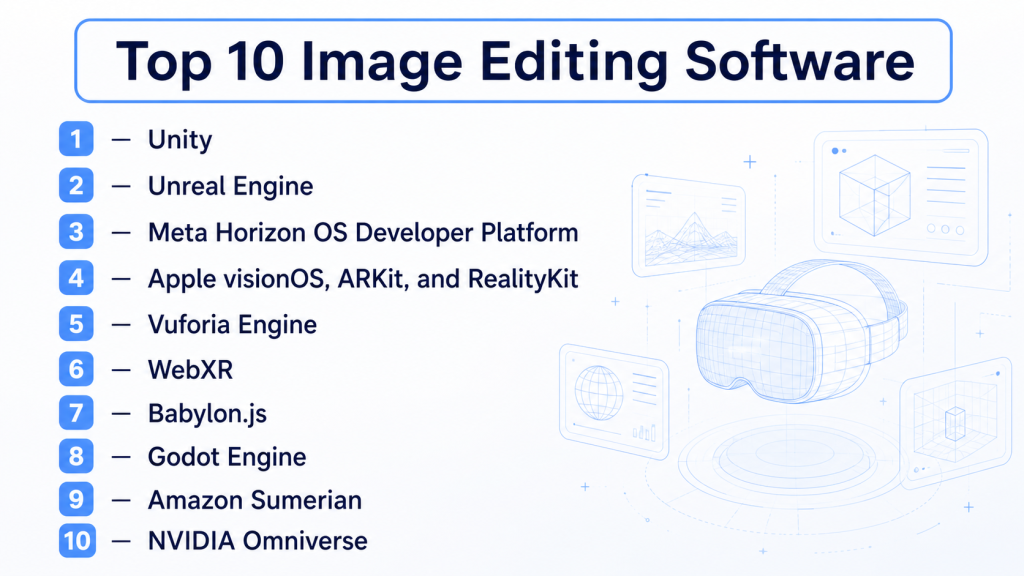
Top 10 AR/VR Development Platforms Tools
1 — Unity
Short description : Unity is a versatile AR/VR platform used for creating immersive 3D experiences across devices. It is ideal for both indie developers and enterprise teams.
Key Features
- Multi-platform deployment to mobile, desktop, and XR headsets.
- Asset Store for 3D models, scripts, and plugins.
- High-definition rendering pipelines.
- AI/ML integration via ML-Agents.
- Physics and animation engine.
- Collaboration tools for distributed teams.
Pros
- Extensive documentation and active community.
- Scalable for enterprise-level projects.
- Rich ecosystem of plugins and assets.
Cons
- Steep learning curve for beginners.
- High-end rendering requires robust hardware.
- Some features limited to paid tiers.
Platforms / Deployment
Windows, macOS, Linux, iOS, Android, Web, XR
Cloud / Self-hosted / Hybrid
Security & Compliance
Not publicly stated
Integrations & Ecosystem
Supports plugins, APIs, and cloud services.
- Unity Asset Store
- AR Foundation
- AI/ML SDKs
- Cloud rendering
- Collaboration tools
Support & Community
Comprehensive documentation, tutorials, forums, and premium support.
2 — Unreal Engine
Short description : Unreal Engine offers high-fidelity VR/AR graphics for AAA games and enterprise simulations.
Key Features
- Real-time ray tracing.
- Blueprint visual scripting.
- VR/AR headset support.
- AI-driven behavior and animation.
- Multi-user collaboration.
Pros
- Photorealistic graphics.
- Large community and asset marketplace.
- Free core engine with flexible licensing.
Cons
- Complex setup for small teams.
- High hardware requirements.
- Learning curve for Blueprint and C++.
Platforms / Deployment
Windows, macOS, Linux, iOS, Android, Web, XR
Cloud / Self-hosted / Hybrid
Security & Compliance
Not publicly stated
Integrations & Ecosystem
- Datasmith CAD/architecture imports
- Cloud rendering services
- AI plugins
- Collaboration platforms
Support & Community
Documentation, tutorials, and enterprise support.
3 — Meta Horizon OS Developer Platform
Short description : Meta Horizon OS enables immersive VR applications for Meta Quest devices and social XR experiences.
Key Features
- SDKs for hand tracking and gesture recognition.
- Social VR development tools.
- Cloud-based testing and deployment.
- AI-assisted interaction modeling.
Pros
- Optimized for Meta devices.
- Strong social VR ecosystem.
- Streamlined device integration.
Cons
- Limited to Meta ecosystem.
- Smaller plugin library.
- Requires knowledge of platform guidelines.
Platforms / Deployment
Meta Quest VR, WebXR
Cloud / Varies
Security & Compliance
Not publicly stated
Integrations & Ecosystem
- Unity and Unreal integrations
- Cloud SDK for multiplayer
- AI plugins
Support & Community
Developer documentation, forums, and community support.
4 — Apple visionOS, ARKit, and RealityKit
Short description : Apple AR tools deliver high-quality experiences on iOS and visionOS, combining ARKit and RealityKit for rendering, physics, and AI scene analysis.
Key Features
- ARKit for environment mapping.
- RealityKit for rendering and physics.
- AI-powered scene understanding.
- Swift/Xcode integration.
- Optimized for Apple hardware.
Pros
- Deep hardware integration.
- Advanced AR scene analysis.
- Seamless Apple ecosystem workflow.
Cons
- Limited to Apple devices.
- Learning curve for visionOS features.
- Less cross-platform flexibility.
Platforms / Deployment
iOS, visionOS
Cloud / On-device
Security & Compliance
Not publicly stated
Integrations & Ecosystem
- Swift/Objective-C APIs
- Reality Composer prototyping
- AI/ML integrations
Support & Community
Apple developer documentation, tutorials, forums.
5 — Vuforia Engine
Short description : Vuforia provides robust AR tracking and recognition for mobile and enterprise applications.
Key Features
- Marker-based and markerless AR.
- Cloud and device-based recognition.
- Multi-target and environment tracking.
- Unity integration.
- AI-assisted object detection.
Pros
- Reliable AR tracking.
- Enterprise-ready deployment.
- Flexible device support.
Cons
- Limited VR support.
- Paid licensing for advanced features.
- Learning curve for full SDK use.
Platforms / Deployment
iOS, Android, Unity
Cloud / On-device
Security & Compliance
Not publicly stated
Integrations & Ecosystem
- Unity plugin
- Cloud recognition
- AI detection services
Support & Community
Documentation, community forums, enterprise support.
6 — WebXR
Short description : WebXR enables browser-based AR/VR experiences accessible across devices without installation.
Key Features
- Runs in browsers via WebXR API.
- AR and VR headset support.
- Lightweight, no installation required.
- WebGL and Three.js integration.
- Cross-platform deployment.
Pros
- Instant browser access.
- Broad device compatibility.
- No app installation needed.
Cons
- Limited rendering for complex scenes.
- Dependent on browser support.
- Fewer advanced features.
Platforms / Deployment
Web, Mobile, Desktop
Cloud / Varies
Security & Compliance
Not publicly stated
Integrations & Ecosystem
- Three.js, Babylon.js
- Cloud hosting
- Web APIs for AI/analytics
Support & Community
Developer forums, evolving documentation.
7 — Babylon.js
Short description: Babylon.js is a JavaScript framework for 3D and AR/VR experiences, ideal for web-based immersive content.
Key Features
- WebGL-based rendering.
- Physics engine support.
- AR/VR integration via WebXR.
- PBR materials and post-processing.
- Extensible plugins.
Pros
- Free and open-source.
- Strong web performance.
- Active developer community.
Cons
- Requires JavaScript proficiency.
- Not ideal for high-end VR graphics.
- Some features need manual coding.
Platforms / Deployment
Web, Mobile
Cloud / Varies
Security & Compliance
Not publicly stated
Integrations & Ecosystem
- WebXR API
- Physics plugins
- Cloud asset pipelines
Support & Community
Documentation, GitHub support.
8 — Godot Engine
Short description : Godot is an open-source engine for 2D/3D games and AR/VR experiences with flexible scripting and lightweight deployment.
Key Features
- AR/VR templates.
- GDScript and C# scripting.
- Multi-platform support.
- Lightweight and modular.
- Scene-based prototyping.
Pros
- Open-source and free.
- Lightweight for small teams.
- Flexible architecture.
Cons
- Smaller AR/VR ecosystem.
- Limited high-fidelity graphics.
- Fewer tutorials/assets.
Platforms / Deployment
Windows, macOS, Linux, Mobile, Web
Cloud / Self-hosted
Security & Compliance
Not publicly stated
Integrations & Ecosystem
- Third-party plugins
- AR devices
- Cloud SDKs
Support & Community
Active open-source community.
9 — Amazon Sumerian
Short description : Amazon Sumerian provides AR/VR scenes for web and mobile with minimal coding and deep AWS integration.
Key Features
- Drag-and-drop scene creation.
- AI-assisted voice and animation.
- Web/mobile AR/VR support.
- AWS cloud integration.
- Templates for simulations and training.
Pros
- Minimal coding required.
- Integrates with AWS ecosystem.
- Rapid prototyping.
Cons
- Limited high-end graphics.
- AWS-focused environment.
- Smaller community.
Platforms / Deployment
Web, iOS, Android
Cloud (AWS)
Security & Compliance
Not publicly stated
Integrations & Ecosystem
- AWS AI/ML services
- Cloud databases and analytics
- Third-party plugins
Support & Community
AWS documentation and tutorials.
10 — NVIDIA Omniverse
Short description : NVIDIA Omniverse enables collaborative 3D design and simulations with GPU acceleration and AI integration.
Key Features
- Real-time ray tracing and physics.
- AI-assisted animation.
- Multi-user collaboration.
- USD-based 3D asset interoperability.
- AR/VR hardware support.
Pros
- Cutting-edge graphics.
- Enterprise collaboration.
- High-fidelity simulations.
Cons
- Requires high-end NVIDIA hardware.
- Complex for small teams.
- Paid licensing.
Platforms / Deployment
Windows, Linux, AR/VR
Cloud / Self-hosted / Hybrid
Security & Compliance
Not publicly stated
Integrations & Ecosystem
- Maya, 3ds Max, Blender connectors
- AI SDKs
- Cloud asset management
Support & Community
Documentation and enterprise support.
Comparison Table (Top 10)
| Tool Name | Best For | Platform(s) Supported | Deployment | Standout Feature | Public Rating |
|---|---|---|---|---|---|
| Unity | Cross-platform immersive apps | Win, Mac, Linux, iOS, Android, Web, XR | Cloud / Self-hosted / Hybrid | Extensive asset marketplace | N/A |
| Unreal Engine | High-fidelity VR/AR | Win, Mac, Linux, iOS, Android, Web, XR | Cloud / Self-hosted / Hybrid | Real-time ray tracing | N/A |
| Meta Horizon OS | Social VR apps | Meta Quest, WebXR | Cloud / Varies | Meta device integration | N/A |
| Apple visionOS | iOS/visionOS AR | iOS, visionOS | Cloud / On-device | Advanced ARKit/RealityKit | N/A |
| Vuforia | Mobile AR apps | iOS, Android, Unity | Cloud / On-device | Reliable AR tracking | N/A |
| WebXR | Web-based AR/VR | Web, Mobile, Desktop | Cloud / Varies | Browser-native XR | N/A |
| Babylon.js | Web 3D graphics | Web, Mobile | Cloud / Varies | Real-time WebGL rendering | N/A |
| Godot | Open-source AR/VR | Win, Mac, Linux, Mobile, Web | Cloud / Self-hosted | Lightweight and flexible | N/A |
| Amazon Sumerian | Enterprise AR/VR | Web, iOS, Android | Cloud (AWS) | Minimal-code AWS integration | N/A |
| NVIDIA Omniverse | Enterprise simulations | Win, Linux, AR/VR | Cloud / Self-hosted / Hybrid | Real-time collaboration and ray tracing | N/A |
Evaluation & Scoring of AR/VR Development Platforms
| Tool Name | Core (25%) | Ease (15%) | Integrations (15%) | Security (10%) | Performance (10%) | Support (10%) | Value (15%) | Weighted Total |
|---|---|---|---|---|---|---|---|---|
| Unity | 9 | 8 | 9 | 7 | 8 | 8 | 8 | 8.3 |
| Unreal Engine | 10 | 7 | 8 | 7 | 9 | 8 | 7 | 8.3 |
| Meta Horizon OS | 7 | 8 | 7 | 6 | 7 | 7 | 6 | 6.8 |
| Apple visionOS | 8 | 8 | 7 | 7 | 8 | 8 | 7 | 7.7 |
| Vuforia | 7 | 8 | 7 | 6 | 7 | 7 | 7 | 7.0 |
| WebXR | 6 | 9 | 6 | 6 | 6 | 6 | 8 | 6.7 |
| Babylon.js | 7 | 8 | 7 | 6 | 7 | 7 | 8 | 7.3 |
| Godot | 6 | 7 | 6 | 6 | 6 | 6 | 9 | 6.7 |
| Amazon Sumerian | 7 | 8 | 7 | 6 | 6 | 7 | 7 | 7.0 |
| NVIDIA Omniverse | 9 | 7 | 8 | 7 | 9 | 8 | 7 | 8.0 |
Interpretation: Higher weighted totals indicate relative strengths. Context, project goals, and team expertise are key to selecting the right platform.
Which AR/VR Development Platform Is Right for You?
Solo / Freelancer
Unity or Godot provide cost-effective, flexible solutions for prototyping and mobile AR/VR apps.
SMB
Unity or Unreal Engine balance performance with multi-platform support. WebXR is ideal for lightweight web AR experiences.
Mid-Market
Amazon Sumerian and NVIDIA Omniverse provide collaboration, cloud deployment, and enterprise integrations.
Enterprise
Unreal Engine, Apple visionOS, and NVIDIA Omniverse offer high-fidelity experiences and scalability. Meta Horizon OS is ideal for social VR applications.
Budget vs Premium
Godot and Babylon.js are free/open-source; Unity Pro, Unreal, and Omniverse offer advanced capabilities for larger budgets.
Feature Depth vs Ease of Use
Unity balances depth and usability. Unreal Engine provides advanced visuals but requires more expertise. WebXR is simple but limited in graphics fidelity.
Integrations & Scalability
Unity, Unreal, and Omniverse support extensive plugins, cloud services, and enterprise scalability.
Security & Compliance Needs
Enterprise deployments should evaluate encryption, SSO, RBAC, and compliance with GDPR, HIPAA, or other regulations. Native support may be limited.
Frequently Asked Questions (FAQs)
1. What platforms do AR/VR development tools support?
They typically support Windows, macOS, Linux, mobile, and XR headsets, with some web-based options.
2. Can I develop for both AR and VR with one platform?
Yes, Unity, Unreal Engine, and Omniverse allow AR and VR deployment across multiple devices.
3. Are these tools beginner-friendly?
Unity, Amazon Sumerian, and WebXR are accessible for beginners. Unreal Engine and Apple visionOS require more expertise.
4. How do I integrate AI in AR/VR apps?
Platforms like Unity and Unreal support AI/ML integration via SDKs and APIs for simulations, object recognition, and interactions.
5. What is the cost of these platforms?
Costs vary: open-source platforms like Godot are free, while Unity Pro, Unreal, and Omniverse have subscription or licensing fees.
6. How long does it take to develop AR/VR apps?
Development time depends on project complexity, team size, platform familiarity, and asset availability. Small prototypes may take weeks; enterprise solutions may take months.
7. How do I deploy apps across devices?
Most platforms support cross-platform export, cloud services, and SDKs for device-specific optimizations.
8. Are these platforms suitable for enterprise training?
Yes, platforms like Omniverse, Unreal, and Unity are widely used for immersive corporate training and simulations.
9. Can I collaborate remotely?
Cloud collaboration and multi-user editing features in Unity, Unreal, and Omniverse enable distributed teams to work in real time.
10. What are common pitfalls in AR/VR development?
Ignoring device limitations, performance optimization, usability testing, and neglecting security can hinder adoption.
11. How do AR/VR tools integrate with existing IT systems?
Through APIs, SDKs, cloud services, and plugins for analytics, AI, and data storage.
12. Can small teams build high-fidelity experiences?
Yes, using Unity, WebXR, or Sumerian for lightweight projects; high-end visuals may require additional hardware and expertise.
Conclusion
Selecting the right AR/VR development platform depends on your project goals, team size, technical expertise, and target devices. Unity and Unreal Engine are ideal for high-fidelity, multi-platform experiences and large-scale projects, while Godot, WebXR, and Amazon Sumerian offer accessible, cost-effective solutions for smaller teams or rapid prototyping. Enterprise teams can leverage NVIDIA Omniverse or Apple visionOS for collaborative, high-performance simulations and optimized hardware integration. Evaluating cross-platform support, AI/ML integration, security, scalability, and community resources is crucial to long-term success. Consider your budget, desired feature depth, and deployment model to avoid unnecessary complexity or cost.

Find Trusted Cardiac Hospitals
Compare heart hospitals by city and services — all in one place.
Explore Hospitals
AR/VR development platforms are explained clearly, and the comparison helps in understanding how immersive apps are built using tools like Unity and Unreal across different devices.