Introduction
AR/VR Development Platforms are specialized software environments that enable developers and creators to build immersive augmented reality (AR) and virtual reality (VR) experiences. These platforms provide the tools, engines, and frameworks for creating interactive 3D content that can run on headsets, mobile devices, web browsers, and mixed-reality systems. As spatial computing becomes more central to gaming, training, industrial visualization, and enterprise collaboration, AR/VR platforms are driving the next wave of digital innovation.
In the modern era, immersive experiences are no longer experimental—they are part of how businesses train employees, how designers visualize products, and how educators make abstract concepts tangible. These platforms increasingly incorporate AI-assisted content creation, real-time collaboration, cross-platform deployment, and cloud rendering, making immersive application development faster and more scalable than ever.
Real-World Use Cases
- Game development: Immersive games and interactive storytelling
- Training and simulation: Employee onboarding, safety drills, medical training
- Enterprise visualization: 3D product demos, spatial collaboration, remote assistance
- Architecture and design: Walkthroughs and design validation in immersive spaces
- Education and experiential learning: Immersive labs, historical reconstructions
What Buyers Should Evaluate
- Cross-platform support (mobile, headset, web)
- Performance and rendering quality
- Ease of use and learning curve
- Built‑in AR/VR tooling and physics
- Integration with 3D assets and libraries
- Collaboration and multi-user support
- Cloud and real-time streaming capabilities
- Extensibility via plugins and APIs
- Community and documentation
- Cost and licensing flexibility
Best for: Developers (indie to enterprise), game creators, industrial designers, training content teams, educators, and AR/VR product teams.
Not ideal for: Teams needing only simple 2D mobile apps, static 3D viewers, or lightweight prototyping without immersive interaction.
Key Trends in AR/VR Development Platforms
- WebXR and browser‑based immersive apps reducing friction for users
- AI‑assisted content generation (3D models, animations, textures)
- Real‑time collaboration and multiplayer/airtime experiences
- Cloud rendering and streaming for high‑fidelity visuals on low‑end hardware
- Cross‑platform deployment targeting headsets, mobile AR, and web
- Increased support for spatial audio and haptics for presence
- Integration with digital twins and real‑world data sources
- Low‑code/visual scripting for rapid prototyping
- Edge computing for low‑latency interaction
- Industry‑specific templates (training, simulation, architecture)
How We Selected These Tools (Methodology)
- Evaluated platform adoption across industries
- Assessed feature breadth for both AR and VR development
- Reviewed performance, stability, and runtime capabilities
- Considered ease of use and learning resources
- Checked cross‑platform deployment support
- Analyzed integration with asset pipelines and APIs
- Factored in community strength and support ecosystems
- Balanced enterprise vs indie/SMB appeal
- Looked for modern trends like real‑time collaboration and AI tooling
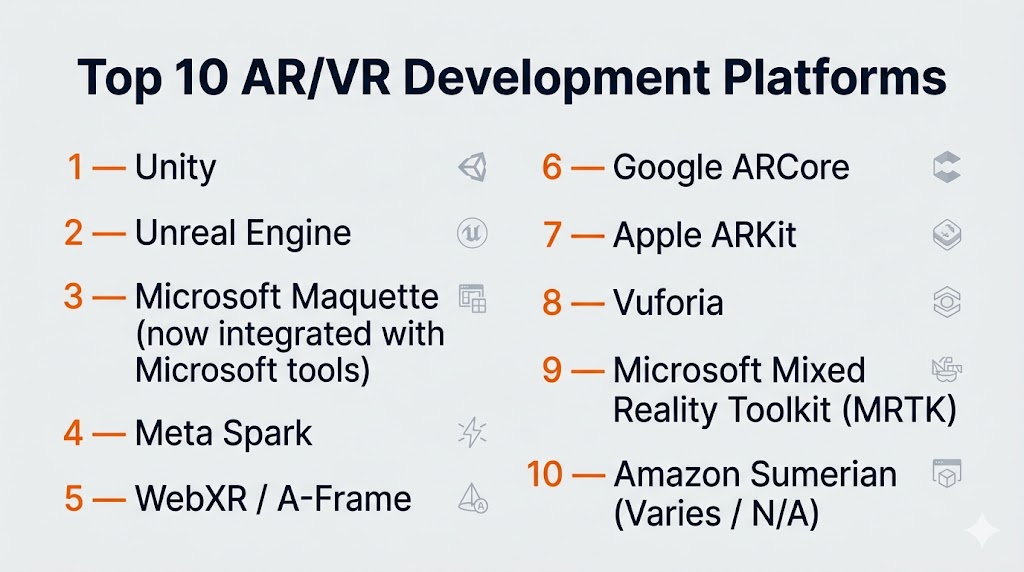
Top 10 AR/VR Development Platforms
#1 — Unity
Short description: A leading real‑time 3D engine widely used for AR/VR, mobile, PC, and console development, favored by indie creators and enterprises alike.
Key Features
- Real‑time rendering engine with AR/VR support
- Cross‑platform deployment (mobile, headset, web)
- Extensive asset store
- Built‑in physics and animation systems
- AR Foundation for unified AR APIs
- Collaboration tools and version control
Pros
- Massive community and asset ecosystem
- Strong support for both AR and VR
- Scale from prototype to enterprise
Cons
- Performance optimization can be complex
- Licensing cost for teams scaling up
Platforms / Deployment
Windows / macOS / Linux / Cloud
Cloud / Self‑hosted / Hybrid
Security & Compliance
Not publicly stated
Integrations & Ecosystem
Unity integrates with a broad ecosystem of 3D tools and services:
- Asset Store packages
- ARKit / ARCore via AR Foundation
- XR plugins for headsets (Meta, HTC, Pico)
- Cloud services for multiplayer
- Analytics and backend services
Support & Community
Massive documentation, forums, tutorials, certifications, and an extensive developer community.
#2 — Unreal Engine
Short description: A high‑fidelity 3D engine recognized for cutting‑edge visuals and realism, used in VR, architectural visualization, and interactive simulations.
Key Features
- Photoreal rendering with real‑time ray tracing
- Blueprint visual scripting
- AR/VR templates and tools
- Multi‑user editing and collaboration features
- Advanced material and animation systems
- Native support for major VR headsets
Pros
- Exceptional visual quality
- Blueprint simplifies development for non‑programmers
Cons
- Steeper learning curve than some alternatives
- Larger binary sizes
Platforms / Deployment
Windows / macOS / Linux / Cloud
Cloud / Self‑hosted
Security & Compliance
Not publicly stated
Integrations & Ecosystem
- XR plugins (OpenXR)
- Asset Marketplace
- Data interop with CAD/BIM tools
- Cloud build services
- Audio and haptics extensions
Support & Community
Strong documentation, active forums, official samples, and robust community contributions.
#3 — Microsoft Maquette (now integrated with Microsoft tools)
Short description: A spatial prototyping tool focused on rapid AR/VR mockups and collaborative design in virtual spaces.
Key Features
- Intuitive VR prototyping
- Multi‑user collaboration
- Spatial layout and UI design tools
- Integration with other Microsoft XR tools
- Supports immersive interaction patterns
Pros
- Fast prototyping with minimal code
- Accessible for designers and non‑developers
Cons
- Limited as a full development platform
- Best paired with larger engines for final apps
Platforms / Deployment
Windows / VR headsets
Cloud / Hybrid
Security & Compliance
Not publicly stated
Integrations & Ecosystem
- Microsoft XR ecosystem
- Design workflows bridging into Unity/Unreal
- Microsoft cloud collaboration tools
Support & Community
Moderate support and growing community around Microsoft XR.
#4 — Meta Spark
Short description: AR creation platform tailored for social AR experiences on mobile platforms, particularly for short‑form interactive content.
Key Features
- Visual AR effects editor
- Image, face, and body tracking
- Real‑time preview and publish workflows
- Templates and effect libraries
- Lightweight scripting
Pros
- Great for social AR and engagement
- Fast iteration for creators
Cons
- Platform‑specific focus
- Not suited for full VR apps
Platforms / Deployment
Windows / macOS / Cloud
Cloud / Hybrid
Security & Compliance
Not publicly stated
Integrations & Ecosystem
- Social platform integrations
- Asset libraries
- Mobile AR interactions
Support & Community
Active creator community and rich templates, tutorials.
#5 — WebXR / A‑Frame
Short description: Open standard and framework for building AR/VR experiences that run directly in web browsers without app installation.
Key Features
- Open standard for immersive web experiences
- A‑Frame simplifies WebXR development
- Runs on mobile and headset browsers
- No install required for users
- Integrates with web technologies (HTML, JS)
Pros
- Easiest distribution (no app store)
- Cross‑device instant experiences
Cons
- Performance lower than native engines
- Web limitations on complex visuals
Platforms / Deployment
Web
Cloud
Security & Compliance
Not publicly stated
Integrations & Ecosystem
- JS frameworks (React, Vue)
- 3D asset loaders
- Web APIs (sensors, input)
- Server backends
Support & Community
Vibrant open‑source community and documentation.
#6 — Google ARCore
Short description: Mobile AR SDK optimized for Android ecosystem with motion tracking, environmental understanding, and light estimation.
Key Features
- Plane and surface detection
- Motion tracking
- Light estimation
- Anchor and shared AR support
- Depth APIs
Pros
- Strong Android platform integration
- Great mobile AR baseline
Cons
- Android‑centric
- Limited VR support
Platforms / Deployment
Android / Cloud
Security & Compliance
Not publicly stated
Integrations & Ecosystem
- Unity / Unreal AR plugins
- Android development ecosystem
- Shared anchors for multiplayer
Support & Community
Good documentation with active mobile AR developer base.
#7 — Apple ARKit
Short description: High‑performance AR SDK for iOS devices with advanced visual and motion capabilities.
Key Features
- World tracking and plane detection
- Face and body tracking
- Scene reconstruction
- Collaborative sessions
- Rendering and motion features
Pros
- Deep Apple hardware integration
- Very high‑quality AR interactions
Cons
- iOS‑only
- VR support absent
Platforms / Deployment
iOS / Cloud
Security & Compliance
Not publicly stated
Integrations & Ecosystem
- Unity / Unreal plugins
- iOS ecosystem tools
- Scene understanding APIs
Support & Community
Strong Apple developer docs and growing AR community.
#8 — Vuforia
Short description: AR platform focused on image and object tracking, robust for industrial and retail AR applications.
Key Features
- Image and object tracking
- Model targets for machine parts
- Ground plane detection
- Cloud recognition
- Smart terrain APIs
Pros
- Reliable tracking in varied environments
- Industrial AR focus
Cons
- Less focused on immersive VR
- Pricing models vary for enterprise
Platforms / Deployment
Windows / Android / iOS / Cloud
Security & Compliance
Not publicly stated
Integrations & Ecosystem
- Unity integration
- Cloud recognition services
- Enterprise workflow toolkits
Support & Community
Solid documentation and enterprise deployment guides.
#9 — Microsoft Mixed Reality Toolkit (MRTK)
Short description: Open‑source, cross‑platform framework for building mixed reality (AR/VR) applications with Unity.
Key Features
- Cross‑platform input systems
- Hand and gesture tracking
- Spatial awareness utilities
- UI building blocks
- Samples and extension packages
Pros
- Speeds up mixed reality development
- Supports many XR platforms
Cons
- Requires Unity proficiency
- Not a standalone engine
Platforms / Deployment
Windows / Mobile / Cloud
Security & Compliance
Not publicly stated
Integrations & Ecosystem
- Unity ecosystem
- OpenXR support
- Community contrib packages
Support & Community
Strong open‑source MRTK community.
#10 — Amazon Sumerian (Varies / N/A)
Short description: Browser‑based AR/VR creation environment designed to lower the barrier to entry for immersive content.
Key Features
- Host and edit 3D scenes in the browser
- Ready‑made interactions
- Simple logic and animation tools
- Integrates with cloud services
- Multi‑device support
Pros
- No local install required
- Quick entry point for newcomers
Cons
- Platform and feature set vary
- Not as deep as native engines
Platforms / Deployment
Web / Cloud
Security & Compliance
Not publicly stated
Integrations & Ecosystem
- Browser APIs
- Cloud data and storage services
- Simple asset workflows
Support & Community
Varies / Not publicly stated
Comparison Table (Top 10)
| Tool Name | Best For | Platform(s) Supported | Deployment | Standout Feature | Public Rating |
|---|---|---|---|---|---|
| Unity | Cross‑platform AR/VR | Win/macOS/Linux/Cloud | Hybrid | Broad real‑time engine | N/A |
| Unreal Engine | High‑fidelity visuals | Win/macOS/Linux/Cloud | Hybrid | Photoreal rendering | N/A |
| Microsoft Maquette | Rapid prototyping | Win/Headsets | Hybrid | Spatial mockups | N/A |
| Meta Spark | Social AR content | Win/macOS/Cloud | Cloud | Mobile AR effects | N/A |
| WebXR / A‑Frame | Web AR/VR | Web | Cloud | Browser immersive apps | N/A |
| Google ARCore | Android AR | Android | Cloud | Mobile AR baseline | N/A |
| Apple ARKit | iOS AR | iOS | Cloud | High‑quality AR | N/A |
| Vuforia | Industrial AR | Win/Android/iOS | Hybrid | Robust tracking | N/A |
| MRTK | Mixed reality framework | Win/Mobile/Cloud | Hybrid | Cross‑platform utilities | N/A |
| Amazon Sumerian | Browser AR/VR | Web/Cloud | Cloud | Accessible creation | N/A |
Evaluation & Scoring of AR/VR Development Platforms
| Tool | Core features (25%) | Ease of Use (15%) | Integrations (15%) | Security (10%) | Performance (10%) | Support & Community (10%) | Value (15%) | Weighted Total |
|---|---|---|---|---|---|---|---|---|
| Unity | 10 | 8 | 10 | 6 | 9 | 9 | 8 | 8.9 |
| Unreal Engine | 10 | 7 | 9 | 6 | 10 | 9 | 7 | 8.6 |
| Microsoft Maquette | 7 | 9 | 7 | 6 | 7 | 7 | 7 | 7.5 |
| Meta Spark | 6 | 9 | 6 | 6 | 6 | 8 | 8 | 7.2 |
| WebXR/A‑Frame | 7 | 8 | 8 | 6 | 7 | 8 | 9 | 8.1 |
| Google ARCore | 8 | 8 | 7 | 6 | 8 | 7 | 8 | 7.7 |
| Apple ARKit | 8 | 7 | 7 | 6 | 8 | 7 | 8 | 7.6 |
| Vuforia | 7 | 7 | 8 | 6 | 7 | 7 | 7 | 7.3 |
| MRTK | 8 | 7 | 9 | 6 | 8 | 8 | 8 | 7.9 |
| Amazon Sumerian | 6 | 8 | 6 | 6 | 6 | 6 | 8 | 7.0 |
How to interpret:
These scores are comparative and reflect relative strengths across criteria. Unity and Unreal dominate due to broad capability and ecosystem support, while WebXR/A‑Frame shines for accessibility and browser distribution. Solutions like Meta Spark and Sumerian are more niche but offer quick, targeted workflows. Scores help guide choice but should be read in context of specific use cases.
Which AR/VR Development Platform Is Right for You?
Solo / Freelancer
- WebXR / A‑Frame → lowest barrier to entry, web distribution
- Meta Spark → quick AR content creation
SMB
- Unity → balanced power and ease
- Google ARCore / Apple ARKit → mobile AR focus
Mid‑Market
- MRTK + Unity/Unreal → multi‑device mixed reality
- Microsoft Maquette → rapid prototyping
Enterprise
- Unity + Cloud services → scalable deployment
- Unreal Engine → high‑fidelity simulations
Budget vs Premium
- Budget: WebXR/A‑Frame, Meta Spark, Amazon Sumerian
- Premium: Unity, Unreal Engine
Feature Depth vs Ease of Use
- Depth: Unreal, Unity
- Ease: Meta Spark, Maquette
Integrations & Scalability
- Strong: Unity, Unreal, MRTK
- Moderate: ARCore, ARKit
Security & Compliance Needs
- Most platforms: Not publicly stated
- Teams should enforce internal security governance around data streams and cloud deployments.
Frequently Asked Questions (FAQs)
1. What is an AR/VR development platform?
An AR/VR development platform provides tools and engines for creating immersive 3D experiences that run on headsets, mobile devices, or the web.
2. Do I need coding to build AR/VR apps?
Some platforms require coding (Unity, Unreal), while others offer visual scripting or no‑code workflows (Maquette, Spark).
3. What is cross‑platform deployment?
It’s the ability to build once and deploy on multiple devices (mobile, headset, web) without rewriting the core app.
4. Can these tools be used for enterprise training?
Yes—Unity and Unreal are widely used for simulation training and enterprise immersive apps.
5. What is WebXR?
WebXR is a web standard that enables AR/VR experiences directly in browsers without installing native apps.
6. Are AR/VR platforms expensive?
Costs vary; engines like Unity and Unreal have licensing models that scale, while Open standards like WebXR are free.
7. How do I choose between Unity and Unreal?
Unity is easier for multi‑platform and rapid prototyping; Unreal excels in visual fidelity and simulation depth.
8. Can I use ARCore or ARKit for VR?
ARCore and ARKit focus on mobile AR; native VR requires engines like Unity or Unreal.
9. Do these platforms support multiplayer?
Many support real‑time multiplayer through SDKs and backend services.
10. What skills do I need?
Familiarity with 3D concepts, basic programming (C#, JS), and understanding of spatial interaction are beneficial.
Conclusion
AR/VR Development Platforms are the engines powering immersive experiences across entertainment, enterprise, training, and visualization. Platforms like Unity and Unreal Engine dominate with scalable, cross‑platform capabilities, while web standards like WebXR open doors for easy distribution. Mobile AR SDKs like ARCore and ARKit anchor mobile experiences, and niche tools like Meta Spark and Maquette accelerate rapid prototyping and social content creation. The right choice depends on your project complexity, platform targets, team skills, and budget. Shortlist 2–3 platforms, prototype real interactions, and test performance and tooling integrations before committing to a long‑term development pipeline.

Find Trusted Cardiac Hospitals
Compare heart hospitals by city and services — all in one place.
Explore Hospitals