Introduction
Spatial Computing Toolkits are software development platforms that enable developers to create, manage, and deploy applications for augmented reality (AR), virtual reality (VR), and mixed reality (MR) environments. In simple terms, they provide the tools, APIs, and SDKs necessary to map real-world spaces, track motion, render 3D content, and integrate interactive experiences across devices.
In and beyond, spatial computing has become crucial because businesses are increasingly adopting immersive training, interactive product visualization, remote collaboration, and gaming experiences. Toolkits that support multiple platforms and offer cloud integration, AI-assisted mapping, and robust device support are driving adoption across enterprises and startups alike.
Real-World Use Cases
- Enterprise Training & Simulation: Using MR for employee onboarding or technical skills training.
- Product Design & Visualization: AR-enabled previews of complex engineering models.
- Immersive Gaming & Entertainment: Cross-platform VR experiences with realistic interactions.
- Remote Collaboration & Virtual Meetings: MR workspaces for distributed teams.
- Location-Based AR Applications: Navigation, interactive retail, or cultural experiences.
What Buyers Should Evaluate
- Platform and device compatibility
- 3D spatial mapping capabilities
- AI-enhanced tracking and environment recognition
- Integration with AR/VR hardware SDKs
- Cross-platform development support
- Cloud or edge deployment options
- Ease of use for developers
- Extensibility and plugin ecosystem
- Performance and latency optimization
- Security and access controls
Best for: AR/VR/MR developers, enterprise innovation teams, product designers, training solution providers, and companies looking to deploy immersive experiences at scale.
Not ideal for: Simple mobile AR apps or static 3D viewers where advanced spatial mapping and cross-device support are unnecessary.
Key Trends in Spatial Computing Toolkits
- AI-assisted spatial mapping for faster environment recognition.
- Cross-platform SDKs supporting AR, VR, and MR devices simultaneously.
- Cloud rendering and streaming to reduce hardware constraints.
- Integration with IoT and digital twins for enterprise applications.
- Edge computing support for low-latency AR experiences.
- Plug-in and extensibility ecosystems enabling rapid prototyping.
- Open standards for interoperability between devices and toolkits.
- Subscription-based pricing models for scaling projects efficiently.
- AR navigation and location-based services integration becoming mainstream.
- Enhanced collaboration APIs for real-time multi-user experiences.
How We Selected These Tools (Methodology)
- Evaluated market adoption and mindshare among developers and enterprises.
- Assessed feature completeness for 3D spatial mapping, tracking, and rendering.
- Reviewed performance and reliability signals from official documentation.
- Checked security posture like SSO, RBAC, and encryption where publicly stated.
- Examined integration options with hardware, SDKs, and cloud platforms.
- Considered cross-platform and device coverage.
- Accounted for community support and documentation quality.
- Reviewed enterprise and SMB suitability across different use cases.
- Balanced ease of use with developer flexibility and API depth.
- Ensured inclusion of widely recognized and credible toolkits.
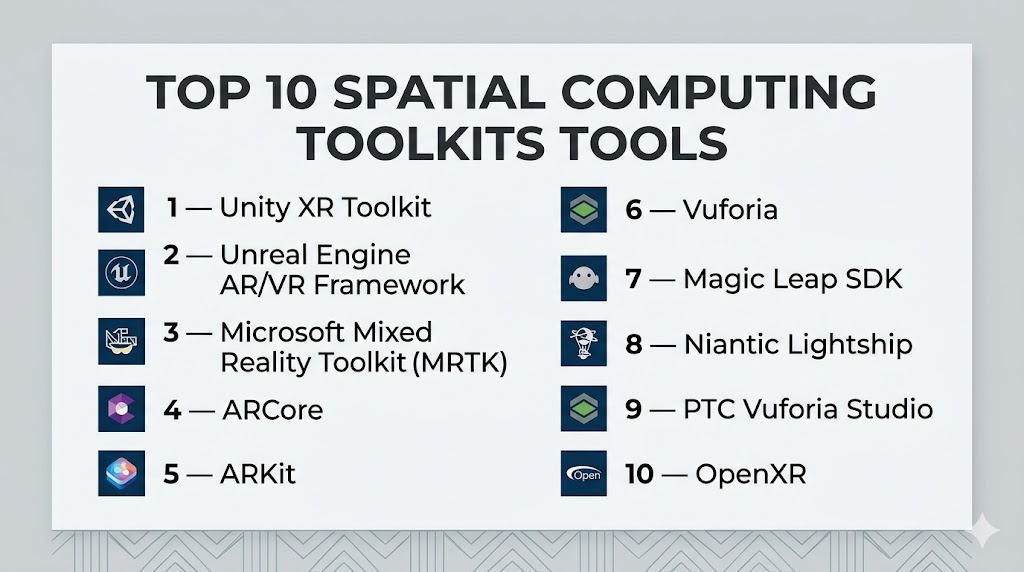
Top 10 Spatial Computing Toolkits Tools
#1 — Unity XR Toolkit
Short description: Unity XR Toolkit is a developer-focused toolkit for building AR, VR, and MR applications with Unity. It provides cross-platform support for major devices and easy integration with Unity’s rendering engine.
Key Features
- Cross-platform AR/VR/MR support
- Pre-built interaction components
- Spatial tracking and gesture recognition
- Device-agnostic input management
- Integration with AI-assisted features
- Visual scripting support
Pros
- Extensive community and learning resources
- Rapid prototyping capabilities
- Strong device support
Cons
- Requires Unity proficiency
- Some advanced features may need manual coding
Platforms / Deployment
Windows / macOS / Linux / iOS / Android / Cloud / Hybrid
Security & Compliance
Not publicly stated
Integrations & Ecosystem
Unity XR integrates with multiple device SDKs and cloud services for real-time updates.
- Oculus, HoloLens, Magic Leap
- Cloud rendering services
- Plugin ecosystem
- Visual scripting tools
Support & Community
Large community, extensive tutorials, and robust onboarding documentation.
#2 — Unreal Engine AR/VR Framework
Short description: Unreal Engine offers AR/VR frameworks enabling high-fidelity, real-time rendering for spatial computing applications across multiple devices.
Key Features
- Photorealistic rendering
- Cross-platform device support
- Built-in physics and collision handling
- AI-assisted tracking tools
- Native VR headset support
- Blueprint visual scripting
Pros
- High-quality graphics rendering
- Extensive plugin ecosystem
- Large developer community
Cons
- Steeper learning curve than Unity
- Requires high-performance hardware
Platforms / Deployment
Windows / macOS / Linux / iOS / Android / Cloud / Hybrid
Security & Compliance
Not publicly stated
Integrations & Ecosystem
Supports HoloLens, Oculus, Magic Leap, ARKit, ARCore.
- Device SDKs
- Visual scripting extensions
- AI and spatial mapping modules
Support & Community
Extensive documentation and forums; strong enterprise adoption.
#3 — Microsoft Mixed Reality Toolkit (MRTK)
Short description: MRTK is an open-source toolkit to accelerate AR/MR development on HoloLens and Windows Mixed Reality devices.
Key Features
- Cross-platform AR/MR components
- Hand and gesture tracking
- Spatial mapping APIs
- UX design components for MR
- Azure cloud integration
Pros
- Accelerates MR application development
- Open-source with active community
- Integrates with Microsoft ecosystem
Cons
- Primarily HoloLens-focused
- Limited VR device support
Platforms / Deployment
Windows / Cloud / Hybrid
Security & Compliance
Supports enterprise authentication and RBAC through Azure
Integrations & Ecosystem
Integrates tightly with Azure cloud and Windows SDKs.
- HoloLens and Windows MR
- Unity and Unreal Engine
- Azure Cognitive Services
- Spatial computing APIs
Support & Community
Microsoft-backed documentation, forums, and GitHub support.
#4 — ARCore
Short description: Google’s ARCore enables developers to build AR experiences for Android devices with advanced motion tracking, environmental understanding, and light estimation.
Key Features
- Motion tracking and plane detection
- Environmental understanding
- Light and depth estimation
- Scene anchoring
- Cloud anchor support
Pros
- Widely available on Android devices
- Regular updates from Google
- Strong ecosystem of sample projects
Cons
- Android-only
- Limited cross-platform support
Platforms / Deployment
Android / Cloud
Security & Compliance
Not publicly stated
Integrations & Ecosystem
Integrates with Unity, Unreal Engine, and cloud-based AR services.
- Scene anchors
- AR collaboration APIs
- AI-powered object recognition
Support & Community
Official documentation and community forums.
#5 — ARKit
Short description: Apple’s ARKit enables AR development on iOS devices with accurate motion tracking, scene understanding, and object detection.
Key Features
- Face tracking and motion capture
- Environmental mapping
- Light estimation
- Plane detection
- Integration with Metal for rendering
Pros
- Optimized for iOS devices
- Smooth integration with Apple ecosystem
- High-performance AR experiences
Cons
- iOS-only
- Limited device diversity
Platforms / Deployment
iOS / Cloud
Security & Compliance
Not publicly stated
Integrations & Ecosystem
Supports Unity, Unreal, and Apple developer tools.
- Metal graphics API
- Swift and Objective-C APIs
- Scene reconstruction and mapping
Support & Community
Apple developer resources and forums.
#6 — Vuforia
Short description: Vuforia is an AR SDK that supports marker-based, markerless, and spatial AR experiences across multiple devices.
Key Features
- Marker-based image tracking
- Ground plane and spatial AR
- Object recognition
- Multi-platform support
- Cloud database integration
Pros
- Flexible AR deployment
- Multi-device compatibility
- Enterprise support
Cons
- Premium pricing for advanced features
- Learning curve for beginners
Platforms / Deployment
Windows / macOS / iOS / Android / Cloud / Hybrid
Security & Compliance
Not publicly stated
Integrations & Ecosystem
Integrates with Unity, cloud databases, and AR management systems.
- Unity SDK
- Cloud recognition service
- Multi-device AR apps
Support & Community
Official tutorials and enterprise support channels.
#7 — Magic Leap SDK
Short description: Magic Leap SDK provides tools to build immersive AR experiences for Magic Leap devices, emphasizing spatial interaction and gesture-based controls.
Key Features
- Spatial computing APIs
- Hand and eye tracking
- Scene understanding
- Rendering engine integration
- Holographic interface components
Pros
- Optimized for Magic Leap hardware
- Supports advanced spatial interaction
Cons
- Limited device coverage
- Small developer ecosystem
Platforms / Deployment
Windows / macOS / Magic Leap OS / Hybrid
Security & Compliance
Not publicly stated
Integrations & Ecosystem
Integrates with Unity and Unreal Engine.
- Unity and Unreal SDKs
- Spatial tracking APIs
- Gesture recognition modules
Support & Community
Vendor-backed documentation and small developer community.
#8 — Niantic Lightship
Short description: Niantic Lightship is an AR SDK for outdoor spatial experiences, location-based games, and real-world interactive applications.
Key Features
- Global mapping and location anchoring
- Environmental understanding
- Multiplayer AR support
- Cloud anchors
- AR collaboration APIs
Pros
- Supports large-scale AR experiences
- Built for mobile location-based AR
Cons
- Primarily mobile
- Limited enterprise non-gaming focus
Platforms / Deployment
iOS / Android / Cloud
Security & Compliance
Not publicly stated
Integrations & Ecosystem
Unity, Unreal, cloud services for mapping and multiplayer AR.
- Location services
- Cloud anchors
- AR collaboration
Support & Community
Growing developer resources and tutorials.
#9 — PTC Vuforia Studio
Short description: Vuforia Studio focuses on enterprise AR, enabling digital twins, training, and maintenance workflows across devices.
Key Features
- Digital twin integration
- Enterprise AR deployment
- Markerless and marker-based AR
- Cloud content management
- Cross-device support
Pros
- Enterprise-focused features
- Robust content management
- Supports industrial workflows
Cons
- Paid enterprise licensing
- Limited small-scale use
Platforms / Deployment
Windows / iOS / Android / Cloud / Hybrid
Security & Compliance
Not publicly stated
Integrations & Ecosystem
Connects with CAD and IoT systems for AR deployment.
- CAD integration
- IoT data feeds
- Cloud content management
Support & Community
Vendor-led enterprise support and training.
#10 — OpenXR
Short description: OpenXR is an open standard API enabling cross-platform AR and VR development, reducing fragmentation across devices and engines.
Key Features
- Device-agnostic API
- Cross-platform rendering
- Spatial tracking standardization
- Controller input standardization
- Integration with major engines
Pros
- Reduces platform fragmentation
- Open standard adoption
Cons
- Not a standalone engine
- Developers must integrate with engine/platform
Platforms / Deployment
Windows / Linux / iOS / Android / Cloud / Hybrid
Security & Compliance
Not publicly stated
Integrations & Ecosystem
Works with Unity, Unreal, device SDKs.
- Cross-platform engines
- Input abstraction
- Spatial mapping standardization
Support & Community
Growing adoption, open-source community-driven.
Comparison Table (Top 10)
| Tool Name | Best For | Platform(s) Supported | Deployment | Standout Feature | Public Rating |
|---|---|---|---|---|---|
| Unity XR Toolkit | Cross-platform AR/VR/MR | Windows / macOS / Linux / iOS / Android | Cloud / Hybrid | Pre-built interaction components | N/A |
| Unreal Engine AR/VR Framework | High-fidelity immersive apps | Windows / macOS / Linux / iOS / Android | Cloud / Hybrid | Real-time photorealistic rendering | N/A |
| MRTK | MR development on HoloLens | Windows | Cloud / Hybrid | Hand and gesture tracking | N/A |
| ARCore | Android AR | Android | Cloud | Motion tracking & plane detection | N/A |
| ARKit | iOS AR | iOS | Cloud | Face & motion tracking | N/A |
| Vuforia | Enterprise & multi-device AR | Windows / macOS / iOS / Android | Cloud / Hybrid | Multi-device recognition & tracking | N/A |
| Magic Leap SDK | Magic Leap AR | Windows / macOS / Magic Leap OS | Hybrid | Spatial interaction & gesture support | N/A |
| Niantic Lightship | Location-based AR | iOS / Android | Cloud | Global mapping & anchors | N/A |
| PTC Vuforia Studio | Enterprise digital twins | Windows / iOS / Android | Cloud / Hybrid | Digital twin & AR content management | N/A |
| OpenXR | Cross-platform AR/VR standard | Windows / Linux / iOS / Android | Hybrid | Device-agnostic AR/VR API | N/A |
Evaluation & Scoring of Spatial Computing Toolkits
| Tool Name | Core (25%) | Ease (15%) | Integrations (15%) | Security (10%) | Performance (10%) | Support (10%) | Value (15%) | Weighted Total (0–10) |
|---|---|---|---|---|---|---|---|---|
| Unity XR Toolkit | 9 | 8 | 9 | 6 | 8 | 9 | 8 | 8.25 |
| Unreal Engine | 10 | 7 | 9 | 6 | 9 | 8 | 7 | 8.10 |
| MRTK | 8 | 8 | 8 | 7 | 8 | 8 | 7 | 7.80 |
| ARCore | 8 | 9 | 7 | 6 | 8 | 7 | 8 | 7.75 |
| ARKit | 8 | 9 | 7 | 6 | 8 | 7 | 8 | 7.75 |
| Vuforia | 8 | 7 | 8 | 6 | 8 | 7 | 7 | 7.50 |
| Magic Leap SDK | 7 | 6 | 7 | 5 | 7 | 6 | 6 | 6.40 |
| Niantic Lightship | 8 | 7 | 7 | 6 | 8 | 7 | 7 | 7.35 |
| PTC Vuforia Studio | 8 | 6 | 7 | 7 | 8 | 7 | 6 | 7.10 |
| OpenXR | 7 | 7 | 8 | 6 | 7 | 6 | 7 | 6.95 |
Interpretation: Scores are comparative; a higher weighted total indicates better balance between core capabilities, ease of use, integrations, and value. Specialized toolkits may score lower in ease but excel in device-specific or enterprise deployment.
Which Spatial Computing Toolkit Tool Is Right for You?
Solo / Freelancer
Unity XR Toolkit, ARCore, ARKit
SMB
Vuforia, MRTK, Unreal Engine
Mid-Market
Niantic Lightship, Magic Leap SDK, PTC Vuforia Studio
Enterprise
Unity XR Toolkit (enterprise), Unreal Engine, MRTK, PTC Vuforia Studio
Budget vs Premium
- Budget: OpenXR, ARCore, ARKit
- Premium: Unreal Engine, Unity XR Toolkit, PTC Vuforia Studio
Feature Depth vs Ease of Use
- Depth: Unreal Engine, Unity XR Toolkit, PTC Vuforia Studio
- Ease: ARCore, ARKit, MRTK
Integrations & Scalability
- Cross-platform & scalable: Unity XR Toolkit, OpenXR, Unreal Engine
- Device-specific optimization: MRTK, Magic Leap SDK
Security & Compliance Needs
Enterprise users should validate SSO, RBAC, encryption, and deployment security with vendors. Most toolkits state support is “Not publicly stated”.
Frequently Asked Questions (FAQs)
1. What is a spatial computing toolkit?
A software platform enabling AR, VR, or MR application development with APIs for tracking, rendering, and spatial interactions.
2. Do I need one for mobile AR apps?
Not always; simple AR can use ARCore or ARKit directly.
3. Can these toolkits work together?
Yes, most support Unity or Unreal integration to unify AR/VR development.
4. Are they hardware-dependent?
Some are optimized for specific devices (e.g., MRTK, Magic Leap SDK), while others are device-agnostic (Unity XR Toolkit, OpenXR).
5. Are they enterprise-ready?
Enterprise-ready toolkits like Unity XR Toolkit, Unreal Engine, and PTC Vuforia Studio provide robust workflow and management features.
6. How steep is the learning curve?
Varies; ARKit and ARCore are more accessible, while Unreal Engine and PTC Vuforia Studio require advanced development skills.
7. Can cloud deployment reduce latency issues?
Yes, especially for large-scale collaborative AR applications with streaming or multi-user environments.
8. What integration capabilities matter most?
CAD/3D content, AI tracking, IoT, cloud services, and multiplayer session management.
9. How do pricing models vary?
OpenXR, ARCore, and ARKit are free; enterprise SDKs often require licensing based on usage or subscription.
10. Are open standards important?
Yes, OpenXR and other standard APIs reduce fragmentation and future-proof cross-device applications.
Conclusion
Spatial computing toolkits are at the core of immersive AR, VR, and MR experiences. The best choice depends on the scope of the application, target devices, team skillset, and enterprise requirements. Unity XR Toolkit, Unreal Engine, and MRTK are versatile choices across sectors, while OpenXR offers a strong open-standard foundation. Smaller teams can start with ARCore or ARKit for mobile-first experiences. The recommended next step is to **

Find Trusted Cardiac Hospitals
Compare heart hospitals by city and services — all in one place.
Explore Hospitals