Introduction
Archiving tools are software solutions designed to securely store, manage, and retrieve digital information over long periods. These tools are critical for organizations seeking to maintain historical records, comply with regulatory requirements, and optimize storage for performance and cost efficiency. Archiving ensures that important emails, documents, files, and databases remain accessible and protected, even as operational data grows rapidly.
In and beyond, archiving has become more strategic due to increasing data volumes, cloud adoption, and strict compliance mandates. Organizations leverage archiving for business continuity, e-discovery, auditing, and long-term retention. Real-world use cases include:
- Retaining email communications to meet legal or compliance standards.
- Storing historical financial or transactional records for audits.
- Reducing primary storage costs by offloading inactive data.
- Enabling e-discovery and legal investigation readiness.
- Archiving cloud and on-premises application data for compliance.
Key evaluation criteria buyers should consider:
- Supported platforms and file types
- Deployment model (cloud, on-premises, hybrid)
- Retention and lifecycle management capabilities
- Search and retrieval efficiency
- Security and encryption features
- Compliance support (GDPR, HIPAA, SOC 2, ISO 27001)
- Integration with productivity and collaboration tools
- Scalability for growing datasets
- Automation and policy enforcement
- Reporting and audit capabilities
Best for: IT managers, compliance officers, legal teams, and enterprise IT teams handling large volumes of structured and unstructured data. Industries such as finance, healthcare, legal, and government benefit most from formal archiving solutions.
Not ideal for: Small organizations with limited digital assets or teams relying on built-in storage and backup mechanisms may not require dedicated archiving software. Open-source or lightweight alternatives may suffice for minimal archiving needs.
Key Trends in Archiving Tools
- AI-driven classification and retention: Automates tagging, classification, and retention policies for faster compliance.
- Cloud-native and hybrid archiving: Supports offloading data from on-premises to cloud for cost-effective storage.
- Regulatory compliance automation: Prebuilt templates for GDPR, HIPAA, SOC 2, and industry standards.
- Granular and multi-format support: Enables archiving of emails, documents, files, databases, and collaboration platforms.
- Search and retrieval optimization: Full-text indexing and AI-assisted search improve discovery times.
- Immutable and tamper-proof storage: Protects archived data from accidental deletion or ransomware.
- Integration with collaboration and productivity tools: Connects to email systems, SharePoint, Microsoft 365, and Google Workspace.
- Scalable storage and tiering: Supports growth and archival policies with cost-optimized storage tiers.
- Subscription-based and flexible pricing models: Cloud-first options for SMBs and enterprises.
- Enhanced reporting and audit tracking: Facilitates legal discovery, audits, and internal policy adherence.
How We Selected These Tools (Methodology)
- Analyzed market adoption and mindshare across SMB, mid-market, and enterprise segments.
- Evaluated feature completeness including email, file, and database archiving.
- Considered performance and reliability signals from user feedback and vendor documentation.
- Reviewed security posture, including encryption, RBAC, MFA, and audit trails.
- Checked integration and ecosystem support with collaboration, backup, and ITSM tools.
- Assessed customer fit across segments and company sizes.
- Examined automation and policy enforcement capabilities.
- Reviewed search, retrieval, and e-discovery efficiency.
- Considered scalability and storage tiering options.
- Evaluated support documentation, community, and onboarding assistance.
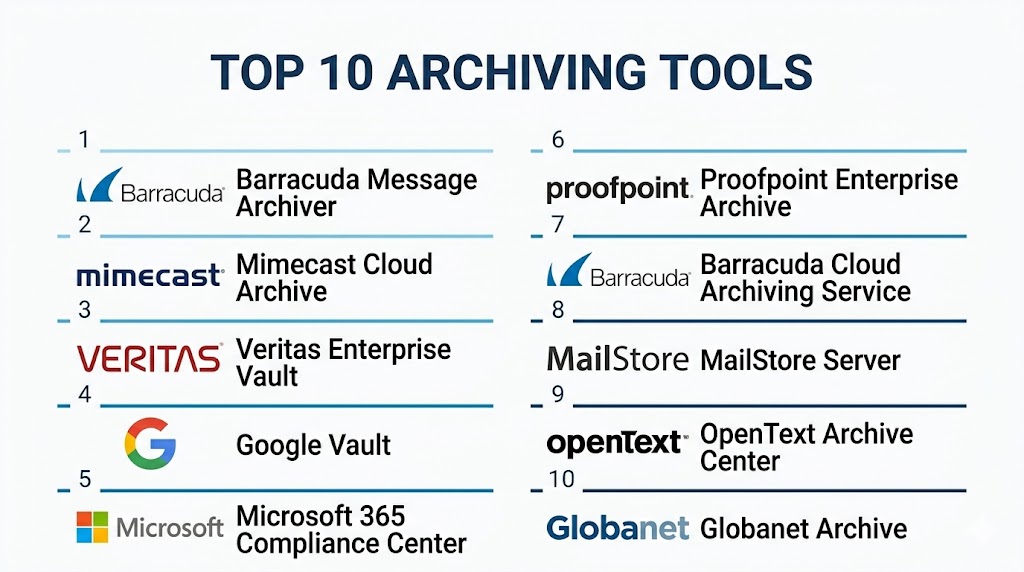
Top 10 Archiving Tools
#1 — Barracuda Message Archiver
Short description: Barracuda Message Archiver securely stores and retrieves email communications for SMBs to enterprises. Ideal for organizations requiring compliance-ready email retention and e-discovery.
Key Features
- Email archiving with full-text search
- Policy-based retention
- GDPR and HIPAA compliance templates
- Advanced e-discovery and legal hold
- Cloud and on-premises deployment
- Reporting and audit capabilities
- Automated backup integration
Pros
- Fast email retrieval and search
- Simplified compliance management
Cons
- Limited file and collaboration platform support
- Premium features increase cost
Platforms / Deployment
- Windows, Cloud
- Cloud / On-premises / Hybrid
Security & Compliance
- Encryption, RBAC
- HIPAA, GDPR
Integrations & Ecosystem
Integrates with Microsoft 365, Exchange, and backup solutions.
- APIs for automation
- ITSM and ticketing connectors
- Collaboration platform support
Support & Community
Vendor support available; active user community.
#2 — Mimecast Cloud Archive
Short description: Mimecast Cloud Archive provides email and content archiving for enterprises, focusing on security, compliance, and ease of access for e-discovery.
Key Features
- Cloud-based email and file archiving
- Legal hold and retention policies
- Advanced search and retrieval
- Data governance and compliance reporting
- Multi-user access with RBAC
- Automated ingestion from multiple sources
Pros
- Secure, cloud-native deployment
- Strong compliance and auditing features
Cons
- Focused mainly on email
- Costs increase with data volume
Platforms / Deployment
- Windows, macOS, Cloud
- Cloud / Hybrid
Security & Compliance
- Encryption, MFA, RBAC
- SOC 2, GDPR, HIPAA
Integrations & Ecosystem
Connects to Microsoft 365, Exchange, and productivity platforms.
- API support
- IT workflow integration
- e-Discovery connectors
Support & Community
Vendor support; community forums available.
#3 — Veritas Enterprise Vault
Short description: Enterprise Vault provides scalable archiving of emails, files, and enterprise content. Suitable for large enterprises requiring compliance and retention across multiple data sources.
Key Features
- Multi-platform email, file, and SharePoint archiving
- Policy-driven retention
- Granular search and discovery
- Legal hold support
- Reporting dashboards
- Cloud and on-premises options
Pros
- Broad platform coverage
- Enterprise-grade scalability
Cons
- Complex configuration
- Higher learning curve
Platforms / Deployment
- Windows, Linux
- Cloud / On-premises / Hybrid
Security & Compliance
- Encryption, RBAC
- Not publicly stated
Integrations & Ecosystem
Integrates with Exchange, SharePoint, Office 365, and cloud storage.
- API for automation
- ITSM connectors
- Backup solution integration
Support & Community
Comprehensive documentation; active enterprise community.
#4 — Google Vault
Short description: Google Vault provides cloud-native archiving for Google Workspace, enabling organizations to retain, search, and export emails and chat messages for compliance.
Key Features
- Email and chat archiving
- Policy-based retention
- e-Discovery and legal holds
- Audit and activity reporting
- Multi-user search capabilities
Pros
- Seamless with Google Workspace
- Easy cloud deployment
Cons
- Limited to Google ecosystem
- File archiving outside Workspace is restricted
Platforms / Deployment
- Web, Cloud
- Cloud
Security & Compliance
- MFA, encryption
- SOC 2, GDPR
Integrations & Ecosystem
Integrates with Google Workspace and APIs for automation.
- Reporting and export tools
- e-Discovery connectors
Support & Community
Google support; active Workspace community.
#5 — Microsoft 365 Compliance Center
Short description: Microsoft 365 Compliance Center offers archiving, retention, and governance for emails, files, and Teams data, targeting enterprises using Microsoft 365.
Key Features
- Email, Teams, and OneDrive archiving
- Retention and deletion policies
- Legal hold and audit reporting
- e-Discovery search
- Automated compliance workflows
Pros
- Native integration with Microsoft 365
- Strong governance features
Cons
- Limited on-premise support
- Complexity for non-Microsoft environments
Platforms / Deployment
- Windows, Web, Cloud
- Cloud / Hybrid
Security & Compliance
- SSO, MFA, encryption
- GDPR, SOC 2, HIPAA
Integrations & Ecosystem
Integrates with Microsoft apps, SharePoint, Teams.
- APIs for workflow automation
- Compliance and reporting connectors
- e-Discovery integrations
Support & Community
Extensive vendor support; active Microsoft community.
#6 — Proofpoint Enterprise Archive
Short description: Proofpoint provides cloud-based email and content archiving with compliance, retention, and e-discovery features, ideal for enterprises managing regulated data.
Key Features
- Email archiving and indexing
- Policy-based retention
- Legal hold support
- e-Discovery tools
- Reporting and audit trails
- Secure cloud storage
Pros
- Strong compliance management
- Scalable for enterprise needs
Cons
- Focused primarily on email
- Advanced features increase costs
Platforms / Deployment
- Windows, Cloud
- Cloud / Hybrid
Security & Compliance
- Encryption, RBAC, MFA
- SOC 2, HIPAA, GDPR
Integrations & Ecosystem
Integrates with Exchange, Office 365, and productivity tools.
- API for automation
- Compliance connectors
- Backup integration
Support & Community
Vendor support available; enterprise forums active.
#7 — Barracuda Cloud Archiving Service
Short description: Provides secure, cloud-based archiving for email and files with automated retention, compliance, and e-discovery features.
Key Features
- Cloud email and file archiving
- Legal hold and compliance templates
- Search and e-Discovery
- Policy-based retention
- Reporting dashboards
Pros
- Simplified cloud deployment
- Integrated compliance reporting
Cons
- Limited integration with non-email platforms
- Subscription-based costs
Platforms / Deployment
- Windows, macOS, Cloud
- Cloud
Security & Compliance
- Encryption, MFA, audit logs
- GDPR, HIPAA
Integrations & Ecosystem
Integrates with Exchange, Office 365, Google Workspace.
- API automation
- Backup system integration
- Compliance reporting tools
Support & Community
Vendor support; moderate community engagement.
#8 — MailStore Server
Short description: MailStore Server offers on-premises email archiving for SMBs and enterprises, focusing on compliance and search efficiency.
Key Features
- Email archiving and indexing
- Legal hold support
- Retention policy enforcement
- Search and retrieval
- Backup integration
- Reporting dashboards
Pros
- Cost-effective for SMBs
- Easy to deploy and manage
Cons
- Limited cloud options
- Focused primarily on email
Platforms / Deployment
- Windows
- On-premises / Hybrid
Security & Compliance
- Encryption
- Not publicly stated
Integrations & Ecosystem
Integrates with Exchange, Office 365, and backup solutions.
- API support limited
- Compliance reporting connectors
Support & Community
Vendor support; small but active user community.
#9 — OpenText Archive Center
Short description: OpenText provides enterprise archiving of emails, documents, and structured content with compliance and governance features for large organizations.
Key Features
- Multi-source content archiving
- Legal hold and retention
- Search and retrieval
- Compliance and audit reporting
- Cloud and on-premises support
- Automation of retention policies
Pros
- Enterprise scalability
- Broad content coverage
Cons
- Complex deployment
- High cost
Platforms / Deployment
- Windows, Linux
- Cloud / On-premises / Hybrid
Security & Compliance
- Encryption, RBAC
- Not publicly stated
Integrations & Ecosystem
Integrates with enterprise email, file systems, SharePoint.
- APIs for automation
- IT workflow connectors
- Reporting integration
Support & Community
Comprehensive support; active enterprise community.
#10 — Globanet Archive
Short description: Globanet Archive provides cloud and on-premises archiving for emails, files, and Microsoft 365 content, focusing on compliance and e-discovery.
Key Features
- Email and file archiving
- Microsoft 365 integration
- Legal hold and e-discovery
- Policy-based retention
- Reporting and audit dashboards
- Cloud and on-prem options
Pros
- Strong compliance focus
- Multi-platform support
Cons
- Limited workflow automation
- Premium pricing
Platforms / Deployment
- Windows, macOS, Cloud
- Cloud / On-premises / Hybrid
Security & Compliance
- Encryption, MFA, audit logs
- SOC 2, GDPR, HIPAA
Integrations & Ecosystem
Integrates with Exchange, Office 365, SharePoint.
- API support
- Compliance connectors
- Backup system integration
Support & Community
Vendor support; active user community.
Comparison Table (Top 10)
| Tool Name | Best For | Platform(s) Supported | Deployment | Standout Feature | Public Rating |
|---|---|---|---|---|---|
| Barracuda Message Archiver | SMB/Enterprise | Windows, Cloud | Cloud/On-prem/Hybrid | Email archiving | N/A |
| Mimecast Cloud Archive | Enterprise | Windows, macOS, Cloud | Cloud/Hybrid | e-Discovery | N/A |
| Veritas Enterprise Vault | Enterprise | Windows, Linux | Cloud/On-prem/Hybrid | Multi-source archiving | N/A |
| Google Vault | Google Workspace | Web, Cloud | Cloud | Seamless Workspace integration | N/A |
| Microsoft 365 Compliance Center | Enterprise | Windows, Cloud | Cloud/Hybrid | Teams & email archiving | N/A |
| Proofpoint Enterprise Archive | Enterprise | Windows, Cloud | Cloud/Hybrid | Compliance and reporting | N/A |
| Barracuda Cloud Archiving Service | SMB/Enterprise | Windows, Cloud | Cloud | Cloud-based compliance | N/A |
| MailStore Server | SMB/Enterprise | Windows | On-prem/Hybrid | Cost-effective email archiving | N/A |
| OpenText Archive Center | Enterprise | Windows, Linux | Cloud/On-prem/Hybrid | Broad content coverage | N/A |
| Globanet Archive | Enterprise | Windows, macOS, Cloud | Cloud/On-prem/Hybrid | Microsoft 365 integration | N/A |
Evaluation & Scoring of Archiving Tools
| Tool Name | Core (25%) | Ease (15%) | Integrations (15%) | Security (10%) | Performance (10%) | Support (10%) | Value (15%) | Weighted Total (0–10) |
|---|---|---|---|---|---|---|---|---|
| Barracuda Message Archiver | 8 | 7 | 7 | 8 | 8 | 7 | 8 | 7.7 |
| Mimecast Cloud Archive | 9 | 7 | 8 | 8 | 8 | 7 | 7 | 7.9 |
| Veritas Enterprise Vault | 9 | 6 | 8 | 8 | 8 | 7 | 7 | 7.8 |
| Google Vault | 7 | 9 | 7 | 8 | 7 | 7 | 8 | 7.6 |
| Microsoft 365 Compliance Center | 8 | 7 | 8 | 8 | 8 | 7 | 7 | 7.7 |
| Proofpoint Enterprise Archive | 8 | 7 | 7 | 8 | 8 | 7 | 7 | 7.5 |
| Barracuda Cloud Archiving Service | 7 | 8 | 7 | 8 | 7 | 7 | 7 | 7.3 |
| MailStore Server | 7 | 8 | 6 | 7 | 7 | 6 | 8 | 7.1 |
| OpenText Archive Center | 9 | 6 | 8 | 8 | 8 | 7 | 7 | 7.7 |
| Globanet Archive | 8 | 7 | 7 | 8 | 8 | 7 | 7 | 7.5 |
Interpretation: Scores are comparative, reflecting core capabilities, ease of use, integration potential, security, performance, support, and overall value. Higher weighted totals indicate stronger suitability for diverse archiving requirements. Buyers should evaluate based on platform needs, compliance requirements, and scale.
Which Archiving Tools Tool Is Right for You?
Solo / Freelancer
- Google Vault or MailStore Server provide simple, affordable archiving for small teams and lightweight workflows.
SMB
- Barracuda Cloud Archiving or Barracuda Message Archiver offer automated retention, e-discovery, and compliance features.
Mid-Market
- Mimecast Cloud Archive or Microsoft 365 Compliance Center provide scalable policy-driven archiving for teams with multi-platform content.
Enterprise
- Veritas Enterprise Vault, Proofpoint Enterprise Archive, OpenText Archive Center, or Globanet Archive deliver enterprise-grade compliance, retention, and search across multiple data sources.
Budget vs Premium
- Budget-friendly: Google Vault, MailStore Server
- Premium enterprise: Veritas, OpenText, Mimecast
Feature Depth vs Ease of Use
- Feature-rich: Veritas, OpenText, Mimecast
- Ease-of-use: Google Vault, MailStore Server
Integrations & Scalability
- OpenText, Mimecast, and Globanet provide strong integration with collaboration, cloud, and ITSM systems for scaling operations.
Security & Compliance Needs
- Enterprises with strict regulatory obligations should prioritize solutions with encryption, MFA, RBAC, and audit trails like Proofpoint, Microsoft Compliance Center, and OpenText.
Frequently Asked Questions (FAQs)
1. How much do archiving tools cost?
Pricing varies by deployment type, number of users, and storage volume. Cloud solutions typically use subscription models, while on-premises solutions may require licensing and maintenance fees.
2. How long does it take to implement?
Cloud solutions can deploy in days, while enterprise on-premises implementations may take weeks for configuration, migration, and testing.
3. Do archiving tools ensure compliance?
Yes. Most tools provide templates and retention policies aligned with GDPR, HIPAA, SOC 2, and other standards.
4. Can I archive non-email content?
Many enterprise tools like OpenText, Veritas, and Globanet support emails, files, documents, SharePoint, and collaboration platforms.
5. How fast is search and retrieval?
Modern archiving tools provide full-text indexing and AI-assisted search to retrieve emails or files quickly.
6. Are cloud and hybrid deployments secure?
Yes. Leading tools use encryption, MFA, RBAC, and audit logs to secure archived content.
7. Can archiving be automated?
Yes. Policy-based automation allows automatic retention, legal holds, and lifecycle management.
8. How scalable are these solutions?
Enterprise solutions like Veritas, OpenText, and Mimecast scale to handle large data volumes across multiple locations.
9. Can archived data be restored?
Yes. Tools offer granular restore of files, emails, and documents as well as full content exports for compliance purposes.
10. Are open-source archiving tools viable?
Open-source solutions exist but may lack enterprise-grade compliance, search capabilities, and vendor support.
Conclusion
Archiving tools play a vital role in ensuring long-term data retention, regulatory compliance, and efficient retrieval of critical business information. Modern solutions combine cloud and on-premises deployment, automation, AI-assisted search, and compliance reporting to address diverse organizational needs. Selecting the right tool depends on company size, compliance obligations, content types, and infrastructure. IT teams should shortlist tools, run pilots, validate search, security, and retrieval capabilities, and ensure seamless integration with collaboration and IT workflows to achieve optimal archiving efficiency.

Find Trusted Cardiac Hospitals
Compare heart hospitals by city and services — all in one place.
Explore Hospitals
Archived data may sit untouched for years, but teams still need to know if it can be recovered when required. A regular restore check can catch missing data, broken indexes, or access problems early. This is especially useful when an archive is needed during an audit or legal request.