Introduction
Cloud backup tools are software solutions that automatically store copies of an organization’s data to cloud-based storage, enabling secure recovery in case of accidental deletion, cyberattacks, hardware failures, or disasters. By offloading backups to the cloud, organizations can reduce reliance on on-premises infrastructure while ensuring accessibility, scalability, and reliability.
In and beyond, cloud backups have become critical due to growing data volumes, hybrid IT environments, and regulatory compliance requirements. Organizations use cloud backup tools to maintain business continuity, simplify disaster recovery, and manage costs efficiently. Real-world use cases include:
- Automatically backing up endpoints, servers, and databases to secure cloud storage.
- Protecting critical workloads from ransomware, malware, or accidental deletion.
- Ensuring compliance with GDPR, HIPAA, and industry-specific regulations.
- Facilitating disaster recovery planning across hybrid and multi-cloud environments.
- Simplifying migration and replication for cloud and SaaS applications.
Key evaluation criteria buyers should consider:
- Platform coverage (Windows, macOS, Linux, virtual machines, SaaS apps)
- Deployment and scalability (cloud, hybrid, multi-region)
- Recovery speed and reliability
- Automation and scheduling capabilities
- Security and encryption standards
- Regulatory compliance support
- Integration with existing IT infrastructure and monitoring
- Storage cost efficiency and tiering options
- Reporting and audit capabilities
- Pricing and licensing flexibility
Best for: IT managers, system administrators, and security teams across SMBs, mid-market, and enterprise organizations needing secure, scalable, and automated backup solutions. Industries such as finance, healthcare, education, and e-commerce benefit most.
Not ideal for: Small teams with minimal data storage needs or organizations already relying on built-in OS and SaaS backups may not require dedicated cloud backup software.
Key Trends in Cloud Backup Tools
- AI-driven backup optimization: AI predicts critical data changes and prioritizes backup tasks.
- Cloud-native and hybrid deployments: Seamless offloading of backups to multiple cloud regions.
- Ransomware-resistant features: Immutable storage and versioning prevent malicious deletion.
- Automation and orchestration: Scheduled backups reduce human intervention and errors.
- Granular and cross-platform recovery: Restores files, applications, and entire VMs.
- Compliance and audit reporting: Prebuilt templates for GDPR, HIPAA, SOC 2, and ISO standards.
- Integration with ITSM and monitoring tools: Enables automated alerts and workflows.
- Scalable storage and tiering: Cost-optimized cloud storage tiers for long-term retention.
- Subscription-based and flexible pricing: Cloud-first solutions allow per-user or per-capacity billing.
- Endpoint and SaaS backups: Expanding focus on remote devices and cloud applications.
How We Selected These Tools (Methodology)
- Reviewed market adoption and mindshare across SMB, mid-market, and enterprise segments.
- Evaluated feature completeness including endpoints, VMs, and SaaS backup.
- Considered performance and reliability signals from reviews and vendor documentation.
- Analyzed security posture, including encryption, MFA, RBAC, and audit logs.
- Checked integration and ecosystem support with ITSM, monitoring, and productivity apps.
- Assessed customer fit across segments (solo, SMB, mid-market, enterprise).
- Examined automation, scheduling, and failover support.
- Reviewed search, restore, and disaster recovery capabilities.
- Considered scalability for growing datasets and multi-cloud deployments.
- Evaluated support documentation, onboarding, and community resources.
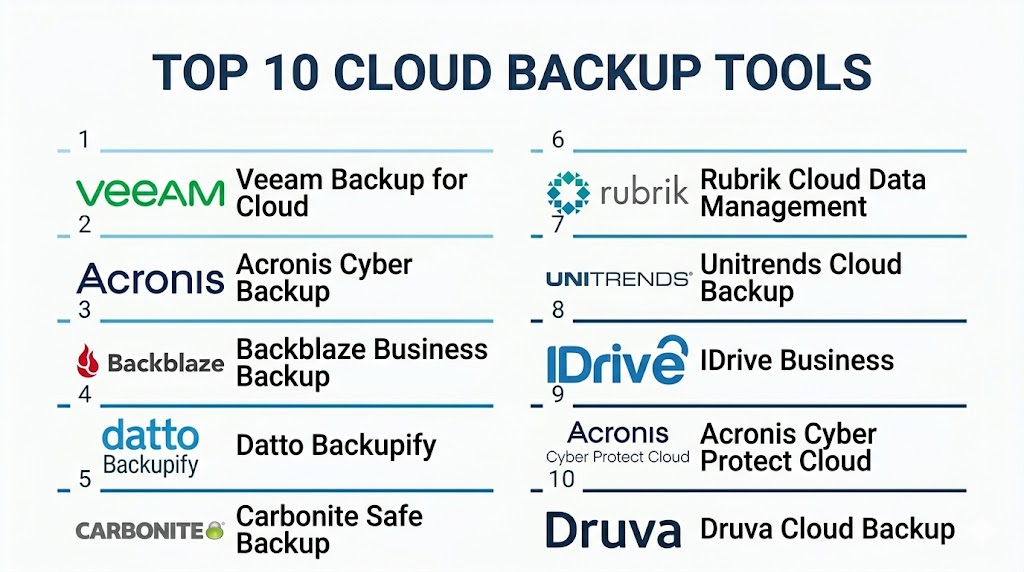
Top 10 Cloud Backup Tools
#1 — Veeam Backup for Cloud
Short description: Veeam Backup for Cloud provides automated backups for virtual, physical, and cloud workloads. It targets enterprises and mid-market organizations seeking reliable recovery and disaster resiliency.
Key Features
- Cloud and hybrid backup
- Automated scheduling
- Granular file and VM restore
- RPO/RTO monitoring
- Policy-based retention
- Multi-cloud support
- Reporting dashboards
Pros
- High reliability and fast recovery
- Broad platform support
Cons
- Licensing complexity
- Steep learning curve for advanced features
Platforms / Deployment
- Windows, Linux, VMware, Hyper-V
- Cloud / On-premises / Hybrid
Security & Compliance
- Encryption, RBAC
- Not publicly stated
Integrations & Ecosystem
Integrates with cloud providers, ITSM tools, and monitoring platforms.
- VMware and Hyper-V
- Multi-cloud storage connectors
- Automation APIs
- Reporting integration
Support & Community
Vendor support available; active user community.
#2 — Acronis Cyber Backup
Short description: Cloud-first backup solution with integrated cybersecurity, designed for SMBs and enterprises to protect endpoints, servers, and cloud workloads.
Key Features
- Cloud and on-prem backup
- AI-based ransomware protection
- Granular and full-system restore
- Policy-driven automation
- Multi-platform support
- Compliance reporting
Pros
- Security integrated with backup
- Cloud-native deployment
Cons
- Advanced features increase cost
- Cloud storage pricing may vary
Platforms / Deployment
- Windows, macOS, Linux
- Cloud / On-premises / Hybrid
Security & Compliance
- MFA, encryption, audit logs
- GDPR support
Integrations & Ecosystem
Connects to VMware, Hyper-V, Microsoft 365, and cloud storage.
- APIs for workflow automation
- ITSM connectors
- Monitoring tools integration
Support & Community
Vendor support and growing community.
#3 — Backblaze Business Backup
Short description: Simple cloud backup for SMBs and freelancers with unlimited storage options and automated file protection.
Key Features
- Continuous cloud backup
- Unlimited endpoint storage
- File versioning
- Automated scheduling
- Remote management console
- Rapid restore options
Pros
- Affordable and easy to use
- Cloud-only solution simplifies deployment
Cons
- Limited enterprise-grade features
- No on-premises option
Platforms / Deployment
- Windows, macOS
- Cloud
Security & Compliance
- Encryption at rest and in transit
- Not publicly stated
Integrations & Ecosystem
Integrates with endpoint monitoring and productivity tools.
- API support
- Cloud storage connectors
Support & Community
Vendor support available; growing user base.
#4 — Datto Backupify
Short description: SaaS-focused cloud backup solution targeting Google Workspace, Microsoft 365, and Salesforce data, ideal for SMBs and MSPs.
Key Features
- Cloud app backup
- Automated daily backup
- Version history and retention
- Rapid restore and export
- Compliance reporting
- Multi-user access
Pros
- Native SaaS integration
- Quick recovery for cloud applications
Cons
- Limited on-prem backup
- Pricing per user may add up
Platforms / Deployment
- Web, Cloud
- Cloud
Security & Compliance
- Encryption, RBAC, MFA
- SOC 2, GDPR
Integrations & Ecosystem
Integrates with Microsoft 365, Google Workspace, and Salesforce.
- APIs for automation
- Monitoring and alerting
- Reporting connectors
Support & Community
Vendor support and active MSP community.
#5 — Carbonite Safe Backup
Short description: Cloud backup solution for SMBs offering automated backups, versioning, and secure restore capabilities.
Key Features
- Cloud and hybrid support
- Continuous file backup
- Policy-driven retention
- Granular file restore
- Endpoint coverage
- Compliance reporting
Pros
- Easy to deploy
- Affordable for SMBs
Cons
- Limited advanced features
- Recovery granularity may be basic
Platforms / Deployment
- Windows, macOS
- Cloud / Hybrid
Security & Compliance
- Encryption, MFA
- Not publicly stated
Integrations & Ecosystem
Integrates with endpoints and cloud storage platforms.
- API support limited
- Backup workflow automation
Support & Community
Vendor support available; moderate user community.
#6 — Rubrik Cloud Data Management
Short description: Enterprise-grade cloud backup and recovery solution with automation, multi-cloud support, and compliance reporting.
Key Features
- Multi-cloud backup
- Policy-driven automation
- Granular and full-system recovery
- Immutable snapshots
- Compliance reporting
- Analytics dashboards
Pros
- Scalable for large datasets
- Fast recovery options
Cons
- Premium cost
- Learning curve for orchestration
Platforms / Deployment
- Windows, Linux, VMware, Hyper-V
- Cloud / On-premises / Hybrid
Security & Compliance
- Encryption, RBAC
- Not publicly stated
Integrations & Ecosystem
Integrates with cloud providers, ITSM, monitoring, and analytics tools.
- API support
- Cloud connectors
- Automation workflows
Support & Community
Enterprise vendor support; active community.
#7 — Unitrends Cloud Backup
Short description: Enterprise cloud backup and DR tool providing automated backup, rapid recovery, and compliance features for hybrid environments.
Key Features
- Cloud and on-premises backup
- Automated scheduling and retention
- Granular file restore
- Multi-cloud replication
- Compliance reporting
- Disaster recovery planning
Pros
- Reliable recovery and backup orchestration
- Supports hybrid cloud
Cons
- Cost can be high
- Advanced setup required
Platforms / Deployment
- Windows, Linux, VMware, Hyper-V
- Cloud / On-premises / Hybrid
Security & Compliance
- Encryption, MFA, RBAC
- Not publicly stated
Integrations & Ecosystem
Integrates with ITSM, monitoring, and cloud storage.
- APIs for automation
- Workflow integration
- Reporting dashboards
Support & Community
Vendor support; active enterprise community.
#8 — IDrive Business
Short description: Cloud backup for SMBs and small enterprises, providing endpoint, server, and NAS backup with flexible retention.
Key Features
- Cloud backup for endpoints, servers, NAS
- Continuous and scheduled backups
- Versioning and retention
- File restore and disaster recovery
- Multi-device management
- Reporting dashboards
Pros
- Cost-effective for SMBs
- Easy deployment
Cons
- Limited enterprise features
- Advanced orchestration not supported
Platforms / Deployment
- Windows, macOS, Linux
- Cloud
Security & Compliance
- Encryption
- Not publicly stated
Integrations & Ecosystem
Integrates with endpoints, cloud storage, and NAS devices.
- API support limited
- Backup scheduling tools
Support & Community
Vendor support; moderate community forums.
#9 — Acronis Cyber Protect Cloud
Short description: Combines cloud backup and integrated cybersecurity for SMBs and enterprises with automated protection and disaster recovery.
Key Features
- Cloud and hybrid backup
- Ransomware protection
- Granular and full-system restore
- Policy-based automation
- Multi-platform support
- Compliance reporting
Pros
- Security and backup in one platform
- Cloud-native deployment
Cons
- Premium pricing
- Complexity for advanced features
Platforms / Deployment
- Windows, macOS, Linux
- Cloud / Hybrid
Security & Compliance
- MFA, encryption, audit logs
- GDPR support
Integrations & Ecosystem
Connects to Microsoft 365, VMware, cloud storage.
- APIs for automation
- ITSM connectors
- Monitoring integration
Support & Community
Vendor support; active user community.
#10 — Druva Cloud Backup
Short description: SaaS-based cloud backup solution with endpoint, server, and SaaS application coverage, designed for enterprises and SMBs seeking cloud-first data protection.
Key Features
- Multi-platform backup
- Cloud-native storage
- Policy-based retention
- Granular restore
- RPO/RTO monitoring
- Reporting and audit dashboards
Pros
- Cloud-native and scalable
- Multi-source support
Cons
- Cost scales with data volume
- Some advanced features require premium plan
Platforms / Deployment
- Windows, macOS, Linux
- Cloud
Security & Compliance
- Encryption, MFA, audit logs
- SOC 2, GDPR
Integrations & Ecosystem
Integrates with endpoints, SaaS apps, and cloud storage.
- APIs for automation
- IT workflow integration
- Reporting connectors
Support & Community
Vendor support; active community forums.
Comparison Table (Top 10)
| Tool Name | Best For | Platform(s) Supported | Deployment | Standout Feature | Public Rating |
|---|---|---|---|---|---|
| Veeam Backup for Cloud | Enterprise | Windows, Linux, VMware, Hyper-V | Cloud/On-prem/Hybrid | Multi-cloud support | N/A |
| Acronis Cyber Backup | SMB/Enterprise | Windows, macOS, Linux | Cloud/On-prem/Hybrid | Integrated security | N/A |
| Backblaze Business Backup | SMB/Freelancer | Windows, macOS | Cloud | Unlimited cloud storage | N/A |
| Datto Backupify | SMB/MSP | Web, Cloud | Cloud | SaaS app backup | N/A |
| Carbonite Safe Backup | SMB | Windows, macOS | Cloud/Hybrid | Endpoint backup | N/A |
| Rubrik Cloud Data Management | Enterprise | Windows, Linux, VMware, Hyper-V | Cloud/On-prem/Hybrid | Automation & compliance | N/A |
| Unitrends Cloud Backup | Enterprise | Windows, Linux, VMware, Hyper-V | Cloud/On-prem/Hybrid | Disaster recovery | N/A |
| IDrive Business | SMB/Small Enterprise | Windows, macOS, Linux | Cloud | NAS & endpoint backup | N/A |
| Acronis Cyber Protect Cloud | SMB/Enterprise | Windows, macOS, Linux | Cloud/Hybrid | Security integrated backup | N/A |
| Druva Cloud Backup | SMB/Enterprise | Windows, macOS, Linux | Cloud | Cloud-native multi-source | N/A |
Evaluation & Scoring of Cloud Backup Tools
| Tool Name | Core (25%) | Ease (15%) | Integrations (15%) | Security (10%) | Performance (10%) | Support (10%) | Value (15%) | Weighted Total (0–10) |
|---|---|---|---|---|---|---|---|---|
| Veeam Backup for Cloud | 9 | 7 | 8 | 8 | 9 | 7 | 8 | 8.2 |
| Acronis Cyber Backup | 8 | 7 | 7 | 8 | 8 | 7 | 7 | 7.5 |
| Backblaze Business Backup | 7 | 9 | 6 | 7 | 7 | 6 | 8 | 7.3 |
| Datto Backupify | 8 | 8 | 7 | 8 | 8 | 7 | 7 | 7.6 |
| Carbonite Safe Backup | 7 | 8 | 6 | 7 | 7 | 6 | 7 | 7.0 |
| Rubrik Cloud Data Management | 9 | 7 | 8 | 8 | 9 | 7 | 7 | 7.9 |
| Unitrends Cloud Backup | 8 | 7 | 7 | 8 | 8 | 7 | 7 | 7.5 |
| IDrive Business | 7 | 8 | 6 | 7 | 7 | 6 | 8 | 7.1 |
| Acronis Cyber Protect Cloud | 8 | 7 | 7 | 8 | 8 | 7 | 7 | 7.5 |
| Druva Cloud Backup | 8 | 7 | 7 | 8 | 8 | 7 | 7 | 7.5 |
Interpretation: Scores are comparative and reflect feature depth, ease of use, integrations, security, performance, and value. Higher totals indicate stronger suitability for enterprises and SMBs. Buyers should evaluate based on platform coverage, backup frequency, compliance requirements, and budget.
Which Cloud Backup Tools Tool Is Right for You?
Solo / Freelancer
- Backblaze Business Backup or IDrive provide cost-effective, simple cloud backup for individual users and small teams.
SMB
- Datto Backupify, Carbonite Safe Backup, or Acronis Cyber Backup deliver automated, cloud-first protection with compliance support.
Mid-Market
- Acronis Cyber Protect Cloud, Veeam Backup for Cloud, or Druva Cloud Backup provide scalable backup, multi-platform support, and rapid recovery.
Enterprise
- Rubrik Cloud Data Management, Unitrends Cloud Backup, and Veeam Backup for Cloud deliver enterprise-grade backup, orchestration, and cloud integration.
Budget vs Premium
- Budget-friendly: Backblaze, IDrive
- Premium enterprise: Rubrik, Veeam, Acronis
Feature Depth vs Ease of Use
- High feature depth: Veeam, Rubrik, Acronis Cyber Protect Cloud
- Ease of use: Backblaze, Carbonite, IDrive
Integrations & Scalability
- Rubrik, Druva, and Veeam offer strong integration with cloud, ITSM, and monitoring platforms for scaling.
Security & Compliance Needs
- Enterprises with strict regulations should prioritize MFA, encryption, RBAC, and audit logging, supported by Veeam, Rubrik, and Acronis solutions.
Frequently Asked Questions (FAQs)
1. How much do cloud backup tools cost?
Pricing depends on endpoints, storage volume, and deployment type. Cloud-first solutions typically use subscription models; enterprise-grade tools may require licensing per server or per workload.
2. How long does deployment take?
Cloud backup can be deployed within hours to days; on-premises enterprise deployments may take weeks for configuration and testing.
3. Can cloud backup protect against ransomware?
Yes. Most cloud backup solutions provide immutable storage, versioning, and rapid restore to recover from ransomware attacks.
4. Can these tools back up SaaS applications?
Yes. Tools like Datto Backupify, Druva, and Acronis provide backup for Microsoft 365, Google Workspace, Salesforce, and other SaaS platforms.
5. How quickly can I recover data?
Recovery time depends on backup method and volume. Cloud-native tools offer near-instant recovery for files and endpoints, with full system recovery taking longer.
6. Are cloud backups secure?
Top solutions include encryption at rest and in transit, MFA, RBAC, and audit trails to meet compliance and protect data.
7. Can backups be automated?
Yes. Policy-driven automation schedules regular backups and retention, reducing manual effort.
8. How scalable are these solutions?
Enterprise-grade tools like Rubrik, Veeam, and Druva scale to handle large datasets across multi-cloud and hybrid infrastructures.
9. Can backups be restored to different platforms?
Many solutions support cross-platform restores, enabling recovery of VMs or files to different operating systems or cloud environments.
10. Are open-source cloud backup tools viable?
Open-source options exist but typically lack enterprise-grade features, automation, support, and compliance integrations.
Conclusion
Cloud backup tools are essential for securing business data, ensuring disaster recovery readiness, and supporting compliance across hybrid IT environments. Modern solutions offer automated, cloud-native, and hybrid deployment options, with granular restore, AI-assisted search, and comprehensive reporting. Selecting the right tool depends on company size, platform coverage, compliance needs, and budget. IT teams should shortlist potential solutions, run pilots, validate integrations, and ensure security and recovery objectives are met to maximize cloud backup efficiency.

Find Trusted Cardiac Hospitals
Compare heart hospitals by city and services — all in one place.
Explore Hospitals
Cloud backups can look healthy while still having gaps in the data being protected. It helps to regularly check whether new applications, accounts, and important files are included in the backup plan. A simple coverage review can prevent teams from discovering missing data only after a recovery is needed.