Introduction
Bug Tracking Tools help software teams capture, organize, prioritize, assign, monitor, and resolve software defects across the development lifecycle. Instead of handling bugs through scattered emails, chat messages, spreadsheets, or manual notes, these platforms give developers, QA teams, product managers, and support teams a shared system of record for every issue. Bug tracking matters now because software teams are shipping faster, using more automation, integrating AI-assisted coding, and managing more complex digital products across web, mobile, cloud, and API environments. A strong bug tracking tool helps teams reduce duplicate reports, improve release quality, speed up triage, and maintain accountability from bug discovery to resolution.
Real World Use Cases
- Tracking customer-reported bugs from support and success teams
- Managing QA defects during sprint testing and release cycles
- Linking bugs to commits, pull requests, builds, and deployments
- Prioritizing critical production issues based on severity and impact
- Creating audit-ready histories of defect ownership and resolution
Evaluation Criteria for Buyers
- Ease of bug reporting and triage
- Workflow customization and status management
- Developer tool integrations
- Agile board and sprint support
- Automation and AI-assisted issue handling
- Security, access control, and auditability
- Reporting and analytics
- Scalability for multiple teams and products
- Support quality and documentation
- Price, usability, and long-term value
Best for: Software development teams, QA teams, DevOps teams, product managers, IT teams, support teams, and organizations that need a structured way to manage software defects from discovery to release.
Not ideal for: Very small teams with minimal bug volume, non-technical teams that only need basic task lists, or organizations that already use a simple help desk or project board effectively for lightweight issue tracking.
Key Trends in Bug Tracking Tools
- AI-assisted triage: Bug tracking platforms are increasingly using AI to summarize issue reports, detect duplicates, suggest severity levels, and recommend responsible teams.
- Developer-first workflows: Modern teams expect bug trackers to connect directly with repositories, pull requests, CI/CD pipelines, test automation, and release management systems.
- Observability-connected bug tracking: Error monitoring and application performance data are becoming part of bug workflows, helping teams prioritize issues based on real user impact.
- Better customer-to-engineering handoff: Support and customer success teams need smoother ways to convert customer tickets into actionable engineering issues.
- Automation for repetitive tasks: Rules-based automation helps assign bugs, update statuses, notify stakeholders, escalate blockers, and close issues after deployment.
- Security and compliance readiness: Enterprise buyers expect SSO, RBAC, audit logs, encryption, retention controls, and clear administrative governance.
- Hybrid project and bug management: Many teams prefer platforms that combine bugs, feature work, sprint planning, backlog grooming, and roadmap visibility.
- Open-source and self-hosted options remain relevant: Regulated teams and engineering groups with strict control needs still value self-hosted bug tracking systems.
- Integrated quality management: Bug tracking is becoming more connected with test case management, QA automation, incident response, and release quality reporting.
- More lightweight tools for fast-moving teams: Startups and product-led companies often prefer faster, cleaner tools that reduce administrative overhead.
How We Selected These Tools
- We considered tools with strong recognition in software development, QA, DevOps, and product engineering workflows.
- We prioritized platforms that support structured bug reporting, triage, assignment, prioritization, and resolution tracking.
- We included a mix of enterprise platforms, developer-first tools, open-source options, and lightweight team tools.
- We evaluated integration depth with repositories, CI/CD tools, collaboration platforms, support systems, and project management workflows.
- We considered workflow flexibility, including custom fields, statuses, boards, filters, permissions, and automation.
- We reviewed suitability across solo developers, SMBs, mid-market teams, and enterprise software organizations.
- We looked at security posture signals such as access controls, SSO availability, auditability, and admin governance.
- We considered reporting capabilities for bug trends, team workload, severity distribution, and release readiness.
- We gave preference to tools that can scale beyond basic defect lists into broader software delivery workflows.
- We avoided guessing public ratings, certifications, or unsupported claims where details are not clearly known.
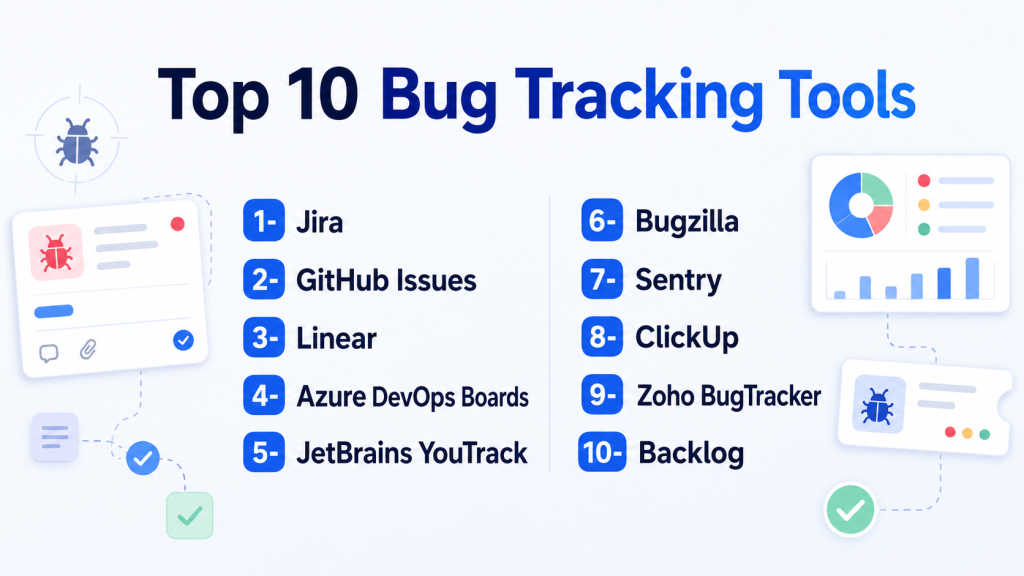
Top 10 Bug Tracking Tools
1- Jira
Short description: Jira is one of the most widely used issue and bug tracking platforms for agile software teams. It is built for planning, tracking, prioritizing, and resolving work across software development, QA, DevOps, and product teams.
Key Features
- Custom issue types for bugs, stories, tasks, and incidents
- Agile boards for Scrum and Kanban workflows
- Backlog management and sprint planning
- Custom fields, workflows, statuses, and permissions
- Automation rules for assignment, notifications, and status updates
- Reporting dashboards for velocity, burndown, issues, and team progress
- Deep integration with developer and collaboration tools
Pros
- Highly customizable for complex development workflows
- Strong ecosystem of apps, templates, and integrations
- Suitable for small teams through large enterprises
Cons
- Can become complex if poorly configured
- Requires governance to avoid workflow clutter
- Some teams may find setup and administration time-consuming
Platforms / Deployment
Web / iOS / Android
Cloud / Self-hosted options may vary by product edition and availability
Security & Compliance
Jira commonly supports enterprise access controls such as SSO, SAML, MFA, permissions, and audit-related capabilities depending on plan and deployment. Compliance details vary by Atlassian plan and should be verified before purchase.
Integrations & Ecosystem
Jira has one of the strongest ecosystems in software project management and bug tracking. It connects well with development, testing, monitoring, documentation, and collaboration workflows.
- Bitbucket
- GitHub
- GitLab
- Confluence
- Slack
- Microsoft Teams
- CI/CD and test management tools
Support & Community
Jira has extensive documentation, a large user community, marketplace apps, training resources, and enterprise support options. Support depth depends on the selected plan.
2- GitHub Issues
Short description: GitHub Issues is a developer-first bug and issue tracking tool built directly into GitHub repositories. It is ideal for teams that already manage code, pull requests, discussions, and automation inside GitHub.
Key Features
- Repository-based issue tracking
- Labels, milestones, assignees, and projects
- Markdown-based bug reports and templates
- Pull request and commit linking
- GitHub Projects for board and roadmap views
- Automation with GitHub Actions
- Strong collaboration for open-source and internal teams
Pros
- Excellent for engineering teams already using GitHub
- Simple issue-to-code workflow
- Strong fit for open-source and developer-led projects
Cons
- Less advanced for non-engineering stakeholders
- Enterprise reporting may require additional setup
- May not replace a full product or portfolio management platform
Platforms / Deployment
Web / Windows / macOS / Linux / iOS / Android
Cloud / Enterprise deployment options vary
Security & Compliance
Security capabilities depend on GitHub plan and enterprise configuration. Buyers should verify SSO, SAML, audit logs, code security features, access policies, and compliance documentation.
Integrations & Ecosystem
GitHub Issues works naturally with the broader GitHub development ecosystem and can be extended through actions, APIs, and marketplace tools.
- GitHub Actions
- GitHub Projects
- Pull requests and commits
- Slack
- Microsoft Teams
- CI/CD tools
- API and marketplace apps
Support & Community
GitHub has extensive documentation, a large global developer community, and support options for individuals, teams, and enterprises. Open-source projects benefit from broad community familiarity.
3- Linear
Short description: Linear is a modern issue tracking and product development platform built for fast-moving software teams. It focuses on speed, clean workflows, product planning, cycles, projects, and engineering execution.
Key Features
- Fast issue creation and keyboard-driven workflows
- Cycles for sprint-like planning
- Projects and initiatives for product work
- Roadmap and status visibility
- Triage inbox for incoming work
- GitHub, GitLab, and Slack integrations
- Clean interface for engineering and product collaboration
Pros
- Very fast and easy for product engineering teams
- Clean user experience with low workflow friction
- Good for startups and modern software teams
Cons
- May not fit highly regulated or deeply customized enterprise workflows
- Less suitable for teams that require heavy process configuration
- Some non-technical stakeholders may need onboarding
Platforms / Deployment
Web / macOS / Windows / iOS / Android
Cloud
Security & Compliance
Linear provides security and administrative controls depending on plan. Buyers should verify SSO, SAML, SCIM, audit logs, permissions, and compliance documentation before enterprise use.
Integrations & Ecosystem
Linear integrates well with developer and collaboration tools, making it suitable for engineering teams that want streamlined issue tracking without excessive configuration.
- GitHub
- GitLab
- Slack
- Figma
- Sentry
- Intercom
- API and automation tools
Support & Community
Linear provides product documentation, onboarding content, and support resources. Its community is strong among modern SaaS, startup, and product engineering teams.
4- Azure DevOps Boards
Short description: Azure DevOps Boards is Microsoft’s work tracking and bug management platform for development teams using Azure DevOps. It is especially strong for organizations already invested in Microsoft development, cloud, and enterprise workflows.
Key Features
- Work items for bugs, tasks, user stories, and epics
- Kanban boards and sprint planning
- Backlogs and delivery plans
- Custom workflows and fields
- Traceability across code, builds, tests, and releases
- Integration with Azure Repos and Azure Pipelines
- Reporting and dashboard capabilities
Pros
- Strong fit for Microsoft-centric engineering organizations
- Good traceability across planning, code, CI/CD, and testing
- Scales well for enterprise development teams
Cons
- May feel heavier than lightweight bug trackers
- Best value comes when using the broader Azure DevOps ecosystem
- Setup and governance may require experienced admins
Platforms / Deployment
Web
Cloud / Server options may vary by product availability
Security & Compliance
Azure DevOps security capabilities depend on Microsoft configuration and plan. Buyers should verify SSO, identity management, RBAC, audit logs, encryption, and compliance requirements with their Microsoft environment.
Integrations & Ecosystem
Azure DevOps Boards is strongest when used with Microsoft development and delivery workflows.
- Azure Repos
- Azure Pipelines
- GitHub
- Microsoft Teams
- Visual Studio
- Test Plans
- Power BI and reporting tools
Support & Community
Microsoft offers documentation, enterprise support, training resources, and a large professional ecosystem. Support experience may depend on Microsoft plan and enterprise agreement.
5- JetBrains YouTrack
Short description: YouTrack is an issue tracking and project management tool from JetBrains. It is designed for software teams that need bug tracking, agile boards, knowledge base features, help desk workflows, and developer-friendly customization.
Key Features
- Issue and bug tracking workflows
- Agile boards for Scrum and Kanban
- Custom fields, workflows, and automation
- Time tracking and reporting
- Knowledge base support
- Help desk style workflows
- Integration with JetBrains IDEs and developer tools
Pros
- Strong fit for development teams using JetBrains tools
- Flexible workflows and customization options
- Useful mix of issue tracking, agile planning, and documentation
Cons
- Interface and configuration may require learning time
- Less common in some enterprise environments than Jira or Azure DevOps
- Advanced customization may require admin discipline
Platforms / Deployment
Web
Cloud / Self-hosted
Security & Compliance
YouTrack supports administrative controls depending on deployment and plan. Buyers should verify SSO, permissions, audit logs, authentication options, and compliance documentation.
Integrations & Ecosystem
YouTrack works well for teams using JetBrains development tools and common engineering workflows.
- JetBrains IDEs
- GitHub
- GitLab
- Bitbucket
- Slack
- TeamCity
- API and workflow automation
Support & Community
JetBrains provides documentation, community resources, product support, and developer-focused guidance. Support availability may vary by plan.
6- Bugzilla
Short description: Bugzilla is an established open-source bug tracking system used by technical teams that need a self-hosted, customizable defect tracking tool. It is best for teams comfortable managing their own infrastructure and workflows.
Key Features
- Open-source bug tracking
- Custom fields and workflows
- Advanced search and filtering
- Email notifications
- Bug dependencies and duplicate tracking
- Role-based access controls
- Self-hosted deployment control
Pros
- Strong option for teams needing self-hosted control
- No vendor lock-in for basic bug tracking
- Mature and familiar to many technical users
Cons
- User interface can feel dated compared with modern SaaS tools
- Requires technical administration
- Fewer modern collaboration and automation features out of the box
Platforms / Deployment
Web
Self-hosted
Security & Compliance
Security depends heavily on self-hosting configuration, server maintenance, authentication setup, and administrative practices. Compliance status is not publicly stated as a managed service because deployment is typically controlled by the organization.
Integrations & Ecosystem
Bugzilla can be extended and integrated, but usually requires more technical setup than modern SaaS platforms.
- Email workflows
- Source control integrations
- Custom scripts
- APIs
- Internal reporting systems
- Authentication systems depending on setup
Support & Community
Bugzilla has open-source documentation and community resources. Support is largely community-driven unless an organization uses internal expertise or third-party services.
7- Sentry
Short description: Sentry is an application monitoring and error tracking platform that helps developers detect, diagnose, prioritize, and resolve production errors. It is not a traditional manual bug tracker, but it is highly valuable for real-time bug discovery and debugging.
Key Features
- Error tracking and grouping
- Stack traces and code-level context
- Release health monitoring
- Performance monitoring
- User impact and event context
- Alerts and issue assignment
- Integration with issue trackers and repositories
Pros
- Excellent for production error visibility
- Helps developers reproduce and fix issues faster
- Strong fit for web, mobile, backend, and full-stack teams
Cons
- Not a complete replacement for general bug tracking
- Best used alongside Jira, Linear, GitHub Issues, or similar tools
- Requires SDK setup and monitoring configuration
Platforms / Deployment
Web
Cloud / Self-hosted options may vary
Security & Compliance
Sentry offers security controls depending on plan and deployment. Buyers should verify SSO, data scrubbing, permissions, audit logs, retention policies, and compliance documentation.
Integrations & Ecosystem
Sentry fits deeply into engineering workflows by connecting runtime errors with development tools and issue trackers.
- GitHub
- GitLab
- Bitbucket
- Jira
- Linear
- Slack
- CI/CD and alerting tools
Support & Community
Sentry has strong developer documentation, SDK guides, community resources, and support options. Its developer ecosystem is broad because it supports many languages and frameworks.
8- ClickUp
Short description: ClickUp is a work management platform that can be used for bug tracking, QA workflows, sprint planning, documentation, and team collaboration. It is useful for teams that want bug tracking combined with broader project and operations management.
Key Features
- Tasks, bugs, lists, boards, and custom views
- Custom fields and statuses
- Sprint and agile workflow support
- Forms for bug intake
- Docs, dashboards, and reporting
- Automation for routing and updates
- Collaboration across technical and non-technical teams
Pros
- Flexible platform for many team workflows
- Useful for teams that want one tool for bugs and projects
- Strong customization without needing heavy engineering setup
Cons
- Can become cluttered if not governed properly
- Not as developer-native as GitHub Issues or Linear
- Advanced workflows may require careful workspace design
Platforms / Deployment
Web / Windows / macOS / Linux / iOS / Android
Cloud
Security & Compliance
ClickUp offers administrative and security controls depending on plan. Buyers should verify SSO, MFA, permissions, audit logs, data controls, and compliance documentation.
Integrations & Ecosystem
ClickUp integrates with many business, development, and collaboration tools, making it useful for cross-functional bug management.
- GitHub
- GitLab
- Slack
- Microsoft Teams
- Google Workspace
- Zapier
- API and automation tools
Support & Community
ClickUp provides documentation, templates, onboarding materials, and customer support options. Community content and tutorials are widely available.
9- Zoho BugTracker
Short description: Zoho BugTracker is a bug tracking and issue management tool within the Zoho ecosystem. It is suitable for SMBs and teams that want structured defect tracking with project collaboration and affordable business software integration.
Key Features
- Bug submission and tracking
- Custom workflows and statuses
- Severity and priority management
- Timesheets and project tracking
- Notifications and collaboration
- Reports and dashboards
- Integration with Zoho project and business tools
Pros
- Good fit for SMBs already using Zoho products
- Practical bug tracking features without heavy complexity
- Useful balance of affordability and structure
Cons
- Less developer-native than GitHub, Jira, or Linear
- Enterprise customization may be more limited
- Best value depends on Zoho ecosystem usage
Platforms / Deployment
Web / iOS / Android
Cloud
Security & Compliance
Security features vary by Zoho plan and configuration. Buyers should verify SSO, MFA, role permissions, audit capabilities, and compliance documentation.
Integrations & Ecosystem
Zoho BugTracker is strongest for teams already using Zoho’s business and project management ecosystem.
- Zoho Projects
- Zoho Desk
- Zoho CRM
- Google Workspace
- Microsoft services
- Webhooks and API options
- Collaboration tools depending on setup
Support & Community
Zoho provides documentation, support resources, and product help centers. Support tiers and response levels may vary by subscription.
10- Backlog
Short description: Backlog is a project management and bug tracking platform designed for software teams that need task tracking, issue management, version control, and collaboration. It is useful for development teams that want bug tracking and project visibility in one workspace.
Key Features
- Issue and bug tracking
- Kanban boards and Gantt charts
- Wiki and documentation support
- Git and Subversion repository hosting
- Pull request and code review workflows
- Custom fields and categories
- Team collaboration and notifications
Pros
- Combines bug tracking, project management, and code collaboration
- Good for software teams that need a balanced workspace
- Useful for teams that want less complexity than larger enterprise tools
Cons
- May not be as widely adopted as Jira or GitHub Issues
- Advanced enterprise portfolio management may be limited
- Some teams may prefer separate best-of-breed tools
Platforms / Deployment
Web / iOS / Android
Cloud
Security & Compliance
Security capabilities depend on plan and configuration. Buyers should verify SSO, permissions, audit logs, encryption, and compliance documentation before enterprise rollout.
Integrations & Ecosystem
Backlog supports software delivery workflows by connecting issue tracking with documentation and code collaboration.
- Git
- Subversion
- Slack
- Microsoft Teams
- Google Workspace
- API options
- Webhooks and collaboration tools
Support & Community
Backlog provides documentation, product support, and onboarding resources. It is suitable for teams seeking a straightforward software project workspace.
Comparison Table
| Tool Name | Best For | Platform Supported | Deployment | Standout Feature | Public Rating |
|---|---|---|---|---|---|
| Jira | Agile software teams and enterprises | Web / iOS / Android | Cloud / Varies | Highly customizable bug and issue workflows | N/A |
| GitHub Issues | Developer-first teams and open-source projects | Web / Desktop / Mobile | Cloud / Varies | Bugs connected directly to repositories and pull requests | N/A |
| Linear | Fast-moving product engineering teams | Web / Desktop / Mobile | Cloud | Clean, fast issue tracking experience | N/A |
| Azure DevOps Boards | Microsoft-centric enterprise teams | Web | Cloud / Varies | Traceability across planning, code, builds, and releases | N/A |
| YouTrack | JetBrains users and customizable dev teams | Web | Cloud / Self-hosted | Flexible issue tracking with developer-friendly workflows | N/A |
| Bugzilla | Self-hosted open-source bug tracking | Web | Self-hosted | Mature open-source defect tracking | N/A |
| Sentry | Production error tracking and debugging | Web | Cloud / Varies | Real-time error monitoring with code context | N/A |
| ClickUp | Cross-functional teams needing flexible work management | Web / Desktop / Mobile | Cloud | Bug tracking plus broader work management | N/A |
| Zoho BugTracker | SMBs using Zoho ecosystem | Web / iOS / Android | Cloud | Practical bug tracking inside Zoho workflows | N/A |
| Backlog | Software teams needing issues, docs, and code collaboration | Web / iOS / Android | Cloud | Bug tracking with wiki and repository support | N/A |
Evaluation & Scoring of Bug Tracking Tools
| Tool Name | Core 25% | Ease 15% | Integrations 15% | Security 10% | Performance 10% | Support 10% | Value 15% | Weighted Total |
|---|---|---|---|---|---|---|---|---|
| Jira | 10 | 7 | 10 | 9 | 9 | 9 | 8 | 8.90 |
| GitHub Issues | 8 | 9 | 9 | 8 | 9 | 8 | 9 | 8.60 |
| Linear | 8 | 10 | 8 | 8 | 9 | 8 | 8 | 8.45 |
| Azure DevOps Boards | 9 | 7 | 9 | 9 | 9 | 8 | 8 | 8.45 |
| YouTrack | 8 | 8 | 8 | 8 | 8 | 8 | 8 | 8.00 |
| Bugzilla | 7 | 6 | 6 | 7 | 8 | 7 | 9 | 7.10 |
| Sentry | 8 | 8 | 9 | 8 | 9 | 8 | 8 | 8.30 |
| ClickUp | 8 | 8 | 8 | 8 | 8 | 8 | 8 | 8.00 |
| Zoho BugTracker | 7 | 8 | 7 | 7 | 8 | 7 | 9 | 7.60 |
| Backlog | 7 | 8 | 7 | 7 | 8 | 7 | 8 | 7.45 |
Which Bug Tracking Tool Is Right for You?
Solo / Freelancer
Solo developers and freelancers usually need a lightweight tool that does not require heavy setup. GitHub Issues is a practical choice if the work is code-centric and already hosted in GitHub. Linear can also work well for solo builders who want a clean issue workflow. Bugzilla may be useful for developers who specifically want open-source and self-hosted control, but it requires more setup effort.
SMB
SMBs should focus on ease of use, integrations, and cost-effective collaboration. GitHub Issues, Linear, ClickUp, Zoho BugTracker, and Backlog are strong options depending on the team’s workflow. If the company already uses Zoho, Zoho BugTracker may be convenient. If the team needs broader work management beyond engineering, ClickUp can be a practical fit.
Mid-Market
Mid-market software teams usually need more structure, reporting, permissions, and integrations. Jira, Linear, YouTrack, Backlog, and Azure DevOps Boards are strong candidates. Teams should evaluate how each tool handles multiple products, QA workflows, sprint planning, customer-reported issues, and engineering handoffs.
Enterprise
Enterprise teams should prioritize governance, workflow customization, security controls, auditability, scalability, and integration depth. Jira and Azure DevOps Boards are often strong enterprise choices. YouTrack can also be a good fit for technical organizations that want self-hosting or JetBrains alignment. Sentry should be evaluated alongside the primary issue tracker for production error visibility.
Budget vs Premium
Budget-conscious teams can start with GitHub Issues, Bugzilla, Zoho BugTracker, or Backlog depending on workflow needs. Premium buyers should evaluate Jira, Azure DevOps Boards, Linear, and Sentry when they need advanced integrations, automation, reporting, and enterprise controls. The lowest price is not always the best value if the tool slows down triage or creates duplicate work.
Feature Depth vs Ease of Use
Jira and Azure DevOps Boards provide deep workflow control, but they require more administration. Linear and GitHub Issues are easier for developer-first teams. ClickUp and Backlog offer a middle ground by combining bug tracking with broader project collaboration. Bugzilla is powerful for traditional bug tracking but less modern in user experience.
Integrations & Scalability
If your development workflow depends on repositories, CI/CD, test automation, and deployments, integrations should be a top priority. GitHub Issues is ideal for GitHub-native teams. Azure DevOps Boards works well inside Microsoft engineering environments. Jira has a broad integration marketplace. Sentry is especially valuable when production errors need to flow into engineering triage.
Security & Compliance Needs
Security-sensitive organizations should verify SSO, SAML, MFA, SCIM, RBAC, audit logs, encryption, data residency, retention policies, and compliance documentation. Self-hosted tools may provide more infrastructure control, but they also increase operational responsibility. Cloud platforms may reduce maintenance burden but require vendor security review.
Frequently Asked Questions
1. What is a bug tracking tool?
A bug tracking tool is software used to record, organize, assign, prioritize, and resolve software defects. It helps developers, QA testers, product managers, and support teams manage bugs from discovery to closure.
2. How is bug tracking different from issue tracking?
Bug tracking focuses specifically on software defects. Issue tracking is broader and may include bugs, tasks, feature requests, incidents, improvements, and operational work.
3. What is the best bug tracking tool for developers?
For developer-first teams, GitHub Issues, Linear, Jira, YouTrack, and Azure DevOps Boards are strong options. The best choice depends on where the team stores code and manages delivery.
4. What is the best bug tracking tool for enterprise teams?
Enterprise teams often evaluate Jira, Azure DevOps Boards, YouTrack, and Sentry. The right option depends on security requirements, workflow complexity, integrations, and reporting needs.
5. Do small teams need a dedicated bug tracker?
Small teams can start with GitHub Issues, Linear, or a simple project board. A dedicated bug tracker becomes more important when bug volume increases or multiple teams need shared visibility.
6. What features should a bug tracking tool include?
Important features include bug intake forms, severity levels, priority fields, assignees, comments, attachments, workflow statuses, reporting, notifications, integrations, and access controls.
7. Can bug tracking tools integrate with CI/CD pipelines?
Yes, many tools integrate with CI/CD systems, repositories, pull requests, test automation, and release workflows. This helps teams connect bugs with builds, commits, deployments, and fixes.
8. Are open-source bug tracking tools still useful?
Yes, open-source tools like Bugzilla can be useful for teams that need self-hosted control and simple defect management. However, they may require more technical administration than modern cloud tools.
9. What are common mistakes when choosing bug tracking software?
Common mistakes include over-customizing workflows, ignoring developer adoption, choosing tools without integrations, failing to define severity rules, and not involving QA, support, and engineering teams in selection.
10. How do bug tracking tools support security?
Many tools support permissions, role-based access, authentication controls, audit logs, and encryption depending on plan. Buyers should verify security features directly before enterprise deployment.
Conclusion
Bug Tracking Tools are essential for teams that want better software quality, faster issue resolution, and clearer accountability across development, QA, DevOps, support, and product workflows. Jira remains a strong choice for complex agile and enterprise environments, while GitHub Issues is highly practical for code-centric teams. Linear is excellent for fast-moving product engineering teams, Azure DevOps Boards fits Microsoft-heavy organizations, and YouTrack provides flexible developer-friendly tracking. Bugzilla remains relevant for self-hosted open-source use cases, while Sentry adds powerful production error visibility. ClickUp, Zoho BugTracker, and Backlog are useful for teams that want bug tracking connected with broader project collaboration. The best tool depends on your workflow, team size, integrations, security needs, and adoption style. Start by shortlisting two or three tools, run a pilot with real bug reports, validate developer and QA workflows, check integrations and security controls, then scale the platform that fits your team’s daily work best.

Find Trusted Cardiac Hospitals
Compare heart hospitals by city and services — all in one place.
Explore Hospitals
Bug tracking tools are most valuable when they help software teams systematically identify, document, prioritize, assign, and resolve defects throughout the software development lifecycle. By providing bug reporting, severity and priority management, issue assignment, workflow tracking, notifications, collaboration, test case integration, dashboards, reporting, and integration with version control, CI/CD, and project management systems, these tools enable teams to improve software quality, accelerate defect resolution, increase development visibility, and deliver more reliable applications.