Introduction
CAE (Computer-Aided Engineering) Simulation Software enables engineers to test, validate, and optimize designs virtually before physical production. By simulating real-world physics—such as structural stress, fluid dynamics, thermal behavior, and electromagnetic fields—CAE tools reduce costly prototyping cycles and accelerate innovation.
In modern engineering workflows, CAE is no longer optional. With increasing product complexity and tighter time-to-market pressures, organizations rely on simulation-driven design to ensure performance, safety, and compliance. Today’s CAE platforms integrate AI-assisted simulation, cloud-based solving, digital twins, and multi-physics environments, making them essential for industries like aerospace, automotive, electronics, and energy.
Common Use Cases
- Structural analysis (FEA) for stress and durability
- Fluid dynamics simulation (CFD)
- Thermal and heat transfer analysis
- Electromagnetic simulation
- Product optimization and validation
What Buyers Should Evaluate
- Multi-physics simulation capabilities
- Solver accuracy and performance
- Ease of model setup and meshing
- Integration with CAD tools
- HPC (High Performance Computing) and cloud capabilities
- Automation and scripting support
- Visualization and post-processing tools
- Scalability for complex simulations
- Licensing and cost structure
- Industry-specific capabilities
Best for: Mechanical engineers, simulation specialists, R&D teams, product designers, and enterprises building complex, performance-critical systems.
Not ideal for: Users needing only basic design validation; simpler CAD-integrated simulation tools may suffice.
Key Trends in CAE Simulation Software
- AI-driven simulation and optimization reducing manual effort
- Cloud-based HPC simulation enabling faster solve times
- Digital twin integration for real-time system monitoring
- Multi-physics simulation environments becoming standard
- Automation and scripting workflows for repeatable simulations
- Integration with CAD/CAM/PLM systems
- GPU acceleration improving simulation performance
- Low-code/no-code simulation tools emerging for accessibility
- Real-time simulation feedback loops in design workflows
- Subscription and usage-based pricing models
How We Selected These Tools (Methodology)
- Evaluated industry adoption across engineering domains
- Assessed solver capabilities and simulation accuracy
- Reviewed performance with large-scale simulations
- Considered integration with CAD and PLM systems
- Analyzed support for multi-physics workflows
- Included tools for SMB to enterprise-level users
- Prioritized modern cloud and AI-enabled platforms
- Balanced ease of use vs advanced engineering depth
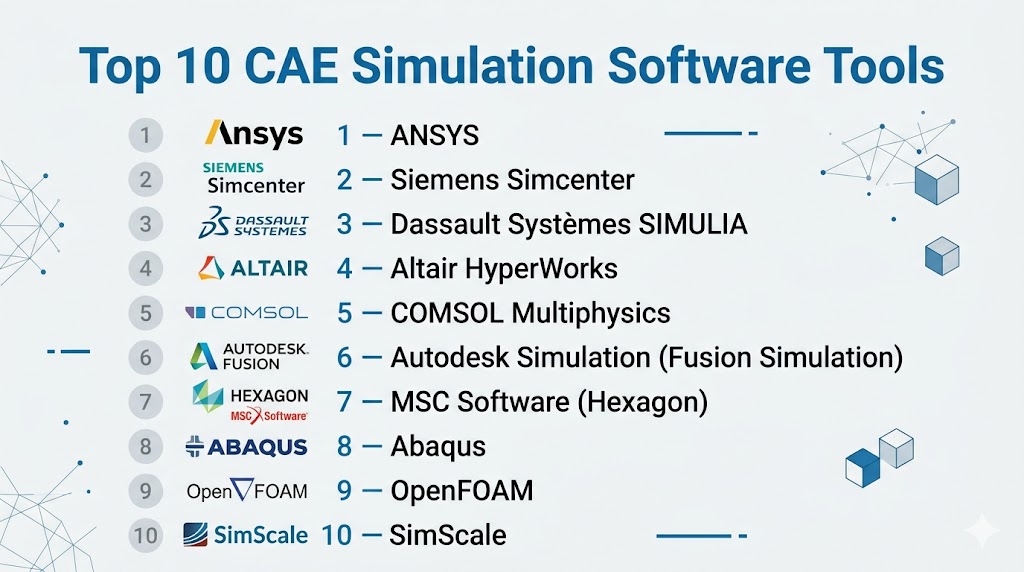
Top 10 CAE Simulation Software Tools
#1 — ANSYS
Short description: A leading CAE platform offering comprehensive multi-physics simulation for complex engineering problems.
Key Features
- Structural, thermal, and fluid simulation
- Multi-physics integration
- High-performance solvers
- Digital twin capabilities
- AI-driven optimization
- Advanced meshing tools
Pros
- Industry-leading accuracy
- Scalable for enterprise use
Cons
- High cost
- Steep learning curve
Platforms / Deployment
Windows / Linux / Cloud
Security & Compliance
Not publicly stated
Integrations & Ecosystem
Strong engineering ecosystem integration.
- CAD tools
- PLM systems
- HPC environments
Support & Community
Extensive enterprise support and training resources.
#2 — Siemens Simcenter
Short description: An advanced simulation suite designed for system-level and multi-physics engineering analysis.
Key Features
- Multi-physics simulation
- System simulation
- Digital twin integration
- Advanced solvers
- Automation tools
Pros
- Strong system-level analysis
- Scalable for large projects
Cons
- Complex setup
- Enterprise pricing
Platforms / Deployment
Windows / Cloud
Security & Compliance
Not publicly stated
Integrations & Ecosystem
- Siemens ecosystem
- PLM systems
Support & Community
Enterprise-level support.
#3 — Dassault Systèmes SIMULIA
Short description: A simulation platform integrated with the Dassault ecosystem, widely used in aerospace and automotive industries.
Key Features
- Structural and multi-physics simulation
- Finite element analysis (FEA)
- Advanced solver capabilities
- Digital twin workflows
- Integration with design tools
Pros
- High accuracy
- Strong integration with CATIA
Cons
- High cost
- Learning curve
Platforms / Deployment
Windows / Linux
Security & Compliance
Not publicly stated
Integrations & Ecosystem
- CATIA
- ENOVIA
Support & Community
Professional enterprise support.
#4 — Altair HyperWorks
Short description: A CAE platform known for simulation-driven design and optimization.
Key Features
- Multi-physics simulation
- Optimization tools
- Lightweight modeling
- HPC integration
- Automation workflows
Pros
- Strong optimization capabilities
- Flexible licensing
Cons
- Complex UI
- Learning curve
Platforms / Deployment
Windows / Linux
Security & Compliance
Not publicly stated
Integrations & Ecosystem
- CAD tools
- HPC systems
Support & Community
Strong professional support.
#5 — COMSOL Multiphysics
Short description: A flexible simulation platform focused on multi-physics modeling and customization.
Key Features
- Multi-physics simulation
- Custom modeling environment
- Application builder
- Solver flexibility
- Visualization tools
Pros
- Highly customizable
- Strong multi-physics support
Cons
- Expensive
- Requires expertise
Platforms / Deployment
Windows / macOS / Linux
Security & Compliance
Not publicly stated
Integrations & Ecosystem
- MATLAB
- CAD tools
Support & Community
Strong academic and professional community.
#6 — Autodesk Simulation (Fusion Simulation)
Short description: A cloud-enabled simulation tool integrated within Autodesk Fusion.
Key Features
- Structural and thermal simulation
- Cloud solving
- Integrated CAD workflow
- Generative design
- Ease of use
Pros
- Easy to learn
- Integrated with design
Cons
- Limited advanced features
- Cloud dependency
Platforms / Deployment
Windows / macOS / Cloud
Security & Compliance
Not publicly stated
Integrations & Ecosystem
- Autodesk ecosystem
- CAD tools
Support & Community
Large community and documentation.
#7 — MSC Software (Hexagon)
Short description: A CAE solution focused on advanced structural and dynamic simulations.
Key Features
- Finite element analysis
- Dynamic simulation
- Multi-body dynamics
- Durability analysis
- High-performance solvers
Pros
- Strong structural analysis
- Industry-proven tools
Cons
- Complex workflows
- Premium pricing
Platforms / Deployment
Windows / Linux
Security & Compliance
Not publicly stated
Integrations & Ecosystem
- CAD tools
- PLM systems
Support & Community
Enterprise support.
#8 — Abaqus
Short description: A high-end simulation tool specializing in nonlinear and complex material simulations.
Key Features
- Nonlinear FEA
- Material modeling
- Structural simulation
- Multi-physics capabilities
- High accuracy solvers
Pros
- Extremely accurate
- Strong for complex simulations
Cons
- Steep learning curve
- High cost
Platforms / Deployment
Windows / Linux
Security & Compliance
Not publicly stated
Integrations & Ecosystem
- Dassault ecosystem
- CAD tools
Support & Community
Strong professional support.
#9 — OpenFOAM
Short description: An open-source CFD platform for fluid dynamics simulations.
Key Features
- CFD simulation
- Custom solver development
- Open-source flexibility
- Parallel processing
- Advanced fluid modeling
Pros
- Free and flexible
- Highly customizable
Cons
- Requires expertise
- No official GUI
Platforms / Deployment
Linux / Windows
Security & Compliance
Not publicly stated
Integrations & Ecosystem
- Custom workflows
- HPC systems
Support & Community
Strong open-source community.
#10 — SimScale
Short description: A cloud-native CAE platform enabling simulation directly from the browser.
Key Features
- Cloud-based simulation
- CFD and FEA
- No local hardware required
- Collaboration tools
- Scalable computing
Pros
- No installation needed
- Easy collaboration
Cons
- Internet dependency
- Limited offline control
Platforms / Deployment
Web / Cloud
Security & Compliance
Not publicly stated
Integrations & Ecosystem
- CAD imports
- Cloud workflows
Support & Community
Growing community and support resources.
Comparison Table (Top 10)
| Tool Name | Best For | Platform(s) Supported | Deployment | Standout Feature | Public Rating |
|---|---|---|---|---|---|
| ANSYS | Enterprise simulation | Win/Linux | Hybrid | Multi-physics depth | N/A |
| Simcenter | System simulation | Win/Cloud | Hybrid | Digital twin | N/A |
| SIMULIA | Aerospace | Win/Linux | Hybrid | FEA accuracy | N/A |
| HyperWorks | Optimization | Win/Linux | Local | Simulation-driven design | N/A |
| COMSOL | Custom modeling | Win/macOS/Linux | Local | Flexibility | N/A |
| Fusion Simulation | SMB | Win/macOS/Web | Cloud | Ease of use | N/A |
| MSC Software | Structural | Win/Linux | Local | Durability analysis | N/A |
| Abaqus | Nonlinear simulation | Win/Linux | Local | Accuracy | N/A |
| OpenFOAM | CFD | Linux/Win | Local | Open-source | N/A |
| SimScale | Cloud simulation | Web | Cloud | No hardware needed | N/A |
Evaluation & Scoring of CAE Simulation Software
| Tool | Core | Ease | Integrations | Security | Performance | Support | Value | Weighted Total |
|---|---|---|---|---|---|---|---|---|
| ANSYS | 10 | 6 | 10 | 7 | 10 | 9 | 6 | 8.7 |
| Simcenter | 9 | 6 | 10 | 7 | 9 | 9 | 6 | 8.4 |
| SIMULIA | 9 | 6 | 9 | 7 | 9 | 9 | 6 | 8.3 |
| HyperWorks | 9 | 6 | 8 | 6 | 9 | 8 | 7 | 8.0 |
| COMSOL | 9 | 7 | 8 | 6 | 8 | 8 | 7 | 8.1 |
| Fusion | 7 | 9 | 8 | 6 | 7 | 8 | 8 | 7.8 |
| MSC | 9 | 6 | 8 | 6 | 9 | 8 | 6 | 7.9 |
| Abaqus | 10 | 5 | 9 | 7 | 10 | 9 | 6 | 8.5 |
| OpenFOAM | 8 | 5 | 7 | 5 | 9 | 7 | 10 | 7.8 |
| SimScale | 8 | 8 | 7 | 6 | 8 | 7 | 8 | 7.9 |
Interpretation:
These scores are comparative benchmarks across capabilities. Enterprise tools dominate in performance and accuracy, while cloud and open-source tools offer better accessibility and value. Selection should align with simulation complexity and team expertise.
Which CAE Simulation Software Tool Is Right for You?
Solo / Freelancer
- OpenFOAM → cost-effective and flexible
- SimScale → cloud simplicity
SMB
- Fusion Simulation → easy integration
- COMSOL → flexible modeling
Mid-Market
- HyperWorks → optimization workflows
- Simcenter → system-level analysis
Enterprise
- ANSYS → full multi-physics
- Abaqus → complex simulations
Budget vs Premium
- Budget: OpenFOAM
- Premium: ANSYS, Abaqus
Feature Depth vs Ease of Use
- Deep: ANSYS, Abaqus
- Easy: SimScale, Fusion
Integrations & Scalability
- Strong: Simcenter, ANSYS
- Moderate: COMSOL
Security & Compliance Needs
- Most tools: Not publicly stated
- Enterprises should implement governance
Frequently Asked Questions (FAQs)
1. What is CAE simulation software?
CAE software simulates real-world physics to test and optimize designs before manufacturing.
2. What industries use CAE tools?
Aerospace, automotive, electronics, energy, and manufacturing.
3. Is CAE software expensive?
Enterprise tools are costly; some cloud and open-source options are more affordable.
4. What is multi-physics simulation?
It combines multiple physical phenomena (e.g., thermal + structural).
5. Do I need coding skills?
Some tools require scripting; others are GUI-based.
6. Is cloud simulation reliable?
Yes, but depends on connectivity and data security policies.
7. Can CAE integrate with CAD tools?
Yes, most tools integrate tightly with CAD systems.
8. What is FEA?
Finite Element Analysis used for structural simulation.
9. What is CFD?
Computational Fluid Dynamics for fluid simulation.
10. What are common mistakes?
Ignoring solver accuracy and hardware requirements.
Conclusion
CAE simulation software has become a critical pillar of modern engineering, enabling teams to validate designs, reduce risks, and accelerate innovation without relying heavily on physical prototypes. While enterprise platforms like ANSYS and Abaqus deliver unmatched depth and accuracy, newer cloud-based tools like SimScale and integrated solutions like Fusion make simulation more accessible than ever. The best tool ultimately depends on your simulation complexity, team expertise, and integration requirements rather than a one-size-fits-all approach. As simulation continues to evolve with AI, cloud computing, and digital twin technologies, choosing a scalable and future-ready platform is essential. Start by shortlisting two or three tools, run real simulation scenarios, and validate performance, usability, and integration before committing.

Find Trusted Cardiac Hospitals
Compare heart hospitals by city and services — all in one place.
Explore Hospitals