Introduction
Concept Testing Platforms help businesses test ideas before investing heavily in product development, branding, advertising, packaging, pricing, or market launch. In plain English, these tools allow teams to show concepts to target audiences, collect structured feedback, compare alternatives, and understand which idea is most likely to succeed. concept testing matters because product cycles are faster, customer expectations change quickly, and failed launches are expensive. Modern platforms now support AI-assisted survey design, automated analysis, audience targeting, video feedback, heatmaps, prototype testing, and real-time dashboards.
Real-world use cases include:
- Testing product ideas before development
- Comparing brand names, logos, ads, or packaging concepts
- Validating pricing and purchase intent
- Collecting feedback on prototypes and landing pages
- Measuring customer reaction before a campaign launch
What buyers should evaluate:
- Audience targeting and respondent quality
- Survey and prototype testing capabilities
- AI-assisted analysis and reporting
- Speed of testing and turnaround time
- Concept comparison and benchmarking
- Integration with design, CRM, and analytics tools
- Security and privacy controls
- Ease of use for non-research teams
- Pricing flexibility
- Support and onboarding quality
Best for: Product managers, marketers, UX researchers, founders, brand teams, innovation teams, agencies, and enterprises that need data-backed validation before launching ideas.
Not ideal for: Teams that only need informal feedback, very early brainstorming without defined concepts, or companies that already have a strong internal research team using custom research methods.
Key Trends in Concept Testing Platforms
- AI-assisted concept analysis: Platforms are increasingly using AI to summarize open-ended feedback, identify sentiment, and highlight recurring themes.
- Faster idea validation: Product and marketing teams want results in hours or days instead of long research cycles.
- Prototype and design testing integration: Concept testing is becoming more connected with Figma, design tools, landing pages, and UX testing workflows.
- Audience targeting improvements: Teams now expect better screening, demographics, professional targeting, and respondent quality checks.
- Multi-format testing: Tools support images, videos, mockups, claims, ad copy, landing pages, and interactive prototypes.
- Benchmarking and comparative scoring: Buyers want to compare multiple concepts against each other using structured metrics.
- Privacy-first research workflows: Consent, data protection, user access controls, and secure respondent data handling are now key requirements.
- Self-service research growth: More non-research teams are using guided research templates and automated dashboards.
- Mixed-method validation: Teams combine surveys, video feedback, interviews, usability testing, and analytics to get deeper insights.
- Decision-ready dashboards: Stakeholders want simple visuals that make it easier to choose, refine, or reject concepts.
How We Selected These Tools Methodology
- Selected platforms widely recognized for concept testing, product validation, UX research, customer feedback, or agile market research.
- Prioritized tools that support structured feedback collection and concept comparison.
- Evaluated usability for product, marketing, UX, and research teams.
- Considered feature completeness across surveys, audience targeting, prototype testing, reporting, and analysis.
- Reviewed platform fit across SMB, mid-market, and enterprise use cases.
- Considered integration potential with design, CRM, analytics, and research workflows.
- Looked for tools that support both qualitative and quantitative feedback where relevant.
- Avoided guessing public ratings, certifications, pricing, or compliance claims.
- Balanced enterprise platforms with accessible self-service tools.
- Focused on practical buyer fit rather than naming one universal winner.
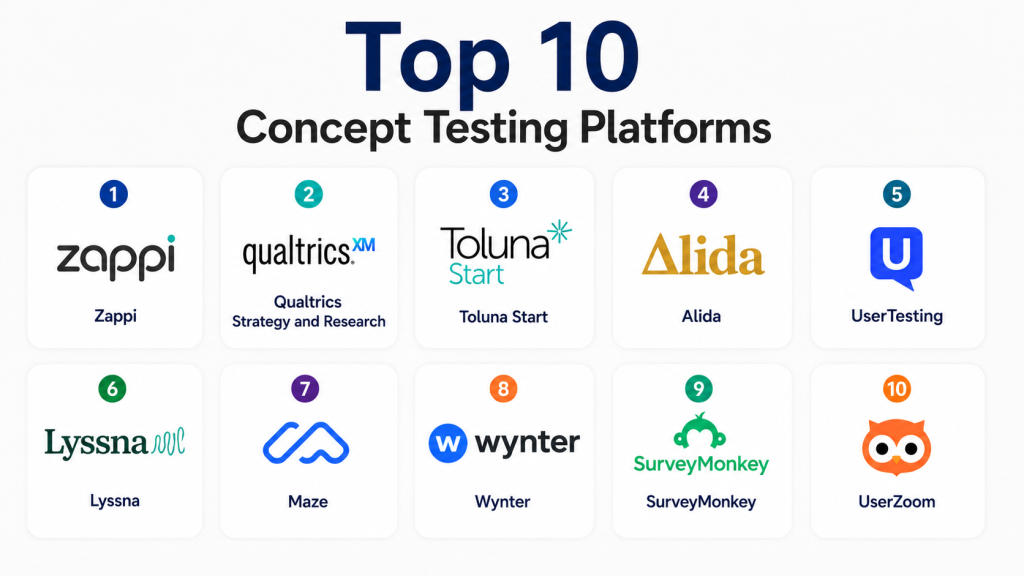
Top 10 Concept Testing Platforms Tools
1 — Zappi
Short description: Zappi is an agile consumer insights platform used for concept testing, advertising testing, and product innovation research. It is best suited for brands and research teams that need repeatable, fast, and structured consumer feedback.
Key Features
- Concept and product idea testing
- Ad, packaging, and creative testing workflows
- Automated consumer research templates
- Benchmarking and comparative insights
- Dashboard-based reporting
- Support for repeatable research programs
- Useful for brand, marketing, and innovation teams
Pros
- Strong fit for fast consumer concept validation
- Useful templates for repeatable testing workflows
- Good for teams that need structured research at scale
Cons
- May be more advanced than needed for very small teams
- Pricing may not suit one-off research projects
- Some workflows may require research planning experience
Platforms / Deployment
- Web
- Cloud
Security & Compliance
Not publicly stated. Buyers should verify encryption, SSO, MFA, audit logs, RBAC, data processing terms, and regional privacy compliance before purchase.
Integrations & Ecosystem
Zappi fits well into brand, product, and innovation research workflows where teams need repeatable testing and dashboard-based insights.
- Survey research workflows
- Consumer insights dashboards
- Data export workflows
- Brand and advertising testing processes
- Research operations systems
Support & Community
Zappi provides customer support and onboarding resources for research teams. Support depth may vary based on plan, contract size, and implementation model.
2 — Qualtrics Strategy and Research
Short description: Qualtrics supports concept testing through advanced survey design, audience research, analytics, and experience management workflows. It is best for enterprises that need scalable research, segmentation, and deep reporting.
Key Features
- Advanced survey creation and logic
- Concept comparison and product feedback workflows
- Text analytics and sentiment analysis
- Real-time dashboards and reporting
- Audience segmentation
- Role-based research collaboration
- Broad enterprise research use cases
Pros
- Strong analytics and survey flexibility
- Suitable for complex enterprise research programs
- Scales across product, brand, customer, and employee research
Cons
- Can be expensive for smaller teams
- Advanced setup may require training
- More complex than lightweight concept testing tools
Platforms / Deployment
- Web / iOS / Android
- Cloud
Security & Compliance
Not publicly stated for every plan and region. Buyers should verify SSO/SAML, MFA, audit logs, encryption, RBAC, and any required compliance documentation during procurement.
Integrations & Ecosystem
Qualtrics connects well with enterprise research, CRM, analytics, and workflow systems.
- CRM platforms
- Business intelligence tools
- Data warehouses
- APIs
- Collaboration and reporting workflows
Support & Community
Qualtrics offers documentation, training resources, onboarding, and enterprise support options. Support coverage depends on package and customer agreement.
3 — Toluna Start
Short description: Toluna Start is an insights platform for consumer research, concept testing, and brand feedback. It helps teams run studies, access respondents, and analyze feedback through a unified workflow.
Key Features
- Concept and message testing
- Access to consumer respondents
- Survey design and launch workflows
- Real-time reporting dashboards
- Audience targeting and screening
- Research automation features
- Support for consumer insights programs
Pros
- Combines research tools with audience access
- Useful for fast consumer feedback
- Good fit for product, brand, and marketing teams
Cons
- Pricing may vary by sample size and region
- Advanced research design may need expert support
- Some use cases may require managed services
Platforms / Deployment
- Web
- Cloud
Security & Compliance
Not publicly stated. Buyers should confirm security controls, privacy terms, respondent data handling, and compliance requirements before adoption.
Integrations & Ecosystem
Toluna Start is useful for teams that need research execution and insight reporting in one platform.
- Survey workflows
- Consumer panel access
- Reporting dashboards
- Data export workflows
- Research project operations
Support & Community
Toluna offers onboarding, documentation, and customer support. Support levels may vary by product package, geography, and research complexity.
4 — Alida
Short description: Alida is a customer experience and insights platform that supports concept testing through customer communities, feedback programs, and research workflows. It is useful for teams that want to test ideas with known customer panels.
Key Features
- Customer community and panel management
- Concept feedback and survey workflows
- Segmentation and audience profiling
- Ongoing customer engagement
- Dashboard reporting and insights
- Qualitative and quantitative feedback support
- Useful for customer-led product innovation
Pros
- Strong for ongoing customer insight programs
- Useful when testing concepts with existing customers
- Supports community-based research and feedback
Cons
- May be less suitable for one-off external audience testing
- Setup can take planning for community programs
- Smaller teams may find it more than they need
Platforms / Deployment
- Web
- Cloud
Security & Compliance
Not publicly stated. Buyers should validate SSO, MFA, encryption, audit logs, privacy controls, and applicable compliance requirements.
Integrations & Ecosystem
Alida works well where customer communities, CRM workflows, and insights programs need to connect.
- CRM workflows
- Survey and feedback programs
- Customer panel management
- Reporting dashboards
- Data exports
Support & Community
Alida provides customer support, onboarding, and resources for customer insight teams. Support depth may vary based on implementation and service agreement.
5 — UserTesting
Short description: UserTesting helps teams collect video-based feedback on concepts, prototypes, websites, apps, and product experiences. It is best for UX, product, and marketing teams that need human insight behind user reactions.
Key Features
- Concept and prototype feedback
- Video-based user responses
- Moderated and unmoderated testing options
- Audience targeting and participant access
- Highlight reels and insight sharing
- Feedback on websites, apps, and creative assets
- Useful for UX and product validation
Pros
- Excellent for understanding why users react a certain way
- Strong for prototype, messaging, and experience testing
- Useful video insights for stakeholder alignment
Cons
- May be costly for frequent testing at scale
- Not always ideal for large quantitative concept tests
- Requires thoughtful test design to avoid vague feedback
Platforms / Deployment
- Web / iOS / Android
- Cloud
Security & Compliance
Not publicly stated. Buyers should verify data protection, participant privacy, access control, SSO, and compliance requirements before procurement.
Integrations & Ecosystem
UserTesting fits into product design, UX research, and customer experience workflows.
- Design and prototype workflows
- UX research operations
- Product management tools
- Data export workflows
- Collaboration tools
Support & Community
UserTesting provides help resources, onboarding, and support options. Enterprise customers may receive more structured enablement and research guidance.
#6 — Lyssna
Short description: Lyssna is a user research platform for testing designs, concepts, messaging, and user preferences. It is well suited for designers, startups, marketers, and product teams that need quick feedback.
Key Features
- Preference testing
- First-click testing
- Five-second testing
- Surveys and feedback collection
- Participant recruitment options
- Design and messaging validation
- Fast research setup for lightweight studies
Pros
- Easy to use for quick concept and design validation
- Good fit for startups and design teams
- Useful for comparing visual or messaging options
Cons
- Less suitable for complex enterprise research programs
- Advanced analytics may be limited compared with larger platforms
- Sample quality should be checked for specialized audiences
Platforms / Deployment
- Web
- Cloud
Security & Compliance
Not publicly stated. Buyers should confirm privacy controls, user access settings, data retention, and security documentation.
Integrations & Ecosystem
Lyssna works well in lightweight design research and product validation workflows.
- Design testing workflows
- Survey exports
- Participant recruitment workflows
- Product research processes
- Team collaboration workflows
Support & Community
Lyssna provides documentation and support resources. It is approachable for smaller teams and product designers running frequent lightweight studies.
7 — Maze
Short description: Maze is a product discovery and user research platform that supports prototype testing, concept validation, and user feedback. It is best for product teams that need fast research connected to design workflows.
Key Features
- Prototype testing
- Concept and usability validation
- Survey and feedback collection
- Participant recruitment options
- Design tool workflow support
- Automated research reports
- Collaboration for product teams
Pros
- Strong for product discovery and prototype validation
- Easy for product and design teams to use
- Useful for fast feedback during development cycles
Cons
- Not a full replacement for enterprise market research platforms
- Some advanced research workflows may require other tools
- Best results depend on well-designed tasks and questions
Platforms / Deployment
- Web
- Cloud
Security & Compliance
Not publicly stated. Buyers should validate access controls, privacy terms, data processing, and compliance requirements for their organization.
Integrations & Ecosystem
Maze is commonly used with product design, prototype, and research workflows.
- Design tools
- Product discovery workflows
- Participant recruitment
- Data exports
- Research reporting
Support & Community
Maze provides help documentation, templates, and support resources. It has strong relevance for product, UX, and startup teams.
8 — Wynter
Short description: Wynter is a messaging and B2B audience testing platform used to test website copy, value propositions, ads, and positioning. It is especially useful for B2B marketers and growth teams.
Key Features
- Message testing
- Website copy feedback
- B2B audience targeting
- Preference and perception testing
- Value proposition validation
- Open-ended qualitative feedback
- Report summaries for marketing teams
Pros
- Strong fit for B2B messaging and positioning
- Useful for marketing teams testing copy and claims
- Helps identify unclear or weak value propositions
Cons
- Less broad than full market research platforms
- Not ideal for physical product concept testing
- Audience availability may vary by niche segment
Platforms / Deployment
- Web
- Cloud
Security & Compliance
Not publicly stated. Buyers should verify user access controls, data handling, confidentiality, and privacy terms.
Integrations & Ecosystem
Wynter fits well into B2B marketing, conversion optimization, and website messaging workflows.
- Website feedback workflows
- Copy testing processes
- Marketing research workflows
- Data exports
- Demand generation and positioning workflows
Support & Community
Wynter provides resources and support for marketing and research users. Support availability may vary by plan and account type.
9 — SurveyMonkey
Short description: SurveyMonkey can be used for concept testing through surveys, templates, audience access, and simple reporting. It is best for SMBs and teams that need accessible concept feedback without complex setup.
Key Features
- Survey creation and templates
- Concept feedback questionnaires
- Audience targeting options through related offerings
- Logic and branching
- Basic reporting dashboards
- Exportable survey results
- Collaboration for teams
Pros
- Easy for non-technical users
- Fast setup for simple concept tests
- Good fit for SMBs and lightweight research
Cons
- Less advanced than dedicated concept testing platforms
- Complex research designs may require manual setup
- Advanced analytics may be limited depending on plan
Platforms / Deployment
- Web / iOS / Android
- Cloud
Security & Compliance
Not publicly stated for all plans and regions. Buyers should verify SSO, encryption, privacy controls, and compliance requirements based on their selected plan.
Integrations & Ecosystem
SurveyMonkey works well for teams that need simple survey-based concept testing and reporting.
- CRM workflows
- Spreadsheet exports
- Collaboration tools
- Marketing workflows
- API and automation options
Support & Community
SurveyMonkey provides help documentation, templates, and support options. It is easy for new users to start with basic research workflows.
10 — UserZoom
Short description: UserZoom supports UX research, concept validation, usability testing, and digital experience feedback. It is suitable for enterprises and product teams that need structured research across digital experiences.
Key Features
- Concept and prototype testing
- UX research workflows
- Moderated and unmoderated studies
- User feedback and task analysis
- Video and behavioral insights
- Research reporting
- Enterprise research operations support
Pros
- Strong for enterprise UX and digital concept testing
- Supports structured research programs
- Useful for product and design teams working at scale
Cons
- May be too advanced for small one-off studies
- Setup and governance can require research expertise
- Pricing may be higher than lightweight tools
Platforms / Deployment
- Web
- Cloud
Security & Compliance
Not publicly stated. Buyers should confirm SSO, MFA, RBAC, audit logs, encryption, and compliance needs with the vendor.
Integrations & Ecosystem
UserZoom fits into enterprise UX, product research, and digital experience workflows.
- UX research operations
- Product design workflows
- Analytics and reporting
- Data exports
- Collaboration tools
Support & Community
UserZoom provides customer support, onboarding, and research resources. Enterprise implementations may include more structured training and enablement.
Comparison Table Top 10
| Tool Name | Best For | Platform Supported | Deployment | Standout Feature | Public Rating |
|---|---|---|---|---|---|
| Zappi | Agile consumer concept testing | Web | Cloud | Automated concept and ad testing workflows | N/A |
| Qualtrics Strategy and Research | Enterprise research programs | Web, iOS, Android | Cloud | Advanced survey logic and analytics | N/A |
| Toluna Start | Consumer insights and audience research | Web | Cloud | Survey tools plus respondent access | N/A |
| Alida | Customer community concept testing | Web | Cloud | Customer panel and community feedback | N/A |
| UserTesting | UX and video feedback | Web, iOS, Android | Cloud | Video-based human insight | N/A |
| Lyssna | Design and messaging validation | Web | Cloud | Fast preference and five-second testing | N/A |
| Maze | Product discovery and prototype testing | Web | Cloud | Design-connected prototype validation | N/A |
| Wynter | B2B message testing | Web | Cloud | Value proposition and copy testing | N/A |
| SurveyMonkey | Simple concept surveys | Web, iOS, Android | Cloud | Easy survey-based testing | N/A |
| UserZoom | Enterprise UX concept testing | Web | Cloud | Structured UX research workflows | N/A |
Evaluation & Scoring of Concept Testing Platforms
| Tool Name | Core 25% | Ease 15% | Integrations 15% | Security 10% | Performance 10% | Support 10% | Value 15% | Weighted Total 0–10 |
|---|---|---|---|---|---|---|---|---|
| Zappi | 9 | 8 | 7 | 7 | 8 | 8 | 7 | 7.9 |
| Qualtrics Strategy and Research | 9 | 7 | 8 | 8 | 9 | 8 | 7 | 8.2 |
| Toluna Start | 8 | 8 | 7 | 7 | 8 | 8 | 7 | 7.6 |
| Alida | 8 | 7 | 7 | 7 | 8 | 8 | 7 | 7.5 |
| UserTesting | 8 | 8 | 7 | 7 | 8 | 8 | 7 | 7.7 |
| Lyssna | 7 | 9 | 6 | 7 | 8 | 7 | 8 | 7.5 |
| Maze | 8 | 9 | 7 | 7 | 8 | 7 | 8 | 7.8 |
| Wynter | 7 | 8 | 6 | 7 | 8 | 7 | 8 | 7.3 |
| SurveyMonkey | 7 | 9 | 7 | 7 | 8 | 7 | 8 | 7.6 |
| UserZoom | 8 | 7 | 7 | 7 | 8 | 8 | 7 | 7.5 |
Which Concept Testing Platforms Tool Is Right for You?
Solo / Freelancer
Solo consultants, freelancers, and small research teams usually need fast setup, simple testing, and clear reporting. Lyssna, SurveyMonkey, and Maze are practical choices because they are easier to use for lightweight concept validation. These tools work well for testing landing pages, designs, messaging, and early product ideas.
SMB
SMBs should look for tools that balance usability, audience access, and cost. SurveyMonkey, Maze, Lyssna, and Wynter can help small teams test ideas before spending on campaigns or product development. If the team needs consumer audience access, Toluna Start may also be worth evaluating.
Mid-Market
Mid-market teams often need more repeatable workflows, better reporting, and stronger audience targeting. Zappi, Toluna Start, UserTesting, and Alida are better suited for recurring concept testing programs. These platforms help teams move beyond one-off surveys toward more structured product and marketing validation.
Enterprise
Enterprises need scalability, governance, advanced analytics, and support for multiple teams. Qualtrics Strategy and Research, Zappi, UserZoom, UserTesting, and Alida are stronger options for enterprise programs. These platforms are useful when concept testing is part of a broader research, customer experience, or product innovation strategy.
Budget vs Premium
For budget-conscious teams, SurveyMonkey, Lyssna, Maze, and Wynter may be more accessible starting points. Premium teams that need advanced research design, audience access, and enterprise reporting may prefer Qualtrics, Zappi, Toluna Start, or UserTesting. The best choice depends on research frequency and decision impact.
Feature Depth vs Ease of Use
If ease of use is most important, Lyssna, Maze, and SurveyMonkey are strong options. If feature depth matters more, Qualtrics, Zappi, Toluna Start, and UserZoom provide stronger research workflows. Teams should avoid buying advanced tools if they only need simple preference tests.
Integrations & Scalability
Product and design teams should prioritize platforms that fit into prototype, analytics, and reporting workflows. Maze, UserTesting, and UserZoom are useful for product research, while Qualtrics, Zappi, and Alida are better for larger research operations. Integration needs should be validated during pilot testing.
Security & Compliance Needs
Organizations handling sensitive customer, product, or respondent data should review security documentation carefully. Look for encryption, SSO, MFA, RBAC, audit logs, data retention controls, and privacy terms. Enterprise teams should confirm compliance needs directly before adopting any platform.
Frequently Asked Questions FAQs
1- What pricing models are common in Concept Testing Platforms?
Concept Testing Platforms commonly use subscription, project-based, usage-based, or custom enterprise pricing.
Costs may depend on users, studies, sample size, respondent access, and advanced analytics.
Some tools are affordable for small tests, while enterprise platforms usually require custom quotes.
Buyers should compare total research cost, not only the monthly platform fee.
2- How long does onboarding usually take?
Simple concept testing tools can often be used within a few hours or days.
Enterprise platforms may take longer due to setup, permissions, templates, training, and integrations.
Teams with existing research workflows may need additional time for governance and reporting standards.
A small pilot study is the best way to test onboarding before a wider rollout.
3- What types of concepts can be tested?
Teams can test product ideas, feature concepts, brand names, logos, packaging, ads, claims, and messaging.
Many platforms also support prototype testing, landing page feedback, and creative comparison.
Some tools focus more on digital UX, while others focus on consumer products or brand research.
Choose a platform based on the format of the concept you need to validate.
4- Can these tools help with product launch decisions?
Yes, concept testing tools help teams understand interest, clarity, purchase intent, and perceived value.
They can show which concepts resonate, which need refinement, and which may not be ready.
However, concept testing should be combined with business strategy and market context.
It is best used as decision support, not as the only launch criterion.
5- Are Concept Testing Platforms secure?
Security varies by vendor, plan, and deployment model.
Important controls include encryption, access permissions, SSO, MFA, RBAC, and audit logs.
Teams handling confidential product ideas should review privacy and data retention terms carefully.
If compliance details are not clearly confirmed, treat them as “Not publicly stated.”
6- Can these platforms integrate with design and analytics tools?
Many platforms support integrations, APIs, exports, or workflows with design and analytics systems.
Product teams often need connections with prototype tools, research repositories, and reporting dashboards.
Marketing teams may need exports into BI, CRM, or campaign planning workflows.
Buyers should confirm whether integrations are native, API-based, or manual.
7- What common mistakes should buyers avoid?
Buyers often choose tools before defining the exact concept, target audience, and decision criteria.
Another mistake is testing too many weak ideas instead of refining concepts before research.
Teams may also rely only on survey scores without reading qualitative feedback carefully.
Ignoring security and data handling can also be risky for confidential product ideas.
8- Can companies switch Concept Testing Platforms easily?
Switching is possible, but it depends on data export, research history, and dashboard complexity.
Simple survey results are usually easier to export than benchmarked studies or custom reports.
Teams should document templates, scoring methods, and audience definitions before migrating.
A parallel pilot can reduce risk before fully switching platforms.
9- Do Concept Testing Platforms use AI?
Many modern tools use AI for survey design suggestions, text analysis, theme detection, and report summaries.
AI can speed up analysis and help teams identify patterns in open-ended feedback.
However, human review is still important for interpreting context and business impact.
Buyers should check how AI is used and whether data is protected.
10- What are alternatives to Concept Testing Platforms?
Alternatives include customer interviews, landing page tests, social polls, spreadsheets, CRM surveys, and manual research.
These options may work for early-stage or informal validation.
Dedicated platforms are better when teams need structured feedback, audience targeting, and repeatable reporting.
The right alternative depends on budget, audience access, and research complexity.
Conclusion
Concept Testing Platforms help teams reduce uncertainty before launching products, campaigns, features, packaging, or messaging. The best tool depends on audience type, research maturity, budget, concept format, and how often the organization runs validation studies. Startups and SMBs may prefer simple tools such as SurveyMonkey, Lyssna, Maze, or Wynter, while enterprise teams may need Qualtrics, Zappi, Toluna Start, UserTesting, Alida, or UserZoom for deeper research workflows. No single platform is best for every situation, so teams should shortlist two or three options, run a pilot study, compare the quality of insights, validate security and integrations, and then choose the platform that fits their long-term research process.

Find Trusted Cardiac Hospitals
Compare heart hospitals by city and services — all in one place.
Explore Hospitals
I had not explored concept testing platforms before, and this post helped me understand how they can be used to gather feedback and validate ideas more effectively.