Introduction
Mailroom management tools are software and service solutions that help organizations digitize, track, route, and manage incoming and outgoing mail and packages. These tools streamline the historically manual, paper‑heavy mailroom process, reducing administrative burden, improving visibility, enhancing security, and accelerating delivery of communications and parcels to recipients. In today’s hybrid and distributed work environments , physical mail and packages remain integral to business operations from legal correspondence and invoices to goods and regulatory notices making efficient mailroom operations critical. Commonly used in enterprise, public sector, logistics, and financial services environments, modern mailroom tools go beyond tracking they integrate with document management systems, use AI for classification, automate capture and routing, and provide analytics for volume, cost, and workflow bottlenecks. With rising expectations around speed, compliance, and transparency, organizations are investing in mailroom technology to balance operational efficiency with visibility and control.
Real‑world use cases include:
- High‑volume corporate headquarters automating mail capture, scanning, and digital distribution to employees across global offices.
- Legal and finance departments ensuring audit trails and secure routing of sensitive documentation.
- Logistics and manufacturing facilities tracking incoming shipments and associating them with internal work orders.
- Remote/hybrid organizations centralizing mail intake and notifying employees wherever they work.
- Healthcare providers capturing and processing confidential patient communications with compliance safeguards.
What buyers should evaluate:
- Mail capture (scanning, OCR/AI classification)
- Package tracking and delivery routing
- Integration with ERP, HR, document management systems
- Security, compliance, and audit trails
- User experience for mailroom staff and recipients
- Automation and workflow configurability
- Reporting, analytics, and dashboards
- Mobile/digital access and notifications
- Support for hybrid workforce distribution
- Cost and scalability
Best for: medium to large enterprises, distributed organizations, law/finance/healthcare sectors with high mail/package volumes, and facilities seeking end‑to‑end tracking and compliance.
Not ideal for: very small offices with minimal mail traffic that might manage with physical logs or simple tracking spreadsheets; organizations without integrations where manual handling is sufficient.
Key Trends in Mailroom Management Tools
- AI‑Driven Document Capture: Next‑gen optical character recognition (OCR) coupled with AI classification auto‑categorizes mail and extracts metadata.
- Cloud‑First and Hybrid Deployments: Flexible architectures support distributed teams and hybrid mailrooms.
- Package Volume Surge: With e‑commerce growth and office deliveries, tools now emphasize package capture, tracking, and notifications.
- Integration Ecosystems: Pre‑built connectors with ERP, HRIS, DMS, and ticketing systems for seamless workflows.
- Mobile Notifications & Self‑Service: Recipients get real‑time alerts via mobile apps, portals, or email.
- Security & Compliance Automation: Audit trails, encryption, role‑based access, and compliance reporting for regulated industries.
- Analytics & Cost Optimization: Dashboards highlight processing times, volume patterns, and cost per mail type.
- Robotic Process Automation (RPA): Bots automate high‑volume repetitive tasks like data entry and routing.
- Environmental & Sustainability Metrics: Tracking paper use, digitization rates, and carbon footprint per document type.
- Remote Mailroom Operations: Centralized scanning and mail distribution for hybrid workforces.
How We Selected These Tools (Methodology)
- Evaluated market adoption and visibility across enterprise and mid‑market mail operations.
- Analyzed feature completeness—from capture and tracking to integration and automation.
- Considered reliability and performance signals from user feedback and deployment scale.
- Assessed security posture indicators like audit controls, access management, and compliance certifications.
- Mapped integration readiness with common enterprise systems (ERP, HR, DMS).
- Reviewed fit across segments—enterprise, SMB, and hybrid work environments.
- Prioritized tools with AI/enhanced capture and workflow automation.
- Included both cloud‑native and hybrid options for flexibility.
- Balanced operational cost and value delivery for various use cases.
- Sought offerings with modern UI/UX and mobile support for mailroom staff and recipients.
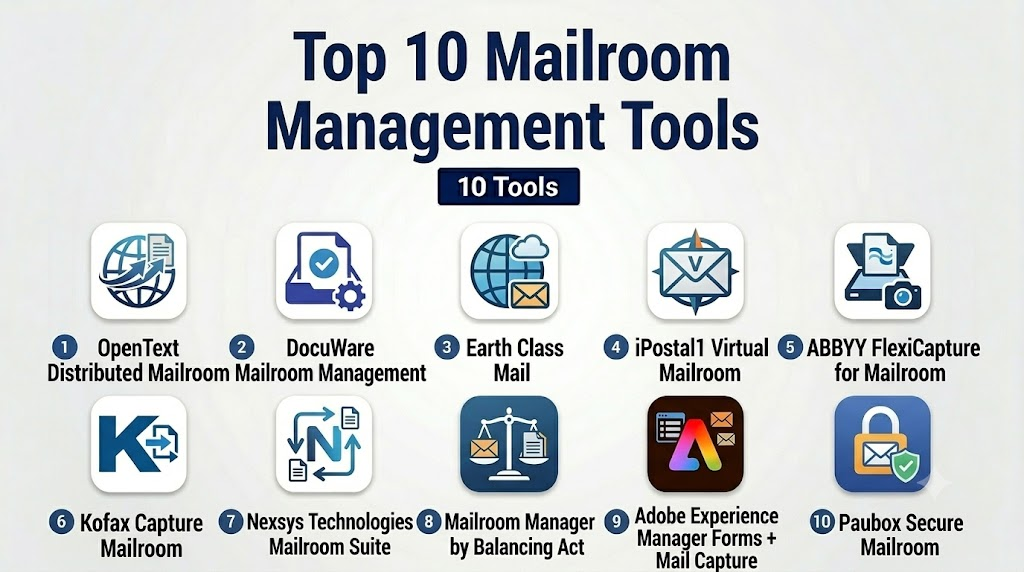
Top 10 Mailroom Management Tools
1 — OpenText Distributed Mailroom
Short description: Enterprise‑grade mailroom automation platform for large organizations seeking high‑volume capture, classification, and integration with enterprise content systems.
Key Features
- High‑throughput mail and document scanning
- OCR with AI classification and metadata extraction
- Rules‑based routing and workflow automation
- Integration with enterprise content management (ECM) and ERPs
- Audit trails and compliance reporting
- Centralized dashboard for mail tracking
Pros
- Powerful automation and classification
- Seamless integration with enterprise systems
Cons
- Requires expert setup and configuration
- May be overkill for SMB or low‑volume mailrooms
Platforms / Deployment
- Web / Cloud / Hybrid
Security & Compliance
- Enterprise security controls
- Role‑based access and audit logging
- Compliance reporting (varies by implementation)
Integrations & Ecosystem
Enterprise integration with content and business systems:
- ECM platforms
- ERP and financial systems
- Identity and access management
- Workflow and RPA systems
Support & Community
- Enterprise support tiers
- Professional services for deployment
- Documentation and admin resources
2 — DocuWare Mailroom Management
Short description: Cloud‑enabled document capture and mailroom automation tool designed to streamline scanning, processing, and routing.
Key Features
- Intelligent capture with OCR
- Automated routing to folders/workflows
- Metadata tagging and search
- Centralized archive
- Alerts and notification workflows
Pros
- Intuitive user experience
- Good for hybrid digital/physical document lifecycles
Cons
- Some advanced automation requires configuration expertise
- Can be complex for smaller operations without IT support
Platforms / Deployment
- Web / Cloud / Hybrid
Security & Compliance
- Encryption at rest and in transit
- Access control with audit logging
- GDPR and data policies configurable
Integrations & Ecosystem
Connects to document and business systems:
- Document management repositories
- Email and workflow tools
- APIs for custom integrations
Support & Community
- Support plans with escalation
- Knowledge base and tutorials
3 — Earth Class Mail
Short description: Digital mailroom service that receives, scans, and digitizes postal mail, enabling remote access and workflow routing.
Key Features
- Mail receipt and scanning service
- Digital access via web/mobile
- Searchable PDFs
- Routing to teams or cloud storage
- Package capture records
- Forwarding options
Pros
- Fully managed physical mail pickup and scanning
- Easy remote access to mail documents
Cons
- Focuses on mail scanning—less workflow automation
- Cost scales with volume
Platforms / Deployment
- Web / iOS / Android / Cloud
Security & Compliance
- Encryption and secure login
- Audit logs
- Data retention controls
Integrations & Ecosystem
Connects with storage and office tools:
- Cloud storage systems
- Team collaboration platforms
Support & Community
- Customer support and onboarding
- User guides and help resources
4 — iPostal1 Virtual Mailroom
Short description: Virtual mailbox and mailroom platform that provides digital visibility and remote handling of postal mail and packages.
Key Features
- Digital mailbox with scans of envelopes and contents
- Package tracking and notifications
- Mail forwarding and recycling options
- Searchable archives
- User‑defined routing rules
Pros
- Simplifies remote mail access
- Usable across distributed teams
Cons
- Limited in‑depth workflow automation
- Basic compared to enterprise capture platforms
Platforms / Deployment
- Web / iOS / Android / Cloud
Security & Compliance
- Secure access with encryption
- User authentication
Integrations & Ecosystem
Integrations and exports:
- Cloud storage exports
- Email notifications
Support & Community
- Customer support
- Tutorials and user documentation
5 — ABBYY FlexiCapture for Mailroom
Short description: Intelligent capture engine that automates document classification and data extraction, ideal for mailroom scanning and processing.
Key Features
- AI‑guided document classification
- High‑accuracy OCR and data validation
- Integration with workflows and repositories
- Analytics on extraction performance
- Scalable processing
Pros
- Excellent AI capture and recognition
- Scales for high‑volume scanning
Cons
- Requires integration work to complete shop workflows
- Best with technical support
Platforms / Deployment
- Windows / Cloud / Hybrid
Security & Compliance
- Enterprise encryption and controls
- Audit and logging (varies by deployment)
Integrations & Ecosystem
Connects to enterprise systems:
- Content repositories
- Business applications
- APIs for extensibility
Support & Community
- Professional support
- Technical documentation
6 — Kofax Capture Mailroom
Short description: Mail and document capture platform that enables automated scanning, classification, and routing.
Key Features
- High‑speed scanning support
- Intelligent document recognition
- Rule‑based workflow routing
- Reporting and monitoring
- Integration with Kofax automation stack
Pros
- Robust capture and recognition
- Enterprise‑ready workflows
Cons
- Complexity in initial setup
- Licensing cost can be significant
Platforms / Deployment
- Windows / Cloud / Hybrid
Security & Compliance
- Enterprise role‑based access
- Logging and compliance reporting
Integrations & Ecosystem
Tight integrations with Kofax suite:
- RPA and workflow engines
- ERP and content systems
- APIs
Support & Community
- Enterprise support tiers
- Training and professional services
7 — Nexsys Technologies Mailroom Suite
Short description: End‑to‑end mailroom digitization platform with tracking, analytics, and workflow capabilities.
Key Features
- Mail scanning and indexing
- Package and parcel tracking
- Route optimization for internal delivery
- Dashboards and volume reporting
- Alerts and SLA tracking
Pros
- Combines mail and package insights
- Good reporting tools
Cons
- Not as widely adopted as larger enterprise tools
- Deployment resources required
Platforms / Deployment
- Web / Cloud / Hybrid
Security & Compliance
- Access controls
- Encryption
- Audit logs
Integrations & Ecosystem
Integrates with:
- ERP and ticketing systems
- Delivery routing tools
Support & Community
- Support plans
- Documentation
8 — Mailroom Manager by Balancing Act
Short description: Mail and package tracking solution aimed at mid‑market organizations with internal delivery workflows.
Key Features
- Central mail intake dashboard
- Automatic mail scanning capture
- Package tracking and distribution logs
- User notifications
- Reporting and SLA monitoring
Pros
- Focused on practical daily operations
- Easy mail and package audit
Cons
- Not as deep on AI capture as others
- Integration options moderate
Platforms / Deployment
- Web / Cloud
Security & Compliance
- Secure access controls
- Activity logs
Integrations & Ecosystem
Integrations include:
- Internal ticketing
- Notifications and email
Support & Community
- Support offerings
- User guides
9 — Adobe Experience Manager Forms + Mail Capture
Short description: Mailroom digitization as part of a broader experience and document management suite.
Key Features
- Intelligent form and document capture
- Workflow automation
- Integration with content cloud
- Searchable repositories
- Alerts and conditional routing
Pros
- Strong content platform integration
- Enterprise feature depth
Cons
- Part of a larger suite—can be costly
- Requires implementation expertise
Platforms / Deployment
- Web / Cloud
Security & Compliance
- Enterprise encryption and controls
- Role‑based access
Integrations & Ecosystem
Connects to:
- Enterprise content and analytics ecosystems
- Workflows and business systems
Support & Community
- Enterprise support
- Documentation and community forums
10 — Paubox Secure Mailroom
Short description: Secure mailroom solution focused on compliant handling of sensitive communications such as healthcare mail.
Key Features
- Encrypted mail capture and routing
- Compliance support (e.g., HIPAA)
- Secure recipient notifications
- Audit trails
- Archive and retention policies
Pros
- Strong security for regulated mail
- Built for sensitive environments like healthcare
Cons
- Narrower focus than broader capture systems
- May need complementary tools
Platforms / Deployment
- Web / Cloud
Security & Compliance
- Encryption
- Compliance focus (HIPAA readiness)
- Secure access controls
Integrations & Ecosystem
Integrates with:
- Healthcare systems
- Secure inboxes
- Audit and logs
Support & Community
- Support plans
- Compliance guidance
Comparison Table (Top 10)
| Tool Name | Best For | Platform(s) Supported | Deployment | Standout Feature | Public Rating |
|---|---|---|---|---|---|
| OpenText Distributed Mailroom | Large enterprise mailrooms | Web / Cloud / Hybrid | Hybrid | Enterprise workflow automation | N/A |
| DocuWare Mailroom Management | Hybrid document capture | Web / Cloud / Hybrid | Hybrid | Intelligent capture & routing | N/A |
| Earth Class Mail | Remote mail digitization | Web / iOS / Android / Cloud | Cloud | Managed scanning service | N/A |
| iPostal1 Virtual Mailroom | Distributed teams | Web / iOS / Android / Cloud | Cloud | Virtual mailbox & remote access | N/A |
| ABBYY FlexiCapture | High‑volume capture | Windows / Cloud / Hybrid | Hybrid | AI‑driven capture | N/A |
| Kofax Capture Mailroom | Enterprise document processes | Windows / Cloud / Hybrid | Hybrid | Deep capture with automation | N/A |
| Nexsys Mailroom Suite | Mail + package tracking | Web / Cloud / Hybrid | Hybrid | Tracking + internal delivery | N/A |
| Mailroom Manager (Balancing Act) | Mid‑market operations | Web / Cloud | Cloud | Practical mail/package workflows | N/A |
| Adobe Experience Manager Forms | Enterprise ECM + mail capture | Web / Cloud | Cloud | Content ecosystem integration | N/A |
| Paubox Secure Mailroom | Regulated industries | Web / Cloud | Cloud | Secure compliant mail routing | N/A |
Evaluation & Scoring of Mailroom Management Tools
| Tool Name | Core (25%) | Ease (15%) | Integrations (15%) | Security (10%) | Performance (10%) | Support (10%) | Value (15%) | Weighted Total |
|---|---|---|---|---|---|---|---|---|
| OpenText Distributed Mailroom | 9 | 7 | 9 | 9 | 9 | 8 | 7 | 8.6 |
| DocuWare Mailroom Management | 8 | 8 | 8 | 8 | 8 | 8 | 8 | 8.2 |
| Earth Class Mail | 7 | 9 | 6 | 8 | 8 | 7 | 7 | 7.7 |
| iPostal1 Virtual Mailroom | 7 | 9 | 6 | 7 | 7 | 7 | 8 | 7.6 |
| ABBYY FlexiCapture | 9 | 6 | 8 | 8 | 9 | 7 | 7 | 8.1 |
| Kofax Capture Mailroom | 9 | 6 | 8 | 8 | 9 | 7 | 7 | 8.1 |
| Nexsys Mailroom Suite | 7 | 7 | 7 | 8 | 8 | 7 | 7 | 7.4 |
| Mailroom Manager (Balancing Act) | 6 | 8 | 6 | 7 | 7 | 7 | 7 | 7.0 |
| Adobe Experience Manager Forms | 8 | 7 | 9 | 8 | 8 | 8 | 6 | 7.9 |
| Paubox Secure Mailroom | 6 | 7 | 5 | 9 | 7 | 7 | 7 | 7.2 |
Which Mailroom Management Tool Is Right for You?
Solo / Freelancer
- Earth Class Mail or iPostal1 Virtual Mailroom provide easy remote mail visibility without heavy infrastructure.
SMB
- DocuWare Mailroom Management or Mailroom Manager balance features and affordability for office mailrooms.
Mid‑Market
- ABBYY FlexiCapture or Adobe Experience Manager Forms provide scalable capture and integration with broader document ecosystems.
Enterprise
- OpenText Distributed Mailroom and Kofax Capture Mailroom deliver deep automation, compliance, and integration for global operations.
Budget vs Premium
- Budget: Earth Class Mail, iPostal1, Mailroom Manager
- Premium: OpenText, ABBYY FlexiCapture, Adobe Experience Manager Forms
Feature Depth vs Ease of Use
- Feature depth: OpenText, Kofax, ABBYY
- Ease of use: Earth Class Mail, iPostal1, DocuWare
Integrations & Scalability
- Best integrations: OpenText, Adobe Experience Manager
- Scalable AI capture: ABBYY, Kofax
Security & Compliance Needs
- Regulated environments: Paubox Secure Mailroom, OpenText
Frequently Asked Questions (FAQs)
What is a mailroom management tool?
A mailroom management tool helps organizations digitize, track, route, and manage incoming and outgoing mail and packages, replacing manual logs with automated workflows and real‑time visibility.
Why does mailroom automation matter?
Automation reduces manual work, accelerates delivery to recipients, ensures audit trails, improves compliance, and provides analytics on mail traffic and performance.
How does AI help mailroom processing?
AI enhances OCR accuracy, automatically classifies documents, extracts metadata, and reduces human intervention in sorting and routing.
Are mailroom tools secure?
Leading tools provide secure access controls, encryption, audit logging, and compliance configurability for data protection—important in regulated industries.
Can these tools integrate with my ERP?
Yes—many solutions offer native or API‑based integration with ERP, HR, document management, and workflow systems to connect mailroom workflows with business processes.
Do these tools handle packages as well as mail?
Modern solutions support package tracking, external carrier integration, and internal delivery routing, extending mailroom capabilities beyond letters and documents.
How do hybrid deployments work?
Hybrid deployments allow organizations to run capture components on‑premises (e.g., scanning) while leveraging cloud services for routing, storage, and user access.
What’s the difference between scanning services vs software?
Scanning services (like Earth Class Mail) physically receive and digitize mail on behalf of the organization, while software platforms enable in‑house mailrooms to process and manage mail.
How do I choose the right tool?
Start by evaluating mail volume, compliance needs, integration requirements, automation expectations, and budget. Then match tools whose strengths align with those criteria.
How long does implementation take?
Implementation timelines vary—from weeks for cloud‑based remote mailroom setups to months for enterprise automation with integrations and custom workflows.
Conclusion
Mailroom management tools have evolved far beyond basic tracking logs to become strategic enablers of visibility, compliance, and operational efficiency. organizations face growing mail and package volumes, hybrid workforces, and heightened expectations for speed and security. From fully managed digital mail services to deep enterprise automation suites, there is a solution for every scale and complexity. To get started, shortlist 2–3 tools based on your current and future needs, run small pilots to validate integrations and user experience, and ensure your choice supports compliance and performance expectations. Smart mailroom automation can reduce costs, eliminate bottlenecks, and deliver a modern experience for both mailroom staff and recipients.

Find Trusted Cardiac Hospitals
Compare heart hospitals by city and services — all in one place.
Explore Hospitals
Mailroom management tools are most valuable when they digitize the flow of incoming and outgoing correspondence from receipt to delivery. Features such as barcode tracking, automated routing, digital scanning, and real-time notifications help organizations improve efficiency, reduce misplaced mail, and enhance document accountability across departments.