Introduction
Meeting Room Booking Software helps companies, coworking spaces, schools, hotels, offices, and hybrid workplaces manage meeting rooms, conference rooms, desks, shared spaces, equipment, and room availability from one digital system. Instead of relying on manual calendars, emails, reception teams, or spreadsheets, these tools let employees and visitors book rooms, check availability, avoid double bookings, and manage space usage more efficiently. This category matters because workplaces are now more flexible, hybrid, and space-conscious. Teams need better visibility into which rooms are available, how often spaces are used, whether meetings actually happen, and how workplace resources can be optimized.
Real World Use Cases:
- Booking meeting rooms from web, mobile, or calendar apps
- Displaying room availability on tablet panels outside rooms
- Managing recurring meetings, cancellations, and no-shows
- Reserving equipment such as projectors, whiteboards, and video systems
- Tracking room usage and workplace occupancy analytics
- Supporting hybrid office and coworking space operations
Evaluation Criteria for Buyers:
- Calendar integration with Google Workspace and Microsoft 365
- Room display and kiosk support
- Mobile and web booking experience
- No-show detection and auto-release rules
- Desk, room, and space management flexibility
- Visitor and check-in workflow support
- Workplace analytics and utilization reports
- Hardware compatibility with tablets and sensors
- Admin controls, permissions, and policies
- Security, privacy, and enterprise readiness
Best for: Corporate offices, hybrid workplaces, coworking spaces, universities, training centers, hotels, enterprise campuses, and facilities teams that need better room visibility, space utilization, booking governance, and workplace experience.
Not ideal for: Very small teams with only one or two meeting rooms may not need dedicated software. A shared calendar may be enough until room conflicts, no-shows, space planning, visitor handling, or hybrid workplace complexity increases.
Key Trends in Meeting Room Booking Software
- Hybrid workplace support is now standard: Meeting room tools increasingly support flexible work patterns, desk booking, team scheduling, office attendance, and space planning.
- Room displays are becoming smarter: Tablet panels outside rooms now show live availability, upcoming meetings, check-in prompts, and quick booking options.
- No-show automation is reducing wasted space: Auto-release rules help free rooms when attendees do not check in, improving room availability for others.
- Workplace analytics are more important: Facilities and workplace teams want data on room utilization, peak usage, underused spaces, and meeting behavior.
- Calendar-first booking is expected: Employees prefer booking rooms directly from Google Calendar, Outlook, Microsoft Teams, or workplace apps.
- Sensor and occupancy data is growing: Some platforms connect with room sensors to confirm whether spaces are actually occupied.
- Visitor and reception workflows are merging: Meeting room booking is increasingly connected with visitor management, host notifications, access control, and front desk workflows.
- AI-assisted space optimization is emerging: AI may help recommend rooms, detect booking waste, suggest better space layouts, and forecast demand.
- Employee experience is a key priority: Modern systems focus on easy room search, amenities filtering, mobile booking, and frictionless meeting setup.
- Security and access control matter more: Larger companies evaluate SSO, SCIM, RBAC, audit logs, data privacy, and admin-level room policies.
How We Selected These Tools
The tools below were selected using practical workplace, facilities, and meeting room management evaluation logic:
- Market recognition among workplace teams, facilities managers, IT teams, coworking spaces, and enterprises
- Ability to manage meeting rooms, desks, shared spaces, equipment, and hybrid workplace workflows
- Strength of integrations with Microsoft 365, Google Workspace, Slack, Teams, and workplace systems
- Support for room displays, kiosks, tablets, sensors, and workplace hardware
- Ease of use for employees, admins, visitors, reception teams, and office managers
- No-show management, check-in rules, booking policies, and auto-release workflows
- Reporting depth for room usage, occupancy, utilization, and space planning
- Fit across SMBs, mid-market businesses, coworking spaces, and enterprise campuses
- Security and admin controls for larger organizations
- Practical value for companies optimizing office space and hybrid work
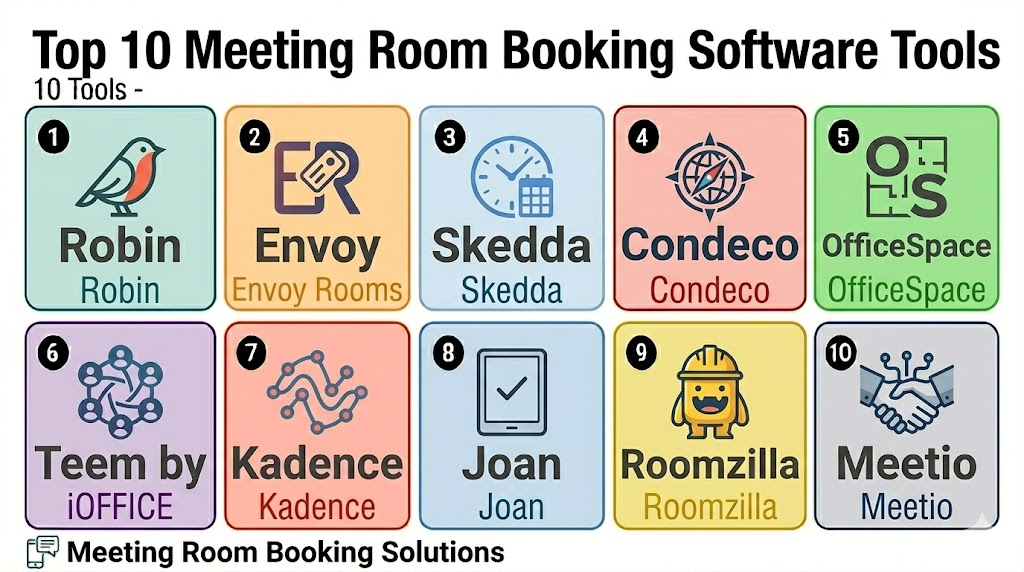
Top 10 Meeting Room Booking Software Tools
1- Robin
Short description: Robin is a workplace management platform that helps companies manage meeting rooms, desks, office maps, workplace analytics, and hybrid work schedules. It is useful for modern offices that want room booking connected with broader workplace experience.
Key Features
- Meeting room and desk booking
- Interactive office maps
- Room display and check-in support
- Hybrid work scheduling
- Workplace analytics and space utilization reports
- Calendar integrations
- Employee experience workflows
Pros
- Strong fit for hybrid workplaces and modern office teams
- Good user experience for room and desk booking
- Useful analytics for space planning and workplace decisions
Cons
- May be more than needed for very small offices
- Advanced workplace planning may require setup and adoption
- Hardware and integration needs should be validated before rollout
Platforms / Deployment
Web / iOS / Android
Cloud
Security & Compliance
Varies / N/A. Buyers should validate SSO, user permissions, data privacy, encryption, audit logs, and enterprise security requirements directly.
Integrations & Ecosystem
Robin works well when meeting room booking is part of a larger workplace experience strategy. It connects room booking, desk scheduling, office maps, and utilization data.
- Google Workspace
- Microsoft 365
- Slack and collaboration tools
- Room display hardware
- Workplace analytics workflows
- Visitor and office experience workflows
Support & Community
Robin provides onboarding, support resources, documentation, and workplace-focused guidance. Support depth may vary by plan and organization size.
2- Envoy Rooms
Short description: Envoy Rooms is part of Envoy’s workplace platform and helps teams manage meeting room booking, room displays, check-ins, and workplace scheduling. It is useful for companies already using Envoy for visitors, workplace access, and office operations.
Key Features
- Meeting room booking and room displays
- Calendar-based room scheduling
- Room check-in and no-show handling
- Workplace and visitor workflow alignment
- Mobile-friendly employee experience
- Admin rules and room policies
- Workplace utilization insights
Pros
- Strong fit for offices already using Envoy
- Useful connection between visitors, hosts, and meeting spaces
- Helps reduce abandoned room bookings and scheduling conflicts
Cons
- Best value is often tied to broader Envoy workplace usage
- May not be the cheapest option for room booking only
- Buyers should validate hardware and calendar integration needs
Platforms / Deployment
Web / iOS / Android
Cloud
Security & Compliance
Varies / N/A. Buyers should validate SSO, permissions, visitor data handling, encryption, audit logs, and compliance requirements directly.
Integrations & Ecosystem
Envoy Rooms fits businesses that want meeting room booking connected with workplace entry, visitors, and office experience.
- Google Workspace
- Microsoft 365
- Visitor management workflows
- Access and reception workflows
- Room display tablets
- Workplace analytics
Support & Community
Envoy provides product documentation, onboarding resources, and customer support options. Support scope may vary by plan and workplace deployment size.
3- Skedda
Short description: Skedda is a space booking platform used by offices, coworking spaces, universities, studios, community facilities, and shared spaces. It supports meeting rooms, desks, event spaces, booking rules, payments, user access, and space scheduling workflows.
Key Features
- Meeting room and space booking
- Desk booking and shared space management
- Custom booking rules and policies
- User roles and access controls
- Calendar and scheduling workflows
- Payment support for bookable spaces
- Space utilization and booking reports
Pros
- Flexible for many space types beyond meeting rooms
- Strong fit for coworking spaces, campuses, and shared facilities
- Useful booking rules for different user groups and spaces
Cons
- Corporate workplace features may require configuration
- Room display and hardware needs should be validated
- Very simple offices may not need its full flexibility
Platforms / Deployment
Web / Mobile access varies
Cloud
Security & Compliance
Varies / N/A. Buyers should confirm SSO, permissions, payment security, data privacy, and admin controls directly.
Integrations & Ecosystem
Skedda works well for organizations that need flexible booking rules across many spaces, not just standard office meeting rooms.
- Google Calendar and Microsoft calendar workflows
- Payment workflows
- Access control workflows where applicable
- User group permissions
- Space booking websites
- Reporting dashboards
Support & Community
Skedda provides documentation, onboarding resources, and support options. Support depth may vary by plan and organization type.
4- Condeco
Short description: Condeco is a workplace scheduling platform for enterprises that need meeting room booking, desk booking, workspace reservations, visitor coordination, and hybrid work planning. It is well suited for large organizations with complex office and facilities needs.
Key Features
- Meeting room booking and resource scheduling
- Desk booking and workspace management
- Room displays and check-in support
- Hybrid workplace scheduling
- Visitor and service coordination
- Workplace analytics and occupancy insights
- Enterprise administration and policy controls
Pros
- Strong fit for enterprise workplace management
- Useful for large offices and multi-location organizations
- Supports both meeting rooms and broader workspace scheduling
Cons
- May be too complex for small teams
- Implementation can require planning and change management
- Buyers should validate current integration and support requirements
Platforms / Deployment
Web / Mobile access varies
Cloud / Varies / N/A
Security & Compliance
Varies / N/A. Buyers should validate SSO, RBAC, data privacy, encryption, audit logs, and enterprise compliance requirements directly.
Integrations & Ecosystem
Condeco is useful for enterprises that need meeting room booking connected with desk booking, visitor workflows, services, and workplace analytics.
- Microsoft 365 and Outlook workflows
- Google Workspace where supported
- Workplace hardware
- Visitor management workflows
- Facilities service workflows
- Occupancy and utilization reporting
Support & Community
Condeco provides enterprise onboarding, implementation support, training resources, and customer support options. Support depth may vary by contract and deployment size.
5- OfficeSpace
Short description: OfficeSpace is a workplace management platform that supports space planning, desk booking, room booking, floor plans, move management, and workplace analytics. It is useful for facilities and workplace teams that need visibility into office space utilization.
Key Features
- Meeting room and desk booking
- Interactive floor plans
- Space planning and move management
- Workplace analytics and utilization reporting
- Employee wayfinding and space search
- Hybrid office support
- Admin controls for office policies
Pros
- Strong fit for facilities and workplace strategy teams
- Useful for space planning beyond room booking
- Good visibility into office utilization and floor layouts
Cons
- May be more than needed for simple room scheduling
- Setup depends on accurate floor plan and space data
- Buyers should validate hardware and calendar needs
Platforms / Deployment
Web / Mobile access varies
Cloud
Security & Compliance
Varies / N/A. Buyers should validate permissions, SSO, encryption, audit logs, data privacy, and access control requirements directly.
Integrations & Ecosystem
OfficeSpace is strongest when room booking is part of a broader office planning and workplace analytics strategy.
- Microsoft 365 and Google Workspace workflows
- HR and employee directory workflows
- Floor plan and space planning tools
- Desk booking workflows
- Workplace analytics systems
- Visitor and facilities workflows
Support & Community
OfficeSpace provides onboarding, customer success, documentation, and support resources for workplace and facilities teams. Support scope may vary by customer size.
6- Teem by iOFFICE
Short description: Teem by iOFFICE is a workplace experience platform that supports room booking, room displays, desk booking, visitor workflows, and workplace analytics. It is designed for companies that want to improve office scheduling and employee experience.
Key Features
- Meeting room booking and room displays
- Desk and space reservation support
- Calendar integrations
- Visitor and reception workflow support
- Workplace analytics and room utilization reports
- Check-in and no-show management
- Admin controls and room policies
Pros
- Good fit for companies managing hybrid office spaces
- Useful room display and scheduling features
- Helps facilities teams understand room usage
Cons
- May require hardware planning for room displays
- Advanced workplace workflows may need implementation support
- Buyers should validate current product packaging and integrations
Platforms / Deployment
Web / Mobile access varies
Cloud
Security & Compliance
Varies / N/A. Buyers should confirm SSO, user roles, data privacy, encryption, audit logs, and admin controls directly.
Integrations & Ecosystem
Teem works well for workplaces that want meeting room booking connected with broader facilities and employee experience workflows.
- Google Workspace
- Microsoft 365
- Room display hardware
- Visitor workflows
- Workplace analytics
- Facilities management workflows
Support & Community
Teem by iOFFICE offers support resources, onboarding, and workplace-focused implementation guidance. Support depth may vary by account and deployment size.
7- Kadence
Short description: Kadence is a hybrid workplace platform that helps teams manage desk booking, room booking, employee schedules, and workplace coordination. It is useful for companies that want people, spaces, and schedules connected in one workplace experience.
Key Features
- Meeting room and desk booking
- Hybrid work scheduling
- Team visibility and coordination
- Office maps and space availability
- Calendar and workplace integrations
- Workplace analytics
- Employee-focused booking experience
Pros
- Strong fit for hybrid work coordination
- Useful for teams deciding when to come into the office
- Connects people scheduling with room and desk booking
Cons
- May not be ideal for spaces that only need room booking
- Larger facility workflows should be validated before rollout
- Hardware display needs may require additional planning
Platforms / Deployment
Web / iOS / Android
Cloud
Security & Compliance
Varies / N/A. Buyers should validate permissions, SSO, privacy controls, encryption, audit logs, and workplace data handling directly.
Integrations & Ecosystem
Kadence fits organizations focused on hybrid work planning, office attendance, and employee coordination.
- Google Workspace
- Microsoft 365
- Slack and collaboration workflows
- Desk booking workflows
- Office maps
- Workplace analytics
Support & Community
Kadence provides onboarding, documentation, and support resources for hybrid workplace teams. Support availability may vary by plan and company size.
8- Joan
Short description: Joan provides meeting room booking displays and workplace scheduling tools, commonly used with room display devices and office booking workflows. It is useful for companies that want simple room visibility, easy booking, and display-first room management.
Key Features
- Meeting room display devices
- Room booking and availability visibility
- Calendar integration support
- Quick booking from room panels
- Desk and workplace booking options where applicable
- Energy-efficient display hardware options
- Room usage and scheduling insights
Pros
- Strong fit for room display and panel-based booking
- Simple visual room availability experience
- Useful for offices that want hardware plus software
Cons
- Broader workplace analytics may be lighter than enterprise platforms
- Hardware planning is important before deployment
- Buyers should validate device compatibility and calendar needs
Platforms / Deployment
Web / Room display hardware / Mobile access varies
Cloud
Security & Compliance
Varies / N/A. Buyers should confirm access controls, calendar data permissions, encryption, admin controls, and device security requirements directly.
Integrations & Ecosystem
Joan is useful when the main goal is clear room availability and simple booking through displays.
- Google Workspace
- Microsoft 365
- Room display devices
- Desk booking workflows where available
- Workplace scheduling workflows
- Room utilization reporting
Support & Community
Joan provides hardware and software support resources. Support scope may vary by device type, plan, and deployment size.
9- Roomzilla
Short description: Roomzilla is a meeting room booking platform designed for offices, coworking spaces, schools, and shared workspaces. It supports room scheduling, calendar views, display panels, user permissions, and workspace booking.
Key Features
- Meeting room booking and scheduling
- Room display support
- Calendar and availability views
- User permissions and booking rules
- Desk and space booking support where applicable
- Check-in and cancellation workflows
- Usage reporting
Pros
- Simple and practical for office room booking
- Good fit for small and mid-sized teams
- Useful for reducing double bookings and room confusion
Cons
- Enterprise workplace analytics may be limited
- Advanced integrations should be validated
- Large campuses may need deeper space management features
Platforms / Deployment
Web / Mobile access varies / Room display support
Cloud
Security & Compliance
Varies / N/A. Buyers should validate permissions, secure access, privacy controls, encryption, and admin settings directly.
Integrations & Ecosystem
Roomzilla fits teams that need a straightforward way to manage room availability and booking rules.
- Google Calendar
- Microsoft calendar workflows
- Room display panels
- Desk booking workflows
- User permission workflows
- Booking analytics
Support & Community
Roomzilla provides support resources and onboarding guidance. Support depth may vary by plan and organization size.
10- Meetio
Short description: Meetio provides meeting room booking software and room display solutions for offices and workplaces. It helps teams book rooms, check availability, manage room panels, and improve workplace scheduling.
Key Features
- Meeting room booking
- Room display and panel support
- Calendar integration
- Room availability visibility
- Quick booking and check-in workflows
- Usage insights and reporting
- Admin controls for room policies
Pros
- Strong fit for room display-based meeting management
- Useful for offices that want simple booking visibility
- Helps reduce meeting room conflicts and confusion
Cons
- May not offer the same broad workplace management depth as larger platforms
- Hardware and display setup should be planned carefully
- Buyers should validate integrations and long-term support needs
Platforms / Deployment
Web / Room display hardware / Mobile access varies
Cloud / Varies / N/A
Security & Compliance
Varies / N/A. Buyers should validate calendar permissions, user access, encryption, device security, and admin controls directly.
Integrations & Ecosystem
Meetio supports companies that need meeting room booking connected with calendar systems and room displays.
- Microsoft 365
- Google Workspace
- Room display devices
- Workplace scheduling workflows
- Check-in workflows
- Usage reporting
Support & Community
Meetio provides documentation, support resources, and deployment guidance for room booking and display workflows. Support scope may vary by product and region.
Comparison Table
| Tool Name | Best For | Platform Supported | Deployment | Standout Feature | Public Rating |
|---|---|---|---|---|---|
| Robin | Hybrid workplaces and modern office teams | Web, iOS, Android | Cloud | Room, desk, maps, and workplace analytics together | N/A |
| Envoy Rooms | Offices using visitor and workplace workflows | Web, iOS, Android | Cloud | Room booking connected with workplace experience | N/A |
| Skedda | Coworking spaces, campuses, and shared facilities | Web, mobile access varies | Cloud | Flexible space booking rules | N/A |
| Condeco | Enterprise workplace scheduling | Web, mobile access varies | Cloud / Varies | Enterprise room and desk booking governance | N/A |
| OfficeSpace | Facilities and space planning teams | Web, mobile access varies | Cloud | Space planning and workplace analytics | N/A |
| Teem by iOFFICE | Hybrid offices and facilities teams | Web, mobile access varies | Cloud | Room displays and workplace utilization insights | N/A |
| Kadence | Hybrid work scheduling and team coordination | Web, iOS, Android | Cloud | People, desks, rooms, and schedules connected | N/A |
| Joan | Display-first room booking | Web, room display hardware | Cloud | Simple room panels and visual availability | N/A |
| Roomzilla | Small and mid-sized office room booking | Web, display support | Cloud | Simple scheduling and room display workflows | N/A |
| Meetio | Offices needing room displays and booking | Web, room display hardware | Cloud / Varies | Meeting room panels and quick booking | N/A |
Evaluation & Scoring of Meeting Room Booking Software
| Tool Name | Core 25% | Ease 15% | Integrations 15% | Security 10% | Performance 10% | Support 10% | Value 15% | Weighted Total |
|---|---|---|---|---|---|---|---|---|
| Robin | 8.8 | 8.5 | 8.6 | 7.8 | 8.6 | 8.2 | 8.0 | 8.4 |
| Envoy Rooms | 8.5 | 8.4 | 8.4 | 7.9 | 8.5 | 8.2 | 7.8 | 8.3 |
| Skedda | 8.4 | 8.6 | 8.0 | 7.5 | 8.3 | 8.0 | 8.5 | 8.3 |
| Condeco | 9.0 | 7.6 | 8.5 | 8.1 | 8.7 | 8.3 | 7.3 | 8.3 |
| OfficeSpace | 8.6 | 8.0 | 8.2 | 7.8 | 8.5 | 8.2 | 7.7 | 8.2 |
| Teem by iOFFICE | 8.4 | 8.1 | 8.2 | 7.7 | 8.4 | 8.0 | 7.8 | 8.1 |
| Kadence | 8.3 | 8.5 | 8.1 | 7.6 | 8.2 | 7.9 | 8.0 | 8.1 |
| Joan | 8.0 | 8.6 | 7.8 | 7.3 | 8.1 | 7.8 | 8.1 | 8.0 |
| Roomzilla | 7.8 | 8.5 | 7.5 | 7.2 | 7.9 | 7.6 | 8.3 | 7.8 |
| Meetio | 7.9 | 8.3 | 7.6 | 7.3 | 8.0 | 7.7 | 8.0 | 7.9 |
Which Meeting Room Booking Software Tool Is Right for You?
Solo / Freelancer
Solo operators, small studios, consultants, and small shared offices should focus on simple booking, affordability, and easy setup. Roomzilla, Joan, Meetio, and Skedda can be practical starting points depending on whether the need is basic room scheduling or shared space booking.
If the space has only one room and no booking conflicts, a simple calendar may be enough.
SMB
Small and mid-sized companies need room booking, calendar integration, basic display panels, no-show controls, and simple admin rules. Robin, Envoy Rooms, Skedda, Kadence, Roomzilla, Joan, and Meetio can work well depending on office size and hybrid work needs.
SMBs should prioritize ease of use, calendar compatibility, and employee adoption.
Mid-Market
Mid-market companies often need room booking, desk booking, workplace analytics, visitor coordination, and hybrid scheduling. Robin, Envoy Rooms, OfficeSpace, Teem by iOFFICE, Kadence, and Skedda are strong candidates.
This segment should validate workplace analytics, admin controls, and multi-location support before rollout.
Enterprise
Enterprise organizations need scalability, policy controls, security, integrations, occupancy analytics, desk booking, visitor workflows, and global workplace governance. Condeco, OfficeSpace, Robin, Envoy Rooms, and Teem by iOFFICE are strong enterprise options.
Enterprise buyers should involve facilities, IT, HR, security, workplace experience, and office operations teams.
Budget vs Premium
Budget-conscious teams should evaluate Roomzilla, Joan, Meetio, and Skedda first. These tools can solve common meeting room conflicts without requiring full enterprise workplace management.
Premium buyers should consider Robin, Envoy Rooms, Condeco, OfficeSpace, and Teem by iOFFICE when analytics, hybrid work, and multi-location governance matter more.
Feature Depth vs Ease of Use
If ease of use matters most, Joan, Roomzilla, Meetio, Skedda, and Kadence are strong starting points. If feature depth matters more, Robin, Envoy Rooms, Condeco, OfficeSpace, and Teem by iOFFICE should be reviewed closely.
The best platform should make room booking easier, not add extra steps for employees.
Integrations & Scalability
Meeting room systems should integrate with Google Workspace, Microsoft 365, Outlook, Teams, Slack, room display devices, visitor systems, sensors, and workplace analytics tools. Robin, Envoy Rooms, Condeco, OfficeSpace, and Teem by iOFFICE are strong options for integration-focused buyers.
Companies with many rooms should test calendar sync, display panels, check-in rules, and reporting accuracy.
Security & Compliance Needs
Meeting room booking platforms may process employee names, meeting titles, visitor details, calendar data, office attendance, and space usage information. Buyers should review SSO, MFA, role permissions, encryption, audit logs, data retention, and privacy settings.
Enterprise teams should include IT and security review before connecting booking software to calendars, identity systems, and workplace data.
Frequently Asked Questions
1. What is Meeting Room Booking Software?
Meeting Room Booking Software helps teams reserve meeting rooms, conference rooms, desks, and shared spaces.
It shows room availability, prevents double bookings, and connects with calendar systems.
Many tools also support room displays, check-ins, no-show rules, and usage reports.
It is useful for offices, coworking spaces, campuses, and hybrid workplaces.
2. Who needs Meeting Room Booking Software?
Companies, coworking spaces, schools, training centers, hotels, and enterprise offices can use meeting room booking tools.
They are especially useful when multiple teams compete for rooms or meetings often get moved.
Hybrid workplaces also use them to manage rooms, desks, and office attendance.
Small teams with one room may only need a shared calendar.
3. How much does Meeting Room Booking Software cost?
Pricing varies by vendor, number of rooms, users, locations, displays, modules, and integrations.
Some tools charge by room or resource, while broader workplace platforms may use custom pricing.
Buyers should compare hardware costs, subscription fees, setup support, and admin features.
Total cost should be reviewed before rolling out across multiple offices.
4. Does Meeting Room Booking Software integrate with Outlook and Google Calendar?
Yes, many tools integrate with Microsoft 365, Outlook, Google Workspace, and Google Calendar.
This lets employees book rooms directly from the calendar tools they already use.
Integration quality is very important because poor sync can create booking conflicts.
Buyers should test calendar sync before deployment.
5. Can these tools prevent no-shows?
Many meeting room booking platforms include check-in and auto-release features.
If a meeting organizer does not check in, the room can be released for others.
Some tools also use display panels or sensors to confirm room usage.
This helps reduce wasted meeting space and improves room availability.
6. Which tool is best for small offices?
Roomzilla, Joan, Meetio, Skedda, and Kadence are practical options for many small offices.
They can help manage room availability without heavy enterprise complexity.
The best choice depends on calendar integration, display needs, and booking rules.
Small teams should prioritize simplicity and low setup effort.
7. Which tool is best for enterprise workplaces?
Condeco, OfficeSpace, Robin, Envoy Rooms, and Teem by iOFFICE are strong options for enterprise workplaces.
They support broader needs like desk booking, workplace analytics, visitor workflows, and multi-location management.
Enterprise buyers should validate security, integrations, reporting, and admin controls.
A pilot across a few rooms or floors is recommended before full rollout.
8. What are common mistakes when choosing meeting room booking software?
Common mistakes include ignoring calendar sync, skipping employee usability testing, and underestimating hardware needs.
Teams also forget to define room policies, check-in rules, and ownership for room data.
Another mistake is choosing a tool without useful usage reports.
A small pilot helps identify workflow issues before company-wide rollout.
9. Can Meeting Room Booking Software support desk booking too?
Many modern platforms support both meeting room booking and desk booking.
This is useful for hybrid workplaces where employees need to reserve desks, rooms, and collaboration spaces.
Some tools focus mainly on rooms, while others support full workplace management.
Buyers should confirm whether desk booking is included or requires an add-on.
10. What are alternatives to Meeting Room Booking Software?
Alternatives include shared calendars, spreadsheets, manual reception booking, or basic resource calendars.
These can work for very small teams with limited room demand.
As office size grows, manual booking often causes conflicts, no-shows, and poor visibility.
Dedicated software becomes more useful when rooms, desks, displays, and analytics matter.
Conclusion
Meeting Room Booking Software helps organizations make office spaces easier to find, book, manage, and optimize. The best platform depends on workplace size, hybrid work strategy, calendar ecosystem, hardware needs, analytics requirements, and security expectations. Robin, Envoy Rooms, Condeco, OfficeSpace, Teem by iOFFICE, and Kadence are strong options for companies that need broader workplace experience and hybrid office management. Skedda is flexible for coworking spaces, campuses, and shared facilities, while Joan, Roomzilla, and Meetio are practical choices for simpler room booking and display-led workflows. The smartest next step is to shortlist two or three tools, test them with real meeting rooms and calendars, validate check-in and no-show rules, review security settings, and run a pilot before expanding across the office.

Find Trusted Cardiac Hospitals
Compare heart hospitals by city and services — all in one place.
Explore Hospitals
Meeting room booking software is most valuable when it helps organizations efficiently manage conference rooms, shared spaces, and workplace scheduling through a centralized platform. By providing real-time room availability, online reservations, calendar integration, automated booking confirmations, meeting reminders, room search, resource management, visitor coordination, analytics, and mobile access, these platforms enable businesses to reduce scheduling conflicts, improve space utilization, enhance employee productivity, optimize workplace resources, and create a smoother meeting experience.