Introduction
Mind Mapping Tools are not just note-taking apps—they are thinking amplifiers. They transform scattered ideas into structured, visual frameworks that help you think faster, plan smarter, and execute with clarity. Instead of linear lists, mind maps mirror how the brain actually works—connecting ideas, expanding possibilities, and unlocking creativity.
In today’s high-speed, information-heavy environment, clarity is a competitive advantage. Whether you’re building a product roadmap, planning a strategy, or brainstorming your next big idea, mind mapping tools act as a visual control center for your thoughts. With AI-powered idea generation, real-time collaboration, and deep integrations, these tools are evolving into complete productivity ecosystems.
Common use cases include:
- Brainstorming ideas and creative thinking
- Structuring projects and workflows
- Strategic planning and decision-making
- Knowledge organization and note management
- Personal productivity and goal tracking
What buyers should evaluate:
- Speed of idea capture and usability
- AI-powered brainstorming capabilities
- Real-time collaboration features
- Template variety and customization
- Integration with productivity tools
- Performance with large maps
- Export and sharing flexibility
- Cross-platform support
- Security and access controls
- Pricing and scalability
Best for: Founders, product managers, students, consultants, marketers, and teams that rely on structured thinking and ideation.
Not ideal for: Users who only need simple text notes or basic documentation without visual structuring.
Key Trends in Mind Mapping Tools
- AI-generated mind maps from simple prompts and documents
- Real-time collaboration becoming standard for teams
- Integration with task management and productivity tools
- Cloud-first tools replacing traditional desktop-only apps
- Automation of idea structuring and categorization
- Mind maps evolving into full workflow management systems
- Cross-device experiences (desktop, tablet, mobile)
- Faster onboarding through smart templates and AI suggestions
- Increased use in business strategy, education, and product design
- Blending brainstorming with execution (tasks, timelines, tracking)
How We Selected These Tools (Methodology)
- Strong adoption across individuals and teams
- Feature completeness for brainstorming and planning
- Performance with complex and large mind maps
- Collaboration and real-time editing capabilities
- Integration with modern productivity ecosystems
- Security readiness for business use
- Balance between simplicity and advanced functionality
- Innovation in AI and automation features
- Strength of community and learning resources
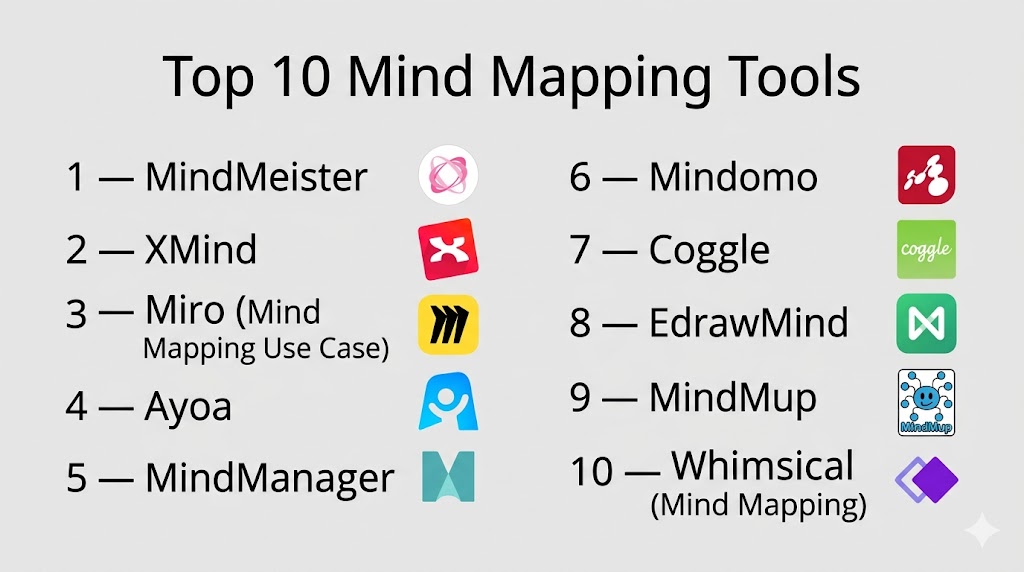
Top 10 Mind Mapping Tools
#1 — MindMeister
Short description: A leading cloud-based mind mapping platform built for collaborative brainstorming and structured thinking.
Key Features
- Real-time multi-user collaboration
- Cloud-based access from anywhere
- Pre-built templates and themes
- Task management integration
- Presentation mode
- Export to multiple formats
- Mobile accessibility
Pros
- Excellent for team collaboration
- Clean and intuitive interface
Cons
- Limited free plan
- Requires internet for full functionality
Platforms / Deployment
Web / iOS / Android
Security & Compliance
Not publicly stated
Integrations & Ecosystem
MindMeister connects well with productivity workflows.
- Task management tools
- Collaboration platforms
- Cloud storage systems
Support & Community
Large global community with strong documentation.
#2 — XMind
Short description: A powerful and visually polished tool designed for deep thinking, personal productivity, and structured ideation.
Key Features
- Multiple diagram structures (tree, org, fishbone)
- Zen mode for distraction-free work
- Focus mode for deep thinking
- Offline editing
- Export to multiple formats
- Presentation tools
- Cross-platform support
Pros
- Clean, distraction-free experience
- Strong performance
Cons
- Limited real-time collaboration
- Premium features behind paywall
Platforms / Deployment
Windows / macOS / Linux / iOS / Android
Security & Compliance
Not publicly stated
Integrations & Ecosystem
- File export workflows
- Local productivity setups
Support & Community
Strong individual user community.
#3 — Miro (Mind Mapping Use Case)
Short description: A flexible visual collaboration platform that turns mind mapping into a team-driven, real-time experience.
Key Features
- Infinite canvas workspace
- AI-powered mind map generation
- Real-time collaboration
- Sticky notes and clustering
- Templates for brainstorming
- Integration ecosystem
Pros
- Extremely flexible
- Perfect for team ideation
Cons
- Can feel overwhelming initially
- Internet dependency
Platforms / Deployment
Web / Windows / macOS / iOS / Android
Security & Compliance
Not publicly stated
Integrations & Ecosystem
- Jira
- Slack
- Google Drive
Support & Community
Highly active and widely adopted.
#4 — Ayoa
Short description: A hybrid platform combining mind mapping with task management and execution workflows.
Key Features
- Mind maps + task boards
- AI idea generation
- Real-time collaboration
- Workflow visualization
- Templates
- Progress tracking
Pros
- Combines thinking and execution
- Easy collaboration
Cons
- Limited advanced diagram features
- Paid plans required
Platforms / Deployment
Web / Windows / macOS / iOS / Android
Security & Compliance
Not publicly stated
Integrations & Ecosystem
- Productivity tools
- Workflow systems
Support & Community
Growing adoption across teams.
#5 — MindManager
Short description: An enterprise-grade tool built for structured planning, business workflows, and strategic thinking.
Key Features
- Advanced mind mapping
- Project planning tools
- Data visualization
- Templates for business use
- Integration with Office tools
- Workflow automation
Pros
- Powerful for enterprise use
- Strong integration capabilities
Cons
- Expensive
- Complex interface
Platforms / Deployment
Windows / macOS
Security & Compliance
Not publicly stated
Integrations & Ecosystem
- Microsoft Office
- Business productivity tools
Support & Community
Strong enterprise-level support.
#6 — Mindomo
Short description: A versatile tool that supports both online collaboration and offline mind mapping workflows.
Key Features
- Mind maps and concept maps
- Offline editing support
- Collaboration tools
- Templates
- Presentation mode
- Export options
Pros
- Flexible usage
- Cross-platform support
Cons
- UI feels slightly dated
- Limited free features
Platforms / Deployment
Web / Windows / macOS / Linux / iOS / Android
Security & Compliance
Not publicly stated
Integrations & Ecosystem
- Learning tools
- Cloud storage
Support & Community
Moderate community support.
#7 — Coggle
Short description: A lightweight and beginner-friendly tool for quick, intuitive mind mapping.
Key Features
- Real-time collaboration
- Version history
- Unlimited public diagrams
- Simple interface
- Export options
Pros
- Extremely easy to use
- Fast setup
Cons
- Limited advanced features
- Free plan restrictions
Platforms / Deployment
Web
Security & Compliance
Not publicly stated
Integrations & Ecosystem
- Google Drive
- Collaboration tools
Support & Community
Beginner-friendly ecosystem.
#8 — EdrawMind
Short description: A feature-rich platform offering AI-powered mind mapping and multiple diagram styles.
Key Features
- AI mind map generation
- Templates and styles
- Presentation mode
- Cross-platform support
- Export options
- Multiple diagram formats
Pros
- Versatile and powerful
- Feature-rich
Cons
- Complex interface
- Paid plans
Platforms / Deployment
Windows / macOS / Linux / Web
Security & Compliance
Not publicly stated
Integrations & Ecosystem
- Productivity tools
- Export workflows
Support & Community
Well-documented platform.
#9 — MindMup
Short description: A lightweight cloud-based tool designed for fast, distraction-free idea capture.
Key Features
- Cloud storage
- Version history
- Keyboard shortcuts
- Easy sharing
- Minimal interface
Pros
- Fast and lightweight
- Simple to use
Cons
- Limited advanced features
- Basic UI
Platforms / Deployment
Web
Security & Compliance
Not publicly stated
Integrations & Ecosystem
- Google Drive
- Office tools
Support & Community
Basic support resources.
#10 — Whimsical (Mind Mapping)
Short description: A modern tool combining mind mapping with visual collaboration and clean user experience.
Key Features
- AI-assisted mind maps
- Real-time collaboration
- Clean and intuitive UI
- Templates
- Fast performance
Pros
- Extremely intuitive
- Great for teams
Cons
- Limited advanced features
- Cloud-only
Platforms / Deployment
Web
Security & Compliance
Not publicly stated
Integrations & Ecosystem
- Collaboration tools
- Cloud workflows
Support & Community
Growing user base.
Comparison Table (Top 10)
| Tool Name | Best For | Platform(s) Supported | Deployment | Standout Feature | Public Rating |
|---|---|---|---|---|---|
| MindMeister | Teams | Web, Mobile | Cloud | Collaboration | N/A |
| XMind | Individuals | Cross-platform | Local | Focus mode | N/A |
| Miro | Teams | Multi-platform | Cloud | Infinite canvas | N/A |
| Ayoa | Productivity | Multi-platform | Cloud | Task integration | N/A |
| MindManager | Enterprise | Desktop | Local | Business workflows | N/A |
| Mindomo | Flexibility | Cross-platform | Hybrid | Offline support | N/A |
| Coggle | Beginners | Web | Cloud | Simplicity | N/A |
| EdrawMind | AI users | Cross-platform | Hybrid | AI tools | N/A |
| MindMup | Lightweight | Web | Cloud | Speed | N/A |
| Whimsical | Modern teams | Web | Cloud | Clean UX | N/A |
Evaluation & Scoring of Mind Mapping Tools
| Tool Name | Core | Ease | Integrations | Security | Performance | Support | Value | Weighted Total |
|---|---|---|---|---|---|---|---|---|
| MindMeister | 9 | 9 | 8 | 7 | 8 | 8 | 8 | 8.4 |
| XMind | 9 | 9 | 6 | 7 | 9 | 7 | 9 | 8.3 |
| Miro | 8 | 9 | 9 | 7 | 8 | 8 | 8 | 8.3 |
| Ayoa | 8 | 8 | 7 | 7 | 8 | 7 | 8 | 7.8 |
| MindManager | 10 | 7 | 9 | 8 | 9 | 9 | 6 | 8.6 |
| Mindomo | 8 | 8 | 7 | 7 | 8 | 7 | 8 | 7.9 |
| Coggle | 7 | 10 | 6 | 7 | 7 | 7 | 9 | 8.0 |
| EdrawMind | 9 | 7 | 7 | 7 | 8 | 7 | 7 | 7.8 |
| MindMup | 7 | 9 | 6 | 7 | 7 | 6 | 9 | 7.7 |
| Whimsical | 7 | 10 | 7 | 7 | 8 | 7 | 8 | 8.0 |
How to interpret scores:
These scores highlight relative strengths—not absolute winners. A higher score means stronger performance across key areas, but the right choice depends on your workflow. Always choose based on how well a tool fits your thinking style and collaboration needs.
Which Mind Mapping Tool Is Right for You?
Solo / Freelancer
XMind and Coggle are perfect for fast, distraction-free thinking.
SMB
MindMeister and Whimsical offer strong collaboration and ease of use.
Mid-Market
Miro and Ayoa balance ideation with execution workflows.
Enterprise
MindManager and Miro provide scalability and integration depth.
Budget vs Premium
Coggle and MindMup offer strong free value, while MindManager delivers enterprise power.
Feature Depth vs Ease of Use
MindManager offers depth; Coggle and Whimsical offer simplicity.
Integrations & Scalability
Miro and MindMeister lead in integrations.
Security & Compliance Needs
Enterprises should validate vendor security controls before adoption.
Frequently Asked Questions (FAQs)
1. What are mind mapping tools?
They are tools that visually organize ideas into structured, connected diagrams.
2. Why use mind mapping instead of notes?
Mind maps improve clarity, memory, and idea connections.
3. Are free tools enough?
Yes, many free tools are powerful for most use cases.
4. What is the best tool for teams?
MindMeister and Miro are excellent for collaboration.
5. Are AI features useful?
Yes, they accelerate brainstorming and idea structuring.
6. Can I collaborate in real time?
Yes, most modern tools support real-time collaboration.
7. Do these tools integrate with other apps?
Yes, many integrate with productivity tools.
8. Can I work offline?
Some tools support offline functionality.
9. Are these tools secure?
Security varies by provider.
10. How do I choose the right tool?
Choose based on your workflow, complexity, and team size.
Conclusion
Mind Mapping Tools are no longer optional—they are essential tools for clear thinking, faster planning, and smarter execution. They help individuals and teams move from scattered ideas to structured strategies with speed and confidence. Whether you’re brainstorming solo or aligning a large team, the right tool can completely transform how you think and work. From collaborative platforms like Miro and MindMeister to focused tools like XMind, each option brings unique strengths. The smartest move is simple: shortlist a few tools, test them with real ideas, and choose the one that makes your thinking sharper, faster, and more actionable.

Find Trusted Cardiac Hospitals
Compare heart hospitals by city and services — all in one place.
Explore Hospitals
This explains how mind mapping tools help organize ideas visually, making planning and thinking more clear.