Introduction
Org Chart & Directory Tools are software solutions designed to visualize organizational structures, manage employee directories, and streamline workforce navigation. These tools help HR and operations teams understand reporting hierarchies, team compositions, and individual roles across the company. They also provide a central repository for employee contact information, skills, and department assignments. these platforms are increasingly vital as organizations adopt hybrid and distributed work models. With employees working across locations and time zones, keeping an accurate, interactive org chart is essential for operational clarity, onboarding, and internal communication.
Real-world use cases include:
- Visualizing reporting structures and management hierarchies
- Simplifying onboarding by introducing new hires to teams
- Maintaining accurate employee directories with contact information
- Identifying skill gaps and planning internal mobility
- Facilitating cross-department collaboration
What buyers should evaluate:
- Ease of org chart creation and updates
- Real-time directory synchronization
- Integration with HRIS, payroll, and communication tools
- Search and filtering capabilities
- AI-powered insights for skills and role mapping
- Customization and branding options
- Security, privacy, and compliance features
- Scalability for large or global teams
- Employee self-service features
- Reporting and analytics capabilities
- Best for: HR leaders, operations managers, IT administrators, and organizations of all sizes needing clear workforce visualization and directory management.
- Not ideal for: Very small teams without complex hierarchies or companies that rely solely on manual spreadsheets.
Key Trends in Org Chart & Directory Tools
- AI-assisted auto-updating of org charts from HRIS and collaboration data
- Enhanced employee directories with skill, project, and role metadata
- Real-time integration with communication tools like Slack and Teams
- Interactive dashboards and search-driven navigation
- Cloud-first deployment with hybrid support for global organizations
- Predictive insights for succession planning and internal mobility
- Privacy-focused architecture for GDPR and regional compliance
- Mobile-friendly interfaces for remote workforce access
- Custom branding and embedded analytics for HR reporting
- Automated notifications for changes in reporting lines or teams
How We Selected These Tools (Methodology)
- Market adoption and mindshare among mid-market and enterprise organizations
- Feature completeness including visualization, directory management, and analytics
- Reliability and platform performance
- Security posture including SSO, MFA, and encryption
- Ecosystem and integration capabilities with HR, payroll, and communication tools
- Suitability across different organization sizes and structures
- Ease of deployment and administrative control
- Support quality and community engagement
- Customization and scalability of charts and directories
- AI and automation support in visualizations and directory updates
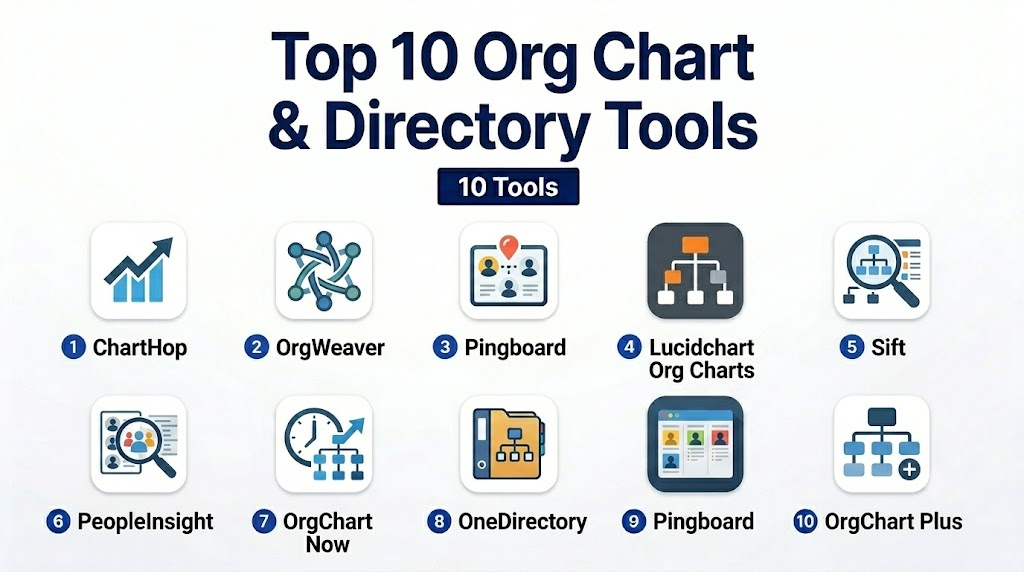
Top 10 Org Chart & Directory Tools
1- ChartHop
Short description:
ChartHop is an interactive org chart and people analytics platform for mid-market and enterprise organizations seeking visual workforce insights.
Key Features
- Real-time org charts with drag-and-drop updates
- Employee directory with skills and roles
- Integration with HRIS and payroll systems
- Analytics for headcount, diversity, and team composition
- Scenario modeling for workforce planning
- Search and filter for roles and skills
- Custom branding and dashboard views
Pros
- Strong visualization capabilities
- Easy to update and maintain
- Supports analytics and planning
Cons
- Higher complexity for smaller teams
- Cost scales with workforce size
Platforms / Deployment
- Web / Cloud
Security & Compliance
- SOC 2, GDPR
- SSO, RBAC, MFA
Integrations & Ecosystem
Supports HRIS and communication tools:
- Workday, BambooHR, ADP
- Slack, Microsoft Teams
- API-based integrations
Support & Community
Comprehensive onboarding, professional support, and active user community.
2- OrgWeaver
Short description:
OrgWeaver offers interactive organizational chart software designed to simplify workforce visualization and planning for HR teams.
Key Features
- Visual org chart editor
- Employee directory and role mapping
- Scenario planning for org restructuring
- Integration with HRIS
- Exportable charts and reports
- Searchable employee information
- Automated updates from connected systems
Pros
- Flexible visualization
- Scenario modeling for planning
- Supports HRIS integration
Cons
- Limited analytics compared to larger platforms
- Smaller user base
Platforms / Deployment
- Web / Cloud
Security & Compliance
- Not publicly stated
Integrations & Ecosystem
- HRIS systems via API
- Collaboration platforms
- Export options for reporting
Support & Community
Documentation and professional support available, community limited.
3- Pingboard
Short description:
Pingboard is an org chart and employee directory tool providing real-time updates and interactive workforce maps for small to mid-sized organizations.
Key Features
- Drag-and-drop org chart updates
- Employee profiles and directory
- Integration with HRIS and Slack
- Real-time updates across teams
- Team and skill search functionality
- Mobile app access
- Notifications for org changes
Pros
- User-friendly interface
- Easy integration with Slack and HR systems
- Mobile-friendly
Cons
- Limited advanced analytics
- May lack enterprise-scale features
Platforms / Deployment
- Web / iOS / Android / Cloud
Security & Compliance
- Not publicly stated
Integrations & Ecosystem
- HRIS tools like BambooHR
- Slack integration
- API access for custom workflows
Support & Community
Support via email and documentation, active online user base.
4- Lucidchart Org Charts
Short description:
Lucidchart provides diagramming software with robust org chart capabilities, enabling HR teams to visualize company structures and directories.
Key Features
- Drag-and-drop org chart creation
- Prebuilt templates and diagrams
- Real-time collaboration
- Integration with Google Workspace, Slack, and Teams
- Export to multiple formats
- Searchable employee directory
- Version control and audit trail
Pros
- Excellent diagramming and visualization
- Collaborative editing
- Template library
Cons
- Primarily a diagramming tool, less HR-focused
- Limited analytics capabilities
Platforms / Deployment
- Web / Cloud / Windows / macOS
Security & Compliance
- SOC 2
- SSO support
Integrations & Ecosystem
- Google Workspace, Microsoft Teams, Slack
- APIs for automation
- File export for HR reporting
Support & Community
Robust documentation and community forums.
5- Sift
Short description:
Sift combines org charting with people analytics and directory management, ideal for mid-sized companies seeking workforce insights.
Key Features
- Interactive org charts
- Employee directory with roles, skills, and teams
- Integration with HRIS and communication platforms
- Analytics dashboards for headcount and diversity
- Searchable employee database
- Scenario modeling for workforce planning
- Exportable reports
Pros
- Integrates visualization with analytics
- Real-time updates
- Supports planning and scenario modeling
Cons
- Smaller market presence
- Premium pricing for full features
Platforms / Deployment
- Web / Cloud
Security & Compliance
- Not publicly stated
Integrations & Ecosystem
- Workday, BambooHR
- Slack, Teams
- API support
Support & Community
Professional onboarding and support, limited community size.
6- PeopleInsight
Short description:
PeopleInsight provides workforce visualization, org chart, and directory management to support HR decisions and operational clarity.
Key Features
- Org charts with reporting structures
- Employee profiles with skills and contact info
- Integration with HRIS
- Diversity and team analytics
- Searchable employee directory
- Scenario planning for org changes
- Exportable charts
Pros
- Visual clarity of workforce structure
- Searchable and filterable directory
- Supports HR analytics
Cons
- Less advanced AI capabilities
- Limited enterprise-scale adoption
Platforms / Deployment
- Web / Cloud
Security & Compliance
- Not publicly stated
Integrations & Ecosystem
- HRIS systems
- Collaboration tools
- API access
Support & Community
Documentation and professional support.
7- OrgChart Now
Short description:
OrgChart Now enables companies to create and maintain dynamic org charts with detailed employee directories for streamlined HR operations.
Key Features
- Drag-and-drop org chart editor
- Employee profiles and reporting lines
- Integration with HRIS
- Export charts and reports
- Real-time updates
- Customizable layouts
- Scenario planning
Pros
- Easy-to-use interface
- Supports HR operations and planning
- Flexible export options
Cons
- Limited analytics
- Smaller integration ecosystem
Platforms / Deployment
- Web / Cloud / Windows
Security & Compliance
- Not publicly stated
Integrations & Ecosystem
- HRIS tools
- Collaboration software
- Export APIs
Support & Community
Professional onboarding and email support.
8- OneDirectory
Short description:
OneDirectory provides a centralized employee directory with org chart capabilities and workforce mapping for mid-sized teams.
Key Features
- Employee profiles and contact info
- Interactive org charts
- Search and filter by role, skills, or team
- Integration with HRIS and Slack
- Customizable dashboards
- Mobile access
- Exportable reports
Pros
- Centralized directory
- Mobile and desktop access
- Easy integration with communication tools
Cons
- Less analytics-focused
- Smaller market presence
Platforms / Deployment
- Web / Cloud / iOS / Android
Security & Compliance
- Not publicly stated
Integrations & Ecosystem
- HRIS systems
- Slack, Teams
- API for custom integration
Support & Community
Documentation and email support.
9- Pingboard
Short description:
Pingboard is an employee directory and org chart platform for real-time updates, team visualization, and easy access to workforce information.
Key Features
- Real-time org charts
- Employee profiles with skills and roles
- Integration with HRIS and communication tools
- Notifications for org changes
- Searchable directory
- Mobile-friendly interface
- Exportable charts
Pros
- Simple, interactive org chart
- Real-time updates
- Mobile access
Cons
- Limited advanced analytics
- Enterprise features require higher plans
Platforms / Deployment
- Web / iOS / Android / Cloud
Security & Compliance
- Not publicly stated
Integrations & Ecosystem
- HRIS systems
- Slack, Teams
- API support
Support & Community
Email support and documentation resources.
10- OrgChart Plus
Short description:
OrgChart Plus offers dynamic org chart creation and directory management with reporting insights and workflow integration.
Key Features
- Interactive org charts
- Employee directory and search
- Integration with HRIS
- Export and print options
- Scenario planning
- Team analytics
- Real-time updates
Pros
- Easy visualization and navigation
- Supports HR operational needs
- Flexible exports
Cons
- Smaller user base
- Limited advanced AI features
Platforms / Deployment
- Web / Cloud
Security & Compliance
- Not publicly stated
Integrations & Ecosystem
- HRIS and payroll
- Collaboration tools
- API support
Support & Community
Documentation and email support.
Comparison Table (Top 10)
| Tool Name | Best For | Platform(s) Supported | Deployment | Standout Feature | Public Rating |
|---|---|---|---|---|---|
| ChartHop | Enterprise org visualization | Web | Cloud | Real-time dashboards | N/A |
| OrgWeaver | Workforce planning | Web | Cloud | Scenario modeling | N/A |
| Pingboard | Employee directory & org chart | Web / iOS / Android | Cloud | Real-time updates | N/A |
| Lucidchart Org Charts | Visual diagrams | Web / Cloud / Windows / macOS | Cloud | Collaborative editing | N/A |
| Sift | Org chart + analytics | Web | Cloud | Analytics dashboards | N/A |
| PeopleInsight | Org visualization & directory | Web | Cloud | Workforce clarity | N/A |
| OrgChart Now | HR operations | Web / Cloud / Windows | Cloud | Flexible exports | N/A |
| OneDirectory | Directory centralization | Web / Cloud / iOS / Android | Cloud | Central employee info | N/A |
| Pingboard | Interactive org & profiles | Web / iOS / Android | Cloud | Employee search & updates | N/A |
| OrgChart Plus | Org & directory management | Web | Cloud | Dynamic charts | N/A |
Evaluation & Scoring of Org Chart & Directory Tools
| Tool Name | Core (25%) | Ease (15%) | Integrations (15%) | Security (10%) | Performance (10%) | Support (10%) | Value (15%) | Weighted Total |
|---|---|---|---|---|---|---|---|---|
| ChartHop | 10 | 8 | 9 | 9 | 9 | 9 | 8 | 8.8 |
| OrgWeaver | 8 | 8 | 8 | 8 | 8 | 8 | 8 | 8.0 |
| Pingboard | 9 | 9 | 8 | 8 | 9 | 8 | 8 | 8.3 |
| Lucidchart | 8 | 9 | 8 | 8 | 8 | 9 | 8 | 8.1 |
| Sift | 8 | 8 | 8 | 8 | 8 | 8 | 8 | 8.0 |
| PeopleInsight | 8 | 8 | 8 | 8 | 8 | 8 | 8 | 8.0 |
| OrgChart Now | 8 | 8 | 7 | 8 | 8 | 8 | 8 | 7.9 |
| OneDirectory | 8 | 9 | 7 | 8 | 8 | 8 | 8 | 8.0 |
| Pingboard | 9 | 9 | 8 | 8 | 9 | 8 | 8 | 8.3 |
| OrgChart Plus | 8 | 8 | 7 | 8 | 8 | 8 | 8 | 7.9 |
Which Org Chart & Directory Tool Is Right for You?
Solo / Freelancer
- Lucidchart, OneDirectory
- Simple diagramming and directory access
SMB
- Pingboard, OrgChart Now, OneDirectory
- Balanced visualization with directory management
Mid-Market
- ChartHop, Sift, PeopleInsight
- Advanced org visualization and analytics
Enterprise
- ChartHop, OrgWeaver, Pingboard
- Full-scale dashboards and real-time updates
Budget vs Premium
- Budget: OneDirectory, OrgChart Now
- Premium: ChartHop, OrgWeaver
Feature Depth vs Ease of Use
- Depth: ChartHop, OrgWeaver
- Ease: Pingboard, Lucidchart
Integrations & Scalability
- Enterprise: ChartHop, OrgWeaver
- Mid-market: Sift, PeopleInsight
- Small teams: OneDirectory, Lucidchart
Security & Compliance Needs
- Enterprise: SOC 2, GDPR, SSO (ChartHop, OrgWeaver)
- Mid-market: Standard encryption and access control
Frequently Asked Questions (FAQs)
1- What are Org Chart & Directory Tools used for?
They visualize company structures, manage employee directories, and improve internal communication, HR planning, and onboarding processes.
2- How do these tools integrate with HR systems?
They typically integrate with HRIS, payroll, and collaboration tools through APIs or prebuilt connectors.
3- Are they suitable for small businesses?
Yes, tools like Lucidchart and OneDirectory provide easy-to-use options for small teams.
4- What security features are standard?
Common features include encryption, SSO/SAML, MFA, and audit logging; enterprise tools often comply with SOC 2 and GDPR.
5- Can these tools support global teams?
Yes, enterprise-grade tools like ChartHop and Pingboard handle multi-region deployments and support multiple languages.
6- How long does implementation take?
Small teams can implement within days; enterprise setups may take weeks for integration and customization.
7- Are org charts updated in real-time?
Many tools support automated or real-time updates from HRIS and directory data sources.
8- Can I export org charts and directories?
Yes, most platforms provide export to PDF, Excel, or image formats for reporting and presentations.
9- Do these tools support mobile access?
Yes, mobile apps or responsive web interfaces are standard for remote or distributed teams.
10- Can these tools help with succession planning?
Yes, visualizing roles, reporting lines, and skill gaps enables effective succession planning and workforce optimization.
Conclusion
Org Chart & Directory Tools are crucial for visualizing and managing workforce structures, enabling better internal communication, employee onboarding, and HR planning, and choosing the right platform depends on organizational size, HR complexity, and integration requirements, with smaller teams benefiting from Lucidchart or OneDirectory, mid-market companies from Pingboard or Sift, and enterprises from ChartHop or OrgWeaver, and running a pilot with a few shortlisted tools ensures usability, security, and integration are validated, ultimately improving organizational clarity and operational efficiency.

Find Trusted Cardiac Hospitals
Compare heart hospitals by city and services — all in one place.
Explore Hospitals
Org chart and directory tools are most effective when they make it easy for employees to understand team structures, reporting relationships, and areas of expertise. By providing searchable profiles, real-time organizational updates, and directory integrations, these platforms improve collaboration, accelerate onboarding, and help employees connect with the right people more efficiently.