Introduction
Room scheduling displays are digital devices that show real-time availability, reservations, and usage of meeting rooms or shared spaces. They integrate with calendars and booking systems to prevent conflicts and maximize workspace utilization. hybrid work models and flexible office layouts make these tools essential for productivity and efficiency. Real-world use cases include corporate office meetings, co-working spaces, educational institutions, healthcare facilities, and conference centers. Buyers should evaluate display clarity, integration with calendars, real-time updates, touch interaction, hardware reliability, analytics, security, deployment options, and scalability.
Real-World Use Cases
- Corporate Office Meetings: Optimize scheduling across multiple meeting rooms and reduce conflicts.
- Co-Working Spaces: Allow flexible booking for shared rooms and desks, improving tenant experience.
- Educational Institutions: Manage classrooms, labs, and conference halls efficiently for staff and students.
- Healthcare Facilities: Schedule operating rooms, consultation rooms, and training spaces in real-time.
- Conference Centers: Manage event rooms and auditoriums with real-time visibility and check-ins.
- Hybrid Workspaces: Support hot-desking, shared spaces, and remote booking for hybrid teams.
- Executive Boards: Ensure secure, reliable booking for boardrooms and VIP meeting areas.
- Project Collaboration Rooms: Track room usage, occupancy, and facilitate team collaboration effectively.
Evaluation Criteria for Buyers
- Display Clarity & Usability: Easy-to-read room status and intuitive booking interface.
- Calendar Integration: Seamless compatibility with Google Workspace, Microsoft 365, Outlook, or internal scheduling systems.
- Real-Time Updates: Accurate availability and automatic refresh to prevent double-bookings.
- Hardware Reliability: Durable screens, long battery life, and offline backup options.
- Analytics & Reporting: Insights into room usage, peak occupancy, and resource optimization.
- Security & Compliance: Access controls, SSO, encryption, and adherence to internal policies.
- Ease of Deployment & Management: Simple setup, remote monitoring, and low-maintenance operation.
- Scalability & Flexibility: Support for multiple locations, room types, and hybrid work models.
Best for: Facility managers, IT teams, HR, corporate offices, and co-working spaces aiming to optimize room utilization.
Not ideal for: Small offices with minimal room booking needs or locations where manual scheduling suffices.
Key Trends in Room Scheduling Displays
- AI-powered scheduling recommendations for meeting optimization
- Integration with Outlook, Google Workspace, and Microsoft Teams
- Touchscreen and gesture-based interactions for user-friendly booking
- Energy-efficient and battery-backed hardware for sustainability
- Cloud-based management dashboards for centralized control
- Enhanced analytics on room usage, occupancy, and peak hours
- Mobile and desktop app synchronization
- Voice command capabilities and AI assistant integration
- Support for hot-desking and flexible workspace environments
- Advanced security with SSO, encryption, and access control
How We Selected These Tools
- Market adoption and reputation among enterprises and co-working spaces
- Feature completeness: real-time updates, booking, notifications, analytics
- Hardware and software reliability signals
- Security and compliance posture, including encryption and SSO
- Integration capabilities with calendars and facility management systems
- Flexibility for different room sizes and types
- Ease of deployment and device management
- Customer satisfaction and support quality
- Scalability for large organizations
- Innovation and AI-assisted functionality
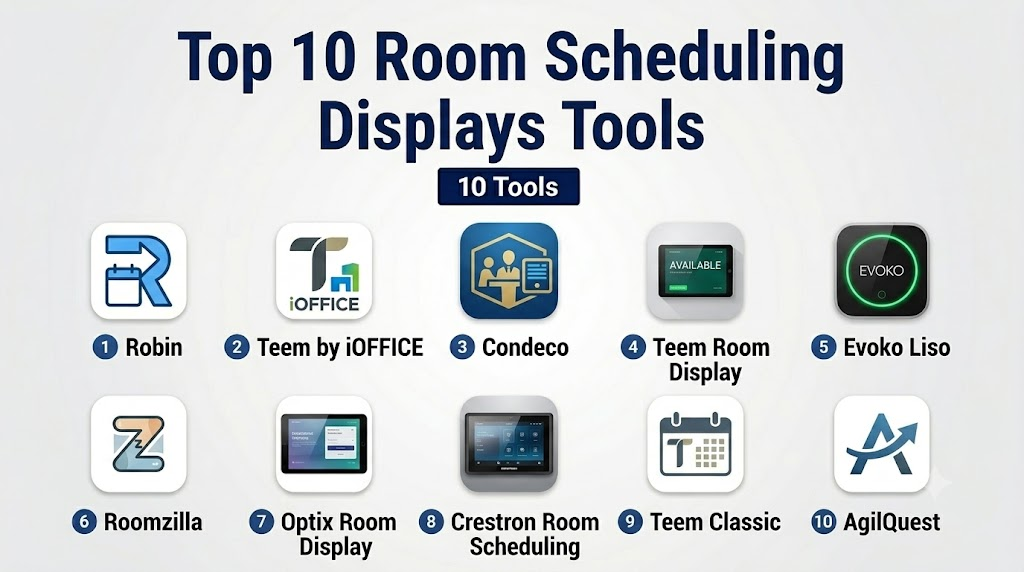
Top 10 Room Scheduling Displays Tools
1- Robin
Short description: Robin provides interactive room displays with real-time availability, booking, and analytics for enterprise offices and co-working spaces.
Key Features
- Real-time room availability
- Touchscreen booking
- Calendar integration
- Usage analytics and reporting
- Mobile app synchronization
- Hot-desking support
Pros
- Intuitive and easy to deploy
- Detailed usage analytics
- Strong integration ecosystem
Cons
- Higher cost for premium displays
- Limited offline capabilities
Platforms / Deployment
Web / iOS / Android
Cloud
Security & Compliance
Not publicly stated
Integrations & Ecosystem
- Google Workspace
- Microsoft 365
- Outlook
- Slack
- API access for custom workflows
Support & Community
Documentation, onboarding guides, responsive support, and active user community.
2- Teem by iOFFICE
Short description: Teem offers room scheduling displays with real-time booking and workplace analytics for enterprises and campuses.
Key Features
- Interactive room panels
- Calendar and booking integration
- Room analytics and utilization reports
- Notification and alert system
- Mobile app for reservations
Pros
- Comprehensive analytics suite
- Supports multiple display sizes
- Suitable for large organizations
Cons
- Higher learning curve for admins
- Some features require additional licensing
Platforms / Deployment
Web / iOS / Android
Cloud
Security & Compliance
Not publicly stated
Integrations & Ecosystem
- Microsoft 365
- Google Workspace
- Outlook
- Slack
Support & Community
Professional support, knowledge base, and training resources.
3- Condeco
Short description: Condeco provides enterprise-grade room scheduling displays, combining booking management with analytics and resource planning.
Key Features
- Touchscreen room panels
- Interactive booking management
- Calendar synchronization
- Analytics and reporting dashboard
- Mobile and desktop access
Pros
- Enterprise-ready with scalable deployment
- Supports global offices
- Advanced analytics for space optimization
Cons
- Costly for small offices
- Complex setup process
Platforms / Deployment
Web / iOS / Android
Cloud / Hybrid
Security & Compliance
Not publicly stated
Integrations & Ecosystem
- Microsoft 365
- Outlook
- Exchange
- Custom API integrations
Support & Community
Documentation, onboarding, and 24/7 enterprise support.
4- Teem Room Display
Short description: Teem Room Display focuses on simple, interactive panels for booking and visualizing room availability.
Key Features
- Real-time availability display
- Touchscreen booking
- Calendar integration
- Notifications for upcoming meetings
- Mobile app access
Pros
- Easy to deploy
- User-friendly interface
- Flexible for different room types
Cons
- Limited advanced analytics
- Requires cloud connection
Platforms / Deployment
Web / iOS / Android
Cloud
Security & Compliance
Not publicly stated
Integrations & Ecosystem
- Google Workspace
- Microsoft 365
- Slack
Support & Community
Knowledge base, onboarding guides, and responsive support.
5- Evoko Liso
Short description: Evoko Liso provides elegant touchscreen room scheduling displays with focus on design and ease of use in corporate offices.
Key Features
- Color-coded availability
- Touchscreen reservations
- Calendar integration
- Meeting notifications
- Easy-to-read display
Pros
- Stylish design for executive spaces
- Simple to use and deploy
- Quick overview of room availability
Cons
- Limited analytics capabilities
- Premium hardware cost
Platforms / Deployment
Web / Windows
Cloud
Security & Compliance
Not publicly stated
Integrations & Ecosystem
- Microsoft 365
- Exchange
- Google Workspace
Support & Community
Documentation and vendor support.
6- Roomzilla
Short description: Roomzilla offers digital room scheduling displays and management tools for meeting and shared workspaces.
Key Features
- Interactive room panels
- Real-time booking
- Calendar synchronization
- Usage analytics
- Mobile reservations
Pros
- Affordable for SMBs
- Cloud-based management
- Supports multiple device types
Cons
- Less suited for large enterprises
- Limited offline support
Platforms / Deployment
Web / iOS / Android
Cloud
Security & Compliance
Not publicly stated
Integrations & Ecosystem
- Google Workspace
- Microsoft 365
- Outlook
Support & Community
Documentation and responsive customer support.
7- Optix Room Display
Short description: Optix provides room scheduling displays integrated with workplace management dashboards.
Key Features
- Touchscreen booking
- Calendar integration
- Notifications for upcoming meetings
- Analytics for room usage
- Mobile app support
Pros
- User-friendly
- Works with flexible office environments
- Supports desk and room scheduling
Cons
- Analytics features basic
- Requires cloud connection
Platforms / Deployment
Web / iOS / Android
Cloud
Security & Compliance
Not publicly stated
Integrations & Ecosystem
- Google Workspace
- Microsoft 365
- Outlook
Support & Community
Knowledge base and support team.
8- Crestron Room Scheduling
Short description: Crestron offers hardware-based scheduling displays with full integration for corporate meeting rooms.
Key Features
- Large touchscreen displays
- Real-time booking
- Calendar sync
- Enterprise-grade reliability
- Notifications and alerts
Pros
- Reliable enterprise hardware
- Wide integration options
- Supports complex room setups
Cons
- Hardware cost is high
- Requires professional installation
Platforms / Deployment
Web / iOS / Android
Cloud / On-premise
Security & Compliance
Not publicly stated
Integrations & Ecosystem
- Microsoft 365
- Google Workspace
- Exchange
Support & Community
Enterprise support and vendor training.
9- Teem by iOFFICE Classic
Short description: Teem Classic provides basic scheduling displays suitable for SMBs and mid-size office environments.
Key Features
- Real-time availability
- Touchscreen booking
- Calendar sync
- Usage notifications
- Mobile app access
Pros
- Affordable
- Easy deployment
- Simple interface
Cons
- Limited analytics
- Fewer integration options
Platforms / Deployment
Web / iOS / Android
Cloud
Security & Compliance
Not publicly stated
Integrations & Ecosystem
- Google Workspace
- Microsoft 365
Support & Community
Support and documentation available.
10- AgilQuest Room Display
Short description: AgilQuest provides smart scheduling displays for enterprise meeting rooms with analytics and mobile integration.
Key Features
- Interactive display panels
- Calendar and booking integration
- Usage reporting
- Notifications and reminders
- Mobile app access
Pros
- Enterprise-ready
- Supports complex scheduling scenarios
- Mobile and desktop integration
Cons
- Higher cost
- Hardware installation may require IT resources
Platforms / Deployment
Web / iOS / Android
Cloud / Hybrid
Security & Compliance
Not publicly stated
Integrations & Ecosystem
- Microsoft 365
- Google Workspace
- Outlook
Support & Community
Professional support and onboarding resources.
Comparison Table (Top 10 Room Scheduling Displays)
| Tool Name | Best For | Platform(s) Supported | Deployment | Standout Feature | Public Rating |
|---|---|---|---|---|---|
| 1- Robin | Enterprise offices & co-working | Web / iOS / Android | Cloud | Real-time room availability | N/A |
| 2- Teem by iOFFICE | Large organizations & campuses | Web / iOS / Android | Cloud | Room analytics & reporting | N/A |
| 3- Condeco | Enterprise & global offices | Web / iOS / Android | Cloud / Hybrid | Advanced booking management | N/A |
| 4- Teem Room Display | Simple interactive panels | Web / iOS / Android | Cloud | User-friendly touchscreen | N/A |
| 5- Evoko Liso | Executive & corporate spaces | Web / Windows | Cloud | Elegant design & intuitive UI | N/A |
| 6- Roomzilla | SMB & flexible offices | Web / iOS / Android | Cloud | Affordable & cloud-managed | N/A |
| 7- Optix Room Display | Flexible offices & hybrid spaces | Web / iOS / Android | Cloud | Desk + room scheduling | N/A |
| 8- Crestron Room Scheduling | Enterprise meeting rooms | Web / iOS / Android | Cloud / On-premise | Hardware reliability & scale | N/A |
| 9- Teem Classic | SMB & mid-size offices | Web / iOS / Android | Cloud | Basic scheduling & notifications | N/A |
| 10- AgilQuest | Enterprise complex scheduling | Web / iOS / Android | Cloud / Hybrid | Analytics + mobile integration | N/A |
Evaluation & Scoring of Room Scheduling Displays
| Tool Name | Core (25%) | Ease (15%) | Integrations (15%) | Security (10%) | Performance (10%) | Support (10%) | Value (15%) | Weighted Total |
|---|---|---|---|---|---|---|---|---|
| 1- Robin | 9 | 9 | 9 | 8 | 9 | 8 | 8 | 8.85 |
| 2- Teem by iOFFICE | 8 | 8 | 8 | 8 | 8 | 8 | 8 | 8.0 |
| 3- Condeco | 9 | 7 | 9 | 8 | 9 | 8 | 7 | 8.35 |
| 4- Teem Room Display | 7 | 9 | 7 | 7 | 8 | 7 | 8 | 7.75 |
| 5- Evoko Liso | 7 | 9 | 6 | 7 | 8 | 7 | 7 | 7.35 |
| 6- Roomzilla | 7 | 8 | 7 | 7 | 8 | 7 | 8 | 7.5 |
| 7- Optix Room Display | 7 | 8 | 7 | 7 | 8 | 7 | 8 | 7.5 |
| 8- Crestron Room Scheduling | 9 | 7 | 9 | 8 | 9 | 8 | 7 | 8.35 |
| 9- Teem Classic | 6 | 8 | 6 | 7 | 7 | 7 | 7 | 7.0 |
| 10- AgilQuest | 8 | 8 | 8 | 8 | 8 | 8 | 8 | 8.0 |
Which Room Scheduling Display Tool Is Right for You?
Solo / Freelancer
For individual offices or small studios, simple displays like Teem Classic, Roomzilla, or Evoko Liso provide easy booking and real-time availability without complex setup.
SMB
Small and mid-size businesses benefit from Robin, Teem Room Display, or Optix, which balance affordability, intuitive touchscreens, and basic analytics for shared office spaces.
Mid-Market
Mid-market teams with multiple rooms or flexible layouts should consider AgilQuest, Roomzilla, or Teem by iOFFICE for centralized management, usage insights, and mobile synchronization.
Enterprise
Large organizations require Condeco, Crestron, or Robin for scalable deployments, global office support, advanced analytics, and secure, multi-location room management.
Budget vs Premium
Budget-conscious offices can rely on Teem Classic, Roomzilla, or Evoko Liso, while premium solutions like Condeco, Crestron, and AgilQuest offer full analytics, integrations, and enterprise features.
Feature Depth vs Ease of Use
If simplicity matters, choose Evoko Liso, Teem Classic, or Roomzilla. For advanced features like analytics and AI-assisted booking, select Condeco, AgilQuest, or Crestron.
Integrations & Scalability
Tools like Robin, Teem by iOFFICE, and AgilQuest excel in calendar integration, mobile sync, and multi-site scalability for growing teams and hybrid offices.
Security & Compliance Needs
Enterprises should verify encryption, SSO, access controls, and audit logs. Solutions like Condeco, Crestron, and AgilQuest provide stronger governance for sensitive or regulated environments.
Frequently Asked Questions (FAQs)
1- What are room scheduling displays?
Room scheduling displays are digital panels mounted outside or near meeting rooms that show real-time availability, upcoming reservations, and allow on-site booking.
2- How do they integrate with calendars?
Most tools integrate with Google Workspace, Microsoft 365, and Outlook to sync room availability, automatically update bookings, and avoid scheduling conflicts.
3- Can they handle multiple rooms and locations?
Yes, enterprise-grade solutions like Condeco, Crestron, and AgilQuest support multiple rooms, floors, and even global offices through centralized dashboards.
4- Do these displays support touch or gesture control?
Many modern displays like Evoko Liso and Teem Room Display offer touchscreens, while some enterprise panels support simple gestures or remote booking from mobile apps.
5- Are analytics available for room usage?
Yes, tools such as Robin, Teem by iOFFICE, and AgilQuest provide detailed analytics on occupancy, peak usage times, and resource optimization for reporting and planning.
6- What security measures are typically available?
Security features may include SSO, encryption, access control, and audit logs. Enterprises should verify each vendor’s compliance with internal and industry policies.
7- Can these tools support hybrid and flexible workspaces?
Yes, most modern room scheduling displays integrate with hot-desking and flexible workspace management, allowing employees to reserve rooms or desks on-demand.
8- Do these systems require constant internet connectivity?
Cloud-based systems like Robin or Teem need connectivity for real-time updates. Some hardware, like Crestron, may offer offline caching but full functionality often requires network access.
9- How do I choose between budget and premium solutions?
Budget solutions like Roomzilla or Teem Classic provide essential scheduling at low cost, while premium tools like Condeco or AgilQuest offer advanced analytics, integrations, and global scalability.
10- How difficult is deployment and maintenance?
Simple displays can be installed in minutes with minimal IT support, while enterprise-grade hardware may require professional installation, ongoing maintenance, and system administration.
Conclusion
Room scheduling displays have become essential for offices, co-working spaces, and campuses seeking efficiency, accountability, and optimized space usage. The best solution depends on your team size, office layout, integration needs, and budget. Small offices can benefit from Evoko Liso or Teem Classic, SMBs may find Robin or Optix ideal, mid-market organizations should consider AgilQuest or Teem by iOFFICE, and enterprises will benefit most from Condeco or Crestron with advanced analytics and global support. Shortlist 2–3 options, run a pilot in real rooms, validate integrations, confirm security compliance, and evaluate user adoption to choose the right solution. Properly implemented, these displays reduce scheduling conflicts, increase meeting efficiency, and maximize workspace utilization.

Find Trusted Cardiac Hospitals
Compare heart hospitals by city and services — all in one place.
Explore Hospitals
Room scheduling displays deliver the greatest value when they provide real-time visibility into meeting room availability and reservations. By integrating with calendar systems and enabling instant booking updates, these solutions help reduce scheduling conflicts, improve space utilization, and create a smoother workplace experience for employees and visitors.