Introduction
User onboarding tools are platforms designed to help companies guide new users through software, apps, or digital products effectively. They focus on improving adoption, engagement, retention, and overall user experience through interactive tutorials, walkthroughs, in-app messaging, and behavioral insights. onboarding remains a critical factor in reducing churn, accelerating feature adoption, and optimizing lifetime value. Modern tools leverage AI, analytics, and automation to deliver personalized experiences at scale.
Real-world use cases include:
- Interactive walkthroughs for SaaS platforms to accelerate feature adoption.
- Tooltips and guided tours to reduce support tickets and training costs.
- Email and in-app campaigns to onboard new users or re-engage inactive ones.
- Multi-step onboarding flows for mobile apps with analytics tracking.
- Behavior-driven prompts to highlight features based on usage patterns.
What buyers should evaluate:
- Ease of creating and customizing onboarding flows.
- Multi-platform support (web, mobile, desktop).
- Real-time analytics and behavioral tracking.
- Integration with CRM, analytics, and product tools.
- AI-assisted personalization and content targeting.
- Security, privacy, and compliance for user data.
- Scalability for large user bases and enterprise needs.
- Pricing models and deployment flexibility.
Best for: SaaS companies, mobile app developers, product managers, customer success teams, and enterprises with complex onboarding needs.
Not ideal for: Simple apps or products with minimal features that don’t require structured onboarding workflows.
Key Trends in User Onboarding Tools
- AI-powered personalization to tailor onboarding based on user behavior.
- Real-time analytics and in-app behavioral insights for continuous optimization.
- Integration with product analytics, CRM, and marketing automation tools.
- Multi-channel onboarding across web, mobile, email, and chatbots.
- Cloud-first deployment with hybrid and offline support for mobile users.
- Low-code/no-code onboarding builder tools for faster rollout.
- Interactive and gamified onboarding to increase engagement.
- Security-first onboarding to comply with GDPR, CCPA, and SOC 2.
- Subscription and consumption-based pricing models with enterprise tiers.
How We Selected These Tools (Methodology)
- Market adoption and overall mindshare in the SaaS and mobile space.
- Feature completeness, including walkthroughs, tooltips, and multi-step flows.
- Reliability and performance signals across large user bases.
- Security posture, including SSO, encryption, and compliance certifications.
- Integrations with analytics, CRM, and marketing platforms.
- Flexibility for SMBs and enterprise deployments.
- Community engagement, documentation, and support quality.
- Innovation in AI and automation for personalized onboarding.
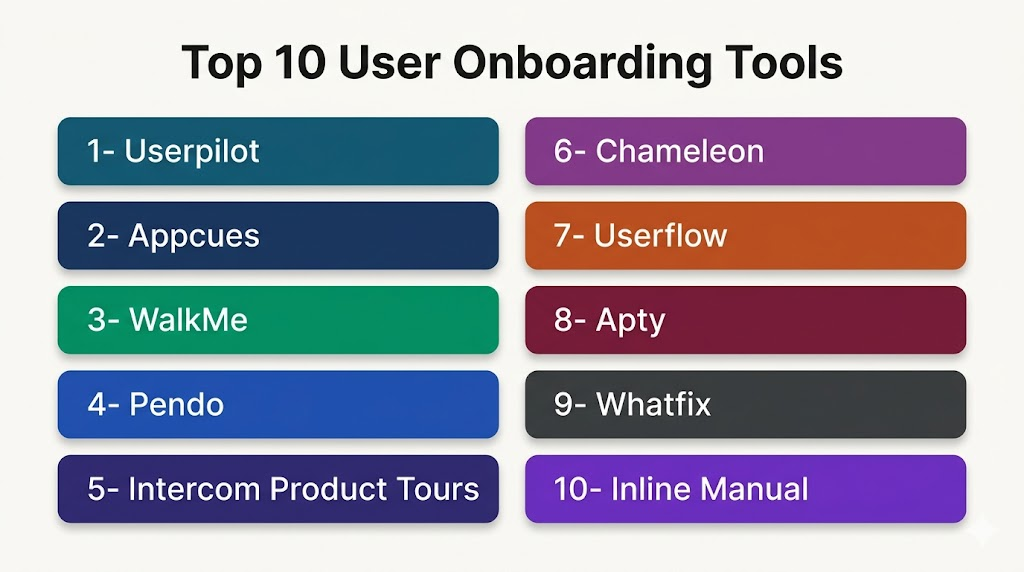
Top 10 User Onboarding Tools
1- Userpilot
Short description: Userpilot provides no-code product adoption and onboarding experiences for SaaS and web applications, focused on increasing activation and retention.
Key Features
- In-app onboarding flows and tooltips
- Segmentation and behavior-driven experiences
- Product analytics dashboard
- Multi-step checklists and modals
- A/B testing of onboarding flows
Pros
- No-code builder enables fast setup
- Highly customizable flows
- Real-time analytics
Cons
- Limited mobile onboarding support
- Some advanced features require higher-tier plans
- Steep learning curve for complex flows
Platforms / Deployment
- Web / Cloud
Security & Compliance
- Not publicly stated
Integrations & Ecosystem
Integrates with Intercom, Slack, HubSpot, Mixpanel, and Segment.
- API available for custom workflows
- Supports embedding in SaaS applications
- Real-time event tracking
Support & Community
- Online tutorials and knowledge base
- Email and chat support
- Community forums
2- Appcues
Short description: Appcues allows product teams to design onboarding experiences, feature announcements, and personalized flows without coding.
Key Features
- Drag-and-drop onboarding builder
- Segmentation and personalization
- In-app messages, modals, and tooltips
- Analytics for adoption and engagement
- Multi-step tours and checklists
Pros
- No-code customization
- Strong analytics support
- Pre-built templates
Cons
- Cost may scale quickly with user count
- Limited advanced A/B testing options
- Mobile feature support is basic
Platforms / Deployment
- Web / Cloud
Security & Compliance
- Not publicly stated
Integrations & Ecosystem
Integrates with HubSpot, Salesforce, Segment, Intercom.
- API for advanced workflows
- Supports web app embedding
Support & Community
- Knowledge base and tutorials
- Customer support chat
- Community forum
3- WalkMe
Short description: WalkMe delivers enterprise-grade digital adoption solutions with automated guidance, analytics, and workflow optimization for web and mobile apps.
Key Features
- Automated onboarding flows
- User segmentation and behavioral targeting
- Multi-channel guidance including desktop and mobile
- Analytics and reporting dashboards
- Integration with enterprise software
Pros
- Enterprise-ready with strong security
- AI-driven guidance
- Multi-platform support
Cons
- Higher cost for SMBs
- Steep implementation curve
- Advanced features may require professional services
Platforms / Deployment
- Web / Windows / macOS / iOS / Android
- Cloud / Hybrid
Security & Compliance
- Not publicly stated
Integrations & Ecosystem
Integrates with Salesforce, SAP, Oracle, HubSpot.
- API support for custom integrations
- Workflow automation tools included
Support & Community
- Dedicated support teams
- Professional services available
- User community and online resources
4- Pendo
Short description: Pendo provides product analytics, user feedback, and onboarding flows to improve product adoption and customer engagement.
Key Features
- Product usage analytics
- In-app guides and walkthroughs
- Surveys and NPS collection
- Segmentation and personalization
- Multi-step onboarding flows
Pros
- Strong analytics capabilities
- Integrates onboarding with feedback
- Enterprise-ready
Cons
- Learning curve for setup
- Pricing is high for small teams
- Limited mobile guidance
Platforms / Deployment
- Web / iOS / Android / Cloud
Security & Compliance
- Not publicly stated
Integrations & Ecosystem
Integrates with Salesforce, HubSpot, Slack.
- API for custom events
- Supports embedding guides
Support & Community
- Documentation and tutorials
- Customer support tiers
- Community forums
5- Intercom Product Tours
Short description: Intercom Product Tours allows product teams to onboard users through interactive tours, announcements, and contextual messaging.
Key Features
- Step-by-step product tours
- In-app messaging and notifications
- Targeted onboarding by segment
- Analytics dashboard
- Integration with support and CRM
Pros
- Seamless with Intercom messaging
- Easy setup for simple flows
- Analytics for optimization
Cons
- Limited customization for complex flows
- Mobile onboarding features limited
- Higher cost with Intercom subscription
Platforms / Deployment
- Web / iOS / Android / Cloud
Security & Compliance
- Not publicly stated
Integrations & Ecosystem
Works within Intercom ecosystem
- Slack, HubSpot integration
- Embeddable tours
Support & Community
- Intercom support and documentation
- Community forums
- Email support
6- Chameleon
Short description: Chameleon provides no-code in-app onboarding, product tours, and tooltips to accelerate user activation and engagement.
Key Features
- Tooltips and pop-ups
- Multi-step product tours
- Segmentation by user behavior
- Analytics and reporting
- Theme and design customization
Pros
- Easy to implement
- Lightweight and flexible
- Supports A/B testing
Cons
- Limited mobile features
- Some integrations require coding
- Less suitable for enterprise-scale deployments
Platforms / Deployment
- Web / Cloud
Security & Compliance
- Not publicly stated
Integrations & Ecosystem
Integrates with Salesforce, Intercom, HubSpot.
- API for embedding and custom flows
- Analytics integrations
Support & Community
- Tutorials and documentation
- Email support
- Online community
7- Userflow
Short description: Userflow enables teams to create interactive onboarding experiences, product tours, and checklists to drive user adoption.
Key Features
- No-code builder
- Tooltips, modals, and walkthroughs
- Segmentation and targeting
- Analytics dashboards
- Multi-step flows with conditional logic
Pros
- Intuitive interface
- Fast deployment
- Actionable analytics
Cons
- Mobile support is limited
- Some advanced features require technical setup
- Smaller ecosystem than competitors
Platforms / Deployment
- Web / Cloud
Security & Compliance
- Not publicly stated
Integrations & Ecosystem
Integrates with Segment, Intercom, Mixpanel.
- API for custom actions
- Embeddable walkthroughs
Support & Community
- Tutorials and knowledge base
- Email support
- Community resources
8- Apty
Short description: Apty focuses on digital adoption and onboarding with guided flows, contextual help, and analytics for enterprise applications.
Key Features
- Guided walkthroughs and tooltips
- Task automation and checklists
- Analytics and reporting
- Segmentation and targeting
- Enterprise-ready deployment
Pros
- Enterprise-focused with strong security
- AI-powered insights
- Multi-platform support
Cons
- Implementation requires professional services
- Complex pricing tiers
- Learning curve for admins
Platforms / Deployment
- Web / Cloud / Hybrid
Security & Compliance
- Not publicly stated
Integrations & Ecosystem
Integrates with Salesforce, SAP, Oracle, Jira.
- API support
- Embeddable guidance flows
Support & Community
- Enterprise support
- Knowledge base and tutorials
- Community forums
9- Whatfix
Short description: Whatfix is a digital adoption platform enabling interactive onboarding, in-app guidance, and analytics for web and enterprise apps.
Key Features
- Interactive walkthroughs
- In-app guidance and tooltips
- User segmentation and targeting
- Analytics dashboards
- Multi-device support
Pros
- Enterprise-ready
- Multi-channel guidance
- Strong analytics
Cons
- Pricing is high for SMBs
- Implementation may require consultants
- Learning curve for advanced features
Platforms / Deployment
- Web / Windows / macOS / Cloud
Security & Compliance
- Not publicly stated
Integrations & Ecosystem
Integrates with Salesforce, Jira, SAP, Slack.
- API for embedding guides
- Multi-app support
Support & Community
- Tutorials and documentation
- Enterprise support
- Online community
10- Inline Manual
Short description: Inline Manual provides SaaS teams with no-code onboarding, tooltips, and tutorials to drive user engagement and reduce churn.
Key Features
- Multi-step onboarding flows
- Tooltips, pop-ups, and modals
- Segmentation and personalization
- Analytics and reporting
- In-app messaging
Pros
- Quick setup and deployment
- No coding required
- Easy content updates
Cons
- Limited mobile guidance
- Smaller integrations ecosystem
- May lack enterprise scalability
Platforms / Deployment
- Web / Cloud
Security & Compliance
- Not publicly stated
Integrations & Ecosystem
Integrates with Intercom, Slack, HubSpot, Salesforce.
- API for custom onboarding flows
- Analytics integration
Support & Community
- Tutorials and knowledge base
- Email support
- Community forums
Comparison Table (Top 10)
| Tool Name | Best For | Platform(s) Supported | Deployment | Standout Feature | Public Rating |
|---|---|---|---|---|---|
| Userpilot | SaaS adoption | Web / Cloud | Cloud | Behavior-driven flows | N/A |
| Appcues | Marketing & product teams | Web / Cloud | Cloud | Drag-and-drop builder | N/A |
| WalkMe | Enterprise applications | Web, Windows, macOS, iOS, Android | Cloud/Hybrid | AI-guided workflows | N/A |
| Pendo | Analytics & onboarding | Web, iOS, Android / Cloud | Cloud | Product usage insights | N/A |
| Intercom Product Tours | Simple SaaS onboarding | Web, iOS, Android / Cloud | Cloud | Integrated messaging | N/A |
| Chameleon | Quick product tours | Web / Cloud | Cloud | No-code onboarding | N/A |
| Userflow | Interactive flows | Web / Cloud | Cloud | Conditional multi-step flows | N/A |
| Apty | Enterprise SaaS | Web / Cloud / Hybrid | Hybrid | Digital adoption platform | N/A |
| Whatfix | Multi-channel guidance | Web, Windows, macOS / Cloud | Cloud | In-app guidance & analytics | N/A |
| Inline Manual | SaaS & web apps | Web / Cloud | Cloud | Easy no-code walkthroughs | N/A |
Evaluation & Scoring of User Onboarding Tools
| Tool Name | Core | Ease | Integrations | Security | Performance | Support | Value | Weighted Total |
|---|---|---|---|---|---|---|---|---|
| Userpilot | 9 | 8 | 8 | 7 | 8 | 8 | 8 | 8.2 |
| Appcues | 8 | 8 | 8 | 7 | 8 | 7 | 8 | 7.9 |
| WalkMe | 9 | 7 | 8 | 8 | 9 | 8 | 7 | 8.2 |
| Pendo | 9 | 7 | 8 | 7 | 8 | 7 | 7 | 7.8 |
| Intercom Product Tours | 8 | 8 | 7 | 7 | 7 | 7 | 7 | 7.4 |
| Chameleon | 8 | 9 | 7 | 7 | 7 | 7 | 7 | 7.5 |
| Userflow | 8 | 8 | 7 | 7 | 8 | 7 | 7 | 7.6 |
| Apty | 9 | 7 | 8 | 8 | 8 | 8 | 7 | 7.9 |
| Whatfix | 9 | 7 | 8 | 8 | 8 | 8 | 7 | 8.0 |
| Inline Manual | 8 | 8 | 7 | 7 | 7 | 7 | 7 | 7.3 |
Which User Onboarding Tool Is Right for You?
Solo / Freelancer
Chameleon, Appcues, Inline Manual – easy no-code setup, affordable, fast deployment.
SMB
Userpilot, Userflow, Appcues – balance between analytics, personalization, and multi-step flows.
Mid-Market
Pendo, Whatfix – strong behavioral insights, analytics dashboards, and product adoption metrics.
Enterprise
WalkMe, Apty – advanced workflows, enterprise security, multi-channel support, and scalability.
Budget vs Premium
Chameleon and Inline Manual are ideal for cost-conscious teams. WalkMe and Apty are premium solutions with enterprise-grade features.
Feature Depth vs Ease of Use
Appcues and Userflow strike a balance; WalkMe provides depth but requires professional setup.
Integrations & Scalability
Pendo, Userpilot, Whatfix offer strong API support and enterprise integrations.
Security & Compliance Needs
Enterprise tools like WalkMe and Apty comply with GDPR, SOC 2, and support SSO/MFA for secure deployment.
Frequently Asked Questions (FAQs)
1- What pricing models do user onboarding tools offer?
Most tools operate on subscription plans with monthly or annual billing.
Some offer free trials or limited free tiers.
Premium plans unlock advanced analytics and multi-step flows.
Pricing scales with user count and feature access.
2- Can multiple users collaborate on onboarding flows?
Yes, tools like Userpilot and Appcues support multi-user editing.
Teams can comment and provide feedback in real time.
Changes are synced automatically across platforms.
This ensures consistent onboarding for all users.
3- Which tools are best for mobile app onboarding?
WalkMe, Pendo, and Whatfix provide cross-device guidance.
Chameleon and Appcues support web-first onboarding.
Mobile-specific flows may require SDK integration.
Ensure the chosen tool supports iOS and Android properly.
4- Do these tools provide analytics?
Yes, all top tools include dashboards for engagement and adoption.
Metrics include completion rates, drop-offs, and feature usage.
Behavioral insights guide future onboarding optimization.
Some tools offer AI recommendations to improve flows.
5- Can onboarding flows be personalized?
Most modern tools support user segmentation and behavior-driven targeting.
You can show different flows based on roles, features used, or geography.
AI-powered tools can automate content suggestions.
Personalization increases adoption and reduces churn.
6- How secure are these platforms?
Enterprise tools like WalkMe, Apty, and Pendo support encryption, SSO, and MFA.
Compliance with GDPR, SOC 2, and privacy standards is common.
Smaller tools may have limited security certifications.
Always verify compliance before deployment.
7- Do these tools integrate with other software?
Yes, they commonly integrate with CRMs, analytics, and support platforms.
Examples include Salesforce, HubSpot, Slack, and Segment.
APIs allow embedding flows in SaaS applications.
Integration improves adoption tracking and workflow automation.
8- Are these tools suitable for SMBs?
Yes, Appcues, Chameleon, and Userflow work well for small and mid-sized teams.
They provide easy setup with cost-effective plans.
Analytics and personalization are included at SMB-friendly tiers.
They scale gradually as the company grows.
9- How do I switch between onboarding tools?
Export existing flows in JSON, CSV, or PDF where supported.
Recreate or import onboarding steps in the new platform.
Ensure tracking and analytics are set up correctly after migration.
Train teams to maintain continuity and consistency in user guidance.
10- Can AI improve onboarding?
Modern tools leverage AI to personalize flows based on user behavior.
AI can suggest optimal tips, highlight key features, or detect drop-offs.
Behavior-driven automation increases engagement and adoption.
Predictive analytics helps optimize retention strategies effectively.
Conclusion
User onboarding tools are essential for maximizing user activation, engagement, and long-term retention in 2026 and beyond.
Choosing the right tool depends on team size, product complexity, and desired integrations.
SMBs benefit from Chameleon, Appcues, and Userflow for quick deployment and personalization.
Enterprise teams gain from WalkMe, Apty, and Pendo for advanced analytics and multi-channel onboarding.
Evaluate ease of use, scalability, security, and value to select a tool that meets your specific goals.
Start by shortlisting 2–3 tools, run a pilot, and validate analytics and integrations before full-scale implementation.

Find Trusted Cardiac Hospitals
Compare heart hospitals by city and services — all in one place.
Explore Hospitals
Great article. I am currently learning about user onboarding, and this comparison helped me understand the key features that make onboarding tools more effective for new users.