Introduction
Virtual Machine (VM) Management Tools are software solutions that allow organizations to create, manage, monitor, and optimize virtual machines across multiple environments. These tools provide centralized control over VM lifecycles, resource allocation, performance monitoring, and security. In as hybrid and multi-cloud infrastructures become standard, VM management is critical for IT teams to maintain operational efficiency, reduce costs, and ensure high availability.
Real-world use cases include: provisioning VMs for development and testing environments without hardware overhead, running multiple operating systems for application compatibility testing, supporting remote workforce desktops, disaster recovery and business continuity planning, and optimizing data center resource utilization. Buyers evaluating VM management tools should consider performance, scalability, security, ease of use, integration with cloud services, automation capabilities, monitoring and analytics, cost, licensing flexibility, and multi-platform support.
Best for: IT administrators, DevOps teams, enterprises of all sizes, managed service providers, and organizations running multi-cloud or hybrid environments.
Not ideal for: Small teams with minimal virtualization needs, single-server setups, or organizations fully reliant on SaaS with minimal infrastructure control.
Key Trends in Virtual Machine Management Tools
- AI-powered workload optimization and predictive scaling
- Integration with hybrid and multi-cloud infrastructures
- Automated VM provisioning, patching, and lifecycle management
- Enhanced security with encryption, RBAC, and audit logging
- GPU virtualization for graphics-intensive workloads
- Support for containerized and traditional VM environments
- Subscription-based and pay-per-use pricing models
- Improved interoperability with orchestration and DevOps tools
- Real-time monitoring and analytics dashboards
- Low-latency networking for globally distributed VMs
How We Selected These Tools (Methodology)
- Market adoption and brand recognition across enterprise and SMB sectors
- Feature completeness for VM creation, monitoring, scaling, and automation
- Reliability and performance indicators such as uptime, latency, and resource utilization
- Security posture including encryption, access control, and compliance
- Integration with cloud platforms, orchestration, and DevOps pipelines
- Suitability across different company sizes and use cases
- Vendor support and community engagement
- Automation and AI capabilities for operational efficiency
- Cost-effectiveness relative to features and scalability
- Flexibility in deployment: cloud, on-premises, hybrid
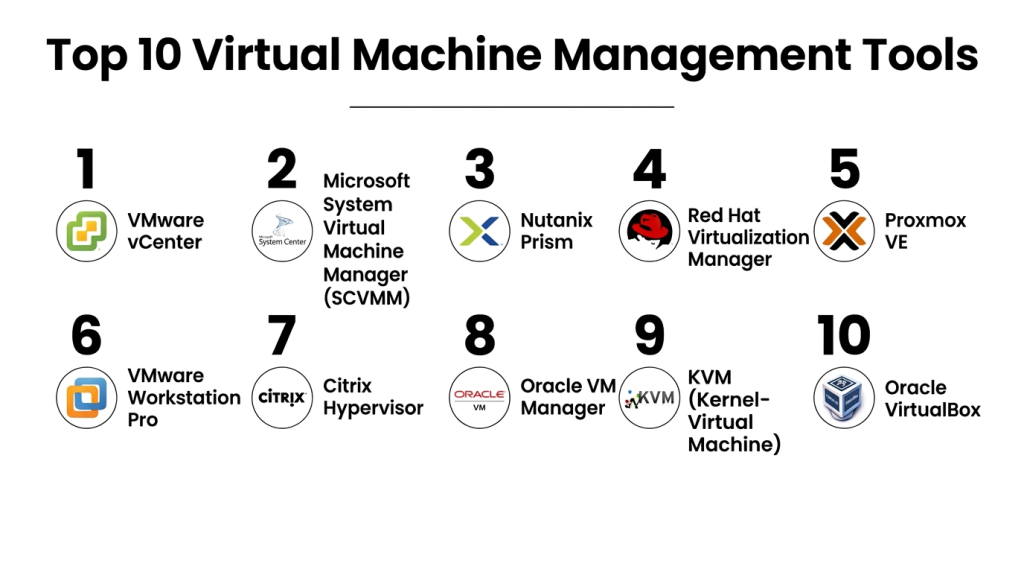
Top 10 Virtual Machine Management Tools
#1 — VMware vCenter
Short description: VMware vCenter centralizes management for VMware vSphere environments, providing robust VM monitoring, automation, and orchestration for enterprises with complex IT needs.
Key Features
- Centralized VM lifecycle management
- Automation and orchestration tools
- Resource allocation optimization
- Live migration and high availability
- Integrated monitoring and reporting
- Role-based access control
- API support for automation
Pros
- Scalable and reliable for large environments
- Strong ecosystem support
Cons
- Licensing complexity
- VMware-specific expertise required
Platforms / Deployment
- Windows, Linux
- On-premises / Hybrid
Security & Compliance
- RBAC, encryption, audit logs
- SOC 2, ISO 27001
Integrations & Ecosystem
Supports:
- VMware vSphere and vSAN
- Automation via Ansible, Terraform
- Third-party monitoring tools
Support & Community
- Tiered professional support
- Comprehensive documentation and community forums
#2 — Microsoft System Center Virtual Machine Manager (SCVMM)
Short description: SCVMM provides management for Hyper-V, VMware, and Citrix VMs, enabling IT teams to deploy, monitor, and optimize virtual environments efficiently.
Key Features
- Centralized VM deployment and monitoring
- Resource optimization and dynamic allocation
- Multi-platform support (Hyper-V, VMware)
- High availability and disaster recovery features
- Automation via PowerShell and templates
- Integration with System Center suite
- Performance and capacity analytics
Pros
- Tight integration with Windows ecosystem
- Scalable for enterprise workloads
Cons
- Complexity in mixed hypervisor environments
- Limited Linux-centric features
Platforms / Deployment
- Windows
- On-premises / Cloud / Hybrid
Security & Compliance
- RBAC, encryption
- Not publicly stated
Integrations & Ecosystem
- Azure integration for hybrid deployments
- Active Directory
- APIs and scripting support
Support & Community
- Microsoft support tiers
- Active online community
#3 — Nutanix Prism
Short description: Nutanix Prism offers unified VM and infrastructure management for hyper-converged infrastructure, simplifying administration, monitoring, and automation across VMs.
Key Features
- Centralized dashboard for VM and infrastructure
- AI-driven analytics for resource optimization
- Automated provisioning and lifecycle management
- Multi-cloud integration
- High availability and disaster recovery support
- GPU virtualization support
- APIs for automation
Pros
- Simplifies HCI VM management
- Scales efficiently for enterprise workloads
Cons
- Smaller ecosystem compared to VMware
- Requires Nutanix platform adoption
Platforms / Deployment
- Windows, Linux
- On-premises / Hybrid
Security & Compliance
- Encryption in transit and at rest
- SSO/SAML, MFA
Integrations & Ecosystem
- Nutanix Calm for orchestration
- Cloud providers: AWS, Azure, GCP
- APIs for DevOps automation
Support & Community
- Vendor support tiers
- Growing community forums
#4 — Red Hat Virtualization Manager
Short description: Red Hat Virtualization Manager enables management of KVM-based virtual machines with enterprise-grade performance, automation, and open-source flexibility.
Key Features
- KVM hypervisor management
- Live migration and high availability
- Multi-OS guest support
- Centralized monitoring and reporting
- Resource allocation and optimization
- Automation via Red Hat Ansible
- Integrated networking and storage management
Pros
- Open-source flexibility
- Enterprise reliability
Cons
- Requires Linux expertise
- Smaller ecosystem than VMware
Platforms / Deployment
- Linux, Windows
- On-premises / Hybrid
Security & Compliance
- RBAC, encryption
- Not publicly stated
Integrations & Ecosystem
- Red Hat OpenShift
- LDAP/AD integration
- APIs for orchestration
Support & Community
- Subscription support
- Strong open-source community
#5 — Proxmox VE
Short description: Proxmox VE is an open-source VM and container management platform that combines KVM virtualization with LXC containers, ideal for SMBs and developers.
Key Features
- KVM and LXC support
- Web-based management interface
- High availability clustering
- Backup and snapshot capabilities
- Integrated firewall and security
- Multi-node support
- Automation APIs
Pros
- Free and open-source
- Lightweight and flexible
Cons
- Limited enterprise support
- Smaller ecosystem
Platforms / Deployment
- Linux
- On-premises / Hybrid
Security & Compliance
- Firewall, RBAC
- Not publicly stated
Integrations & Ecosystem
- APIs for automation
- Storage and cloud integration
- Community modules and extensions
Support & Community
- Subscription support
- Active community forums
#6 — VMware Workstation Pro
Short description: VMware Workstation Pro is desktop-level VM management software designed for developers and IT professionals needing multiple OS instances on a single machine.
Key Features
- Multi-OS VM support
- Snapshot and cloning
- Networking simulation
- USB and peripheral passthrough
- GPU support
- Integration with VMware vSphere
- APIs for automation
Pros
- Ideal for development/testing
- Feature-rich desktop VM solution
Cons
- Not designed for enterprise-scale
- Limited cloud integration
Platforms / Deployment
- Windows, Linux
- Self-hosted
Security & Compliance
- VM encryption
- RBAC
- Not publicly stated
Integrations & Ecosystem
- VMware vSphere integration
- Automation via APIs
- Third-party development tools
Support & Community
- VMware support tiers
- Large developer community
#7 — Citrix Hypervisor
Short description: Citrix Hypervisor provides enterprise VM management with Xen-based architecture, optimized for high-performance workloads and GPU-intensive applications.
Key Features
- Xen hypervisor
- GPU virtualization
- High availability
- Live migration
- Centralized management console
- Integration with Citrix workspace solutions
Pros
- Enterprise-grade performance
- Optimized for GPU workloads
Cons
- Smaller adoption than VMware
- Learning curve for new users
Platforms / Deployment
- Windows, Linux
- On-premises / Hybrid
Security & Compliance
- RBAC, encryption
- Not publicly stated
Integrations & Ecosystem
- Citrix workspace
- Cloud and storage providers
- APIs for automation
Support & Community
- Citrix support tiers
- Community forums
#8 — Oracle VM Manager
Short description: Oracle VM Manager provides management for Oracle VM environments, enabling centralized VM provisioning, monitoring, and optimization for Oracle workloads.
Key Features
- Xen-based virtualization
- Live migration and high availability
- Multi-OS support
- Centralized management console
- Integration with Oracle Cloud
- GPU and resource optimization
Pros
- Optimized for Oracle applications
- Enterprise reliability
Cons
- Limited popularity outside Oracle ecosystem
- Requires Oracle infrastructure knowledge
Platforms / Deployment
- Windows, Linux
- On-premises / Cloud
Security & Compliance
- RBAC, encryption
- Not publicly stated
Integrations & Ecosystem
- Oracle Cloud and apps
- APIs for management and automation
- Identity providers
Support & Community
- Oracle support tiers
- Moderate community presence
#9 — KVM (Kernel-based Virtual Machine)
Short description: KVM is an open-source Linux hypervisor used widely in data centers, providing high-performance VM management and flexibility.
Key Features
- Linux kernel-based hypervisor
- Multi-OS guest support
- Live migration and snapshots
- GPU passthrough
- Networking and storage flexibility
- API access for automation
Pros
- High performance
- Free and open-source
Cons
- Requires Linux expertise
- Limited enterprise support
Platforms / Deployment
- Linux
- On-premises / Cloud
Security & Compliance
- RBAC via Linux tools
- Not publicly stated
Integrations & Ecosystem
- OpenStack, Proxmox
- Cloud integrations
- APIs for automation
Support & Community
- Community-driven support
- Active forums
#10 — Oracle VirtualBox
Short description: Oracle VirtualBox is a desktop VM management tool, free and cross-platform, suitable for developers, testers, and educational environments.
Key Features
- Cross-platform VM support
- Snapshot and cloning
- Virtual networking
- USB passthrough
- Guest additions for seamless integration
- APIs for automation
Pros
- Free and easy to use
- Lightweight desktop VM solution
Cons
- Not designed for enterprise workloads
- Limited GPU performance
Platforms / Deployment
- Windows, macOS, Linux
- Self-hosted
Security & Compliance
- VM encryption
- Not publicly stated
Integrations & Ecosystem
- APIs for automation
- CI/CD pipeline integrations
- Community extensions
Support & Community
- Community-driven support
- Extensive documentation
Comparison Table (Top 10)
| Tool Name | Best For | Platform(s) Supported | Deployment | Standout Feature | Public Rating |
|---|---|---|---|---|---|
| VMware vCenter | Large enterprises | Windows, Linux | On-prem / Hybrid | Centralized VM management | N/A |
| Microsoft SCVMM | Windows-centric IT | Windows | On-prem / Cloud / Hybrid | Multi-platform VM management | N/A |
| Nutanix Prism | HCI environments | Windows, Linux | On-prem / Hybrid | AI-driven analytics | N/A |
| Red Hat Virtualization Manager | Linux-focused enterprises | Linux, Windows | On-prem / Hybrid | Open-source flexibility | N/A |
| Proxmox VE | SMBs, developers | Linux | On-prem / Hybrid | KVM + LXC containers | N/A |
| VMware Workstation Pro | Developers / IT professionals | Windows, Linux | Self-hosted | Desktop virtualization | N/A |
| Citrix Hypervisor | Enterprise GPU workloads | Windows, Linux | On-prem / Hybrid | GPU virtualization | N/A |
| Oracle VM Manager | Oracle workloads | Windows, Linux | On-prem / Cloud | Oracle application optimization | N/A |
| KVM | Linux data centers | Linux | On-prem / Cloud | High performance & flexibility | N/A |
| Oracle VirtualBox | Developers / testers | Windows, macOS, Linux | Self-hosted | Cross-platform desktop VM | N/A |
Evaluation & Scoring of Virtual Machine Management Tools
| Tool Name | Core (25%) | Ease (15%) | Integrations (15%) | Security (10%) | Performance (10%) | Support (10%) | Value (15%) | Weighted Total (0–10) |
|---|---|---|---|---|---|---|---|---|
| VMware vCenter | 9 | 7 | 8 | 9 | 9 | 8 | 7 | 8.3 |
| Microsoft SCVMM | 8 | 8 | 8 | 8 | 8 | 8 | 8 | 8.0 |
| Nutanix Prism | 8 | 8 | 8 | 7 | 8 | 7 | 8 | 7.9 |
| Red Hat Virtualization Manager | 8 | 6 | 7 | 7 | 8 | 6 | 7 | 7.3 |
| Proxmox VE | 7 | 8 | 7 | 7 | 7 | 6 | 8 | 7.3 |
| VMware Workstation Pro | 7 | 8 | 7 | 7 | 7 | 7 | 7 | 7.3 |
| Citrix Hypervisor | 8 | 7 | 7 | 8 | 8 | 7 | 7 | 7.6 |
| Oracle VM Manager | 7 | 6 | 7 | 7 | 7 | 6 | 7 | 6.9 |
| KVM | 8 | 6 | 7 | 7 | 8 | 6 | 8 | 7.2 |
| Oracle VirtualBox | 6 | 9 | 7 | 6 | 6 | 6 | 9 | 7.1 |
Interpretation: Weighted totals show comparative performance, with higher scores indicating stronger feature sets, usability, and value. Scores help prioritize tools based on organizational needs.
Which Virtual Machine Management Tools Tool Is Right for You?
Solo / Freelancer
Oracle VirtualBox or VMware Workstation Pro provide desktop-level VM management without large infrastructure investments.
SMB
Proxmox VE or Nutanix Prism offer simple, scalable management for small teams and mixed environments.
Mid-Market
Microsoft SCVMM or Citrix Hypervisor provide enterprise-level features suitable for growing IT departments.
Enterprise
VMware vCenter, Red Hat Virtualization Manager, and Nutanix Prism excel for large-scale, hybrid, or multi-cloud deployments requiring robust management, automation, and compliance.
Budget vs Premium
- Budget: VirtualBox, Proxmox VE
- Premium: VMware vCenter, Nutanix Prism, Citrix Hypervisor
Feature Depth vs Ease of Use
- Feature-rich: VMware vCenter, Citrix Hypervisor
- Easy to use: Proxmox VE, VirtualBox
Integrations & Scalability
- Complex environments: VMware vCenter, Nutanix Prism, Red Hat Virtualization
- Simple environments: VirtualBox, Proxmox VE
Security & Compliance Needs
Enterprise users needing compliance and advanced security should prioritize VMware vCenter, Red Hat Virtualization, or Citrix Hypervisor.
Frequently Asked Questions (FAQs)
1. How are VM management tools priced?
Pricing varies from subscription-based, pay-per-user, to perpetual licenses. Cost depends on deployment type, number of VMs, and additional features.
2. How quickly can I deploy these tools?
Cloud-native solutions may deploy in hours, while on-premises setups typically take days to weeks.
3. What are common implementation mistakes?
Over-provisioning, neglecting security policies, and insufficient monitoring are frequent errors. Proper planning and automation help avoid these pitfalls.
4. How secure are VM management tools?
Security depends on RBAC, encryption, MFA, and compliance features. Enterprise vendors provide advanced security and monitoring tools.
5. Can VM management tools scale?
Yes, most tools support horizontal and vertical scaling for growing numbers of VMs across hybrid and cloud environments.
6. Which platforms are supported?
Tools support Windows, Linux, macOS, and in some cases, mobile OSes for monitoring and management.
7. How do integrations work?
Integrations connect VM tools to cloud providers, orchestration platforms, monitoring solutions, and DevOps pipelines.
8. Can I migrate VMs between platforms?
Migration is possible but requires compatible formats, conversion tools, and careful planning.
9. Are these tools suitable for GPU workloads?
Yes, platforms like VMware, Nutanix, and Citrix Hypervisor provide GPU virtualization for graphics-intensive applications.
10. What are alternatives to VM management tools?
Alternatives include container management solutions, cloud-native VM services, and desktop-as-a-service platforms.
Conclusion
Virtual Machine Management Tools are essential for efficient, secure, and scalable IT infrastructure. Selecting the right tool depends on company size, workload complexity, compliance needs, and budget. Enterprises benefit from feature-rich solutions like VMware vCenter or Nutanix Prism, while SMBs and developers can leverage open-source or desktop tools like Proxmox VE and VirtualBox. Careful evaluation of deployment options, integrations, automation, and monitoring ensures optimized resource usage and smooth operations. Organizations should shortlist suitable tools, pilot them in controlled environments, and validate performance and security before full deployment to maximize efficiency and value.

Find Trusted Cardiac Hospitals
Compare heart hospitals by city and services — all in one place.
Explore Hospitals
Virtual machine management can become difficult when old VMs are left running after they are no longer needed. These unused machines still consume storage, memory, and other resources. Regularly checking VM usage and removing machines that no longer serve a purpose can help keep the environment cleaner and reduce waste.