Introduction
VFX compositing software is used to combine visual elements from multiple sources into a seamless final image or sequence. In visual effects workflows, compositing brings together live‑action footage, CGI layers, green‑screen keying, Matte passes, 3D renders, particles, smoke, lighting passes, and more to create the finished visuals seen in film, TV, advertising, and interactive media.
This software matters because modern storytelling — whether in feature films, episodic TV, commercials, or immersive experiences — demands complex layering, precise masking, dynamic keying, particle effects, color correction, motion tracking, and integration of computer‑generated content with real footage. Compositing tools help artists visualize, refine, and polish visual effects shots in a controlled, iterative environment.
Real‑world use cases:
- Green‑screen keying and background replacement
- Integration of CGI creatures or elements into live footage
- Motion tracking and stabilization for VFX shots
- Color grading and visual consistency across shots
- Particle effects, explosions, smoke, and 3D effects compositing
What buyers should evaluate:
- Layer and node‑based compositing paradigms
- Support for multi‑channel EXR and high‑dynamic‑range workflows
- Motion tracking, camera solve, and stabilization
- GPU acceleration for real‑time previews
- Integration with 3D and animation pipelines
- Keying and rotoscoping quality
- Scriptable pipelines and automation (Python, Lua)
- Collaboration and versioning support
- Cross‑platform support
- Ease of learning and documentation resources
Best for: VFX studios, post‑production houses, motion graphics artists, technical directors, indie filmmakers, and game cinematics teams.
Not ideal for: Casual video editors or projects with minimal effects; basic editing software with simple layering may suffice for rudimentary composites.
Key Trends in VFX Compositing Software
- Node‑based and procedural workflows enabling non‑destructive editing.
- GPU‑accelerated previews and real‑time playback even with complex layered shots.
- AI‑assisted rotoscoping, keying, and cleanup to dramatically reduce manual labor.
- Integrated motion tracking and camera solve tools for seamless CGI integration.
- HDR and multi‑layer EXR support becoming standard.
- Cross‑tool interoperability (3D renders, deep compositing, color pipelines).
- Cloud‑assisted collaboration and render queues for remote teams.
- Scriptable pipelines (Python, Lua) for automation and procedural rigging.
- Extended VR and XR compositing interfaces for immersive effects.
How We Selected These Tools (Methodology)
- Assessed feature completeness including layering, color tools, tracking, and keying.
- Evaluated industry adoption and mindshare in film and studio pipelines.
- Checked performance and reliability signals from production environments.
- Reviewed integration with 3D and animation ecosystems.
- Considered learning curve and documentation quality.
- Included cross‑platform availability (Windows, macOS, Linux).
- Assessed support for HDR and multi‑channel workflows.
- Reviewed extensibility and scripting support.
- Balanced representation of enterprise, indie, and open‑source options.
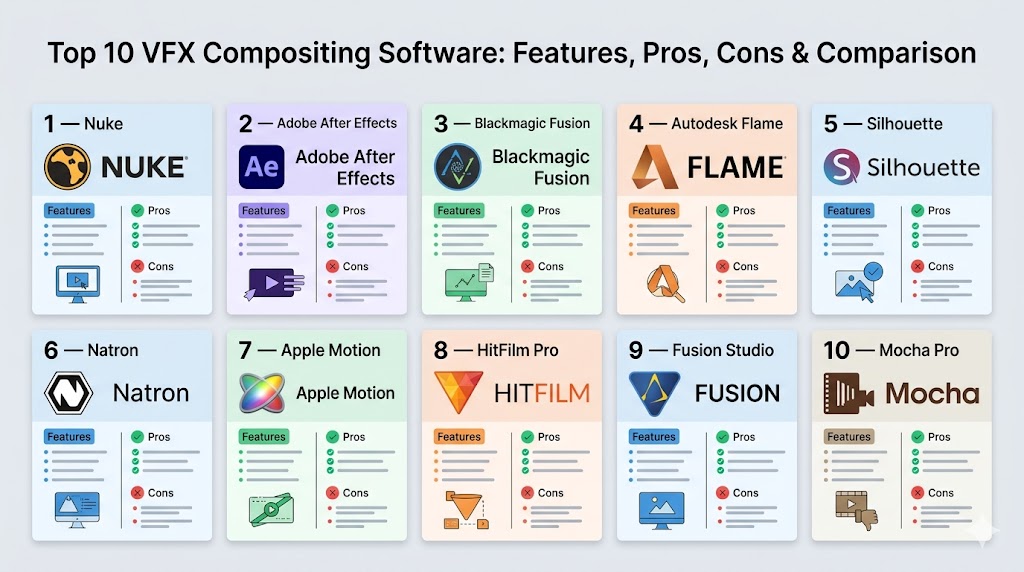
Top 10 VFX Compositing Software
#1 — Nuke
Short description: A high‑end, node‑based compositing powerhouse used in major film and VFX pipelines for layered compositing, tracking, keying, and integration with 3D render passes.
Key Features
- Node‑based procedural compositing
- Multi‑layer EXR and HDR support
- Advanced roto and paint tools
- Stereoscopic and VR support
- Deep integration with 3D rendering pipelines
- Motion tracking and camera solve
Pros
- Industry standard in high‑end VFX workflows
- Extremely powerful and flexible
- Excellent for multi‑shot, complex projects
Cons
- Steep learning curve
- Expensive for small teams without enterprise budgets
Platforms / Deployment
Windows / macOS / Linux
Security & Compliance
Not publicly stated
Integrations & Ecosystem
Nuke integrates deeply with render pipelines and studio workflows:
- Render manager and pipeline APIs
- Python scripting for automation
- Third‑party extensions and plugins
- Interoperability with 3D scenes (Maya, Houdini, 3ds Max)
Support & Community
Comprehensive vendor documentation, professional training, and large studio userbase.
#2 — Adobe After Effects
Short description: A widely used effects and compositing tool that blends animation, compositing, motion graphics, and title work for film, TV, and web content.
Key Features
- Layer and timeline‑based compositing
- Built‑in animation tools
- Keying and rotoscoping plugins
- Plugin marketplace (third‑party effects)
- Integration with Adobe ecosystem (Premiere, Photoshop)
- GPU accelerated previews
Pros
- Accessible and popular across creative industries
- Extensive plugin and effects ecosystem
- Easy interchange with video editing workflows
Cons
- Less powerful for complex multi‑pass compositing than node‑based systems
- Performance can lag on large projects
Platforms / Deployment
Windows / macOS
Security & Compliance
Not publicly stated
Integrations & Ecosystem
Part of Adobe ecosystem:
- Exchange effects and assets
- Dynamic linking with Premiere
- Scriptable via expressions and scripts
Support & Community
Massive user community, rich tutorials, and Adobe documentation.
#3 — Blackmagic Fusion
Short description: A node‑based compositor that offers sophisticated effects, keying, tracking, and 3D compositing at competitive pricing, with deep integration into editing workflows.
Key Features
- Node graph workflow
- Stereoscopic and 3D compositing
- Planar and camera tracking
- Keying and paint tools
- GPU acceleration
- FX library
Pros
- Powerful node‑based tool comparable to high‑end products
- Integrated with editing and color tools in DaVinci systems
- Competitive cost for deep compositing
Cons
- Some users find interface less intuitive than timeline‑based tools
- Smaller plugin ecosystem vs After Effects
Platforms / Deployment
Windows / macOS / Linux
Security & Compliance
Not publicly stated
Integrations & Ecosystem
Works with editing/color systems and external effects:
- DaVinci editing/color workflows
- Exchange with 3D render passes
- Plugin and script support
Support & Community
Growing community and vendor documentation.
#4 — Autodesk Flame
Short description: A comprehensive finishing, visual effects, and grading tool used in broadcast, film, and commercial pipelines for compositing, editorial finishing, and high‑end effects.
Key Features
- Node compositing and timeline editing
- Matchmove and tracking
- Optical flow retiming
- Color grading tools
- Batch processing and scripting
- Integration with studios’ pipelines
Pros
- All‑in‑one finishing and VFX system
- Broadcast and film readiness
- Excellent tracking & cleanup tools
Cons
- Very expensive for smaller teams
- Complex interface for beginners
Platforms / Deployment
Windows / Linux
Security & Compliance
Not publicly stated
Integrations & Ecosystem
Tight integration with production pipelines and finishing tools:
- Render farms and batch queues
- Python/Lua scripting
- Asset management integration
Support & Community
Professional support and documentation with high‑end workflows.
#5 — Silhouette
Short description: A specialized compositing and rotoscoping tool favored for detailed masking, tracking, and paint work within VFX shot pipelines.
Key Features
- Advanced rotoscoping tools
- Planar tracking
- Paint and cleanup tools
- Node‑based compositing
- Deep image support (multi‑channel)
Pros
- Excellent rotoscoping and paint workflows
- Used extensively for fine keying and cleanup
- Integrates well into studio pipelines
Cons
- Focused more on roto/paint than full compositing
- Learning curve for node workflows
Platforms / Deployment
Windows / macOS / Linux
Security & Compliance
Not publicly stated
Integrations & Ecosystem
Works alongside primary compositing tools and integrates into VFX shot pipelines.
Support & Community
Strong professional documentation and VFX workflows.
#6 — Natron
Short description: A free and open‑source node‑based compositor that offers many core features of high‑end tools without a licensing cost.
Key Features
- Node graph compositing
- Keying and roto tools
- Plugin support (OpenFX)
- Support for multi‑channel EXR
- Cross‑platform operation
- Scripting
Pros
- Free to use, open‑source
- Flexible node‑based workflow
- Plugin extensibility
Cons
- UI and performance lag behind commercial alternatives
- Smaller community and fewer built‑in effects
Platforms / Deployment
Windows / macOS / Linux
Security & Compliance
Not publicly stated
Integrations & Ecosystem
- OpenFX plugins
- Scripting and extensibility
- Interop with 3D render setups
Support & Community
Open‑source contributors and community forums.
#7 — Apple Motion
Short description: A motion graphics and compositing environment tailored for video editors and creatives using macOS for streamlined effects and title work.
Key Features
- Layered compositing
- Built‑in effects and templates
- Motion tracking
- GPU accelerated previews
- Tight integration with editing tools
Pros
- Affordable entry‑level compositing
- Strong motion graphics tools
- Real‑time previews
Cons
- Mac‑only
- Less powerful for complex VFX sequences
Platforms / Deployment
macOS
Security & Compliance
Not publicly stated
Integrations & Ecosystem
Tightly integrated with video editing and motion workflows.
Support & Community
Vendor resources and creative community forums.
#8 — HitFilm Pro
Short description: A hybrid editing and compositing tool aimed at indie filmmakers and content creators, combining effects and editing in one interface.
Key Features
- Timeline‑based compositing
- Built‑in particle and effect tools
- Motion tracking
- 3D compositing tools
- GPU acceleration
Pros
- Accessible and affordable
- Combined editing and compositing in one app
- Strong effects library
Cons
- Not as powerful as high‑end node‑based tools
- Workflow less flexible for complex shots
Platforms / Deployment
Windows / macOS
Security & Compliance
Not publicly stated
Integrations & Ecosystem
Built‑in tools and third‑party plugins for added effects and workflows.
Support & Community
Active community and tutorials available.
#9 — Fusion Studio
Short description: The professional edition of Fusion with expanded features for larger VFX work and production pipelines.
Key Features
- Advanced node graph editor
- Stereoscopic and 3D compositing
- Motion tracking and keying
- GPU acceleration
- Scripting and batch tools
Pros
- Studio‑ready toolset
- Deep node‑based compositing
- Strong playback performance
Cons
- Version variants cause confusion
- Fewer creative presets than timeline tools
Platforms / Deployment
Windows / macOS / Linux
Security & Compliance
Not publicly stated
Integrations & Ecosystem
Works with broader color and editing suites in production workflows.
Support & Community
Vendor support and community tutorials.
#10 — Mocha Pro
Short description: A planar tracker and effects toolkit used widely alongside compositing software to solve difficult tracking, stabilization, and roto tasks.
Key Features
- Planar tracking and roto tracking
- Stabilization and object removal
- Lens correction tools
- Export for main compositing apps
Pros
- Extremely robust tracking system
- Solver quality for difficult footage
- Works with many host compositors
Cons
- Not a full compositor itself
- Best used as companion tool
Platforms / Deployment
Windows / macOS / Linux
Security & Compliance
Not publicly stated
Integrations & Ecosystem
Exports tracking data for compositors and editors.
Comparison Table (Top 10)
| Tool Name | Best For | Platform(s) Supported | Deployment | Standout Feature | Public Rating |
|---|---|---|---|---|---|
| Nuke | High‑end VFX | Windows/macOS/Linux | Hybrid | Node‑based power | N/A |
| Adobe After Effects | Motion graphics + VFX | Windows/macOS | Hybrid | Wide creative ecosystem | N/A |
| Blackmagic Fusion | Node compositing | Windows/macOS/Linux | Hybrid | Studio node workflows | N/A |
| Autodesk Flame | Finishing + VFX | Windows/Linux | Self‑hosted | All‑in‑one finishing | N/A |
| Silhouette | Roto & paint | Windows/macOS/Linux | Hybrid | Precision roto tools | N/A |
| Natron | Open‑source compositing | Windows/macOS/Linux | Self‑hosted | Free node workflow | N/A |
| Apple Motion | Motion and titles | macOS | Self‑hosted | Graphics + motion | N/A |
| HitFilm Pro | Indie VFX | Windows/macOS | Hybrid | Editing + compositing | N/A |
| Fusion Studio | Professional node | Windows/macOS/Linux | Hybrid | Production node workflows | N/A |
| Mocha Pro | Planar tracking | Windows/macOS/Linux | Hybrid | Robust tracking | N/A |
Evaluation & Scoring of VFX Compositing Software
| Tool Name | Core (25%) | Ease (15%) | Integrations (15%) | Security (10%) | Performance (10%) | Support (10%) | Value (15%) | Weighted Total (0–10) |
|---|---|---|---|---|---|---|---|---|
| Nuke | 10 | 6 | 9 | 6 | 9 | 9 | 6 | 8.15 |
| Adobe After Effects | 8 | 9 | 9 | 6 | 7 | 9 | 8 | 8.00 |
| Blackmagic Fusion | 9 | 7 | 8 | 6 | 8 | 8 | 8 | 8.05 |
| Autodesk Flame | 10 | 5 | 9 | 6 | 9 | 8 | 5 | 7.85 |
| Silhouette | 8 | 7 | 7 | 6 | 7 | 8 | 7 | 7.55 |
| Natron | 7 | 7 | 6 | 5 | 7 | 7 | 10 | 7.45 |
| Apple Motion | 6 | 9 | 6 | 6 | 7 | 8 | 9 | 7.50 |
| HitFilm Pro | 7 | 9 | 7 | 6 | 7 | 7 | 8 | 7.70 |
| Fusion Studio | 9 | 7 | 8 | 6 | 8 | 8 | 7 | 7.85 |
| Mocha Pro | 6 | 7 | 8 | 6 | 6 | 7 | 8 | 7.20 |
How to interpret the scores:
- Higher weighted totals generally indicate strong core compositing capabilities, integration ease, and ecosystem support.
- Tools with specialized focuses (e.g., tracking) still score well within their domain.
- Open‑source and accessible tools score highly on value even if they lag in raw feature breadth.
Which VFX Compositing Tool Is Right for You?
Solo / Freelancer
- HitFilm Pro, Apple Motion, and Natron offer approachable and cost‑effective paths for indie projects.
SMB
- Adobe After Effects and Blackmagic Fusion balance power and accessibility in small‑team pipelines.
Mid‑Market
- Fusion Studio, Silhouette, and hybrid workflows integrating multiple tools yield robust results.
Enterprise
- Nuke and Autodesk Flame provide studio‑grade power, deep integration, and fine control for multi‑shot VFX pipelines.
Budget vs Premium
- Budget: Natron, HitFilm Pro, Apple Motion
- Premium: Nuke, Autodesk Flame, Fusion Studio
Feature Depth vs Ease of Use
- Depth: Nuke, Autodesk Flame
- Ease: Adobe After Effects, HitFilm Pro
Integrations & Scalability
- Best: Adobe After Effects, Nuke, Blackmagic Fusion
Security & Compliance Needs
- Many tools do not publicly document specific security claims; larger teams should confirm enterprise‑grade access controls and deployment policies with vendors.
Frequently Asked Questions (FAQs)
1. What is VFX compositing software?
VFX compositing software lets artists merge multiple visual layers, effects, and footage into a seamless final sequence.
2. What’s a node‑based workflow?
Node‑based workflows use visual graphs representing operations, allowing flexible, non‑destructive editing.
3. Which tool is best for beginners?
Tools like Adobe After Effects or HitFilm Pro offer accessible learning curves with strong community resources.
4. Do these tools support 3D render passes?
Yes — high‑end tools like Nuke and Blackmagic Fusion support multi‑layer EXR and 3D renders.
5. What is keying in compositing?
Keying removes a background (often green screen) to isolate foreground elements for integration.
6. Do I need scripting skills?
For basic workflows no; for automation and pipeline integration, scripting (Python, Lua) is valuable.
7. Can I use these tools for motion graphics as well?
Yes — After Effects, HitFilm, and Apple Motion combine motion graphics with VFX compositing.
8. Do node and timeline workflows differ?
Node workflows excel at complex, layered composites; timeline workflows tend to be more accessible for editing‑centric tasks.
9. Are there free VFX compositing tools?
Yes — Natron and open‑source plugins in larger ecosystems provide cost‑free entry points.
10. Which tools integrate well with game engines?
Tools that export standard formats (EXR, image sequences) integrate well with engines like Unity or Unreal for cinematic VFX.
Conclusion
Choosing the right VFX compositing software depends on project complexity, team size, and target deliverables. Nuke and Autodesk Flame dominate high‑end film and commercial pipelines, Adobe After Effects and HitFilm Pro strike strong balance for creative professionals and indie artists, while Natron and Apple Motion provide accessible options for smaller teams. Professional tracking tools like Silhouette and Mocha Pro complement broader compositing workflows when detailed roto and tracking are needed.Shortlist two or three tools, test actual shot workflows with your team, and validate integration with render passes, tracking data, and pipeline automation before committing to a standard toolset.

Find Trusted Cardiac Hospitals
Compare heart hospitals by city and services — all in one place.
Explore Hospitals