Introduction
Game Development IDEs are integrated development environments tailored for designing, building, and testing video games. They provide a cohesive platform combining code editors, debugging tools, asset management, simulation, and deployment options. Modern IDEs increasingly integrate AI-assisted coding, real-time collaboration, cross-platform deployment, and optimized performance monitoring to handle complex gaming environments.
Game development IDEs matter because studios are creating increasingly realistic, multiplayer, and immersive experiences that require robust tooling. They accelerate development, minimize bugs, and streamline testing across platforms and devices.
Real-world use cases include:
- Indie developers prototyping and deploying cross-platform games.
- AAA studios managing large asset pipelines and collaborating on complex projects.
- Educational programs teaching students coding, animation, and game mechanics.
- Companies producing mobile games targeting iOS, Android, and web.
- VR/AR developers building immersive experiences.
Evaluation criteria for buyers:
- Platform support and deployment flexibility
- Integration with asset management and version control
- Real-time collaboration and team workflow support
- Debugging and performance profiling capabilities
- AI-assisted coding and asset generation
- Scalability and multiplayer support
- Licensing and pricing flexibility
- Security and compliance
Best for: game studios, indie developers, educational institutions, and studios building cross-platform or immersive games.
Not ideal for: teams creating only simple web-based or 2D games where lightweight engines suffice.
Key Trends in Game Development IDEs
- Growing adoption of AI-assisted coding and asset generation to accelerate development.
- Real-time collaboration features for distributed game development teams.
- Cross-platform deployment including PC, consoles, mobile, web, and AR/VR devices.
- Integration with cloud-based build and testing pipelines.
- Support for high-fidelity graphics, physics engines, and complex asset management.
- Enhanced debugging and profiling tools with real-time telemetry.
- Modularity and plugin ecosystems enabling custom workflows.
- Subscription-based pricing models with flexible licensing for small teams and enterprises.
- Emphasis on security, encryption of assets, and version control compliance.
- Tools optimized for multiplayer and live-service game updates.
How We Selected These Tools (Methodology)
- Analyzed market adoption and developer mindshare.
- Evaluated feature completeness, including graphics, physics, and AI support.
- Considered reliability and performance in large-scale projects.
- Reviewed security posture, including access controls and compliance.
- Assessed integrations with popular engines, libraries, and version control systems.
- Measured suitability across solo developers, SMB, and enterprise studios.
- Factored in support quality, community activity, and training resources.
- Compared cross-platform deployment and asset pipeline capabilities.
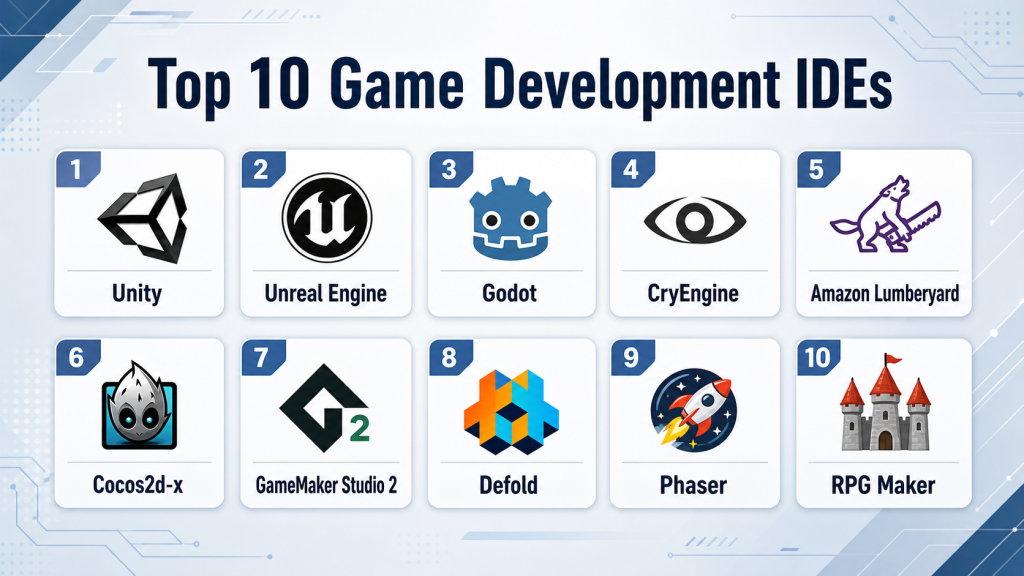
Top 10 Game Development IDEs Tools
1 — Unity
Short description: Unity is a versatile IDE for 2D, 3D, AR, and VR game development, supporting multiple platforms and widely used by indie and professional developers alike.
Key Features
- Cross-platform deployment (PC, console, mobile, web, AR/VR)
- Real-time 3D rendering and physics engine
- Asset store with extensive prebuilt resources
- Visual scripting and AI-assisted coding tools
- Multiplayer and cloud integration
Pros
- Large community and resources
- Flexible licensing for different studio sizes
- Strong support for mobile and AR/VR
Cons
- Performance overhead in complex 3D projects
- Steeper learning curve for beginners
- Limited built-in analytics for live-service games
Platforms / Deployment
Windows, macOS, Linux, iOS, Android / Cloud & Local
Security & Compliance
Not publicly stated
Integrations & Ecosystem
Unity integrates with version control, cloud build systems, AI tools, and AR/VR SDKs.
- Git, Perforce
- ARKit/ARCore
- PlayFab, Photon
- Asset Store plugins
Support & Community
Comprehensive documentation, tutorials, forums, and professional support tiers.
2 — Unreal Engine
Short description: Unreal Engine is a high-fidelity IDE for AAA-quality 3D games, with robust tools for rendering, physics, and cinematic experiences.
Key Features
- Real-time ray tracing and high-end graphics
- Visual scripting (Blueprints) and C++ integration
- AI and machine learning support for NPCs
- Multiplayer and live-service support
- Cross-platform packaging
Pros
- Superior graphics capabilities
- Strong asset and plugin ecosystem
- Suitable for large-scale, complex projects
Cons
- Higher system requirements
- Steep learning curve for beginners
- Licensing can be complex for revenue-based models
Platforms / Deployment
Windows, macOS, Linux, iOS, Android, consoles / Hybrid
Security & Compliance
Not publicly stated
Integrations & Ecosystem
Unreal integrates with version control, cloud build, physics middleware, and AI libraries.
- Git, Perforce
- NVIDIA PhysX
- MetaHuman Creator
- Marketplace plugins
Support & Community
Extensive documentation, forums, and enterprise-level support.
3 — Godot
Short description: Godot is an open-source, lightweight IDE supporting 2D and 3D game development with a flexible scripting language and cross-platform deployment.
Key Features
- Scene-based architecture for modular development
- GDScript and C# support
- Built-in 2D/3D editors
- Cross-platform deployment
- Active plugin and community contributions
Pros
- Free and open-source
- Lightweight and easy to use
- Strong 2D development tools
Cons
- Smaller community than Unity/Unreal
- Limited AAA 3D graphics support
- Fewer enterprise integrations
Platforms / Deployment
Windows, macOS, Linux, Web, iOS, Android / Local & Cloud
Security & Compliance
Not publicly stated
Integrations & Ecosystem
Integrates with version control, CI/CD pipelines, and third-party plugins.
- GitHub/GitLab
- Asset libraries
- Plugin system
Support & Community
Active open-source community, extensive documentation, tutorials, and forums.
4 — CryEngine
Short description: CryEngine is designed for high-end 3D games with cutting-edge graphics and physics, suitable for AAA and immersive VR projects.
Key Features
- Realistic rendering and physics
- Advanced AI and pathfinding
- VR and AR support
- Sandbox editor for rapid prototyping
- Multiplayer support
Pros
- Superior graphics fidelity
- Advanced environmental simulations
- Free for small projects
Cons
- Smaller community and learning resources
- Limited third-party integrations
- Steep learning curve
Platforms / Deployment
Windows, consoles, VR/AR / Hybrid
Security & Compliance
Not publicly stated
Integrations & Ecosystem
Supports source control, cloud builds, and third-party plugins.
- Perforce, Git
- VR SDKs
- Marketplace assets
Support & Community
Documentation, community forums, and limited professional support.
5 — Amazon Lumberyard
Short description: Lumberyard is a cloud-connected IDE optimized for multiplayer games, integrating deeply with AWS and Twitch for live-service gaming.
Key Features
- AWS cloud integration
- C++ scripting and Lua support
- Multiplayer and networking modules
- VR/AR and mobile support
- Real-time editing and rendering
Pros
- Cloud-native multiplayer support
- Optimized for live-service games
- Free engine with royalty-free model
Cons
- Smaller user community
- Limited mobile ecosystem
- Documentation can be fragmented
Platforms / Deployment
Windows, Cloud, VR/AR / Hybrid
Security & Compliance
Not publicly stated
Integrations & Ecosystem
Deep AWS integration, version control, multiplayer frameworks.
- Git/Perforce
- AWS GameLift
- Twitch APIs
Support & Community
AWS forums, tutorials, and limited support plans.
6 — Cocos2d-x
Short description: Cocos2d-x is a lightweight IDE and framework for 2D mobile and web games, popular among indie developers.
Key Features
- 2D game engine with rich animations
- C++ and Lua scripting
- Cross-platform deployment
- Lightweight and fast
- Open-source plugins and community contributions
Pros
- Open-source and free
- Easy to deploy on mobile
- Optimized for low-resource games
Cons
- Limited 3D capabilities
- Smaller ecosystem than Unity
- Fewer debugging tools
Platforms / Deployment
Windows, macOS, Linux, iOS, Android / Local & Cloud
Security & Compliance
Not publicly stated
Integrations & Ecosystem
Supports version control, mobile SDKs, and CI/CD.
- Git, SVN
- Third-party mobile analytics
- Plugin extensions
Support & Community
Open-source forums, documentation, and community tutorials.
7 — GameMaker Studio 2
Short description: GameMaker Studio 2 is a beginner-friendly IDE focusing on 2D games with drag-and-drop and scripting options.
Key Features
- Drag-and-drop interface and GML scripting
- Cross-platform export
- Integrated debugging
- Asset and animation management
- Marketplace for resources
Pros
- Fast prototyping for 2D games
- Beginner-friendly
- Active community support
Cons
- Limited 3D support
- Less suitable for large-scale projects
- Performance constraints for complex games
Platforms / Deployment
Windows, macOS, iOS, Android / Cloud & Local
Security & Compliance
Not publicly stated
Integrations & Ecosystem
Integrates with version control, analytics, and plugins.
- GitHub
- Asset Store
- Analytics SDKs
Support & Community
Documentation, active forums, tutorials, and community assets.
8 — Defold
Short description: Defold is a lightweight IDE for 2D and simple 3D games with a strong focus on performance and cross-platform deployment.
Key Features
- Lua scripting
- Real-time previews
- Built-in physics and animation
- Cross-platform export
- Modular architecture
Pros
- Lightweight and fast
- Easy to learn for small teams
- Strong 2D support
Cons
- Limited 3D and AAA capabilities
- Smaller community
- Less extensive plugin ecosystem
Platforms / Deployment
Windows, macOS, Linux, Web, iOS, Android / Cloud & Local
Security & Compliance
Not publicly stated
Integrations & Ecosystem
Supports version control, cloud builds, and external SDKs.
- Git
- Analytics and ad SDKs
- Community plugins
Support & Community
Active forums, documentation, and tutorials.
9 — Phaser
Short description: Phaser is an open-source HTML5 game framework for browser-based games, offering simple 2D development tools.
Key Features
- HTML5/JavaScript-based
- Physics and animation support
- Lightweight and fast
- Asset management
- Community plugins and tutorials
Pros
- Free and open-source
- Ideal for web games
- Rapid prototyping
Cons
- Limited to browser-based games
- No native mobile support without wrappers
- Fewer debugging tools
Platforms / Deployment
Web / Cloud & Local
Security & Compliance
Not publicly stated
Integrations & Ecosystem
Integrates with web frameworks and asset libraries.
- Node.js
- Git
- Web APIs
Support & Community
Extensive community tutorials and forums.
10 — RPG Maker
Short description: RPG Maker is a specialized IDE for 2D role-playing games with visual editors and scripting options for custom behaviors.
Key Features
- Map and event editor
- Ruby or JavaScript scripting
- Prebuilt asset library
- Cross-platform export
- Tile-based level design
Pros
- Rapid RPG prototyping
- Beginner-friendly
- Large community and assets
Cons
- Limited 3D support
- Specialized for RPG genre
- Less flexible for other game types
Platforms / Deployment
Windows, macOS, Web / Local & Cloud
Security & Compliance
Not publicly stated
Integrations & Ecosystem
Supports asset libraries and plugins.
- Asset packs
- Scripting extensions
- Version control via Git
Support & Community
Documentation, active community forums, tutorials, and marketplace assets.
Comparison Table (Top 10)
| Tool Name | Best For | Platform(s) Supported | Deployment | Standout Feature | Public Rating |
|---|---|---|---|---|---|
| Unity | Cross-platform, 2D/3D | Windows, macOS, Linux, iOS, Android | Cloud/Local | Asset Store & real-time 3D | N/A |
| Unreal Engine | AAA games, 3D | Windows, macOS, Linux, iOS, Android | Hybrid | High-fidelity rendering | N/A |
| Godot | Indie, 2D/3D | Windows, macOS, Linux, Web, iOS, Android | Cloud/Local | Lightweight open-source IDE | N/A |
| CryEngine | AAA, VR/AR | Windows, consoles, VR/AR | Hybrid | Advanced graphics & physics | N/A |
| Amazon Lumberyard | Multiplayer, cloud | Windows, Cloud, VR/AR | Hybrid | AWS cloud integration | N/A |
| Cocos2d-x | Mobile 2D | Windows, macOS, Linux, iOS, Android | Local/Cloud | Lightweight 2D engine | N/A |
| GameMaker Studio 2 | 2D indie | Windows, macOS, iOS, Android | Cloud/Local | Drag-and-drop + scripting | N/A |
| Defold | 2D, lightweight | Windows, macOS, Linux, Web, iOS, Android | Cloud/Local | Performance-focused 2D | N/A |
| Phaser | Web games | Web | Cloud/Local | HTML5 & JavaScript-based | N/A |
| RPG Maker | 2D RPG | Windows, macOS, Web | Local/Cloud | Visual RPG editors | N/A |
Evaluation & Scoring of Game Development IDEs
| Tool Name | Core (25%) | Ease (15%) | Integrations (15%) | Security (10%) | Performance (10%) | Support (10%) | Value (15%) | Weighted Total |
|---|---|---|---|---|---|---|---|---|
| Unity | 9 | 8 | 9 | 7 | 8 | 9 | 8 | 8.45 |
| Unreal Engine | 10 | 7 | 8 | 7 | 9 | 8 | 7 | 8.15 |
| Godot | 7 | 9 | 7 | 6 | 7 | 8 | 9 | 7.75 |
| CryEngine | 9 | 6 | 6 | 6 | 9 | 7 | 7 | 7.45 |
| Lumberyard | 8 | 7 | 8 | 6 | 8 | 6 | 7 | 7.45 |
| Cocos2d-x | 7 | 8 | 6 | 6 | 7 | 6 | 9 | 7.25 |
| GameMaker Studio 2 | 6 | 9 | 6 | 6 | 6 | 7 | 8 | 7.15 |
| Defold | 6 | 8 | 6 | 6 | 6 | 6 | 8 | 6.85 |
| Phaser | 5 | 9 | 5 | 6 | 5 | 6 | 9 | 6.75 |
| RPG Maker | 5 | 9 | 5 | 6 | 5 | 6 | 8 | 6.55 |
Interpretation: Scores indicate relative strengths across criteria. Higher weighted totals suggest better overall suitability for diverse teams; specific choice depends on project needs.
Which Game Development IDE Tool Is Right for You?
Solo / Freelancer
- Godot, GameMaker Studio 2, Phaser for lightweight or web-based projects.
SMB
- Unity or Defold for mobile/2D games with moderate team collaboration.
Mid-Market
- Unity or Unreal Engine for 3D games and cross-platform deployment.
Enterprise
- Unreal Engine or CryEngine for AAA titles and VR/AR experiences.
Budget vs Premium
- Free/open-source options: Godot, Phaser, Cocos2d-x
- Premium/enterprise: Unity, Unreal, Lumberyard
Feature Depth vs Ease of Use
- High features: Unreal Engine, Unity
- Beginner-friendly: GameMaker Studio 2, RPG Maker
Integrations & Scalability
- Unity and Unreal provide extensive plugin ecosystems and cloud integration for large-scale projects.
Security & Compliance Needs
- Use enterprise IDEs with RBAC and cloud access control for studios handling sensitive assets.
Frequently Asked Questions (FAQs)
1. Which IDE is best for beginners?
GameMaker Studio 2 and RPG Maker offer intuitive drag-and-drop editors ideal for beginners.
2. Can I use these IDEs for VR/AR games?
Unity, Unreal, and CryEngine provide native support for VR/AR development.
3. Are any IDEs free to use?
Godot, Phaser, and Cocos2d-x are fully open-source and free.
4. Which IDE supports mobile platforms?
Unity, Godot, Cocos2d-x, and GameMaker Studio 2 support iOS and Android deployment.
5. Can multiple developers collaborate in real-time?
Unity and Unreal Engine provide cloud-based collaboration tools; others rely on version control systems.
6. How steep is the learning curve?
Unreal and CryEngine are complex for beginners, while GameMaker and RPG Maker are beginner-friendly.
7. Do these IDEs include asset marketplaces?
Unity, Unreal, and Lumberyard have robust marketplaces; Godot and open-source tools rely on community assets.
8. Which IDE is suitable for 2D vs 3D games?
Cocos2d-x and GameMaker Studio 2 excel in 2D; Unity and Unreal Engine are ideal for 3D.
9. Can these IDEs handle multiplayer games?
Unity, Unreal Engine, and Lumberyard have native networking and multiplayer support.
10. Are there AI-assisted coding tools?
Unity offers AI-assisted features; Unreal is introducing AI scripting aids for NPC behavior.
11. Which IDE is suitable for web-based games?
Phaser is specialized for HTML5 and browser-based games.
12. How do I choose the right IDE for my team?
Consider project complexity, team size, platform needs, and asset requirements before selecting.
13. Are these IDEs scalable for enterprise projects?
Unity and Unreal Engine scale effectively for large studios, AAA games, and live-service projects.
Conclusion
Selecting the right game development IDE depends on your project scope, team size, and platform targets. Indie developers may favor lightweight, open-source tools like Godot or Phaser, while enterprise studios producing AAA games will benefit from the high-fidelity capabilities of Unreal or Unity. Real-world cases highlight that tools like Unity accelerate mobile cross-platform deployment, whereas Unreal excels in cinematic-quality AAA and VR experiences. Start by shortlisting 2–3 tools that match your platform needs, run pilot projects to assess workflow and performance, and validate integrations and security for long-term success. Choosing strategically ensures both development efficiency and game quality.

Find Trusted Cardiac Hospitals
Compare heart hospitals by city and services — all in one place.
Explore Hospitals
Game development IDEs are explained clearly, and the comparison helps in understanding coding, debugging, and overall workflow for building games efficiently.