Introduction
Network monitoring tools are specialized software applications designed to track the health, performance, and availability of a computer network. These tools continuously scan network components—such as routers, switches, firewalls, servers, and virtual machines—to identify bottlenecks, hardware failures, or security breaches. In plain English, they act as a digital health monitor for your organization’s connectivity, ensuring that data flows smoothly between users and the applications they need to perform their jobs.
In the modern digital landscape, the network is the foundation of every business operation. As organizations transition to hybrid work models and multi-cloud environments, the complexity of these networks has exploded. Monitoring is no longer just about checking if a server is “up” or “down”; it is about understanding latency, jitter, packet loss, and traffic patterns across global distances. Effective network monitoring allows IT teams to move from a reactive “firefighting” mode to a proactive strategy where issues are resolved before they impact the end-user experience.
Real-world use cases for these tools include:
- Bandwidth Management: Identifying which users or applications are consuming excessive bandwidth to prevent network congestion.
- Fault Detection: Automatically alerting IT staff when a critical switch fails or a redundant link goes offline.
- Uptime Monitoring: Ensuring that mission-critical web services and internal applications remain accessible around the clock.
- Security Surveillance: Detecting unusual traffic spikes or unauthorized connection attempts that may indicate a DDoS attack or data breach.
- Capacity Planning: Analyzing historical traffic trends to predict when hardware upgrades will be necessary.
When evaluating these platforms, buyers should prioritize the following criteria:
- Protocol Support: Compatibility with SNMP (v1, v2c, v3), NetFlow, sFlow, J-Flow, WMI, and SSH.
- Visualization: High-quality dashboards, topology mapping, and real-time graphing capabilities.
- Alerting System: Granular control over alert thresholds and multi-channel notification support (email, SMS, Slack).
- Scalability: The ability to monitor thousands of devices across multiple geographical locations.
- Automated Discovery: How efficiently the tool identifies new devices as they are added to the network.
- Reporting: Out-of-the-box templates for compliance audits and executive performance summaries.
- Cloud Integration: The capability to monitor virtual private clouds (VPCs) and SaaS connectivity.
- Ease of Deployment: Whether the tool requires an intensive manual setup or offers a streamlined, agentless installation.
Best for: IT administrators, network engineers, system architects, and MSPs responsible for maintaining high-availability infrastructure.
Not ideal for: Individual home users with a single router or small businesses with no internal server infrastructure.
Key Trends in Network Monitoring Software
- AIOps and Predictive Analytics: Modern tools are increasingly using machine learning to establish performance baselines and predict failures based on subtle anomalies in traffic data.
- Expansion of SD-WAN Monitoring: As traditional WANs are replaced by Software-Defined Wide Area Networks, monitoring tools are adapting to track dynamic path selection and virtual overlay performance.
- Zero Trust Architecture Visibility: Monitoring solutions are integrating with Zero Trust frameworks to verify every connection attempt and monitor the lateral movement of data.
- Full-Stack Observability Convergence: The boundary between network monitoring and application performance monitoring (APM) is blurring, leading to unified “observability” platforms.
- 5G and Edge Computing Support: Tools are evolving to handle the low-latency, high-density requirements of 5G networks and decentralized edge computing nodes.
- Automated Remediation: Beyond simple alerting, modern platforms can now trigger automated scripts to reboot ports or reroute traffic when specific failure conditions are met.
- Cloud-Native Monitoring: A shift toward monitoring ephemeral resources like containers and microservices within Kubernetes environments.
- Standardization on OpenTelemetry: Increased support for open standards to ensure that monitoring data can be easily shared between different IT operations tools.
How We Selected These Tools (Methodology)
To determine the top network monitoring tools, we conducted an extensive evaluation based on the following methodology:
- Market Share and Reliability: We prioritized vendors with a long-standing reputation for stability in enterprise environments.
- Feature Depth: Evaluation was focused on the robustness of core monitoring protocols and the quality of automated device discovery.
- User Experience: We analyzed the intuitiveness of the dashboard interfaces and the complexity of the initial configuration process.
- Vendor Support Ecosystem: Consideration was given to the quality of technical documentation and the availability of professional support tiers.
- Security Posture: We looked for tools that offer encrypted communication, role-based access control (RBAC), and secure credential storage.
- Modern Innovation: Weighting was given to platforms that have successfully integrated AI-driven insights and cloud-native monitoring capabilities.
- Customer Feedback: We reviewed signals from professional IT communities regarding real-world performance and long-term reliability.
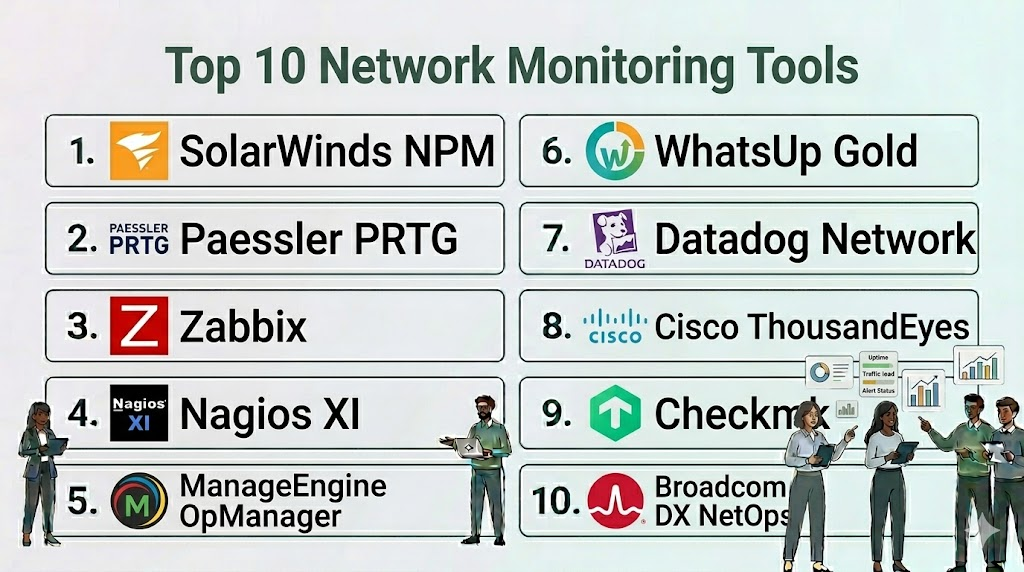
Top 10 Network Monitoring Tools
1. SolarWinds Network Performance Monitor (NPM)
SolarWinds NPM is a comprehensive, multi-vendor network monitoring solution designed to scale with the needs of large enterprises. it provides deep visibility into network health and performance through a powerful, web-based interface.
Key Features
- NetPath Critical Path Visualization: Allows you to see all devices, applications, and networks along a service path for localized troubleshooting.
- Advanced Alerting: Condition-based alerting allows you to group related events and reduce “alert fatigue.”
- PerfStack Dashboards: Drag-and-drop performance metrics onto a single timeline to correlate data across different layers.
- Automated Device Discovery: Dynamically scans the network to find and map new devices and logical relationships.
- Intelligent Topology Mapping: Automatically creates visual network maps that update as the environment changes.
Pros
- Extremely robust featureset that covers almost every imaginable networking scenario.
- Excellent reporting capabilities that simplify compliance and executive reviews.
Cons
- The pricing structure can be expensive for smaller organizations.
- Requires a significant amount of system resources (CPU and RAM) for the server installation.
Platforms / Deployment
- Windows
- On-premise / Hybrid
Security & Compliance
- FIPS 140-2 compatible, RBAC, SAML integration
- SOC 2 Type II compliant
Integrations & Ecosystem
SolarWinds features a massive ecosystem of modules that work together under the Orion Platform.
- SolarWinds NetFlow Traffic Analyzer
- Server & Application Monitor
- ServiceNow
- Microsoft Azure
Support & Community
Access to a dedicated support team and the “Thwack” community, which features over 150,000 members and shared templates.
2. Paessler PRTG Network Monitor
Paessler PRTG is an all-in-one monitoring solution known for its “sensor-based” licensing model. It is designed to be easy to use while providing deep insights into everything from local hardware to cloud instances.
Key Features
- Sensor-Based Monitoring: Each “sensor” monitors one specific value (e.g., one port, one CPU load, or one disk space).
- Integrated Technologies: Supports SNMP, WMI, SSH, and packet sniffing out of the box without additional plugins.
- Distributed Monitoring: Remote probes allow you to monitor multiple networks from a single central installation.
- Customizable Dashboards: PRTG Maps allow you to create unique visual displays with real-time status icons.
- Flexible Alerting: Supports push notifications to mobile devices, email, and automated execution of HTTP requests.
Pros
- Very fast and intuitive installation process; you can be up and running in minutes.
- Excellent mobile app that provides full monitoring capabilities on the go.
Cons
- The sensor-based pricing can become expensive if you need to monitor many individual ports on large switches.
- The web interface, while functional, can feel a bit cluttered as the sensor count grows.
Platforms / Deployment
- Windows
- On-premise / Cloud (SaaS)
Security & Compliance
- SSL/TLS encryption, RBAC
- Not publicly stated
Integrations & Ecosystem
PRTG is highly flexible and can be extended through custom scripts and a robust API.
- Microsoft Teams / Slack
- Grafana
- VMware
- Amazon CloudWatch
Support & Community
Strong technical documentation and a responsive support team based in Germany, along with a helpful knowledge base.
3. Zabbix
Zabbix is an enterprise-class, open-source monitoring platform that offers total flexibility for those who want a powerful tool without high licensing costs. It is capable of monitoring millions of metrics from any source.
Key Features
- Agentless and Agent-Based Monitoring: Offers flexibility in how you collect data from diverse systems.
- Smart Thresholds: Uses “triggers” that can be based on complex logical expressions to reduce false positives.
- Auto-Discovery and Auto-Registration: Simplifies the management of large, dynamic environments like cloud clusters.
- Distributed Monitoring with Proxies: Allows for secure monitoring of remote sites without opening sensitive firewall ports.
- Data Visualization: Includes built-in graphing, network maps, and “screens” for high-level overviews.
Pros
- Completely free with no limit on the number of devices or sensors.
- Incredible depth of configuration; you can monitor literally anything that can produce data.
Cons
- High learning curve; requires significant technical expertise to set up and maintain.
- The user interface is functional but lacks the “polish” of premium commercial competitors.
Platforms / Deployment
- Linux
- On-premise / Self-hosted Cloud
Security & Compliance
- Encryption between components, LDAP/Active Directory support
- Not publicly stated
Integrations & Ecosystem
Zabbix has a massive library of community-contributed templates and a powerful API.
- Grafana (Primary visualization partner)
- Telegram / Slack
- Jira
- TimescaleDB
Support & Community
Huge global community of open-source enthusiasts and professional support contracts available directly from Zabbix.
4. Nagios XI
Nagios XI is a professional monitoring suite based on the legendary Nagios Core engine. It provides an enterprise-ready interface and advanced features for monitoring mission-critical infrastructure.
Key Features
- Nagios Core Engine: Utilizes one of the most reliable and battle-tested monitoring engines ever created.
- Configuration Wizards: Guides users through the process of setting up new devices without manual file editing.
- Capacity Planning Reports: Helps IT managers predict when resources will run out based on historical usage.
- Advanced Graphs: Includes the Highcharts library for interactive and visually appealing data representations.
- Infrastructure Management: Allows for bulk changes and multi-user configuration management.
Pros
- The plugin ecosystem is the largest in the world; there is a plugin for almost every device ever made.
- Extreme reliability; the core engine is known for its stability in massive environments.
Cons
- The architecture can still feel a bit “old school” compared to modern cloud-native tools.
- Some advanced features require a higher tier of licensing (Enterprise Edition).
Platforms / Deployment
- Linux (RHEL, CentOS, Ubuntu)
- On-premise / Hybrid
Security & Compliance
- RBAC, SSL/TLS, Audit logging
- Not publicly stated
Integrations & Ecosystem
Nagios XI can integrate with nearly anything through its vast library of thousands of plugins.
- SNMP-enabled devices
- VMware / Hyper-V
- Exchange / SQL Server
- Linux / Windows Agents
Support & Community
Professional support is included with the subscription, and the Nagios Exchange community is a goldmine for plugins.
5. ManageEngine OpManager
ManageEngine OpManager is an integrated network management software that facilitates efficient and holistic network monitoring. It is designed for IT admins who want a balance of deep features and ease of use.
Key Features
- Physical and Virtual Server Monitoring: Tracks performance across VMware, Hyper-V, and Nutanix environments.
- 3D Data Center Floor Maps: Allows you to visualize your rack and server layout in a three-dimensional view.
- Intelligent Thresholds: Supports multiple levels of thresholds (Attention, Trouble, Critical) for granular alerting.
- Network Path Analysis: Visualizes the path between the source and destination to identify latency issues.
- Mobile App Integration: Provides real-time alerts and basic troubleshooting tools on smartphones.
Pros
- Very competitive pricing for the feature set provided.
- Good balance of automated discovery and manual control.
Cons
- The user interface can sometimes be slow when handling a very large number of devices.
- Upgrading between versions can occasionally be a complex process for on-premise installations.
Platforms / Deployment
- Windows / Linux
- On-premise / Cloud
Security & Compliance
- Two-factor authentication, RBAC, Encryption
- SOC 2 compliant (ManageEngine Cloud)
Integrations & Ecosystem
OpManager is part of the broader ManageEngine suite, allowing for seamless integration with other IT tools.
- ServiceDesk Plus (ITSM)
- Application Manager
- NetFlow Analyzer
- AlarmsOne
Support & Community
ManageEngine offers 24/5 technical support and has an active user forum with frequent updates.
6. Progress WhatsUp Gold
WhatsUp Gold is a network monitoring tool that prides itself on its interactive network maps and ease of use. It is designed to provide a “single pane of glass” view of your entire infrastructure.
Key Features
- Interactive Topology Map: A unique, clickable map that shows the status of every device and connection in real-time.
- Layer 2/3 Discovery: Automatically scans and maps the relationship between switches, VLANs, and end devices.
- Application Performance Monitoring: Provides specialized visibility into the health of web and database applications.
- Wireless Monitoring: Tracks the performance of Wi-Fi networks, including signal strength and client counts.
- Configuration Management: Automates backups and alerts you when network configurations are changed.
Pros
- One of the best visual mapping systems in the industry.
- The licensing is based on devices rather than individual sensors, which can be more cost-effective for large switches.
Cons
- The depth of advanced troubleshooting data can be slightly lower than SolarWinds.
- The reporting engine, while capable, is less customizable than some competitors.
Platforms / Deployment
- Windows
- On-premise
Security & Compliance
- FIPS 140-2 compliance, encrypted credentials
- Not publicly stated
Integrations & Ecosystem
Focuses on providing a unified view of the modern IT environment.
- Flowmon (for advanced traffic analysis)
- Kemp LoadMaster
- ServiceNow
- Log Management tools
Support & Community
Reliable professional support and an active community portal with a knowledge base and video tutorials.
7. Datadog Network Monitoring
Datadog is a modern, cloud-native observability platform that offers specialized network monitoring capabilities. It is built for teams managing high-scale, dynamic cloud environments.
Key Features
- Network Device Monitoring: Provides full visibility into physical hardware via SNMP in a SaaS format.
- Network Performance Monitoring (NPM): Analyzes traffic flows between services, containers, and cloud regions.
- Flow Visualization: Maps dependencies and traffic volume between every node in your cloud architecture.
- Unified Tagging: Automatically links network data with application logs and server metrics.
- AI-Powered Anomaly Detection: Identifies abnormal traffic patterns that could indicate a failure or security threat.
Pros
- Seamlessly integrates network data with the rest of your observability stack (logs, APM, etc.).
- Zero maintenance overhead; no servers to manage because it is a SaaS product.
Cons
- Pricing is based on volume and can become very high for large-scale environments.
- Primarily focused on cloud/hybrid; may be less ideal for purely air-gapped on-premise networks.
Platforms / Deployment
- SaaS (Web)
- Cloud / Hybrid
Security & Compliance
- SOC 2, ISO 27001, HIPAA, PCI DSS
- End-to-end encryption, RBAC
Integrations & Ecosystem
Datadog has over 600 integrations, making it one of the most connected tools in the world.
- AWS / GCP / Azure
- Kubernetes / Docker
- Slack / PagerDuty
- GitHub
Support & Community
Excellent technical support, extensive documentation, and a global community of modern DevOps engineers.
8. Cisco ThousandEyes
Cisco ThousandEyes is a “digital experience” monitoring platform that excels at tracking performance across the public internet and cloud providers. It is the gold standard for monitoring what you don’t own.
Key Features
- Internet Insights: Uses a global network of agents to identify internet-wide outages and routing issues.
- End-to-End Path Visualization: Tracks data from the branch office through the ISP and into the SaaS provider.
- BGP Route Monitoring: Alerts you to route hijacks or prefix leaks that could impact global connectivity.
- Browser Synthetics: Simulates user interactions with websites to measure real-world application performance.
- Endpoint Agents: Can be installed on user laptops to monitor Wi-Fi and VPN performance for remote workers.
Pros
- Unrivaled visibility into the “public internet” and SaaS performance (like Office 365 or Salesforce).
- Deeply integrated with Cisco hardware (Catalyst 9k switches can run ThousandEyes agents).
Cons
- Very expensive; targeted primarily at large enterprises and global organizations.
- Not intended for traditional local-only hardware monitoring (though it can do basic SNMP).
Platforms / Deployment
- SaaS (Web)
- Cloud / Enterprise Agents / Endpoint Agents
Security & Compliance
- ISO 27001, SOC 2, FedRAMP
- SSO/SAML, RBAC
Integrations & Ecosystem
Leverages the massive Cisco networking ecosystem for unique visibility.
- Cisco Meraki / Catalyst
- AppDynamics (Cisco)
- ServiceNow
- Splunk
Support & Community
Enterprise-grade support from Cisco and a specialized community focused on internet architecture.
9. Checkmk
Checkmk is a highly efficient monitoring platform that is particularly well-suited for large, complex networks. It is known for its ability to monitor tens of thousands of services with very low CPU usage.
Key Features
- Rule-Based Configuration: Simplifies the management of thousands of devices by using logical rules instead of manual settings.
- Extensive Check Library: Includes over 2,000 pre-configured checks for hardware, software, and cloud services.
- Automated Inventory: Collects detailed information about hardware and software versions across the network.
- Highly Efficient Agent: The Checkmk agent is extremely lightweight and fast compared to standard SNMP.
- Multi-Site Monitoring: Centralizes status information from many independent sites into one view.
Pros
- The “Rule-Based” approach makes it incredibly fast to configure massive networks.
- Offers a very capable “Raw Edition” that is free and open-source.
Cons
- The user interface is efficient but can feel a bit technical and dated to some users.
- Smaller presence in the North American market compared to SolarWinds or Datadog.
Platforms / Deployment
- Linux (Appliance available)
- On-premise / Cloud
Security & Compliance
- TLS-encrypted communication, RBAC
- Not publicly stated
Integrations & Ecosystem
Integrates well with modern IT automation and graphing tools.
- Grafana
- Prometheus
- InfluxDB
- Ansible
Support & Community
Active forum, professional support contracts, and a deep knowledge base with a focus on technical details.
10. Broadcom DX NetOps
Broadcom DX NetOps is an enterprise-grade network monitoring and analytics platform designed for high-scale, modern infrastructure. It focuses on unifying data across multi-vendor networks.
Key Features
- AIOps Insights: Uses advanced analytics to correlate network data with application performance.
- Full-Stack Visibility: Monitors everything from high-speed data center backbones to remote SD-WAN branches.
- Integrated Network Flow: Provides deep visibility into traffic patterns and application-level usage.
- Performance Dashboards: High-level executive views combined with deep-dive technical analytics.
- Scalable Architecture: Capable of handling millions of monitored elements in global service provider networks.
Pros
- Built for the largest networks in the world (Service Providers and Fortune 100).
- Strong focus on operational efficiency and reducing the “mean time to repair” (MTTR).
Cons
- Too complex and expensive for small or medium-sized businesses.
- The product suite can be difficult to navigate due to the many integrated components.
Platforms / Deployment
- Linux
- On-premise / Hybrid
Security & Compliance
- SSO, RBAC, Data encryption
- SOC 2 compliant
Integrations & Ecosystem
Integrates with the broader Broadcom (formerly CA Technologies) software portfolio.
- AppExperience
- DX Infrastructure Manager
- Cisco ACI
- VMware NSX
Support & Community
Comprehensive enterprise support and a professional user community focused on network engineering at scale.
Comparison Table
| Tool Name | Best For | Platform(s) Supported | Deployment | Standout Feature | Public Rating |
| SolarWinds NPM | Enterprise SNMP Monitoring | Windows | On-prem/Hybrid | NetPath Path Visualization | N/A |
| Paessler PRTG | Easy, Sensor-based Monitoring | Windows | On-prem/Cloud | 1-Click Install & Setup | N/A |
| Zabbix | Open Source Flexibility | Linux | On-prem/Cloud | Free Enterprise Features | N/A |
| Nagios XI | Reliable Plugin Ecosystem | Linux | On-prem/Hybrid | Battle-tested Core Engine | N/A |
| ManageEngine OpManager | Holistic IT Management | Win/Linux | On-prem/Cloud | 3D Data Center Maps | N/A |
| WhatsUp Gold | Interactive Network Mapping | Windows | On-prem | Clickable Topology Maps | N/A |
| Datadog Network | Cloud-Native Observability | SaaS | Cloud/Hybrid | Flow Analysis & Tagging | N/A |
| Cisco ThousandEyes | Internet/SaaS Monitoring | SaaS | Cloud/SaaS | BGP & Internet Insights | N/A |
| Checkmk | Large-scale Rule-based Monitoring | Linux | On-prem/Cloud | High Performance Core | N/A |
| Broadcom DX NetOps | Service Provider Scale | Linux | On-prem/Hybrid | High-scale AIOps | N/A |
Evaluation & Scoring of Network Monitoring Tools
The following table provides a weighted evaluation of each tool based on professional IT standards.
| Tool Name | Core (25%) | Ease (15%) | Integrations (15%) | Security (10%) | Performance (10%) | Support (10%) | Value (15%) | Weighted Total |
| SolarWinds NPM | 10 | 6 | 10 | 9 | 9 | 9 | 6 | 8.5 |
| Paessler PRTG | 8 | 10 | 8 | 8 | 8 | 8 | 9 | 8.4 |
| Zabbix | 9 | 3 | 9 | 8 | 10 | 7 | 10 | 8.0 |
| Nagios XI | 9 | 4 | 10 | 8 | 9 | 8 | 7 | 7.7 |
| OpManager | 8 | 8 | 8 | 9 | 8 | 8 | 8 | 8.1 |
| WhatsUp Gold | 8 | 9 | 7 | 8 | 8 | 8 | 8 | 7.9 |
| Datadog Network | 9 | 8 | 10 | 10 | 9 | 9 | 7 | 8.8 |
| ThousandEyes | 10 | 7 | 9 | 10 | 10 | 9 | 5 | 8.3 |
| Checkmk | 9 | 5 | 8 | 8 | 10 | 8 | 9 | 8.1 |
| DX NetOps | 10 | 4 | 9 | 9 | 10 | 9 | 6 | 8.1 |
How to interpret the scores
- High Core Score: Indicates a tool with exceptional depth in SNMP, Flow analysis, and automated mapping.
- High Ease Score: Represents tools that can be configured without specialized training or extensive manual scripting.
- High Value Score: Reflects tools that provide the most features per dollar, with open-source options (Zabbix) scoring highest.
- Weighted Total: A calculated balance of all criteria to help you identify the best all-around platform for an enterprise environment.
Which Network Monitoring Tool Is Right for You?
Solo / Freelancer
For an individual or small business owner, Paessler PRTG is often the best choice due to its intuitive setup and free version (for up to 100 sensors). If you have a technical background and want a powerful, zero-cost solution, Zabbix is the professional’s choice for open-source monitoring.
SMB
Small-to-medium businesses should prioritize ease of management. ManageEngine OpManager and Progress WhatsUp Gold offer excellent visibility without requiring a full-time network engineer to maintain the monitoring server. These tools provide out-of-the-box dashboards that are perfect for general IT teams.
Mid-Market
For growing companies with complex hybrid environments, Datadog offers the best modern experience. Its SaaS-based model means your team spends less time maintaining the tool and more time fixing the network. SolarWinds NPM remains a top choice for mid-market firms that prefer on-premise control and deep SNMP depth.
Enterprise
Large enterprises with global networks require tools with massive scalability and deep security. SolarWinds NPM, Broadcom DX NetOps, and Cisco ThousandEyes are the gold standards here. ThousandEyes is particularly critical for enterprises that rely heavily on cloud services and remote office connectivity over the public internet.
Budget vs Premium
If budget is the primary driver, Zabbix and the Checkmk Raw Edition are professional-grade tools with zero licensing fees. On the premium end, SolarWinds and ThousandEyes provide the most advanced features and support for those who prioritize performance over cost.
Feature Depth vs Ease of Use
Paessler PRTG and WhatsUp Gold lead in ease of use. If you require deep, technical configuration and custom scripting capabilities, Zabbix and Nagios XI provide the most depth, albeit with a much higher learning curve.
Integrations & Scalability
Datadog and SolarWinds are the leaders in integration. They can act as a central hub, pulling data from servers, applications, and network hardware into a single view. For pure scalability in service provider networks, Broadcom and Checkmk are designed for the highest volumes of data.
Security & Compliance Needs
Organizations in highly regulated industries like Finance or Healthcare should stick with SolarWinds, Datadog, or Cisco. These vendors provide the most robust documentation on compliance, secure credential handling, and encrypted data transport.
Frequently Asked Questions (FAQs)
1. What is the difference between SNMP and Flow monitoring?
SNMP (Simple Network Management Protocol) is used to check the health of a device (CPU, RAM, port status). Flow monitoring (NetFlow/sFlow) is used to analyze the actual traffic—showing you who is talking to whom and which applications are using the most bandwidth.
2. Can I monitor a cloud network with these tools?
Yes, tools like Datadog, ThousandEyes, and PRTG are designed specifically for hybrid environments. They can monitor Virtual Private Clouds (VPCs) in AWS or Azure just as easily as they monitor physical servers in your basement.
3. Do I need an agent on every computer to monitor the network?
No. Most network monitoring is “agentless,” meaning it uses standard protocols like SNMP or WMI to talk to your routers and servers. Agents are usually only needed for very deep application-level monitoring or for tracking remote worker laptops.
4. How often should a monitoring tool “poll” a device?
Standard polling usually happens every 1 to 5 minutes. Critical infrastructure might be polled every 10 to 30 seconds. Polling too often can put unnecessary load on the device and the network itself.
5. What happens if the monitoring tool itself goes down?
Professional tools like Zabbix or SolarWinds support high-availability (HA) configurations. This involves running a secondary “failover” server that takes over monitoring duties if the primary server fails.
6. Are there free network monitoring tools for professional use?
Yes, Zabbix and Nagios Core are completely free and widely used in professional environments. Checkmk also offers a very powerful “Raw Edition” that is open-source and free for commercial use.
7. What is “Alert Fatigue” and how do I avoid it?
Alert fatigue happens when a tool sends too many unimportant notifications, leading IT staff to ignore them. You avoid this by setting intelligent thresholds and using “dependencies” (e.g., don’t alert for 10 servers if the main switch they are connected to is down).
8. Can I monitor my internet speed with these tools?
Yes, almost all these tools can perform “synthetic” speed tests or monitor the throughput of your WAN interface to ensure your ISP is providing the bandwidth you are paying for.
9. What is the role of AIOps in network monitoring?
AIOps uses machine learning to understand what “normal” looks like for your specific network. It can then alert you to subtle changes that might indicate a slow-burning problem, rather than just waiting for a component to fail completely.
10. Is network monitoring the same as cybersecurity?
They are related but different. Network monitoring focuses on performance and availability. While it can detect some security issues (like a surge in traffic from an attack), specialized cybersecurity tools are needed for deep threat hunting and firewall management.
Conclusion
Effective network monitoring is the cornerstone of a stable IT infrastructure. Whether you choose the open-source power of Zabbix, the cloud-native agility of Datadog, or the enterprise-grade depth of SolarWinds, the goal is the same: absolute visibility into your data flow. By implementing a proactive monitoring strategy, you can significantly reduce downtime, optimize performance, and ensure that your network supports your business goals rather than hindering them.Your next step should be to run an automated discovery scan using a trial version of one of the “Easy” tools like PRTG or OpManager. This will give you an immediate baseline of your network’s health and help you identify if you need a deeper, more technical platform for your long-term operations.

Find Trusted Cardiac Hospitals
Compare heart hospitals by city and services — all in one place.
Explore Hospitals
Network monitoring tools are explained clearly, and the comparison helps in understanding performance tracking, alerts, and overall network visibility in a practical way.