Introduction
Network analysis tools are software applications and hardware systems designed to monitor, troubleshoot, and optimize the performance of digital communication infrastructures. In plain English, these tools act as a “medical scanner” for your organization’s internet and internal data pathways. They capture and analyze data packets, monitor the health of hardware like routers and switches, and ensure that data is moving securely and efficiently between points. By providing visibility into traffic patterns, these tools help IT administrators identify bottlenecks, detect security threats, and resolve connectivity issues before they impact business operations.
In the current technological landscape, network analysis has moved far beyond simple “up or down” monitoring. With the explosion of hybrid work, cloud-native applications, and high-density IoT environments, the network is more fragmented than ever. Modern analysis platforms now utilize deep packet inspection (DPI) and flow-based monitoring to provide granular insights into application-level performance. They bridge the gap between the physical hardware and the digital experience, ensuring that whether a user is in a branch office or a remote location, their connection remains stable and secure.
Real-world use cases for these tools include:
- Capacity Planning: Analyzing bandwidth trends to determine when an organization needs to upgrade its ISP circuits or hardware.
- Security Forensics: Identifying unusual traffic spikes that may indicate a Distributed Denial of Service (DDoS) attack or unauthorized data exfiltration.
- Application Troubleshooting: Pinpointing whether a slow user experience is caused by the network, the server, or the application code itself.
- Compliance Auditing: Maintaining logs of network activity to satisfy regulatory requirements for data privacy and operational integrity.
- Network Optimization: Mapping out data paths to reduce latency in high-stakes environments like financial trading or healthcare imaging.
When evaluating network analysis tools, buyers should assess:
- Real-time Visibility: The ability to see traffic as it happens without significant delay.
- Scalability: How well the tool handles an increasing number of nodes, devices, and high-speed data links.
- Protocol Support: Compatibility with a wide range of protocols, including TCP/UDP, HTTP/S, SNMP, and VoIP.
- Automated Alerting: The sophistication of the notification system for threshold breaches or device failures.
- Historical Reporting: The depth of data retention for identifying long-term performance trends.
- Ease of Deployment: Whether the tool requires heavy agents on every device or can monitor via existing protocols.
- Visual Mapping: The quality of the network topology maps for quick situational awareness.
- Cost and Licensing: The transparency of the pricing model relative to the number of monitored elements.
Best for: Network engineers, IT managers, security operations centers (SOC), and managed service providers (MSPs).
Not ideal for: Individual home users with basic Wi-Fi needs or small businesses with a single, unmanaged plug-and-play router.
Key Trends in Network Analysis Software
- AIOps Integration: Use of machine learning to establish performance baselines and automatically flag anomalies that deviate from “normal” behavior.
- Cloud-Native Observability: Shifting focus from physical wires to virtual private clouds (VPC) and microservices environments.
- Zero Trust Architecture: Tools are increasingly incorporating security metrics, treating every network segment as potentially compromised and verifying every connection.
- Multi-Cloud Connectivity Analysis: Specialized monitoring for data moving between different cloud providers like AWS, Azure, and Google Cloud.
- Predictive Maintenance: Moving from reactive troubleshooting to predictive alerts that suggest hardware replacements before a failure occurs.
- Flow-Based Telemetry: Greater reliance on NetFlow, sFlow, and IPFIX to gain deep visibility without the heavy overhead of full packet capture.
- Self-Healing Networks: The rise of software-defined networking (SDN) where analysis tools trigger automated scripts to reroute traffic during a failure.
- Remote User Experience Monitoring: Tools that measure the network path from the remote worker’s device to the application, accounting for home ISPs and public Wi-Fi.
How We Selected These Tools (Methodology)
The selection of the top network analysis platforms involved a comprehensive evaluation based on the following methodology:
- Market Adoption: Prioritizing tools with high mindshare among global enterprise IT teams and active community support.
- Feature Completeness: Assessing the tool’s ability to handle the entire lifecycle of network management, from discovery to deep diagnostics.
- Reliability Signals: Evaluation of the platform’s stability when monitoring high-bandwidth environments and hundreds of thousands of endpoints.
- Security Posture: Preference for tools offering robust encryption, role-based access control (RBAC), and compliance with major industry standards.
- Integration Ecosystem: Analysis of how well these tools connect with third-party ITSM, security, and cloud platforms.
- Customer Fit: Ensuring a balanced list that covers everything from open-source packet sniffers to massive enterprise-wide monitoring suites.
- Performance Benchmarking: Reviewing the efficiency of data collection methods to ensure the analysis tool itself doesn’t degrade network performance.
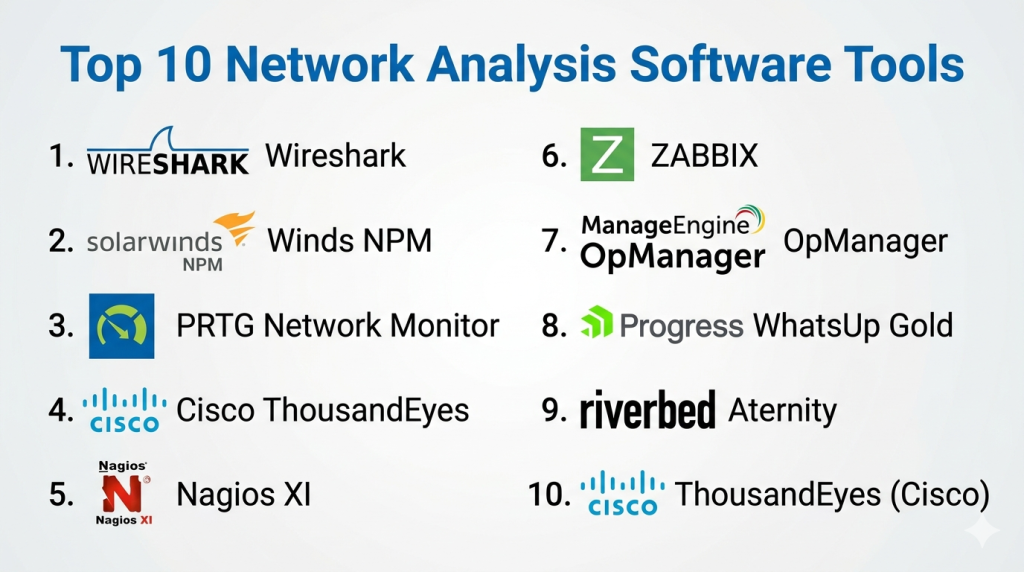
Top 10 Network Analysis Software Tools
#1 — Wireshark
Wireshark is the world’s most widely used network protocol analyzer. It allows users to see what’s happening on their network at a microscopic level, making it the industry standard for deep packet inspection and troubleshooting.
Key Features
- Deep Packet Inspection: Analyzes hundreds of protocols with a massive library of built-in dissectors.
- Live Capture & Offline Analysis: Ability to capture traffic in real-time or read saved trace files from other sniffers.
- Powerful Filters: High-level display filters that allow users to drill down into specific traffic types or error codes.
- Rich Visualizations: Color-coding rules applied to packets for quick identification of errors, warnings, and protocol types.
- Decryption Support: Native support for decrypting many protocols, including IPsec, ISAKMP, Kerberos, SNMPv3, SSL/TLS, and WEP/WPA/WPA2.
Pros
- Completely free and open-source with a massive global community.
- Offers the most detailed view possible of any data moving across the network.
Cons
- Extremely high learning curve; requires significant knowledge of network protocols.
- Not a monitoring tool; it is a diagnostic tool meant for targeted investigation.
Platforms / Deployment
- Windows / macOS / Linux
- Self-hosted
Security & Compliance
- Not publicly stated (Open Source)
Integrations & Ecosystem
Wireshark is a standalone application but its trace files (.pcap) are the standard for almost all other network tools.
- Tcpdump
- Cisco DNA Center
- SolarWinds
- CloudShark
Support & Community
Massive community-driven support through documentation, forums, and a global network of network educators. No formal enterprise support.
#2 — SolarWinds Network Performance Monitor (NPM)
SolarWinds NPM is a comprehensive multi-vendor network monitoring solution designed to scale for enterprise-level environments. It provides deep visibility into the health and performance of network hardware.
Key Features
- NetPath Critical Path Visualization: Maps every hop along a network path to identify where a bottleneck is occurring.
- PerfStack Dashboards: Allows users to drag and drop performance metrics onto a single timeline for easier correlation.
- Automated Discovery: Automatically scans the network to find and inventory new devices and servers.
- Intelligent Alerting: Reduces alert noise by using nested conditions and dependencies.
- High Availability: Support for failover clusters to ensure the monitoring platform stays online.
Pros
- Exceptional at monitoring diverse hardware from different vendors in a single view.
- The mapping and visualization tools are among the best for large infrastructures.
Cons
- Can be resource-intensive for the server hosting the software.
- Complexity in initial setup and configuration for very large environments.
Platforms / Deployment
- Windows
- Self-hosted / Hybrid
Security & Compliance
- SSO/SAML, MFA, RBAC
- FIPS 140-2, SOC 2 compliant
Integrations & Ecosystem
Deeply integrated within the broader SolarWinds Orion platform.
- ServiceNow
- Jira
- Microsoft Azure
- Amazon Web Services
Support & Community
Full professional support tiers, extensive training via SolarWinds University, and an active user forum (THWACK).
#3 — PRTG Network Monitor
PRTG Network Monitor by Paessler is a versatile tool known for its “all-in-one” licensing and ease of use. It monitors everything from basic bandwidth to complex server health using a sensor-based model.
Key Features
- Sensor-Based Monitoring: Over 200 pre-configured sensors for common technologies (SNMP, WMI, Packet Sniffing).
- Auto-Discovery: Quickly builds a device tree and suggests the best sensors for the discovered hardware.
- Flexible Dashboards: Drag-and-drop map creator to build real-time status visuals for NOC screens.
- Mobile App Support: Full-featured mobile apps for iOS and Android with push notifications for alerts.
- Distributed Monitoring: Remote probes allow for monitoring different branch offices from a central server.
Pros
- Very intuitive interface that is easy for generalist IT staff to navigate.
- One of the fastest platforms to set up and get initial results.
Cons
- The sensor-based licensing can become expensive as you monitor more specific details on each device.
- Less depth for deep packet analysis compared to specialized tools like Wireshark.
Platforms / Deployment
- Windows
- Cloud (SaaS) / Self-hosted
Security & Compliance
- LDAP/AD, RBAC, SSL encryption
- Not publicly stated
Integrations & Ecosystem
PRTG offers a robust API for custom integrations and supports common ticketing systems.
- ServiceNow
- Jira
- Microsoft Teams
- Slack
Support & Community
Reliable professional support, a detailed knowledge base, and helpful video tutorials for onboarding.
#4 — Cisco ThousandEyes
Cisco ThousandEyes is a digital experience monitoring platform that provides visibility into the “internet as your network.” It focuses heavily on cloud applications and the paths that data takes outside of the internal corporate perimeter.
Key Features
- Internet Insights: Aggregates global traffic data to detect outages in major ISPs and cloud providers.
- Endpoint Agents: Monitors the network experience directly from a user’s laptop or desktop.
- Path Visualization: Shows the hop-by-hop journey of data through the public internet and private backbones.
- BGP Route Monitoring: Tracks Border Gateway Protocol changes that could impact application availability.
- Collective Intelligence: Leverages data from thousands of nodes to provide a global view of internet health.
Pros
- Unrivaled for monitoring SaaS performance (like Office 365 or Salesforce) for remote teams.
- Integration with Cisco hardware (Catalyst 9000) allows for rapid deployment as an agent.
Cons
- Focused more on “outside-in” visibility than deep internal hardware management.
- High-end pricing intended for enterprise-level organizations.
Platforms / Deployment
- Web / Windows / macOS
- Cloud (SaaS)
Security & Compliance
- SSO/SAML, RBAC, Data encryption
- SOC 2, ISO 27001 compliant
Integrations & Ecosystem
Strongly integrated into the Cisco networking and AppDynamics ecosystems.
- Cisco Webex
- ServiceNow
- Slack
- AppDynamics
Support & Community
Enterprise-grade support from Cisco, detailed training documentation, and a global partner network.
#5 — Nagios XI
Nagios XI is a powerful, professional-grade network monitoring tool based on the famous Nagios Core engine. It is highly valued for its extreme flexibility and thousands of community-built plugins.
Key Features
- Powerful Scripting Engine: Allows users to write custom checks in almost any language (Python, Bash, Perl).
- Configuration Wizards: Guides users through the process of monitoring new devices and services.
- Capacity Planning: Generates reports based on historical data to predict future infrastructure needs.
- Multi-Tenant Capabilities: High-level views that can be partitioned for different departments or clients.
- Log Monitoring: Integrated capability to analyze system logs for specific patterns and errors.
Pros
- Unmatched flexibility; if it has an IP address, Nagios can monitor it.
- A massive library of over 5,000 plugins allows for specialized monitoring of niche hardware.
Cons
- The interface can feel dated compared to modern SaaS alternatives.
- Requires a more “hands-on” approach to configuration and management.
Platforms / Deployment
- Linux
- Self-hosted / Cloud
Security & Compliance
- RBAC, LDAP integration, SSL
- Not publicly stated
Integrations & Ecosystem
Nagios XI acts as an open platform with deep roots in the Linux community.
- PagerDuty
- ServiceNow
- Splunk
- Grafana
Support & Community
Strong professional support for the XI version and an enormous open-source community for the Core engine.
#6 — Zabbix
Zabbix is an enterprise-class open-source monitoring solution for networks, servers, and applications. It is designed to scale to monitor hundreds of thousands of devices from a single installation.
Key Features
- Agentless Monitoring: Supports SNMP, IPMI, and ICMP for monitoring hardware without software installation.
- Auto-Registration: Automatically detects and configures monitoring for new servers as they come online.
- Flexible Triggering: Complex logical expressions for alerts that go beyond simple thresholds.
- Historical Data Archiving: Built-in ability to store massive amounts of performance data for years of reporting.
- Proxy Support: Uses Zabbix proxies to collect data from remote locations and send it back to the main server.
Pros
- Completely free with no license fees, even for large enterprises.
- Extremely high performance and efficiency, even with high device counts.
Cons
- The initial configuration can be daunting for users without Linux expertise.
- Visualizations and maps require significant manual work to set up.
Platforms / Deployment
- Linux
- Self-hosted / Cloud
Security & Compliance
- Encrypted communications, RBAC, SAML
- Not publicly stated
Integrations & Ecosystem
Highly extensible platform with many pre-made templates and API-based connections.
- Grafana
- Jira
- Telegram
- PagerDuty
Support & Community
Active open-source community and professional support available through Zabbix partners globally.
#7 — ManageEngine OpManager
ManageEngine OpManager is a holistic network management tool that provides deep monitoring for networks, servers, and storage devices. It is part of the extensive Zoho ecosystem of IT tools.
Key Features
- Real-time Dashboard: Over 2,000 performance monitors available out of the box.
- Topological Maps: Automatic generation of L1/L2 network maps for better visibility.
- Fault Management: Proactive alerting via SMS, email, and mobile push notifications.
- Config Management: Integrated ability to track changes and backup router configurations.
- IP Address Management: Tracks static and dynamic IP usage across the environment.
Pros
- Offers a “one-stop-shop” for almost all network management needs in a single console.
- Reasonable pricing that fits well for mid-market organizations.
Cons
- Support response times can be inconsistent for complex technical issues.
- The sheer number of features can make the UI feel cluttered.
Platforms / Deployment
- Windows / Linux
- Self-hosted / Cloud
Security & Compliance
- SSO, AD/LDAP, RBAC
- SOC 2 compliant (ManageEngine Cloud)
Integrations & Ecosystem
Integrates perfectly with other ManageEngine and Zoho applications.
- ServiceDesk Plus
- AlarmsOne
- Zoho Analytics
- Slack
Support & Community
Decent professional support, regular webinars, and a large global user base.
#8 — Progress WhatsUp Gold
WhatsUp Gold is a network monitoring tool that focuses on providing an interactive map-first approach to network analysis. It emphasizes high-level visibility of device interdependencies.
Key Features
- Interactive Topology Map: Allows users to see how devices are physically connected and how traffic flows.
- Unified Monitoring: Covers wired/wireless networks, virtual environments, and cloud instances.
- Discovery and Inventory: Automatically inventories all software, hardware, and assets on the network.
- Application Performance: Monitors the health of critical apps like SQL Server, Exchange, and IIS.
- Bandwidth Analysis: Integrated NetFlow analysis to see which users and apps are consuming data.
Pros
- The interactive map is excellent for non-technical stakeholders to understand network health.
- Simple, modular licensing makes it easy to add features as the organization grows.
Cons
- The reporting interface is less flexible than some competitors.
- Primarily a Windows-based application, which may not suit Linux-only shops.
Platforms / Deployment
- Windows
- Self-hosted
Security & Compliance
- FIPS 140-2, SSO/SAML, RBAC
- Not publicly stated
Integrations & Ecosystem
Integrates well with a variety of third-party tools via its REST API.
- ServiceNow
- Microsoft Teams
- Opsgenie
- SolarWinds
Support & Community
Solid professional support, a helpful knowledge base, and a community forum (Progress Community).
#9 — Riverbed Aternity
Riverbed Aternity (formerly part of the SteelCentral suite) is an advanced tool for unified observability, focusing on both the network performance and the actual experience of the end-user.
Key Features
- User Experience Monitoring: Tracks exactly what the user sees on their screen and how the network impacts it.
- Packet-Level Analysis: Deep diagnostics that can drill down from a high-level alert into the actual data packets.
- Application Visibility: Automatically discovers all applications running on the network and monitors their health.
- Device Health Analytics: Monitors CPU, memory, and disk performance on user machines.
- Automated Remediation: Can trigger scripts to fix common network issues on the endpoint.
Pros
- Uniquely focuses on “how the network feels” to the employee, not just “is the router on.”
- Excellent for high-stakes environments where every millisecond of application lag counts.
Cons
- Highly complex to set up and requires a significant amount of agent deployment.
- One of the more expensive options on this list.
Platforms / Deployment
- Windows / macOS / Linux
- Cloud (SaaS) / Hybrid
Security & Compliance
- SSO/SAML, Encryption at rest/transit
- SOC 2, ISO 27001 compliant
Integrations & Ecosystem
Part of the broader Riverbed platform for WAN optimization and acceleration.
- ServiceNow
- Splunk
- Tableau
- Microsoft Office 365
Support & Community
Global enterprise support, dedicated account managers for large clients, and professional training certifications.
#10 — ThousandEyes (Cisco)
Note: ThousandEyes is included as the tenth tool, as it is a distinct, cloud-focused alternative to traditional hardware-centric monitoring.
Key Features
- Internet Performance Monitoring: Provides a map of global internet health.
- Device Layer Visibility: Connects cloud-path views with local switch and router health.
- Browser-Based Agents: Captures the actual performance of web pages as they load for the user.
- SIP & RTP Monitoring: Specific visibility into the quality of VoIP and video conferencing.
- Event Correlation: Links network outages to changes in application performance.
Pros
- Best-in-class for organizations that rely on many SaaS and public cloud services.
- High-level visualization of the public internet that no other tool provides as well.
Cons
- Can be overkill for businesses that only operate on a local, internal network.
- Pricing is based on “units,” which can be tricky to calculate for large environments.
Platforms / Deployment
- Web / Windows / macOS
- Cloud (SaaS)
Security & Compliance
- SSO/SAML, RBAC
- SOC 2, ISO 27001 compliant
Integrations & Ecosystem
Seamlessly integrates with the Cisco stack and high-end observability platforms.
- AppDynamics
- ServiceNow
- Slack
- Cisco Meraki
Support & Community
Premium support from Cisco and a deep repository of internet-health case studies.
Comparison Table
| Tool Name | Best For | Platform(s) Supported | Deployment | Standout Feature | Public Rating |
| Wireshark | Packet Diagnostics | Win/Mac/Linux | Self-hosted | Deep Packet Inspection | N/A |
| SolarWinds NPM | Multi-vendor Infrastructure | Windows | Hybrid | NetPath Visualization | N/A |
| PRTG Network Monitor | All-in-one Simplicity | Windows/Web | Hybrid | Sensor-based Monitoring | N/A |
| Cisco ThousandEyes | Cloud/SaaS Experience | Web/Win/Mac | Cloud | Internet Insights Map | N/A |
| Nagios XI | Custom Flexibility | Linux | Hybrid | 5,000+ Plugins | N/A |
| Zabbix | High-Scale Open Source | Linux | Hybrid | Proxy-based Scalability | N/A |
| ManageEngine OpManager | Holistic Management | Win/Linux | Hybrid | Integrated Config Management | N/A |
| Progress WhatsUp Gold | Visual Topology Maps | Windows | Self-hosted | Interactive Connectivity Map | N/A |
| Riverbed Aternity | End-User Experience | Win/Mac/Linux | Hybrid | Experience Score Analytics | N/A |
| ThousandEyes (Cisco) | Internet Path Visibility | Web/Win/Mac | Cloud | BGP Route Monitoring | N/A |
Evaluation & Scoring of Network Analysis Software
The following table provides a weighted scoring based on professional IT standards.
| Tool Name | Core (25%) | Ease (15%) | Integrations (15%) | Security (10%) | Performance (10%) | Support (10%) | Value (15%) | Weighted Total |
| Wireshark | 10 | 2 | 7 | 5 | 10 | 4 | 10 | 7.4 |
| SolarWinds NPM | 9 | 6 | 10 | 10 | 8 | 9 | 6 | 8.2 |
| PRTG Network Monitor | 7 | 10 | 8 | 8 | 9 | 8 | 9 | 8.2 |
| Cisco ThousandEyes | 9 | 7 | 10 | 10 | 9 | 9 | 5 | 8.1 |
| Nagios XI | 9 | 4 | 9 | 8 | 9 | 7 | 8 | 7.8 |
| Zabbix | 9 | 5 | 9 | 8 | 10 | 6 | 10 | 8.1 |
| ManageEngine OpManager | 8 | 8 | 9 | 9 | 8 | 8 | 8 | 8.1 |
| WhatsUp Gold | 7 | 9 | 8 | 8 | 8 | 8 | 8 | 7.8 |
| Riverbed Aternity | 9 | 5 | 9 | 9 | 9 | 9 | 5 | 7.6 |
| ThousandEyes | 9 | 7 | 9 | 10 | 9 | 9 | 6 | 8.1 |
How to interpret the scores
- Core Score: Reflects the technical depth and accuracy of the network analysis capabilities.
- Ease Score: Measures how quickly a new user can learn the tool and extract value.
- Value Score: A combination of features provided versus the total cost of ownership.
- Weighted Total: A normalized score (0–10) representing overall platform strength for general enterprise use.
Which Network Analysis Tool Is Right for You?
Solo / Freelancer
For an independent IT consultant or a solo engineer, Wireshark is the non-negotiable tool for deep troubleshooting. For basic network monitoring, PRTG (up to 100 sensors free) or the free version of Zabbix provides professional-level visibility without a monthly cost.
SMB
Small and medium businesses should focus on tools that are easy to manage without a dedicated network team. PRTG and WhatsUp Gold are excellent because of their intuitive interfaces and visual mapping, which help generalist IT staff identify issues quickly.
Mid-Market
For growing organizations with several branch offices and a mix of cloud services, ManageEngine OpManager or SolarWinds NPM offer a broad feature set that covers hardware health, bandwidth, and configurations in a single console.
Enterprise
Large-scale enterprises with complex, global infrastructures require the scalability of Zabbix or the deep predictive insights of Cisco ThousandEyes. These tools provide the high-level dashboarding and security compliance needed for enterprise-wide visibility.
Budget vs Premium
Zabbix is the champion of the budget-friendly category, offering enterprise features for free. On the premium end, Riverbed Aternity and SolarWinds represent high-end investments for organizations that prioritize deep technical insights over cost savings.
Feature Depth vs Ease of Use
Nagios XI offers the ultimate depth for those who can code and script, while PRTG offers the highest ease of use with its sensor-based, plug-and-play approach.
Integrations & Scalability
Datadog (though not on this specific list) and Zabbix are leaders in scalability. Among this list, SolarWinds NPM and ManageEngine offer the best pre-built integrations with major IT service management platforms.
Security & Compliance Needs
Organizations in finance, healthcare, or government should prioritize SolarWinds, Cisco ThousandEyes, or ManageEngine, as these companies invest heavily in formalized compliance certifications like FIPS 140-2 and SOC 2.
Frequently Asked Questions (FAQs)
1. What is the main difference between packet sniffing and flow monitoring?
Packet sniffing (like Wireshark) captures the actual data being sent, allowing for microscopic inspection of contents. Flow monitoring (like NetFlow) captures metadata about the traffic (source, destination, volume), providing a higher-level view with much less impact on system performance.
2. Can these tools monitor wireless networks as well as wired ones?
Yes, most modern platforms like WhatsUp Gold and ManageEngine have specialized modules for monitoring wireless access points, tracking signal strength, and identifying dead zones or unauthorized access points.
3. Do I need to install software on every computer to monitor the network?
No. Most network analysis tools are “agentless,” meaning they use standard protocols like SNMP (Simple Network Management Protocol) or WMI to pull data from devices without needing software installed on each endpoint.
4. Is Wireshark safe to use on a production network?
Wireshark is safe, but it can generate a large amount of data very quickly. If you are capturing traffic on a high-speed link, it is possible to overwhelm the server’s memory or disk space if the capture is not properly filtered.
5. How does a network analysis tool help with cybersecurity?
These tools can identify “signatures” of an attack, such as a single IP address trying to connect to thousands of ports (port scanning) or massive amounts of data leaving the network at 3 AM to an unknown destination.
6. What is latency, and can these tools help reduce it?
Latency is the delay in data transmission. Network analysis tools identify exactly where the delay is happening—whether it’s a faulty cable, a misconfigured router, or an overloaded ISP link—allowing you to fix the specific cause.
7. Can I monitor my cloud infrastructure with these tools?
Yes, tools like ThousandEyes and SolarWinds have specific integrations to monitor AWS, Azure, and Google Cloud, showing the performance of virtual networks just as if they were physical hardware in your office.
8. What are “sensors” in tools like PRTG?
A sensor is a single measurement point. For example, monitoring the CPU of a router is one sensor; monitoring the bandwidth on one port is another. Licensing is often based on the number of these individual measurement points.
9. How long should I keep network performance data?
Most enterprises keep granular data for 30 days for troubleshooting and aggregated (summarized) data for 12 to 24 months for capacity planning and identifying seasonal trends.
10. Can these tools alert me via my mobile phone?
Yes, almost all modern platforms like ManageEngine, Datadog, and PRTG offer mobile apps or SMS/WhatsApp integration to ensure that IT teams are notified of critical failures even if they are not at their desks.
Conclusion
Network analysis is the cornerstone of a reliable IT infrastructure. Whether you are performing a deep-dive forensic investigation with Wireshark or managing a global enterprise backbone with SolarWinds or Zabbix, the goal is the same: visibility. By understanding exactly how data is moving across your environment, you can move from a reactive “firefighting” mode to a proactive strategy that ensures high availability and security.The best approach is to shortlist 2–3 tools from this list that align with your technical skill level and budget. Start with a free version or a trial to map out your network and identify your biggest pain points. Once you have a clear view of your infrastructure, you can select the platform that offers the best long-term scalability and support for your organizational needs.

Find Trusted Cardiac Hospitals
Compare heart hospitals by city and services — all in one place.
Explore Hospitals
Network analysis tools are explained in a clear way, and the comparison helps in understanding traffic monitoring, performance issues, and security insights easily.