Introduction
A Data Science Platform (DSP) is a cohesive software environment that provides everything a team needs to manage the entire lifecycle of a data project—from data ingestion and cleaning to model building, deployment, and monitoring. In plain English, think of it as a professional “all-in-one” kitchen for data chefs. Instead of having to find your own pans (storage), knives (algorithms), and stove (compute) from different vendors, the platform provides a integrated workspace where everything works together. This integration allows data scientists to focus on solving business problems rather than wrestling with infrastructure or version control issues.
In the current professional landscape, these platforms have become the backbone of enterprise intelligence. As organizations move beyond simple experimentation and toward full-scale AI implementation, the need for governance, reproducibility, and collaborative features has skyrocketed. A modern platform ensures that a model built by one scientist can be understood, audited, and deployed by another, preventing the “black box” syndrome that often plagues unmanaged data projects.
Real-world use cases:
- Customer Churn Prediction: Telecommunications companies using historical usage patterns to identify customers likely to switch providers.
- Predictive Maintenance: Manufacturers analyzing sensor data from factory floor machinery to schedule repairs before a breakdown occurs.
- Financial Fraud Detection: Banks running real-time transaction data through models to flag suspicious activity within milliseconds.
- Inventory Optimization: Retailers using seasonal trends and weather data to ensure the right products are in the right stores at the right time.
- Clinical Trial Analysis: Pharmaceutical companies accelerating the processing of patient data to identify the efficacy of new treatments.
Evaluation criteria for buyers:
- Collaboration Features: Ability for multiple users to work on the same project with version control and shared notebooks.
- Scalability: How well the platform handles massive datasets and whether it can scale compute resources up or down automatically.
- Model Deployment (MLOps): The ease of moving a model from a “lab” environment into a production system.
- AutoML Capabilities: Presence of automated tools that help non-experts build high-quality models quickly.
- Data Governance: Robustness of tools for tracking data lineage, permissions, and regulatory compliance.
- Library Support: Compatibility with popular open-source libraries like TensorFlow, PyTorch, and Scikit-learn.
- No-code/Low-code Options: Availability of visual drag-and-drop interfaces for non-programmers.
- Compute Flexibility: Support for various environments, including multi-cloud, on-premises, or hybrid setups.
- Model Monitoring: Tools to track model performance over time and alert users if “drift” occurs.
- Cost Efficiency: A transparent pricing model that aligns with the actual value generated by the projects.
Mandatory paragraph
- Best for: Medium to large enterprise organizations with dedicated data teams who need to standardize their workflows, ensure compliance, and accelerate the time it takes to move AI models into production.
- Not ideal for: Individual hobbyists on a zero budget, or small businesses with very simple data needs that can be handled by basic spreadsheet software or standalone SQL queries.
Key Trends in Data Science Platforms
- Generative AI & LLMops: Modern platforms are rapidly integrating specialized tools for fine-tuning Large Language Models (LLMs) and managing the unique lifecycle of generative assets.
- Democratization via Low-Code: There is a significant shift toward visual interfaces that allow “citizen data scientists” (business analysts) to contribute to data projects without deep coding knowledge.
- Integrated Governance and Ethics: Platforms are building in “bias detection” and “explainability” modules to help organizations meet increasing regulatory requirements for fair AI.
- Shift to Cloud-Native & Serverless: The removal of infrastructure management allows data teams to spin up massive GPU clusters for training and spin them down instantly to save costs.
- Real-time Feature Stores: The rise of centralized “feature stores” allows different teams to reuse the same data transformations across various models, ensuring consistency and speed.
- Automated Model Monitoring: Systems are becoming proactive, automatically retraining models when they detect that real-world data has changed significantly from the training set.
- Collaborative Experiment Tracking: Enhanced “lab notebooks” that automatically record every hyperparameter and dataset version used in an experiment to ensure 100% reproducibility.
- Edge Deployment focus: Platforms are increasingly providing tools to optimize and “shrink” models so they can run directly on mobile devices or IoT sensors at the edge.
How We Selected These Tools (Methodology)
To select the top 10 platforms for this guide, we utilized a comprehensive evaluation framework designed to separate enterprise-grade solutions from niche tools. Our selection logic included:
- Market Presence and Mindshare: We prioritized platforms recognized as leaders by major industry analysts and those with a high volume of active professional users.
- Lifecycle Breadth: The selected tools must cover the “end-to-end” journey, from data preparation to production monitoring.
- Enterprise Reliability: We evaluated signals of system stability, including uptime history and the ability to handle petabyte-scale data.
- Security and Compliance Posture: We favored platforms that offer robust administrative controls and support for global data regulations.
- Integration Ecosystem: We analyzed how well these platforms “play with others,” including their ability to connect to diverse data sources and export models to various environments.
- Innovation Velocity: We looked for platforms that have shown consistent updates and a clear roadmap for integrating modern AI technologies.
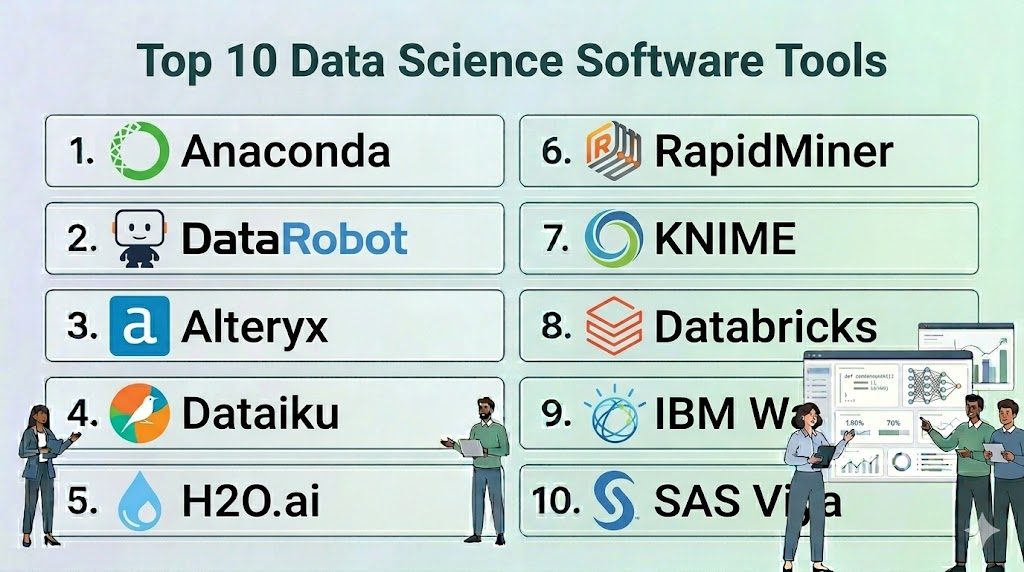
Top 10 Data Science Software Tools
#1 — Anaconda
Short description: The world’s most popular data science platform for individuals and teams, providing a robust environment for managing open-source packages and environments in Python and R.
Key Features
- Conda Package Manager: Easily install, run, and update complex data science libraries and their dependencies.
- Anaconda Navigator: A desktop GUI that allows users to launch applications and manage packages without using command-line commands.
- Environment Management: Create isolated environments to prevent version conflicts between different projects.
- Anaconda Notebooks: A cloud-based Jupyter notebook environment that requires zero local configuration.
- Enterprise Repository: A private, secure place for organizations to store and mirror their own packages.
- Security Scanning: Automated checks for vulnerabilities in the open-source packages used by the team.
Pros
- The standard for Python-based data science; almost every data scientist is already familiar with it.
- Massive repository of thousands of curated data science packages.
Cons
- The enterprise version can be expensive for very large teams.
- Can become resource-intensive on local machines if not managed properly.
Platforms / Deployment
- Windows / macOS / Linux
- Cloud / Self-hosted / Hybrid
Security & Compliance
- SSO/SAML, RBAC, Token-based authentication.
- Conda Signature Verification for package integrity.
Integrations & Ecosystem
Anaconda is the foundation for most Python workflows and integrates with nearly all IDEs.
- JupyterLab / VS Code / PyCharm
- Snowflake / AWS / Azure
- TensorFlow / PyTorch
- Dask for parallel computing
Support & Community
Unparalleled community support with millions of users. Enterprise customers have access to dedicated technical account managers and prioritized bug fixes.
#2 — DataRobot
Short description: A pioneer in the Automated Machine Learning (AutoML) space, DataRobot focuses on accelerating the delivery of AI by automating the repetitive tasks in the data science lifecycle.
Key Features
- Automated Modeling: Automatically tests hundreds of different algorithms and preprocessing steps to find the best model for a dataset.
- AI Production (MLOps): A centralized dashboard to deploy, manage, and monitor all models in production, regardless of how they were built.
- Explainable AI: Provides “Feature Impact” and “Feature Effects” visualizations to show exactly why a model made a specific prediction.
- Bias Mitigation: Tools to identify and correct unfair bias in models before they are deployed.
- No-Code App Builder: Turn a model into a functional business application in minutes without writing code.
- Time Series Automation: Specialized tools for complex forecasting tasks like demand planning and financial outlooks.
Pros
- Massively reduces the time it takes to go from data to a working model.
- Excellent for business analysts who want to build high-quality models without deep coding skills.
Cons
- High cost of entry, typically targeted at large enterprise organizations.
- “Black box” feel for expert data scientists who want manual control over every hyperparameter.
Platforms / Deployment
- Web / Windows / macOS
- Cloud / Self-hosted / Hybrid
Security & Compliance
- SSO, MFA, RBAC, Encryption at rest and in transit.
- SOC 2 Type II, HIPAA compliant environments available.
Integrations & Ecosystem
Focuses on connecting the data source to the business application.
- Snowflake / BigQuery / Redshift
- Tableau / Power BI / Alteryx
- SAP / Salesforce
- Python/R SDKs for custom integration
Support & Community
Strong professional services and “Success Managers.” The “DataRobot University” provides extensive training for various user levels.
#3 — Alteryx
Short description: Alteryx provides an end-to-end analytics automation platform that excels in data preparation, blending, and spatial analytics with a “code-friendly” visual interface.
Key Features
- Alteryx Designer: A drag-and-drop interface with hundreds of “tools” for data cleaning, joining, and transformation.
- Intelligence Suite: Provides machine learning and text mining capabilities for users who don’t write code.
- Spatial Analytics: Specialized tools for analyzing location data, such as drive-time trade areas and geocoding.
- Alteryx Server: A centralized platform for sharing workflows, scheduling jobs, and managing governance.
- Auto Insights: Automatically discovers patterns and trends in data and explains them in natural language.
- Connect: A data cataloging tool that helps teams find and understand the data assets available in their organization.
Pros
- The best-in-class tool for data preparation and blending.
- Enables non-technical business users to perform complex data science tasks.
Cons
- The Designer application is traditionally Windows-only.
- Licensing costs are per-user and can become significant as a team grows.
Platforms / Deployment
- Windows / Web
- Cloud / Self-hosted / Hybrid
Security & Compliance
- SSO, SAML, RBAC, Active Directory integration.
- FIPS 140-2 compliant encryption available.
Integrations & Ecosystem
Integrates deeply with the broader business intelligence stack.
- Tableau / Power BI / Qlik
- Snowflake / AWS / Azure / Google Cloud
- Salesforce / Marketo
- Python/R tool for custom code blocks
Support & Community
A very active “Alteryx Community” with millions of solved problems and a dedicated “Maveryx” program for expert users.
#4 — Dataiku
Short description: Known as “DSS” (Data Science Studio), Dataiku is a highly collaborative platform designed to bring data scientists, engineers, and analysts together in a single workspace.
Key Features
- Collaborative Canvas: A shared visual flow where team members can see the entire data pipeline from start to finish.
- Visual & Code Interaction: Users can switch between drag-and-drop visual recipes and custom code blocks (Python, R, SQL).
- Integrated MLOps: Built-in tools for versioning models, deploying them as APIs, and monitoring performance.
- Data Cataloging: Automatically indexes and documents all data sources used across the platform.
- Feature Store: A centralized place to store and share engineered features across different projects.
- Generative AI Hub: Specialized tools for building applications that utilize LLMs with built-in safety guardrails.
Pros
- The best platform for team-based projects where different skill levels need to work together.
- Extremely flexible; it doesn’t force users into a “visual-only” or “code-only” box.
Cons
- The platform has a high degree of complexity and requires a dedicated administrator for larger teams.
- Can be resource-intensive when running many concurrent complex visual flows.
Platforms / Deployment
- Web / Windows / macOS / Linux
- Cloud / Self-hosted / Hybrid
Security & Compliance
- SSO, SAML, RBAC, Audit logs, Project-level permissions.
- SOC 2, HIPAA, and GDPR readiness features.
Integrations & Ecosystem
Designed to sit on top of your existing data infrastructure.
- Snowflake / Databricks / BigQuery
- Kubernetes for scalable compute
- Slack / Microsoft Teams for notifications
- Git for version control
Support & Community
Excellent “Dataiku Academy” and a strong community. They provide white-glove support for enterprise customers.
#5 — H2O.ai
Short description: An open-source leader in high-performance machine learning, H2O provides a platform focused on speed, accuracy, and scalability for mission-critical AI.
Key Features
- H2O-3: A distributed, in-memory machine learning platform that supports the most widely used statistical and ML algorithms.
- Driverless AI: An AutoML platform that automates feature engineering, model selection, and documentation.
- H2O Hydrogen Torch: A “no-code” deep learning platform specifically for images, text, and video data.
- Wave: A Python development framework for building beautiful, real-time AI apps.
- Model Validation: Extensive tools for stress-testing models and checking for robustness.
- Distributed Processing: Able to run across hundreds of nodes to process petabytes of data.
Pros
- Unbeatable performance for large-scale, high-velocity data.
- Leader in “Automated Feature Engineering,” which is often the hardest part of data science.
Cons
- The open-source version requires significant technical skill to manage.
- Driverless AI is a premium product with a price point reflecting its high-end performance.
Platforms / Deployment
- Windows / macOS / Linux
- Cloud / Self-hosted / Hybrid
Security & Compliance
- LDAP, Kerberos, RBAC, Encryption of data at rest/transit.
- Varies / Not publicly stated for specific certifications.
Integrations & Ecosystem
Built for high-performance data environments.
- Spark (via Sparkling Water)
- Hadoop / HDFS
- Kubernetes
- R / Python / Java / Scala APIs
Support & Community
Massive open-source community and professional support available for the enterprise “AI Cloud” products.
#6 — RapidMiner (Altair)
Short description: Now part of Altair, RapidMiner is a visual data science platform that covers the full lifecycle from data prep to model deployment with a focus on ease of use.
Key Features
- RapidMiner Studio: A visual workflow designer with over 1,500 functional blocks for data science.
- Turbo Prep: A dedicated visual environment for rapidly cleaning and transforming data.
- Auto Model: Analyzes data and suggests the best machine learning models and parameters automatically.
- RapidMiner AI Hub: A centralized server for collaboration, model management, and deployment.
- Real-time Scoring: Deploy models as low-latency web services for instant predictions.
- Deep Learning Support: Visual blocks for building complex neural networks without writing code.
Pros
- Very intuitive visual workflow that makes complex logic easy to follow.
- Strong academic and community history, resulting in a stable and well-documented platform.
Cons
- The visual interface can feel slightly dated compared to modern web-native platforms.
- Integration with custom Python scripts is possible but not as seamless as in Dataiku.
Platforms / Deployment
- Windows / macOS / Linux / Web
- Cloud / Self-hosted / Hybrid
Security & Compliance
- SSO, SAML, RBAC, Project-level security.
- Not publicly stated.
Integrations & Ecosystem
Integrates with standard enterprise data and engineering tools.
- Altair’s broader engineering suite
- SQL Databases / NoSQL
- Hadoop / Spark
- Python / R
Support & Community
Strong community support and a dedicated “RapidMiner Academy” with comprehensive certification programs.
#7 — KNIME
Short description: The “Swiss Army Knife” of data science, KNIME is an open-source, visual platform known for its massive library of extensions and high flexibility.
Key Features
- KNIME Analytics Platform: The open-source desktop environment for creating visual data science workflows.
- KNIME Business Hub: The commercial platform for collaboration, automation, and model deployment.
- Node-Based Architecture: Thousands of nodes available for every task from simple joining to complex AI.
- Community Extensions: Access to thousands of specialized nodes created by the global community (e.g., for chemistry or finance).
- Integrated Python/R: Seamlessly drop custom code into any part of a visual workflow.
- Browser-Based Execution: Run workflows directly in a web browser for business users.
Pros
- The most powerful free, open-source visual data science platform available.
- Incredibly flexible; if a data task exists, there is likely a KNIME node for it.
Cons
- The interface can be overwhelming due to the sheer number of options.
- Local execution on the desktop version is limited by the hardware of the user’s computer.
Platforms / Deployment
- Windows / macOS / Linux
- Cloud / Self-hosted / Hybrid
Security & Compliance
- LDAP, SSO, RBAC (via Business Hub).
- Not publicly stated.
Integrations & Ecosystem
Connects to almost anything through its modular architecture.
- AWS / Azure / GCP
- Salesforce / SAP
- TensorFlow / Keras
- Tableau / Power BI
Support & Community
One of the most helpful and technical communities in the data science space. Professional support is available via the Business Hub subscription.
#8 — Databricks
Short description: A data and AI company that pioneered the “Lakehouse” architecture, providing a high-performance environment built on Apache Spark for massive-scale data science.
Key Features
- Collaborative Notebooks: Multi-user interactive notebooks that support Python, SQL, R, and Scala in the same workspace.
- MLflow Integration: The industry-standard tool for managing the machine learning lifecycle (tracking, models, registry).
- Unity Catalog: A unified governance layer for all data, models, and files across the platform.
- Mosaic AI: Specialized tools for building, training, and deploying large-scale generative AI models.
- Databricks SQL: Allows analysts to run standard SQL queries directly on the data lake with warehouse-level performance.
- Feature Store: Fully integrated store for sharing and discovering features for ML models.
Pros
- The best-in-class platform for processing and analyzing truly massive datasets (Petabyte scale).
- Built on open-source standards, preventing vendor lock-in.
Cons
- Requires a strong understanding of Apache Spark and cloud infrastructure to manage effectively.
- Can be very expensive if “Auto-scaling” clusters are not monitored closely.
Platforms / Deployment
- AWS / Azure / Google Cloud
- Cloud
Security & Compliance
- SSO, RBAC, MFA, Private Link, IP access lists.
- SOC 2, ISO 27001, HIPAA, FedRAMP High.
Integrations & Ecosystem
The center of the modern data stack for many organizations.
- Apache Spark / Delta Lake
- dbt (data build tool)
- Tableau / Power BI
- GitHub / Azure DevOps
Support & Community
Excellent enterprise support and a large community of Spark developers. Databricks “Academy” provides high-level technical training.
#9 — IBM Watson Studio
Short description: Part of the IBM Cloud Pak for Data, Watson Studio is an enterprise-grade platform designed to help teams build, run, and manage AI at scale with a focus on trust and transparency.
Key Features
- AutoAI: Automatically builds and ranks candidate model pipelines for a given dataset.
- Watson Query: Allows users to query data across multiple sources without moving it.
- Decision Optimization: Specialized tools for solving complex mathematical optimization problems.
- Watson OpenScale: A comprehensive environment for monitoring model performance, bias, and drift in production.
- SPSS Modeler Integration: Brings the legendary visual modeling power of SPSS into a modern cloud environment.
- Governance Console: A unified view of the AI lifecycle for compliance and risk management.
Pros
- Exceptional governance and monitoring features, ideal for highly regulated industries like banking.
- Can be deployed on any cloud or behind a corporate firewall (on-premises).
Cons
- The licensing and product structure can be complex to navigate.
- Can feel slower to navigate compared to “born-in-the-cloud” startups.
Platforms / Deployment
- Windows / macOS / Linux / Web
- Cloud / Self-hosted / Hybrid
Security & Compliance
- SSO, MFA, RBAC, FIPS-compliant encryption.
- SOC 2, ISO 27001, HIPAA, GDPR, FISMA.
Integrations & Ecosystem
Deeply integrated with IBM’s vast enterprise software portfolio.
- IBM Cloud / AWS / Azure
- Hadoop / Spark
- Cognos Analytics
- GitHub / GitLab
Support & Community
Global enterprise-level support and a dedicated community of IBM data experts.
#10 — SAS Viya
Short description: The modern, cloud-native evolution of the classic SAS analytics suite, providing a high-performance environment for visual and programming-based data science.
Key Features
- Visual Analytics: An interactive environment for data exploration and reporting.
- Visual Statistics: Build and refine descriptive and predictive models using a drag-and-drop interface.
- Model Manager: A centralized inventory to register, deploy, and monitor all analytical models.
- Open Language Support: Allows users to write Python or R code that executes on the high-performance SAS engine.
- Intelligent Decisioning: Combines analytical models with business rules to automate high-volume decisions.
- In-Memory Processing: Highly optimized engine for processing massive datasets in RAM for speed.
Pros
- The “gold standard” for statistical accuracy and reliability.
- Excellent transition path for organizations with decades of legacy SAS code.
Cons
- High cost compared to open-source based alternatives.
- Proprietary nature can make it harder to find junior talent compared to Python-native platforms.
Platforms / Deployment
- Windows / macOS / Linux / Web
- Cloud / Self-hosted / Hybrid
Security & Compliance
- SSO, SAML, RBAC, Encryption of data at rest/transit.
- SOC 2, ISO 27001, HIPAA compliant.
Integrations & Ecosystem
Integrates with the modern cloud ecosystem while maintaining legacy ties.
- Microsoft Azure (Preferred partner)
- AWS / GCP
- Python / R / Lua / Java
- Jupyter Notebooks
Support & Community
Unmatched professional support and a very large, mature community of analytical professionals.
Comparison Table (Top 10)
| Tool Name | Best For | Platform(s) Supported | Deployment | Standout Feature | Public Rating |
| Anaconda | Python Environment Mgmt | Windows, macOS, Linux | Hybrid | Conda Package Manager | 4.8/5 |
| DataRobot | Rapid AutoML | Web, Windows, macOS | Cloud | Automated Feature Eng. | 4.6/5 |
| Alteryx | Data Prep & Blending | Windows, Web | Hybrid | Visual Designer | 4.7/5 |
| Dataiku | Team Collaboration | Web, Multi-OS | Hybrid | Collaborative Canvas | 4.8/5 |
| H2O.ai | High-Perf ML | Multi-OS | Hybrid | Driverless AI (AutoML) | 4.5/5 |
| RapidMiner | Visual Workflows | Windows, macOS, Linux | Hybrid | Turbo Prep | 4.4/5 |
| KNIME | Open-Source Visual | Windows, macOS, Linux | Hybrid | Massive Node Library | 4.7/5 |
| Databricks | Big Data / Lakehouse | AWS, Azure, GCP | Cloud | Apache Spark Performance | 4.9/5 |
| IBM Watson | Enterprise AI Governance | Web, Multi-OS | Hybrid | Watson OpenScale | 4.3/5 |
| SAS Viya | Statistical Reliability | Web, Multi-OS | Hybrid | In-Memory SAS Engine | 4.5/5 |
Evaluation & Scoring of Data Science Platforms
This scoring model assesses each platform based on its ability to support a professional enterprise data science team.
| Tool Name | Core (25%) | Ease (15%) | Integrations (15%) | Security (10%) | Performance (10%) | Support (10%) | Value (15%) | Weighted Total |
| Anaconda | 8 | 9 | 10 | 8 | 8 | 9 | 10 | 8.70 |
| DataRobot | 9 | 10 | 8 | 9 | 9 | 9 | 6 | 8.50 |
| Alteryx | 8 | 10 | 9 | 9 | 8 | 9 | 7 | 8.50 |
| Dataiku | 10 | 8 | 10 | 9 | 9 | 9 | 8 | 9.10 |
| H2O.ai | 10 | 6 | 9 | 8 | 10 | 8 | 7 | 8.35 |
| RapidMiner | 8 | 9 | 8 | 8 | 8 | 9 | 8 | 8.20 |
| KNIME | 9 | 7 | 10 | 7 | 8 | 8 | 10 | 8.35 |
| Databricks | 10 | 6 | 10 | 10 | 10 | 9 | 8 | 8.85 |
| IBM Watson | 9 | 7 | 9 | 10 | 9 | 9 | 6 | 8.25 |
| SAS Viya | 9 | 8 | 8 | 10 | 10 | 10 | 5 | 8.35 |
Scoring Interpretation:
- Weighted Total: A score of 9.0+ represents a world-class, versatile platform. A score of 8.0-8.9 represents a highly capable enterprise tool.
- Core Feature (25%): Reflects the depth of modeling and MLOps capabilities.
- Value (15%): Considers the balance between the platform’s cost and its features (Open-source tools like KNIME and Anaconda score highest here).
Which Data Science Platform Tool Is Right for You?
Solo / Freelancer
For an individual starting out, Anaconda is the essential first step to manage your Python environment. For those who prefer a visual interface without coding, the open-source version of KNIME provides the most power without any upfront cost.
SMB
Small businesses should look toward Alteryx if they have many business analysts who need to blend data from different sources quickly. If you have a small but highly technical team, Dataiku or H2O.ai can provide the efficiency needed to punch above your weight class.
Mid-Market
Companies with growing data teams should prioritize Dataiku. Its collaborative “Canvas” ensures that as you add team members, everyone can understand and contribute to the existing projects, preventing technical debt.
Enterprise
For massive organizations, the choice often depends on infrastructure. If you are all-in on Big Data and Spark, Databricks is the industry leader. If you are in a highly regulated sector (Finance/Healthcare) and require extreme governance, IBM Watson Studio or SAS Viya are the safest bets.
Budget vs Premium
- Budget: KNIME (Open-source), Anaconda (Individual Edition).
- Premium: DataRobot, SAS Viya, IBM Watson Studio.
Feature Depth vs Ease of Use
- Deepest Depth: Databricks, H2O.ai.
- Easiest to Use: DataRobot, Alteryx.
Integrations & Scalability
- Best for Scaling: Databricks, H2O.ai.
- Best Integrations: Dataiku, KNIME.
Security & Compliance Needs
Organizations requiring “High” security clearances or strict HIPAA/GDPR auditing should look to IBM Watson Studio or Snowflake-integrated Databricks.
Frequently Asked Questions (FAQs)
1. What is the difference between a Data Science Platform and a Business Intelligence (BI) tool?
BI tools like Power BI or Tableau are designed for visualizing historical data and creating dashboards. Data Science Platforms are designed for building predictive models and performing complex statistical analysis that looks into the future.
2. Do I need to know how to code to use a Data Science Platform?
Not necessarily. Many platforms like DataRobot, Alteryx, and RapidMiner offer “no-code” or “low-code” visual interfaces that allow you to build sophisticated models using drag-and-drop tools.
3. How much do these platforms typically cost?
Pricing varies wildly. Individual open-source versions are free, while enterprise licenses for platforms like DataRobot or SAS can range from tens of thousands to hundreds of thousands of dollars per year depending on usage.
4. Can these platforms handle unstructured data like images and video?
Yes, modern platforms like H2O.ai (Hydrogen Torch) and Dataiku have specialized modules for computer vision and natural language processing to handle non-tabular data.
5. What is MLOps and why is it included in these platforms?
MLOps (Machine Learning Operations) is the practice of reliably deploying and maintaining models in production. Platforms include these tools to ensure your model doesn’t just sit on a laptop but actually provides value to the business.
6. Is it possible to switch from one platform to another later?
It can be difficult. While the data and the code (Python/R) are portable, the visual workflows and proprietary configurations are often unique to each platform, leading to some “vendor lock-in.”
7. Which platform is best for deep learning?
Databricks and H2O.ai offer excellent support for distributed deep learning. If you want a visual approach to deep learning, RapidMiner and H2O Hydrogen Torch are leaders in that niche.
8. How do these platforms ensure my models are fair and unbiased?
Platforms like DataRobot and IBM Watson Studio have built-in “Bias Detection” tools that analyze your model’s predictions across different demographic groups and flag potential unfairness.
9. Can I run these platforms on my own company servers?
Most enterprise platforms (Dataiku, IBM, RapidMiner, Alteryx) offer “Self-hosted” or “On-premises” versions for companies that cannot store their data in the public cloud for security reasons.
10. Do I need a Data Science Platform if I only have one data scientist?
Probably not. A single data scientist can usually manage their work with free tools like Anaconda and Jupyter. You typically need a platform once you have 3+ people who need to collaborate and share work.
Conclusion
The selection of a Data Science Platform is a foundational decision that will dictate the speed and scale of your organization’s AI journey. While Databricks and H2O.ai provide the raw horsepower for massive datasets, platforms like Dataiku and Alteryx excel at bringing diverse teams together to solve business problems.The “best” platform is the one that fits your team’s current skill level while providing room to grow. For your next step, we recommend identifying your most painful bottleneck—is it data prep, model deployment, or a lack of coding skills? Use that answer to shortlist 2 or 3 tools from this guide for a 30-day pilot project.

Find Trusted Cardiac Hospitals
Compare heart hospitals by city and services — all in one place.
Explore Hospitals
Data science platforms are explained in a clear way, and the comparison helps in understanding how tools support the full lifecycle from data processing to model deployment.