Introduction
Endpoint Protection Platforms EPP help organizations protect laptops, desktops, servers, mobile devices, and virtual endpoints from malware, ransomware, phishing payloads, fileless attacks, malicious scripts, exploit attempts, and unauthorized activity. These platforms act as the first layer of endpoint defense by preventing known and unknown threats before they cause damage. EPP matters now because employees work across offices, homes, public networks, cloud apps, SaaS tools, and unmanaged environments. Attackers increasingly target endpoints through ransomware, credential theft, malicious documents, browser attacks, USB threats, and software vulnerabilities. Modern EPP platforms now combine antivirus, machine learning detection, behavioral prevention, exploit protection, device control, firewall controls, endpoint hardening, and integration with EDR, XDR, SIEM, and MDR workflows.
Common Real-world use cases include:
- Blocking malware, ransomware, and malicious files
- Protecting employee laptops and remote devices
- Enforcing endpoint security policies
- Reducing attack surface through device and application controls
- Supporting security monitoring and compliance reporting
Key Evaluation criteria buyers should consider include:
- Malware and ransomware prevention strength
- Behavioral detection and machine learning capabilities
- Endpoint performance impact
- Windows, macOS, Linux, and mobile coverage
- Centralized policy management
- EDR, XDR, SIEM, and MDR integrations
- Device control and exploit prevention
- Patch and vulnerability visibility
- Reporting and compliance support
- Ease of deployment and support quality
Best for: SMBs, mid-market companies, enterprises, IT teams, security teams, managed service providers, healthcare organizations, financial institutions, education providers, government agencies, and any organization that must protect employee devices and servers from endpoint-based threats.
Not ideal for: Very small personal users who only need basic consumer antivirus protection, or organizations that already outsource endpoint security fully through a managed security provider and do not need internal control over endpoint policies.
How We Selected These Tools Methodology
The tools below were selected using practical endpoint security, enterprise IT, and security operations evaluation criteria including:
- Market adoption and security industry recognition
- Malware, ransomware, and exploit prevention capabilities
- EDR, XDR, MDR, and SOC integration maturity
- Endpoint coverage across Windows, macOS, Linux, and mobile
- Behavioral analytics and machine learning detection quality
- Policy management and administrative usability
- Performance impact and endpoint stability
- Reporting, audit visibility, and compliance support
- Suitability across SMB, mid-market, enterprise, and MSP environments
- Support quality, documentation, onboarding, and ecosystem strength
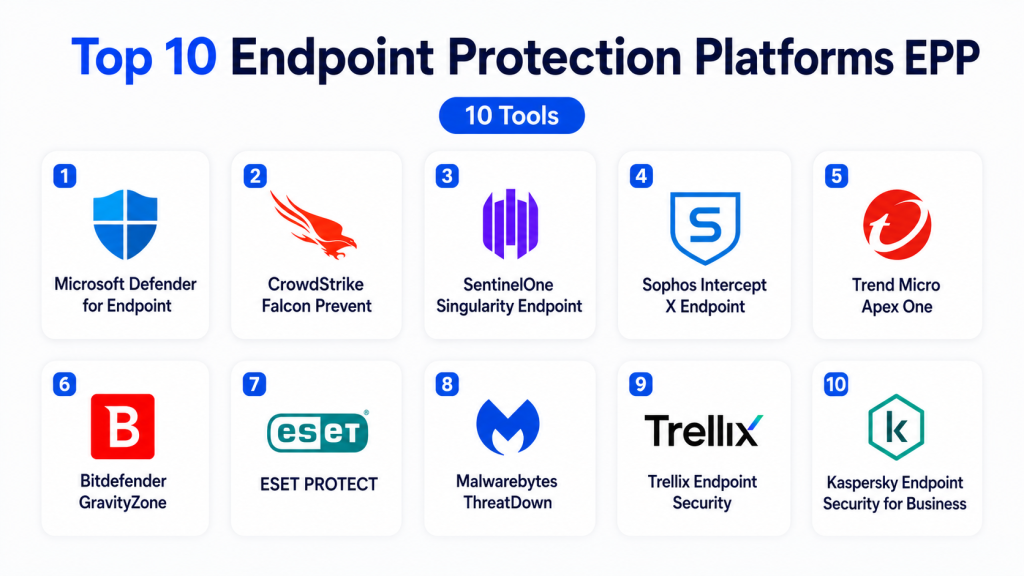
Top 10 Endpoint Protection Platforms EPP
1- Microsoft Defender for Endpoint
Short description: Microsoft Defender for Endpoint is a cloud-based endpoint protection and response platform integrated deeply with Microsoft security, identity, and device management ecosystems. It is best suited for organizations already using Microsoft 365, Windows, Entra ID, Intune, and Microsoft Sentinel.
Key Features
- Next-generation antivirus
- Endpoint detection and response
- Attack surface reduction rules
- Threat and vulnerability management
- Automated investigation and remediation
- Device risk visibility
- Microsoft security ecosystem integration
Pros
- Strong Microsoft ecosystem alignment
- Good enterprise endpoint visibility
- Useful integration with identity, cloud, and SIEM workflows
Cons
- Best value appears in Microsoft-centric environments
- Advanced configuration can require expertise
- Non-Microsoft endpoint environments may need additional planning
Platforms / Deployment
- Web
- Windows
- macOS
- Linux
- iOS
- Android
- Cloud
Security & Compliance
- MFA support through Microsoft identity
- RBAC
- Audit logs
- Encryption support
- Conditional access integration
- Compliance support varies by license and configuration
Integrations & Ecosystem
Microsoft Defender for Endpoint integrates with Microsoft security, identity, endpoint management, and cloud services. It is strong for organizations standardizing security operations around Microsoft.
- Microsoft Sentinel
- Microsoft Intune
- Microsoft Entra ID
- Microsoft Defender XDR
- Microsoft 365
- Azure security workflows
Support & Community
Microsoft provides enterprise support, extensive documentation, training resources, partner services, and a large security administrator community.
2- CrowdStrike Falcon Prevent
Short description: CrowdStrike Falcon Prevent is a cloud-native endpoint protection solution within the Falcon platform. It focuses on malware prevention, behavioral detection, exploit blocking, and lightweight endpoint security for modern organizations.
Key Features
- Next-generation antivirus
- Behavioral threat prevention
- Machine learning detection
- Exploit mitigation
- Ransomware protection
- Cloud-native management
- Integration with Falcon EDR and XDR modules
Pros
- Lightweight endpoint agent
- Strong cloud-native security architecture
- Easy expansion into EDR, XDR, and managed services
Cons
- Advanced capabilities may require additional modules
- Premium pricing may be high for smaller teams
- Best value appears when using broader Falcon platform
Platforms / Deployment
- Web
- Windows
- macOS
- Linux
- Cloud
Security & Compliance
- MFA support
- RBAC
- Audit logs
- Encryption
- Compliance support varies by package
- SSO/SAML support varies by deployment
Integrations & Ecosystem
CrowdStrike integrates with security operations platforms, SIEM tools, identity systems, cloud security workflows, and incident response processes. It is useful for teams building modern endpoint-led security programs.
- SIEM platforms
- SOAR tools
- Cloud security tools
- Identity systems
- Threat intelligence workflows
- MDR services
Support & Community
CrowdStrike provides enterprise support, documentation, onboarding resources, training, and managed service options.
3- SentinelOne Singularity Endpoint
Short description: SentinelOne Singularity Endpoint provides AI-powered endpoint protection, EDR, ransomware prevention, and autonomous response. It is designed for organizations that need strong endpoint prevention with automated remediation.
Key Features
- AI-based malware prevention
- Behavioral detection
- Ransomware rollback capabilities
- Endpoint detection and response
- Automated remediation
- Storyline attack visualization
- Cloud-based management
Pros
- Strong automation and response capabilities
- Useful ransomware recovery features
- Good fit for teams needing fast remediation
Cons
- Advanced features may require higher packages
- Security teams may need tuning and workflow planning
- Some organizations may need training for full platform value
Platforms / Deployment
- Web
- Windows
- macOS
- Linux
- Cloud
Security & Compliance
- MFA support
- RBAC
- Audit logs
- Encryption
- Compliance support varies by plan
- SSO/SAML support varies by deployment
Integrations & Ecosystem
SentinelOne integrates with SIEM, SOAR, cloud security, identity, and incident response workflows. It is useful where endpoint automation and autonomous response are key priorities.
- SIEM platforms
- SOAR tools
- Cloud security tools
- Identity providers
- Threat intelligence tools
- MDR workflows
Support & Community
SentinelOne provides documentation, technical support, partner resources, managed security options, and training for endpoint security teams.
4- Sophos Intercept X Endpoint
Short description: Sophos Intercept X Endpoint provides endpoint protection, anti-ransomware, exploit prevention, EDR options, and managed detection services. It is popular among SMB, mid-market, and managed service provider environments.
Key Features
- Malware and ransomware protection
- Exploit prevention
- Deep learning detection
- EDR and XDR options
- Web and peripheral controls
- Centralized cloud management
- Managed threat response options
Pros
- Strong SMB and MSP fit
- Good ransomware protection focus
- Easier administration for many IT teams
Cons
- Advanced enterprise analytics may be lighter than some premium tools
- Best value appears within Sophos ecosystem
- Large complex deployments may need careful planning
Platforms / Deployment
- Web
- Windows
- macOS
- Linux
- Cloud
Security & Compliance
- MFA support
- RBAC
- Audit logs
- Encryption support
- Compliance support varies by plan
- SSO/SAML support varies by deployment
Integrations & Ecosystem
Sophos integrates endpoint protection with firewall, email, cloud, XDR, and managed response services. It is strong for organizations seeking simplified security operations.
- Sophos Central
- Sophos Firewall
- Email security
- XDR workflows
- MDR services
- MSP tools
Support & Community
Sophos provides documentation, partner support, MSP resources, technical support, and practical onboarding guidance.
5- Trend Micro Apex One
Short description: Trend Micro Apex One is an endpoint protection platform focused on malware prevention, ransomware defense, behavior monitoring, vulnerability protection, and connected threat defense. It is suited for enterprises and mid-market teams needing broad endpoint protection.
Key Features
- Malware and ransomware protection
- Behavior monitoring
- Vulnerability protection
- Application control
- Device control
- EDR integration options
- Centralized policy management
Pros
- Strong endpoint protection heritage
- Useful vulnerability and exploit protection
- Good fit for hybrid enterprise environments
Cons
- Interface and configuration may require training
- Advanced response workflows may require additional products
- Deployment planning is important for large environments
Platforms / Deployment
- Web
- Windows
- macOS
- Linux
- Cloud
- Hybrid
Security & Compliance
- RBAC
- Audit logs
- Encryption support
- MFA and SSO support vary by deployment
- Compliance support varies by plan
Integrations & Ecosystem
Trend Micro Apex One integrates with broader Trend Micro security tools, cloud security workflows, SIEM platforms, and enterprise operations systems. It is useful for organizations needing layered endpoint and workload protection.
- Trend Micro Vision One
- SIEM tools
- Cloud security workflows
- Email security
- Network security tools
- Threat intelligence workflows
Support & Community
Trend Micro provides enterprise documentation, technical support, partner resources, training, and managed service options.
6- Bitdefender GravityZone
Short description: Bitdefender GravityZone is an endpoint security platform for businesses, MSPs, and enterprises. It provides malware protection, risk analytics, patch-related visibility, endpoint detection, and centralized management.
Key Features
- Malware and ransomware protection
- Machine learning detection
- Endpoint risk analytics
- Web and device control
- EDR options
- Patch and vulnerability visibility
- Centralized cloud console
Pros
- Strong value for SMB and mid-market teams
- Good malware prevention capabilities
- Flexible packages for different business sizes
Cons
- Advanced EDR and XDR features may require higher tiers
- Large enterprise workflows may need careful configuration
- Some integrations depend on selected package
Platforms / Deployment
- Web
- Windows
- macOS
- Linux
- Cloud
- Hybrid
Security & Compliance
- MFA support
- RBAC
- Audit logs
- Encryption support
- Compliance support varies by plan
- SSO/SAML support varies by deployment
Integrations & Ecosystem
Bitdefender GravityZone integrates with endpoint management, security operations, MSP tools, and cloud workflows. It is practical for organizations seeking capable protection with manageable administration.
- SIEM tools
- RMM and MSP platforms
- Cloud workloads
- Email security workflows
- Patch management workflows
- Security reporting tools
Support & Community
Bitdefender provides documentation, partner resources, MSP support, technical assistance, and business onboarding guidance.
7- ESET PROTECT
Short description: ESET PROTECT provides endpoint protection, malware defense, ransomware prevention, device control, encryption options, and centralized security management. It is suitable for SMBs, mid-market teams, education, and distributed organizations.
Key Features
- Endpoint malware protection
- Ransomware shield
- Device control
- Web control
- Cloud-based management
- Encryption options
- EDR add-on options
Pros
- Lightweight endpoint performance
- Strong fit for SMB and mid-market businesses
- Simple centralized management
Cons
- Advanced enterprise analytics may require add-ons
- XDR depth may be lighter than some enterprise platforms
- Larger environments may need extra planning
Platforms / Deployment
- Web
- Windows
- macOS
- Linux
- Android
- Cloud
- Self-hosted
- Hybrid
Security & Compliance
- MFA support
- RBAC
- Audit logs
- Encryption options
- Compliance support varies by plan
- SSO/SAML support varies by deployment
Integrations & Ecosystem
ESET integrates endpoint protection with encryption, cloud management, EDR options, and business security workflows. It is useful for organizations seeking stable endpoint defense with lower operational complexity.
- ESET cloud console
- Encryption tools
- EDR options
- Security reporting
- MSP workflows
- Business endpoint policies
Support & Community
ESET provides documentation, technical support, partner resources, and broad SMB security community adoption.
8- Malwarebytes ThreatDown
Short description: Malwarebytes ThreatDown provides endpoint protection, threat prevention, remediation, and managed security options for SMB and mid-market organizations. It focuses on practical protection against malware, ransomware, and endpoint threats.
Key Features
- Malware protection
- Ransomware prevention
- Endpoint detection options
- Vulnerability and patch visibility options
- Threat remediation
- Cloud management
- Managed security options
Pros
- Strong remediation reputation
- Practical fit for SMB and mid-market teams
- Easier deployment than some enterprise-heavy platforms
Cons
- Advanced enterprise depth may be limited
- Broader XDR integrations may vary by plan
- Best suited for teams seeking simplicity over deep customization
Platforms / Deployment
- Web
- Windows
- macOS
- Cloud
Security & Compliance
- MFA support
- RBAC
- Audit logs vary by plan
- Encryption support
- Compliance support is not publicly stated
Integrations & Ecosystem
Malwarebytes ThreatDown integrates with endpoint management, managed security workflows, and business security operations. It is useful for teams needing straightforward protection and remediation.
- Cloud console
- Managed detection workflows
- Endpoint policies
- Reporting tools
- MSP workflows
- Remediation workflows
Support & Community
Malwarebytes provides documentation, customer support, MSP resources, onboarding guidance, and broad user familiarity.
9- Trellix Endpoint Security
Short description: Trellix Endpoint Security provides enterprise endpoint protection, threat prevention, EDR integration, and security operations alignment. It is suited for organizations that need endpoint protection connected to broader threat detection and response workflows.
Key Features
- Endpoint malware prevention
- Behavioral threat detection
- Firewall and web control
- Exploit prevention
- EDR integration
- Centralized policy management
- Threat intelligence alignment
Pros
- Strong enterprise security heritage
- Good integration with broader Trellix ecosystem
- Useful for complex security operations environments
Cons
- Deployment and management may require expertise
- Interface complexity may be higher for smaller teams
- Best suited for mature enterprise environments
Platforms / Deployment
- Web
- Windows
- macOS
- Linux
- Cloud
- Hybrid
Security & Compliance
- RBAC
- Audit logs
- Encryption support
- MFA and SSO support vary by deployment
- Compliance support varies by plan
Integrations & Ecosystem
Trellix Endpoint Security integrates with Trellix detection, response, analytics, and security operations tools. It is useful for organizations aligning endpoint protection with broader enterprise threat management.
- Trellix security tools
- SIEM platforms
- EDR workflows
- Threat intelligence
- Security operations tools
- Cloud workflows
Support & Community
Trellix provides enterprise support, documentation, professional services, partner resources, and security operations guidance.
10- Kaspersky Endpoint Security for Business
Short description: Kaspersky Endpoint Security for Business provides endpoint protection, malware defense, application controls, web controls, device controls, and centralized management. It is used by SMBs, mid-market businesses, and enterprises that need layered endpoint protection.
Key Features
- Malware and ransomware protection
- Application control
- Device control
- Web control
- Endpoint firewall controls
- Vulnerability and patch management options
- Centralized administration
Pros
- Broad endpoint protection capabilities
- Strong control features for policy enforcement
- Suitable for varied business sizes
Cons
- Procurement and regulatory considerations may vary by region
- Advanced EDR and XDR may require additional products
- Buyers should evaluate regional compliance and vendor policy requirements
Platforms / Deployment
- Web
- Windows
- macOS
- Linux
- Cloud
- Self-hosted
- Hybrid
Security & Compliance
- RBAC
- Audit logs
- Encryption support
- MFA and SSO support vary by deployment
- Compliance support varies by region and plan
Integrations & Ecosystem
Kaspersky integrates endpoint protection with security management, control policies, patch workflows, and broader security operations. It is useful for organizations seeking layered prevention and endpoint control.
- Central management console
- Patch management workflows
- Device control policies
- SIEM integrations
- Security operations workflows
- Endpoint encryption options
Support & Community
Kaspersky provides documentation, technical support, partner resources, and endpoint security guidance. Buyers should review support availability and compliance considerations for their region.
Comparison Table
| Tool Name | Best For | Platform Supported | Deployment | Standout Feature | Public Rating |
|---|---|---|---|---|---|
| Microsoft Defender for Endpoint | Microsoft-centric enterprises | Web, Windows, macOS, Linux, iOS, Android | Cloud | Microsoft security ecosystem integration | N/A |
| CrowdStrike Falcon Prevent | Cloud-native endpoint protection | Web, Windows, macOS, Linux | Cloud | Lightweight prevention with Falcon platform | N/A |
| SentinelOne Singularity Endpoint | Automated endpoint response | Web, Windows, macOS, Linux | Cloud | AI-powered prevention and remediation | N/A |
| Sophos Intercept X Endpoint | SMB, mid-market, and MSPs | Web, Windows, macOS, Linux | Cloud | Ransomware and exploit protection | N/A |
| Trend Micro Apex One | Hybrid enterprise endpoint security | Web, Windows, macOS, Linux | Cloud, Hybrid | Vulnerability and behavior protection | N/A |
| Bitdefender GravityZone | SMB and mid-market security | Web, Windows, macOS, Linux | Cloud, Hybrid | Strong value and endpoint risk analytics | N/A |
| ESET PROTECT | Lightweight endpoint protection | Web, Windows, macOS, Linux, Android | Cloud, Self-hosted, Hybrid | Stable cross-platform endpoint defense | N/A |
| Malwarebytes ThreatDown | Practical SMB remediation | Web, Windows, macOS | Cloud | Malware remediation and simplicity | N/A |
| Trellix Endpoint Security | Enterprise security operations | Web, Windows, macOS, Linux | Cloud, Hybrid | Enterprise threat defense ecosystem | N/A |
| Kaspersky Endpoint Security for Business | Layered endpoint control | Web, Windows, macOS, Linux | Cloud, Self-hosted, Hybrid | Device, web, and application controls | N/A |
Evaluation & Scoring of Endpoint Protection Platforms EPP
| Tool Name | Core | Ease | Integrations | Security | Performance | Support | Value | Weighted Total |
|---|---|---|---|---|---|---|---|---|
| Microsoft Defender for Endpoint | 9 | 8 | 10 | 9 | 9 | 9 | 9 | 9.0 |
| CrowdStrike Falcon Prevent | 9 | 8 | 9 | 9 | 9 | 9 | 7 | 8.6 |
| SentinelOne Singularity Endpoint | 9 | 8 | 9 | 9 | 9 | 8 | 8 | 8.6 |
| Sophos Intercept X Endpoint | 8 | 8 | 8 | 8 | 8 | 8 | 8 | 8.0 |
| Trend Micro Apex One | 8 | 7 | 8 | 8 | 8 | 8 | 7 | 7.7 |
| Bitdefender GravityZone | 8 | 8 | 8 | 8 | 8 | 8 | 9 | 8.2 |
| ESET PROTECT | 8 | 8 | 7 | 8 | 9 | 8 | 8 | 8.0 |
| Malwarebytes ThreatDown | 7 | 8 | 6 | 7 | 8 | 7 | 8 | 7.2 |
| Trellix Endpoint Security | 8 | 6 | 8 | 8 | 8 | 8 | 7 | 7.5 |
| Kaspersky Endpoint Security for Business | 8 | 7 | 7 | 8 | 8 | 8 | 8 | 7.8 |
These scores are comparative and should be interpreted based on endpoint mix, security maturity, staffing, compliance needs, and budget. Microsoft Defender for Endpoint is especially strong for Microsoft-first organizations, while CrowdStrike and SentinelOne are strong cloud-native security options. Sophos, Bitdefender, ESET, and Malwarebytes are practical for SMB and mid-market environments. Trend Micro, Trellix, and Kaspersky can fit organizations needing layered endpoint controls and enterprise policy management.
Which Endpoint Protection Platform EPP Tool Is Right for You?
Solo / Freelancer
Solo professionals usually do not need a full enterprise EPP platform unless they manage client devices or sensitive business systems. Lightweight endpoint protection with strong malware prevention, browser security, device encryption, and basic backup may be enough. ESET, Bitdefender, Malwarebytes, or Microsoft Defender can be practical depending on device type and budget.
SMB
SMBs should prioritize simple deployment, low performance impact, ransomware protection, centralized management, and clear reporting. Sophos Intercept X, Bitdefender GravityZone, ESET PROTECT, Malwarebytes ThreatDown, and Microsoft Defender for Endpoint are practical options for small and growing teams.
Mid-Market
Mid-market organizations often need better policy controls, EDR options, vulnerability visibility, and security operations integration. Microsoft Defender for Endpoint, SentinelOne, CrowdStrike, Sophos, Trend Micro, and Bitdefender can be strong choices depending on infrastructure and staffing.
Enterprise
Enterprises should prioritize EPP plus EDR, XDR integration, threat intelligence, automated investigation, endpoint hardening, Linux and macOS coverage, and SIEM integration. Microsoft Defender for Endpoint, CrowdStrike Falcon, SentinelOne Singularity, Trend Micro Apex One, Trellix Endpoint Security, and Sophos are strong enterprise candidates.
Budget vs Premium
Budget-conscious organizations may prefer tools bundled with existing Microsoft subscriptions or SMB-focused endpoint suites. Premium platforms usually provide deeper EDR, XDR, MDR, automation, threat hunting, and incident response capabilities.
Feature Depth vs Ease of Use
Sophos, Bitdefender, ESET, and Malwarebytes are often easier for smaller teams to administer. CrowdStrike, SentinelOne, Microsoft Defender, Trend Micro, and Trellix provide deeper enterprise capabilities but require stronger security operations maturity.
Integrations & Scalability
Organizations should prioritize integrations with SIEM, SOAR, identity providers, endpoint management, vulnerability management, cloud security, email security, and MDR workflows. Endpoint telemetry becomes more valuable when it connects to broader detection and response systems.
Security & Compliance Needs
Regulated organizations should prioritize audit logs, role-based access, policy reporting, encryption support, device control, incident history, and compliance dashboards. EPP should help prove devices are protected, monitored, and aligned with security policies.
Frequently Asked Questions FAQs
1. What is an Endpoint Protection Platform EPP?
An Endpoint Protection Platform EPP protects devices such as laptops, desktops, servers, and sometimes mobile endpoints from malware, ransomware, exploits, and malicious activity. It focuses mainly on prevention and policy enforcement.
2. How is EPP different from EDR?
EPP focuses on preventing threats before they execute, while EDR focuses on detecting, investigating, and responding to suspicious activity after or during an incident. Many modern platforms combine both.
3. Why do businesses need EPP tools?
Businesses need EPP tools to protect devices from malware, ransomware, phishing payloads, malicious scripts, and exploit attempts. Endpoints are common entry points for attackers.
4. Can EPP stop ransomware?
EPP can help prevent ransomware through behavioral detection, malicious file blocking, exploit prevention, and policy controls. However, strong backups, patching, user training, and EDR response are also important.
5. What platforms should EPP support?
Most businesses should look for Windows, macOS, and Linux support. Organizations with mobile fleets should also evaluate iOS and Android protection or mobile threat defense capabilities.
6. Is cloud-managed EPP better than self-hosted EPP?
Cloud-managed EPP is usually easier for remote and distributed teams. Self-hosted or hybrid models may be preferred by organizations with strict data residency, network isolation, or internal control requirements.
7. What integrations should EPP buyers look for?
Buyers should look for SIEM, SOAR, EDR, XDR, MDR, identity, vulnerability management, email security, cloud security, and endpoint management integrations.
8. How difficult is EPP implementation?
Implementation difficulty depends on device count, operating systems, existing security tools, policy complexity, and user disruption risk. A phased rollout with pilot devices is recommended.
9. What are common EPP mistakes?
Common mistakes include weak policy tuning, ignoring macOS or Linux endpoints, not monitoring alerts, failing to update agents, excluding too many folders, and not integrating endpoint alerts with security operations.
10. How should organizations choose the best EPP tool?
Organizations should evaluate prevention strength, performance impact, operating system coverage, policy controls, EDR/XDR roadmap, integrations, support, pricing, and ease of administration before choosing an EPP platform.
Conclusion
Endpoint Protection Platforms EPP are essential for defending laptops, desktops, servers, and distributed devices against malware, ransomware, exploit attempts, and endpoint-based attacks. The best EPP platform depends on organization size, endpoint mix, security maturity, cloud strategy, budget, and compliance needs. Microsoft Defender for Endpoint is strong for Microsoft-centric organizations, while CrowdStrike and SentinelOne are powerful cloud-native options for modern security teams. Sophos, Bitdefender, ESET, and Malwarebytes are practical choices for SMB and mid-market environments, while Trend Micro, Trellix, and Kaspersky suit organizations needing layered controls and enterprise endpoint policies. The practical next step is to shortlist two or three platforms, run a pilot across real endpoints, test policy impact and ransomware prevention workflows, validate SIEM or XDR integrations, and confirm that reporting meets security and compliance needs.

Find Trusted Cardiac Hospitals
Compare heart hospitals by city and services — all in one place.
Explore Hospitals
I am learning about endpoint security, and this blog helped me understand how EPP protects devices from different cyber threats.