Introduction
Single Sign-On SSO tools allow users to access multiple applications, cloud services, internal systems, and business platforms with one secure login. Instead of remembering separate usernames and passwords for every tool, employees, contractors, partners, or customers authenticate once through a trusted identity provider and then access approved applications based on assigned permissions. SSO matters now because organizations rely on many SaaS applications, remote work systems, cloud platforms, collaboration tools, customer portals, and internal dashboards. Without centralized access control, IT teams face password fatigue, weak security practices, manual onboarding, and higher account compromise risk. A strong SSO platform improves productivity, simplifies user access, reduces password-related support requests, and strengthens identity security.
Common Real-world use cases include:
- Centralized login for SaaS applications
- Secure access for remote and hybrid employees
- Automated onboarding and offboarding
- Partner and contractor application access
- Compliance-ready access visibility and audit logs
Key Evaluation criteria buyers should consider include:
- SAML, OAuth, and OpenID Connect support
- Multi-factor authentication capabilities
- Application integration catalog
- Directory and HR system integration
- Conditional or adaptive access policies
- User provisioning and deprovisioning
- Admin usability and reporting
- Security logs and compliance support
- API and workflow automation
- Pricing and scalability
Best for: IT teams, security teams, HR operations, SaaS-first businesses, enterprises, SMBs, education institutions, healthcare organizations, financial services, and any organization managing multiple applications and user access workflows.
Not ideal for: Very small teams using only one or two applications, or organizations that do not need centralized authentication, user lifecycle automation, or access governance.
Key Trends in Single Sign-On SSO
- Passwordless authentication is becoming a major SSO priority as organizations reduce dependence on passwords.
- Adaptive access policies are replacing static login rules by using context such as device, location, user behavior, and session risk.
- Zero-trust security models are making identity verification the first control point for application access.
- SSO and MFA convergence is becoming standard because SSO without strong authentication can still leave accounts exposed.
- Lifecycle automation is increasingly important for onboarding, offboarding, role changes, and contractor access.
- Identity governance integration is growing as businesses connect SSO with access reviews and compliance workflows.
- Cloud-native deployment is now the default for most SSO tools, especially for SaaS-heavy organizations.
- API-first identity platforms are helping developers embed authentication into custom applications and customer portals.
- Machine identity and service access are becoming part of broader identity strategies.
- Better audit visibility is becoming essential for regulated industries and enterprise security teams.
How We Selected These Tools Methodology
The tools below were selected using practical identity, access management, and enterprise IT evaluation criteria including:
- Market adoption and identity industry recognition
- SSO protocol support and application integration depth
- MFA and adaptive access capabilities
- User lifecycle automation and provisioning support
- Security posture and access control maturity
- Directory, HR, and SaaS ecosystem integrations
- Cloud, hybrid, and developer-friendly deployment options
- Compliance reporting and audit visibility
- Suitability across SMB, mid-market, and enterprise environments
- Documentation, support quality, and administrative usability
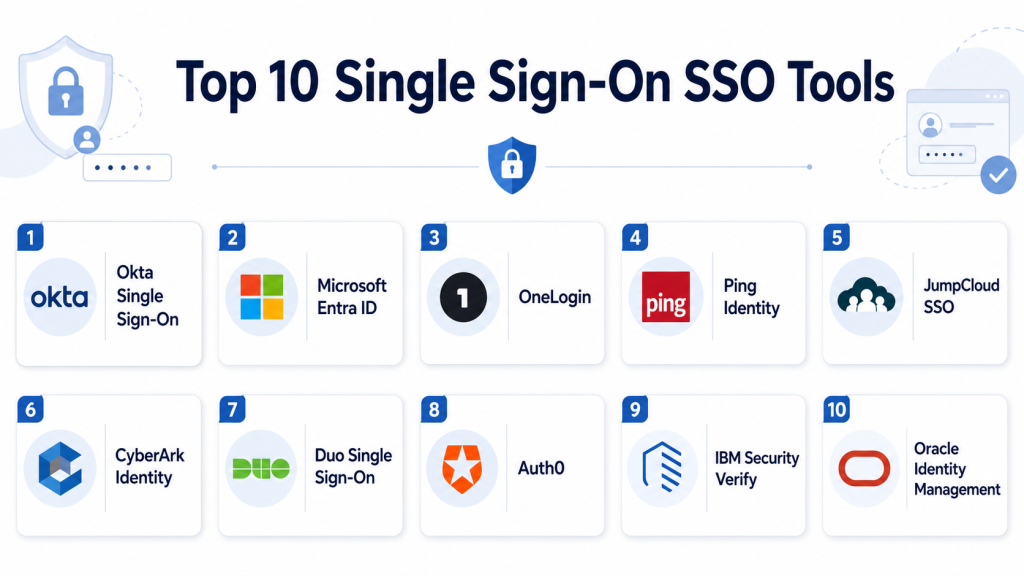
Top 10 Single Sign-On SSO Tools
1- Okta Single Sign-On
Short description: Okta Single Sign-On is a widely adopted cloud-based SSO platform that helps organizations centralize user authentication across SaaS, cloud, and internal applications. It is especially strong for SaaS-first businesses and enterprises with large application portfolios.
Key Features
- SAML, OAuth, and OpenID Connect support
- Large application integration catalog
- Adaptive MFA integration
- Universal directory capabilities
- User lifecycle automation
- API access management
- Admin dashboards and audit logs
Pros
- Strong SaaS application ecosystem
- User-friendly admin experience
- Scales well for cloud-first organizations
Cons
- Advanced capabilities may increase costs
- Complex enterprise deployments require planning
- Governance depth may require additional modules
Platforms / Deployment
- Web
- Cloud
Security & Compliance
- SSO/SAML
- MFA
- RBAC
- Audit logs
- Encryption
- Compliance support varies by plan
Integrations & Ecosystem
Okta integrates with a broad range of SaaS apps, business systems, HR platforms, cloud services, and security tools. It is useful for organizations that need fast application onboarding and centralized workforce access.
- Microsoft 365
- Google Workspace
- Salesforce
- Workday
- ServiceNow
- SIEM and security tools
Support & Community
Okta provides strong documentation, administrator resources, training, community support, and enterprise support tiers.
2- Microsoft Entra ID
Short description: Microsoft Entra ID is Microsoft’s identity platform for SSO, MFA, conditional access, and cloud identity management. It is especially strong for organizations already using Microsoft 365, Azure, Windows, and Microsoft security tools.
Key Features
- Single sign-on for cloud and enterprise applications
- Conditional access policies
- Multi-factor authentication
- Hybrid identity support
- Identity protection capabilities
- Privileged identity management options
- Microsoft ecosystem integration
Pros
- Excellent Microsoft 365 and Azure integration
- Strong conditional access capabilities
- Good value for Microsoft-centric organizations
Cons
- Best suited for Microsoft-heavy environments
- Advanced configuration can be complex
- Non-Microsoft governance may need extra planning
Platforms / Deployment
- Web
- Cloud
- Hybrid
Security & Compliance
- SSO/SAML
- MFA
- RBAC
- Audit logs
- Encryption
- Conditional access
Integrations & Ecosystem
Microsoft Entra ID integrates deeply with Microsoft productivity, cloud, endpoint, and security tools. It also supports many third-party SaaS applications.
- Microsoft 365
- Azure
- Windows Server Active Directory
- Microsoft Defender
- Microsoft Sentinel
- SaaS applications
Support & Community
Microsoft provides extensive documentation, enterprise support, partner services, training resources, and a large administrator community.
3- OneLogin
Short description: OneLogin provides SSO, MFA, user provisioning, directory integration, and access management for SMB and mid-market organizations. It is known for practical workforce access management and straightforward administration.
Key Features
- Single sign-on
- Multi-factor authentication
- User provisioning
- Directory integration
- Adaptive authentication
- Application access policies
- Audit logs and reports
Pros
- Easy to deploy for common SSO needs
- Good SaaS app integration coverage
- Suitable for SMB and mid-market teams
Cons
- Enterprise governance depth may be limited
- Advanced features may require higher plans
- Less broad than larger IAM suites
Platforms / Deployment
- Web
- Cloud
Security & Compliance
- SSO/SAML
- MFA
- RBAC
- Audit logs
- Encryption
Integrations & Ecosystem
OneLogin integrates with common business applications, directories, HR tools, and SaaS platforms. It is a practical fit for organizations wanting quick SSO rollout without excessive complexity.
- Google Workspace
- Microsoft 365
- Active Directory
- Workday
- Salesforce
- SaaS applications
Support & Community
OneLogin provides documentation, support resources, onboarding assistance, and administrator guidance for common SSO workflows.
4- Ping Identity
Short description: Ping Identity provides enterprise-grade SSO, identity federation, adaptive MFA, API access management, and customer identity capabilities. It is well suited for large organizations with hybrid, legacy, and modern application environments.
Key Features
- Enterprise single sign-on
- Identity federation
- Adaptive MFA
- API access management
- Hybrid identity deployment
- Customer identity support
- Risk-based authentication
Pros
- Strong identity federation capabilities
- Good hybrid and legacy application support
- Flexible architecture for complex enterprises
Cons
- May require specialist implementation skills
- Not always the simplest option for small teams
- Advanced configurations can be complex
Platforms / Deployment
- Cloud
- Self-hosted
- Hybrid
Security & Compliance
- SSO/SAML
- MFA
- RBAC
- Audit logs
- Encryption
- Secure federation controls
Integrations & Ecosystem
Ping Identity integrates with enterprise directories, legacy applications, customer applications, cloud services, and security platforms. It is useful when organizations need flexible identity architecture.
- Active Directory
- LDAP directories
- SaaS applications
- API gateways
- SIEM tools
- Customer identity systems
Support & Community
Ping Identity provides enterprise support, professional services, technical documentation, and implementation guidance for complex SSO environments.
5- JumpCloud SSO
Short description: JumpCloud SSO is part of JumpCloud’s open directory platform, combining identity, SSO, MFA, device management, and access controls. It is a strong fit for SMBs and distributed IT teams managing users, apps, and devices together.
Key Features
- Cloud directory
- SSO and MFA
- Device-based access controls
- LDAP and RADIUS support
- Conditional access
- User lifecycle controls
- Cross-platform endpoint support
Pros
- Strong fit for modern SMB IT teams
- Combines identity and device management
- Flexible support for Windows, macOS, and Linux environments
Cons
- Enterprise governance depth may be limited
- Not a dedicated large-enterprise IGA platform
- Advanced use cases may require integrations
Platforms / Deployment
- Web
- Windows
- macOS
- Linux
- Cloud
Security & Compliance
- SSO/SAML
- MFA
- RBAC
- Audit logs
- Encryption
- Device-based access controls
Integrations & Ecosystem
JumpCloud integrates with SaaS applications, endpoints, directories, and IT administration workflows. It is valuable for companies that want identity and device control in one platform.
- Microsoft 365
- Google Workspace
- LDAP
- RADIUS
- MDM workflows
- SaaS applications
Support & Community
JumpCloud provides documentation, IT admin resources, community content, and support options for SMB and mid-market organizations.
6- CyberArk Identity
Short description: CyberArk Identity provides SSO, adaptive MFA, identity security, and privileged access alignment for organizations that need stronger security around workforce access. It is especially useful where identity protection and privileged access are connected priorities.
Key Features
- Single sign-on
- Adaptive MFA
- Identity security analytics
- Lifecycle management support
- Privileged access integration
- Application access controls
- Directory integrations
Pros
- Strong security-first identity approach
- Good alignment with privileged access management
- Useful for risk-sensitive organizations
Cons
- Best value for organizations using broader CyberArk security
- May be more than needed for simple SSO
- Advanced deployments require planning
Platforms / Deployment
- Web
- Cloud
- Hybrid
Security & Compliance
- SSO/SAML
- MFA
- RBAC
- Audit logs
- Encryption
- Privileged access controls
Integrations & Ecosystem
CyberArk Identity integrates with business apps, directories, privileged access workflows, and security operations systems. It is a strong option for organizations treating identity as a central security layer.
- Active Directory
- Microsoft 365
- SaaS applications
- CyberArk PAM
- SIEM tools
- HR systems
Support & Community
CyberArk provides enterprise support, documentation, professional services, and a strong identity security community.
7- Duo Single Sign-On
Short description: Duo Single Sign-On, part of Cisco’s security ecosystem, provides secure SSO and strong MFA for workforce applications. It is commonly used by organizations that prioritize simple user authentication, device trust, and secure access.
Key Features
- Single sign-on
- Multi-factor authentication
- Device trust checks
- Adaptive access policies
- Secure application access
- User-friendly authentication flows
- Cisco security ecosystem integration
Pros
- Strong MFA and access security experience
- Easy user adoption
- Good fit for organizations prioritizing secure login
Cons
- Broader IAM governance depth may be limited
- Best value often comes with Duo and Cisco ecosystem adoption
- Advanced provisioning may need other tools
Platforms / Deployment
- Web
- Cloud
Security & Compliance
- SSO/SAML
- MFA
- Device trust
- Audit logs
- Encryption
- Access policy controls
Integrations & Ecosystem
Duo integrates with business applications, directories, VPNs, cloud apps, and Cisco security tools. It is useful for organizations needing strong access security with simple user experience.
- Microsoft 365
- Google Workspace
- VPN tools
- Active Directory
- Cisco security tools
- SaaS applications
Support & Community
Cisco Duo provides strong documentation, support resources, administrator guides, and a large security community.
8- Auth0
Short description: Auth0 is a developer-focused identity platform for adding authentication and SSO to applications, customer portals, SaaS products, and APIs. It is especially useful for teams building customer-facing login experiences.
Key Features
- SSO for applications
- OAuth and OpenID Connect support
- Social login
- Enterprise federation
- Custom authentication flows
- Developer APIs and SDKs
- Multi-factor authentication
Pros
- Developer-friendly architecture
- Strong customer identity use cases
- Flexible authentication customization
Cons
- Pricing can grow with scale
- Advanced configuration requires developer expertise
- Workforce IAM depth differs from enterprise IAM suites
Platforms / Deployment
- Web
- Cloud
Security & Compliance
- SSO/SAML
- MFA
- Encryption
- Audit logs
- RBAC support varies by use case
Integrations & Ecosystem
Auth0 integrates with modern application stacks, APIs, SaaS products, developer frameworks, and enterprise federation systems. It is a strong choice for product teams building secure login into their own apps.
- Web apps
- Mobile apps
- APIs
- Enterprise identity providers
- Developer SDKs
- CI/CD workflows
Support & Community
Auth0 provides strong developer documentation, SDK examples, community resources, and enterprise support options.
9- IBM Security Verify
Short description: IBM Security Verify provides SSO, MFA, adaptive access, identity governance, and identity analytics for enterprise security teams. It is suited for organizations that need SSO connected with broader governance and compliance programs.
Key Features
- Single sign-on
- Multi-factor authentication
- Adaptive access policies
- Identity governance support
- User lifecycle management
- Identity analytics
- Compliance reporting
Pros
- Strong enterprise security alignment
- Useful governance and access controls
- Good fit for complex environments
Cons
- May require implementation expertise
- Can feel complex for smaller teams
- Best suited for enterprise IAM programs
Platforms / Deployment
- Cloud
- Hybrid
Security & Compliance
- SSO/SAML
- MFA
- RBAC
- Audit logs
- Encryption
- Access governance support
Integrations & Ecosystem
IBM Security Verify integrates with enterprise applications, security tools, directories, and compliance workflows. It is useful where SSO is part of a larger identity security program.
- IBM security tools
- Active Directory
- SaaS applications
- SIEM systems
- HR platforms
- Cloud applications
Support & Community
IBM provides enterprise support, professional services, documentation, and implementation resources for large-scale identity environments.
10- Oracle Identity Management
Short description: Oracle Identity Management provides enterprise SSO, access management, identity governance, directory services, and lifecycle management for complex business environments. It is especially relevant for organizations operating Oracle applications and enterprise systems.
Key Features
- Single sign-on
- Access management
- Identity governance
- Directory services
- User provisioning
- Federation support
- Compliance reporting
Pros
- Strong Oracle ecosystem integration
- Suitable for large enterprise environments
- Good governance and lifecycle support
Cons
- Can be complex to deploy and administer
- Best suited for Oracle-heavy organizations
- Smaller teams may find it too heavy
Platforms / Deployment
- Cloud
- Self-hosted
- Hybrid
Security & Compliance
- SSO/SAML
- MFA support varies by deployment
- RBAC
- Audit logs
- Encryption
- Governance workflows
Integrations & Ecosystem
Oracle Identity Management integrates with Oracle applications, databases, cloud services, enterprise directories, and business systems. It is strongest where Oracle platforms are central to operations.
- Oracle Cloud
- Oracle applications
- Enterprise directories
- ERP systems
- SaaS tools
- Security platforms
Support & Community
Oracle provides enterprise support, documentation, partner services, and implementation resources for large-scale identity environments.
Comparison Table
| Tool Name | Best For | Platform Supported | Deployment | Standout Feature | Public Rating |
|---|---|---|---|---|---|
| Okta Single Sign-On | SaaS-first workforce SSO | Web | Cloud | Large app integration catalog | N/A |
| Microsoft Entra ID | Microsoft-centric organizations | Web | Cloud, Hybrid | Conditional access and Microsoft integration | N/A |
| OneLogin | SMB and mid-market SSO | Web | Cloud | Simple workforce access management | N/A |
| Ping Identity | Complex enterprise federation | Web | Cloud, Self-hosted, Hybrid | Advanced identity federation | N/A |
| JumpCloud SSO | SMB identity and device access | Web, Windows, macOS, Linux | Cloud | Cloud directory plus SSO | N/A |
| CyberArk Identity | Security-first access control | Web | Cloud, Hybrid | Privileged access alignment | N/A |
| Duo Single Sign-On | Secure MFA-driven SSO | Web | Cloud | Device trust and MFA experience | N/A |
| Auth0 | Developer and customer-facing apps | Web | Cloud | Developer-friendly authentication | N/A |
| IBM Security Verify | Enterprise security and governance | Web | Cloud, Hybrid | Identity analytics and governance | N/A |
| Oracle Identity Management | Oracle-heavy enterprises | Web | Cloud, Self-hosted, Hybrid | Oracle ecosystem integration | N/A |
Evaluation & Scoring of Single Sign-On SSO Tools
| Tool Name | Core | Ease | Integrations | Security | Performance | Support | Value | Weighted Total |
|---|---|---|---|---|---|---|---|---|
| Okta Single Sign-On | 9 | 9 | 10 | 9 | 9 | 8 | 8 | 8.9 |
| Microsoft Entra ID | 9 | 8 | 9 | 9 | 9 | 9 | 9 | 8.9 |
| OneLogin | 7 | 8 | 8 | 8 | 8 | 7 | 8 | 7.7 |
| Ping Identity | 9 | 7 | 9 | 9 | 8 | 8 | 7 | 8.1 |
| JumpCloud SSO | 8 | 8 | 7 | 8 | 8 | 8 | 9 | 8.0 |
| CyberArk Identity | 8 | 7 | 8 | 10 | 8 | 8 | 7 | 8.0 |
| Duo Single Sign-On | 7 | 9 | 8 | 9 | 8 | 8 | 8 | 8.0 |
| Auth0 | 8 | 7 | 9 | 8 | 9 | 8 | 7 | 8.0 |
| IBM Security Verify | 8 | 7 | 8 | 9 | 8 | 8 | 7 | 7.8 |
| Oracle Identity Management | 8 | 6 | 8 | 8 | 8 | 8 | 6 | 7.4 |
These scores are comparative and should be interpreted based on business size, application ecosystem, security requirements, and administrative maturity. Okta and Microsoft Entra ID are strong broad SSO platforms for workforce identity. Auth0 is stronger for developer-led customer identity and app authentication. JumpCloud and OneLogin are practical for SMB and mid-market organizations. Ping, IBM, Oracle, and CyberArk are better suited for complex enterprise or security-heavy identity programs.
Which Single Sign-On SSO Tool Is Right for You?
Solo / Freelancer
Solo users generally do not need a full enterprise SSO platform unless they manage multiple client systems or applications. Auth0 can be useful for developers building app login, while basic Microsoft Entra ID or Google Workspace identity controls may be enough for simple business access.
SMB
SMBs should prioritize ease of setup, simple app integrations, MFA, directory support, and affordable pricing. OneLogin, JumpCloud, Duo Single Sign-On, Okta, and Microsoft Entra ID are practical choices depending on the organization’s existing tools.
Mid-Market
Mid-market organizations often need SSO plus lifecycle automation, HR integration, better reporting, and conditional access. Okta, Microsoft Entra ID, Ping Identity, CyberArk Identity, and JumpCloud can work well depending on app complexity and security needs.
Enterprise
Enterprises should prioritize federation, adaptive access, governance integration, audit logs, hybrid support, and privileged access alignment. Okta, Microsoft Entra ID, Ping Identity, CyberArk Identity, IBM Security Verify, and Oracle Identity Management are strong candidates.
Budget vs Premium
Budget-focused teams may prefer SSO included with existing Microsoft or cloud subscriptions. Premium SSO platforms usually provide stronger app catalogs, adaptive policies, governance capabilities, automation, and enterprise support.
Feature Depth vs Ease of Use
OneLogin, Duo, JumpCloud, Okta, and Microsoft Entra ID are generally easier to start with for common SSO use cases. Ping, IBM, Oracle, and CyberArk may provide deeper enterprise controls but require more planning.
Integrations & Scalability
Organizations should prioritize integrations with SaaS apps, HR systems, directories, ITSM tools, SIEM platforms, endpoint tools, and cloud platforms. Strong integrations reduce manual access work and improve onboarding and offboarding accuracy.
Security & Compliance Needs
Regulated organizations should prioritize MFA, conditional access, audit logs, access reports, encryption, admin role controls, and lifecycle automation. SSO should reduce password risk while supporting compliance evidence.
Frequently Asked Questions FAQs
1. What is Single Sign-On SSO?
Single Sign-On SSO lets users log in once through a trusted identity provider and access multiple approved applications without separate passwords for each app. It improves convenience and centralizes access control.
2. Why do businesses need SSO tools?
Businesses need SSO tools to reduce password fatigue, simplify login experiences, improve security, centralize access management, and reduce IT helpdesk workload related to password resets.
3. Is SSO secure?
SSO can be very secure when combined with MFA, conditional access, strong admin controls, and audit logging. Without MFA and proper policies, SSO can create risk if one account is compromised.
4. What is the difference between SSO and IAM?
SSO is one function within Identity & Access Management IAM. IAM also includes MFA, lifecycle management, access governance, user provisioning, privileged access, and compliance workflows.
5. What protocols should an SSO tool support?
Common SSO protocols include SAML, OAuth, and OpenID Connect. Buyers should confirm that the tool supports the applications, custom systems, and identity providers they use.
6. Can SSO help with employee onboarding?
Yes. SSO platforms often integrate with HR systems and directories to automate app access when employees join, change roles, or leave the organization.
7. What is adaptive authentication?
Adaptive authentication adjusts login requirements based on risk signals such as location, device, IP reputation, behavior, and application sensitivity. It helps balance security and user experience.
8. Are SSO tools useful for small businesses?
Yes. Small businesses can benefit from SSO if they use multiple SaaS apps or need better control over employee access. However, they should choose a tool that is simple to manage.
9. What integrations should buyers look for?
Buyers should look for integrations with HR systems, directories, SaaS apps, cloud platforms, SIEM tools, ITSM platforms, endpoint tools, and custom applications.
10. How should organizations choose the best SSO tool?
Organizations should evaluate app integrations, MFA support, directory compatibility, lifecycle automation, security policies, reporting, usability, pricing, and long-term scalability before choosing an SSO platform.
Conclusion
Single Sign-On SSO tools are now essential for modern organizations that need secure, simple, and centralized access across many applications and user groups. The best SSO platform depends on company size, application ecosystem, cloud strategy, security requirements, and compliance needs. Okta and Microsoft Entra ID are strong general-purpose workforce SSO platforms, while OneLogin and JumpCloud are practical for SMB and mid-market teams. Ping Identity, CyberArk Identity, IBM Security Verify, and Oracle Identity Management are better suited for complex enterprise environments, while Duo is strong for MFA-driven access and Auth0 is ideal for developer-led customer application authentication. The practical next step is to shortlist two or three platforms, test SSO with real applications, validate MFA and directory integration, review audit reporting, and run a pilot with selected users before full deployment.

Find Trusted Cardiac Hospitals
Compare heart hospitals by city and services — all in one place.
Explore Hospitals
I am exploring identity and access management topics, and this blog taught me why SSO is important for both users and organizations.