Introduction
No-Code App Builders are platforms that allow users to create web and mobile applications without writing traditional code. They provide visual editors, drag-and-drop components, prebuilt templates, and workflow automation tools to enable rapid development. This approach democratizes app development, allowing business teams, marketers, and entrepreneurs to build functional applications without relying on developers.
In 2026, no-code solutions are increasingly critical for organizations aiming to accelerate digital transformation, reduce development cycles, and bring ideas to market quickly. They help bridge the gap between technical and non-technical teams, facilitating innovation without extensive coding resources.
Real-world use cases include:
- Internal business apps for workflows, approvals, and reporting
- Customer-facing mobile apps for engagement or service delivery
- MVP development for startups and product testing
- Event management and registration apps
- Integration-driven apps connecting CRM, databases, and marketing systems
Key evaluation criteria for buyers:
- Ease of use and learning curve
- Template and component variety
- Workflow automation and logic capabilities
- Integration with APIs, databases, and third-party services
- Multi-platform deployment (web, iOS, Android)
- Security, compliance, and hosting reliability
- Performance and scalability
- Collaboration and team management features
- Pricing and value for money
- Support, documentation, and community strength
Best for: Entrepreneurs, SMBs, business analysts, product managers, and agencies needing rapid app development.
Not ideal for: Enterprise systems requiring complex custom logic, high-security compliance, or highly customized integrations where traditional development may be more appropriate.
Key Trends in No-Code App Builders
- AI-assisted automation and workflow generation
- Multi-platform app publishing (web, iOS, Android)
- Integration-first design with API connectivity
- Embedded analytics and real-time reporting
- Collaboration tools and role-based permissions for teams
- Subscription and usage-based pricing models
- Compliance and security for GDPR, HIPAA, and enterprise standards
- Template-driven development with reusable components
- Visual debugging and logic validation
- Increasing adoption for MVPs and proof-of-concept projects
How We Selected These Tools (Methodology)
- Market adoption, popularity, and customer mindshare
- Feature completeness including UI, workflow, and automation capabilities
- Reliability and performance indicators from existing users
- Security posture including encryption, access control, and audit features
- Integration and ecosystem support for third-party services
- Fit across various user segments (freelancers, SMBs, mid-market, enterprise)
- Ease of use for non-technical users
- Community and support infrastructure
- Deployment flexibility and scalability
- Pricing model and overall value
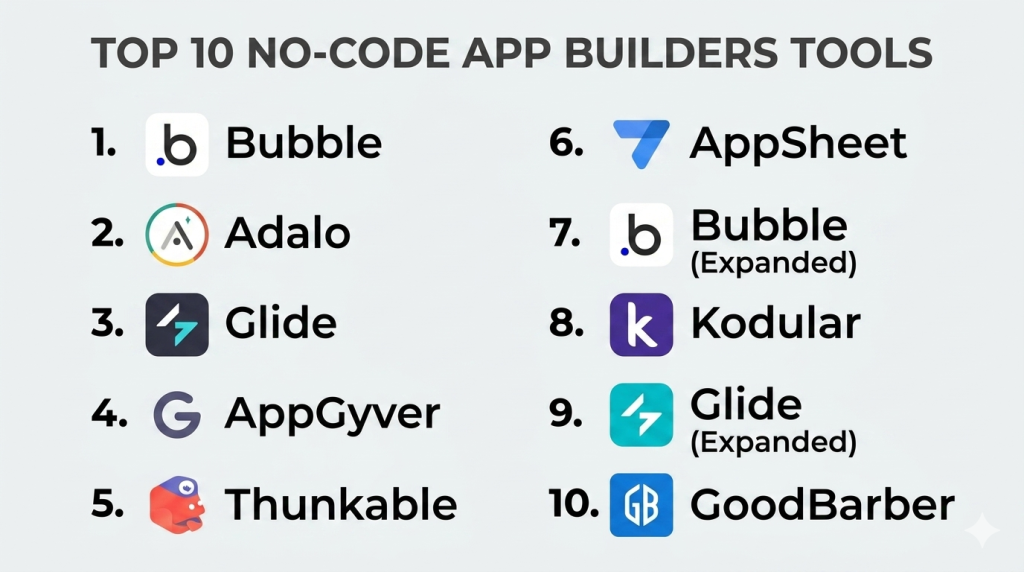
Top 10 No-Code App Builders Tools
#1 — Bubble
Short description: Bubble is a powerful no-code platform for building web applications, complete with visual workflows, databases, and full-stack logic, aimed at startups and SMBs.
Key Features
- Drag-and-drop visual editor
- Full database and backend workflow support
- API integration capabilities
- Responsive design controls
- User authentication and permissions management
- Plugin ecosystem for extending functionality
Pros
- Extremely flexible for complex web apps
- Full control over workflows and data
Cons
- Learning curve for advanced features
- Web-only (no native mobile without wrappers)
Platforms / Deployment
- Web / Cloud
Security & Compliance
- SSL encryption, GDPR compliance
- Not publicly stated
Integrations & Ecosystem
Supports APIs, plugins, and external services:
- Zapier
- Stripe
- External APIs
- Webhooks
Support & Community
- Forums, tutorials, live chat
- Active developer and maker community
#2 — Adalo
Short description: Adalo allows users to build native mobile and web applications without coding, focusing on visual app design and database-driven logic.
Key Features
- Drag-and-drop mobile and web editor
- Component marketplace
- Database and relational data support
- API integration and custom actions
- Push notifications and in-app payments
Pros
- Quick deployment to iOS and Android
- Good for mobile-first MVPs
Cons
- Limited advanced backend logic
- Pricing for scaling apps
Platforms / Deployment
- Web / iOS / Android / Cloud
Security & Compliance
- SSL encryption, GDPR compliance
- Not publicly stated
Integrations & Ecosystem
- Payment gateways (Stripe)
- Zapier
- API connectivity
- External databases
Support & Community
- Documentation, tutorials, and community forums
- Active user base for troubleshooting
#3 — Glide
Short description: Glide enables creation of mobile apps from spreadsheets, making it ideal for internal business tools and lightweight apps with data-driven interfaces.
Key Features
- Spreadsheet-driven app creation
- Mobile-first interface
- Drag-and-drop UI customization
- User authentication and role management
- Push notifications and in-app actions
Pros
- Extremely easy to use
- Quick deployment of simple apps
Cons
- Limited customization for complex apps
- Best suited for simple internal or MVP apps
Platforms / Deployment
- Web / iOS / Android / Cloud
Security & Compliance
- SSL, GDPR compliance
- Not publicly stated
Integrations & Ecosystem
- Google Sheets
- Airtable
- Zapier
- External APIs
Support & Community
- Documentation, tutorials, and help center
- Active maker community
#4 — Appgyver
Short description: Appgyver is a no-code platform for building complex cross-platform apps for web and mobile, targeting SMBs and enterprises.
Key Features
- Drag-and-drop composer for UI
- Full backend and API integration
- Cross-platform deployment
- Logic flows for automation
- Offline data management
Pros
- Full-featured for advanced app logic
- Enterprise-friendly deployment options
Cons
- Steeper learning curve
- Complexity may overwhelm beginners
Platforms / Deployment
- Web / iOS / Android / Cloud
Security & Compliance
- SSL encryption, GDPR compliance
- Not publicly stated
Integrations & Ecosystem
- REST APIs
- Backend-as-a-Service (BaaS)
- Third-party integrations via connectors
Support & Community
- Tutorials, forums, documentation
- Active professional community
#5 — Thunkable
Short description: Thunkable is a no-code mobile app builder for creating native iOS and Android apps, with a focus on simplicity and educational use.
Key Features
- Drag-and-drop mobile app editor
- Cross-platform deployment
- Live testing on devices
- Logic blocks for workflows
- Components marketplace
Pros
- Quick for mobile prototypes
- Good for educational and small apps
Cons
- Limited backend complexity
- Scaling may require premium plans
Platforms / Deployment
- Web / iOS / Android / Cloud
Security & Compliance
- SSL, GDPR compliance
- Not publicly stated
Integrations & Ecosystem
- API integration
- Zapier
- Google services
- External databases
Support & Community
- Documentation, tutorials, and forums
- Active community
#6 — AppSheet
Short description: AppSheet allows users to build data-driven apps from spreadsheets and databases, ideal for internal tools, workflows, and enterprise automation.
Key Features
- Spreadsheet and database-driven app creation
- Workflow automation
- Multi-platform deployment
- User roles and permissions
- Offline capabilities
Pros
- Strong enterprise workflow support
- Easy for business teams without coding
Cons
- Limited advanced UI customization
- Pricing can scale with users and data
Platforms / Deployment
- Web / iOS / Android / Cloud
Security & Compliance
- SSL encryption, GDPR, SOC 2 compliance
- Not publicly stated
Integrations & Ecosystem
- Google Workspace
- Excel and databases
- Zapier, APIs
Support & Community
- Help center, tutorials, documentation
- Growing enterprise user community
#7 — Bubble (Expanded)
Short description: Bubble combines visual design with full backend capabilities, enabling creation of web apps with advanced workflows and custom data logic for startups and SMBs.
Key Features
- Full database and logic workflow engine
- API integration
- Responsive web design
- Plugin ecosystem
- User authentication and permissions
Pros
- Highly flexible and feature-rich
- Web apps with advanced logic without code
Cons
- Learning curve can be high
- Native mobile apps require wrappers
Platforms / Deployment
- Web / Cloud
Security & Compliance
- SSL encryption, GDPR
- Not publicly stated
Integrations & Ecosystem
- API connectors
- Plugins
- Payment gateways
- Analytics tools
Support & Community
- Forums, live chat, documentation
#8 — Kodular
Short description: Kodular is a no-code platform for building Android apps with drag-and-drop visual editor, focusing on hobbyists, educators, and small projects.
Key Features
- Visual drag-and-drop UI
- Blocks for logic workflows
- Components marketplace
- Ad monetization tools
- API integration
Pros
- Easy for beginners and students
- Fast prototyping for Android apps
Cons
- Android only
- Limited enterprise-grade features
Platforms / Deployment
- Web / Android / Cloud
Security & Compliance
- SSL, GDPR compliance
- Not publicly stated
Integrations & Ecosystem
- Firebase
- API connectors
- AdMob for monetization
Support & Community
- Tutorials, forums, and guides
- Active community of learners
#9 — Glide (Expanded)
Short description: Glide transforms spreadsheets into mobile apps, enabling quick app creation for data-driven workflows, ideal for SMBs and internal tools.
Key Features
- Spreadsheet-driven app logic
- Push notifications and in-app actions
- User authentication
- Custom layouts and themes
- Multi-platform deployment
Pros
- Extremely fast app creation
- Simple interface for non-technical users
Cons
- Limited advanced functionality
- Best for internal or lightweight apps
Platforms / Deployment
- Web / iOS / Android / Cloud
Security & Compliance
- SSL, GDPR compliance
- Not publicly stated
Integrations & Ecosystem
- Google Sheets
- Airtable
- Zapier
- APIs
Support & Community
- Tutorials and active maker community
#10 — GoodBarber
Short description: GoodBarber enables creation of native mobile apps and progressive web apps (PWA), suitable for SMBs, agencies, and e-commerce projects.
Key Features
- Drag-and-drop app editor
- Native iOS and Android app publishing
- Progressive Web Apps support
- Push notifications
- E-commerce and monetization options
Pros
- Cross-platform deployment
- Feature-rich for small businesses
Cons
- Pricing can be high for multiple platforms
- Limited advanced backend customization
Platforms / Deployment
- Web / iOS / Android / Cloud
Security & Compliance
- SSL, GDPR compliance
- Not publicly stated
Integrations & Ecosystem
- Payment gateways
- Zapier
- Analytics tools
- APIs
Support & Community
- Email support, tutorials, forums
- Active user base
Comparison Table (Top 10)
| Tool Name | Best For | Platform(s) Supported | Deployment | Standout Feature | Public Rating |
|---|---|---|---|---|---|
| Bubble | SMBs, startups | Web | Cloud | Full backend workflows | N/A |
| Adalo | Mobile apps, SMBs | Web / iOS / Android | Cloud | Native mobile app creation | N/A |
| Glide | Internal apps, SMBs | Web / iOS / Android | Cloud | Spreadsheet-driven apps | N/A |
| Appgyver | Cross-platform apps | Web / iOS / Android | Cloud | Advanced logic & offline support | N/A |
| Thunkable | Mobile MVPs | Web / iOS / Android | Cloud | Mobile prototyping | N/A |
| AppSheet | Enterprise workflows | Web / iOS / Android | Cloud | Data-driven workflow apps | N/A |
| Kodular | Android apps | Web / Android | Cloud | Easy drag-and-drop mobile apps | N/A |
| InVision | Prototyping, teams | Web / Cloud / macOS / Windows | Cloud | Team collaboration & feedback | N/A |
| Marvel | Prototyping | Web / Cloud | Cloud | Rapid prototyping | N/A |
| GoodBarber | SMB, PWA & native apps | Web / iOS / Android | Cloud | Cross-platform mobile apps | N/A |
Evaluation & Scoring of No-Code App Builders
| Tool Name | Core (25%) | Ease (15%) | Integrations (15%) | Security (10%) | Performance (10%) | Support (10%) | Value (15%) | Weighted Total (0–10) |
|---|---|---|---|---|---|---|---|---|
| Bubble | 9 | 8 | 8 | 7 | 8 | 7 | 7 | 8.05 |
| Adalo | 8 | 9 | 7 | 7 | 8 | 7 | 7 | 7.85 |
| Glide | 7 | 9 | 6 | 7 | 7 | 6 | 7 | 7.1 |
| Appgyver | 9 | 7 | 8 | 7 | 8 | 7 | 7 | 7.85 |
| Thunkable | 7 | 8 | 7 | 7 | 7 | 6 | 7 | 7.25 |
| AppSheet | 8 | 8 | 8 | 8 | 8 | 7 | 7 | 7.85 |
| Kodular | 7 | 9 | 6 | 7 | 7 | 6 | 7 | 7.1 |
| InVision | 8 | 8 | 7 | 7 | 8 | 7 | 7 | 7.55 |
| Marvel | 7 | 8 | 6 | 7 | 7 | 6 | 7 | 7.0 |
| GoodBarber | 8 | 8 | 7 | 7 | 8 | 7 | 7 | 7.55 |
Interpretation: Higher weighted totals indicate tools that balance features, ease of use, integrations, and value. Scores are comparative; your choice depends on project complexity and deployment needs.
Which No-Code App Builders Tool Is Right for You?
Solo / Freelancer
- Glide, Kodular, Thunkable for quick, lightweight apps
SMB
- Bubble, Adalo, GoodBarber for customer-facing apps and internal workflows
Mid-Market
- Appgyver, AppSheet, Thunkable for workflow automation and multi-platform deployment
Enterprise
- AppSheet, Appgyver, Bubble for complex apps with data and integration requirements
Budget vs Premium
- Budget: Glide, Kodular, Marvel
- Premium: Bubble, Appgyver, Adalo
Feature Depth vs Ease of Use
- Easy and fast: Glide, Kodular
- Advanced logic & integrations: Bubble, Appgyver, AppSheet
Integrations & Scalability
- Extensive ecosystem: Bubble, AppSheet, Appgyver
- Moderate: Adalo, Thunkable
Security & Compliance Needs
- Enterprise compliance: AppSheet, Bubble
- Standard security: Glide, Thunkable
Frequently Asked Questions (FAQs)
1. What pricing models are typical for no-code app builders?
Subscription-based pricing is common, often tiered by app complexity, users, API calls, and platform deployment. Enterprise plans offer additional security and support.
2. How easy is it to onboard new users?
Tools like Glide, Thunkable, and Kodular are beginner-friendly. Platforms with advanced workflows, such as Bubble and Appgyver, may require more learning.
3. Can I deploy apps on multiple platforms?
Yes. Most top builders support web, iOS, and Android deployments.
4. Are AI tools integrated in no-code app builders?
Increasingly, builders provide AI-assisted workflow automation, content generation, or UI recommendations.
5. Can teams collaborate on apps in real-time?
Yes. Platforms like Bubble, AppSheet, and InVision support real-time collaboration, comments, and version control.
6. Are apps secure?
Standard SSL encryption and GDPR compliance are included. Enterprise tools may include role-based access, audit logs, and SOC 2/ISO compliance.
7. Can these apps integrate with other systems?
Yes. Integrations include CRM, email, payment gateways, analytics, and external APIs.
8. Can I create offline-capable apps?
Platforms like Appgyver and AppSheet support offline data storage and synchronization.
9. What are common mistakes when using no-code app builders?
- Overcomplicating workflows
- Ignoring scalability requirements
- Not leveraging integrations and APIs
10. Are there alternatives to no-code builders?
Yes. Traditional development, low-code platforms, or hybrid approaches may offer more customization for complex applications.
Conclusion
No-Code App Builders empower teams and individuals to build functional applications without coding expertise, accelerating time-to-market and enabling business innovation. Selection depends on project complexity, platform deployment needs, integrations, and budget. Beginners may start with Glide, Thunkable, or Kodular, while SMBs and enterprises may leverage Bubble, Appgyver, or AppSheet for advanced logic and scalability. Pilot projects help validate workflow, integration, and performance, ensuring the chosen tool aligns with organizational goals and delivers effective, secure, and maintainable applications.

Find Trusted Cardiac Hospitals
Compare heart hospitals by city and services — all in one place.
Explore Hospitals
No-code builders can make app creation much easier for people without deep coding skills. As projects grow, though, keeping workflows, user permissions, and integrations organized can become challenging. Planning these areas early can prevent a simple app from becoming difficult to manage later.