Introduction
Shader authoring tools are software platforms or editor extensions that enable developers and artists to create, edit, visualize, and optimize shaders—small programs that run on the GPU to control how surfaces and pixels are rendered. Shaders are crucial in modern graphics for defining surface appearance, lighting, post‑processing effects, water, fire, reflections, refractions, and more. While game engines often include shader support, dedicated tools accelerate creation, debugging, visual editing, and optimization.
Shader authoring matters because graphics fidelity and performance are central to immersive gameplay, real‑time XR experiences, architectural visualization, and cinematic rendering. Whether building custom material effects for characters or optimizing global illumination for environments, shader tools let creators iterate faster and push visual quality while managing performance constraints.
Real‑world use cases:
- Crafting custom materials (metal, skin, cloth, glass) for game assets
- Designing post‑processing effects (bloom, color grading, blur)
- Creating optimized shader variants for mobile vs desktop vs console
- Visualizing real‑time lighting and shadow behavior
- Debugging and profiling shading performance on GPU
What buyers should evaluate:
- Visual shader graph vs code text support
- GPU debugging and profiling features
- Integration with engines and rendering pipelines
- Cross‑platform shader export (DX, Vulkan, OpenGL, Metal)
- Real‑time preview and simulation
- Optimization and analysis tools
- Learning curve and usability
- Extensibility via plugins or scripting
- Collaboration support for teams
Best for: Graphics programmers, technical artists, rendering engineers, and art teams focused on visual quality and performance.
Not ideal for: Developers who only use prebuilt engine materials and never need custom visual effects; simpler design tools may suffice.
Key Trends in Shader Authoring Tools
- Visual shader graphs gaining parity with text coding via node‑based editors.
- AI‑assisted shader generation to accelerate creation and suggest optimizations.
- Cross‑API shader translators that convert HLSL to GLSL/Metal and vice versa.
- Real‑time debugging and live shader reload for fast iteration.
- Cloud‑based collaboration workflows for distributed art and engineering teams.
- Performance profiling and GPU analysis embedded in tools.
- Integration with modern engine pipelines (forward, deferred, ray tracing).
- Template libraries and reusable effect libraries to accelerate development.
- Support for mobile and low‑power GPU targets with performance constraints.
How We Selected These Tools (Methodology)
- Reviewed market adoption and usage among game, film, and visualization studios.
- Assessed feature completeness including editing, preview, profiling, and export.
- Evaluated integration maturity with engines like Unity, Unreal, Godot, and custom renderers.
- Considered performance and reliability signals from developer feedback.
- Checked extensibility and plugin support for custom workflows.
- Looked at both visual and code‑centric shader workflows.
- Balanced open‑source and commercial options for broad relevance.
- Verified cross‑platform export support for multiple render APIs.
- Factored community support and documentation presence.
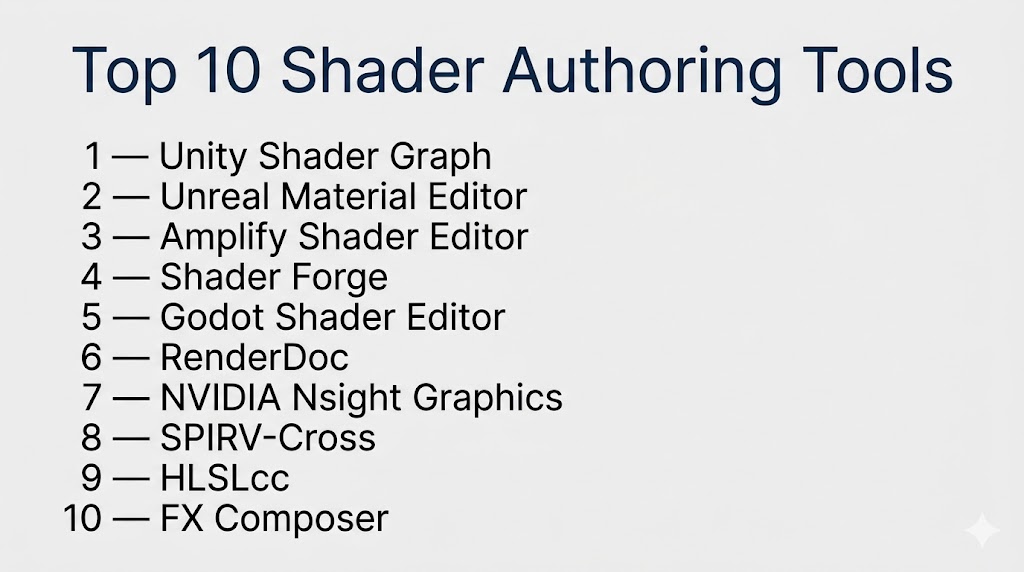
Top 10 Shader Authoring Tools
#1 — Unity Shader Graph
Short description: A visual shader authoring tool built into Unity that lets artists and developers create shader logic using nodes without writing low‑level code.
Key Features
- Node‑based shader graph editor
- Real‑time preview within the editor
- Built‑in templates for common effects
- Cross‑pipeline support (URP and HDRP)
- Integration with Unity material system
- Support for custom functions and code snippets
Pros
- Easy for artists without deep coding knowledge
- Fast iteration within the Unity ecosystem
- Strong support for physically based rendering pipelines
Cons
- Limited outside Unity pipelines
- Complex shaders may still need hand‑coded snippets
Platforms / Deployment
Windows / macOS / Linux (via Unity Editor)
Security & Compliance
Not publicly stated
Integrations & Ecosystem
Unity Shader Graph works deeply within the Unity ecosystem.
- URP and HDRP render pipelines
- Unity material and asset databases
- Package Manager extensions
- Integration with animation and lighting systems
Support & Community
Large community, extensive documentation, and tutorials due to Unity’s widespread use.
#2 — Unreal Material Editor
Short description: Unreal Engine’s built‑in visual shader and material editor that lets developers create complex materials and effects using node graphs inside Unreal Editor.
Key Features
- Node graph shader authoring
- Real‑time viewport preview
- Material functions and macros
- Support for complex lighting models
- Integration with Unreal rendering features
- Debugging material complexity
Pros
- Extremely powerful for high‑fidelity visuals
- Designed for AAA rendering needs
- Deep integration with Unreal workflows
Cons
- Can be daunting for beginners
- Real‑time preview performance depends on scene complexity
Platforms / Deployment
Windows / macOS / Linux
Security & Compliance
Not publicly stated
Integrations & Ecosystem
Operates as part of Unreal Engine.
- Blueprint and scripting interplay
- Asset and lighting pipeline integration
- Optimization and stat tracking
- Post‑processing and effects pipelines
Support & Community
Comprehensive documentation, training materials, and active global user community.
#3 — Amplify Shader Editor
Short description: A visual shader creation tool for Unity, designed as a more flexible alternative to built‑in shader editors with expanded nodes and workflow features.
Key Features
- Custom node creation
- Visual debugging tools
- Shader templates and presets
- Enhanced UI for node graphs
- Support for Unity render pipelines
- Integrated previews
Pros
- Richer node selection than some built‑in tools
- Flexible and designer‑friendly UI
- Strong community support
Cons
- Unity‑specific tool
- Paid asset in many cases
Platforms / Deployment
Windows / macOS (Unity plugin)
Security & Compliance
Not publicly stated
Integrations & Ecosystem
Extends Unity workflows with enhanced shader tooling:
- Unity rendering pipelines
- Marketplace extension ecosystem
- Asset and material integration
Support & Community
Strong user base for Unity artists and developers.
#4 — Shader Forge
Short description: A visual shader editor for Unity that preceded and influenced many modern node‑based workflow tools.
Key Features
- Drag‑and‑drop node graph
- Visual previews
- Custom function nodes
- Texture and parameter linking
Pros
- Intuitive for artists
- Great for quick prototyping
Cons
- Not as actively maintained
- Limited modern pipeline support
Platforms / Deployment
Windows / macOS (Unity plugin)
Security & Compliance
Not publicly stated
Integrations & Ecosystem
Integrates with Unity materials and assets.
Support & Community
Smaller community today but still referenced in legacy projects.
#5 — Godot Shader Editor
Short description: The built‑in shading editor inside the Godot engine, supporting both visual and code‑based shader creation.
Key Features
- Shader language support (Godot shading language)
- Visual editor with live previews
- Real‑time update of materials
- Supports 2D and 3D shading
- Light and shadow integration
Pros
- Native to Godot workflows
- Lightweight and integrated with engine
- Good for cross‑platform workflows
Cons
- Less advanced than AAA‑focused tools
- Smaller ecosystem
Platforms / Deployment
Windows / macOS / Linux / Web
Security & Compliance
Not publicly stated
Integrations & Ecosystem
Part of Godot’s asset and rendering pipelines.
Support & Community
Growing open‑source community with documentation.
#6 — RenderDoc
Short description: A standalone graphics debugger that lets developers capture and inspect frames from graphics APIs to diagnose shader and pipeline issues.
Key Features
- Frame capture and inspection
- Shader debugging tools
- GPU state visualization
- Texture and buffer inspection
- API‑agnostic (supports Vulkan, DirectX, OpenGL)
Pros
- Deep inspection and debugging capabilities
- API‑agnostic support
- Great for optimization and correctness
Cons
- Not a shader authoring UI itself
- Debugging focused — not a workflow editor
Platforms / Deployment
Windows / Linux
Security & Compliance
Not publicly stated
Integrations & Ecosystem
Works with many engines and APIs through captures.
Support & Community
Strong community and wide adoption by engineers.
#7 — NVIDIA Nsight Graphics
Short description: A professional graphics debugging and profiling tool tailored to GPU‑centric shader and pipeline analysis, especially for NVIDIA hardware.
Key Features
- GPU profiling tools
- Shader trace and performance insights
- Frame debugger
- Memory and resource inspection
- API support (DirectX, Vulkan)
Pros
- Excellent profiling detail
- Deep hardware insights
- Real‑time performance metrics
Cons
- NVIDIA‑centric features shine on NVIDIA GPUs
- More complex than basic shader editors
Platforms / Deployment
Windows / Linux
Security & Compliance
Not publicly stated
Integrations & Ecosystem
Best used with engines and toolchains targeting NVIDIA GPUs.
Support & Community
Professional documentation and user community among graphics engineers.
#8 — SPIRV‑Cross
Short description: A utility that translates SPIR‑V shader bytecode into readable HLSL, GLSL, or Metal shading languages, helping developers target multiple GPU APIs.
Key Features
- Cross‑shader translation
- Support for multiple target languages
- Command‑line or library use
- Useful for shader porting
Pros
- Great for cross‑API workflows
- Helps unify shader code bases
Cons
- Not a visual editing tool
- Focused on translation rather than authoring
Platforms / Deployment
Cross‑platform (library)
Security & Compliance
Not publicly stated
Integrations & Ecosystem
Used in cross‑platform graphics workflows.
Support & Community
Open‑source community support.
#9 — HLSLcc
Short description: A high‑level shader compiler converter that turns HLSL into GLSL for engines targeting different rendering APIs.
Key Features
- Converts HLSL to GLSL
- Useful for cross‑compiling
- Command‑line integration
Pros
- Helps reusing HLSL code on non‑DirectX platforms
- Small and focused tool
Cons
- Not a full development IDE
- Focused on conversion
Platforms / Deployment
Cross‑platform
Security & Compliance
Not publicly stated
Integrations & Ecosystem
Used in toolchains to support multiple APIs.
Support & Community
Open‑source usage and examples.
#10 — FX Composer
Short description: An older shader authoring tool from a prior generation that provided real‑time previews and multi‑API support for shader experimentation.
Key Features
- Real‑time previews
- Multi‑target support
- Visual shader editing concepts
Pros
- Simple authoring workflows
- Useful for learning and prototyping
Cons
- Not actively developed
- Limited modern API support
Platforms / Deployment
Windows
Security & Compliance
Not publicly stated
Integrations & Ecosystem
Historical tool with limited modern ecosystem.
Support & Community
Legacy documentation and old forum content.
Comparison Table (Top 10)
| Tool Name | Best For | Platform(s) Supported | Deployment | Standout Feature | Public Rating |
|---|---|---|---|---|---|
| Unity Shader Graph | Unity developers | Windows/macOS/Linux | Engine‑embedded | Visual node shader creation | N/A |
| Unreal Material Editor | AAA materials | Windows/macOS/Linux | Engine‑embedded | High‑fidelity materials | N/A |
| Amplify Shader Editor | Unity advanced | Windows/macOS | Plugin | Rich node library | N/A |
| Shader Forge | Unity legacy editing | Windows/macOS | Plugin | Intuitive visual nodes | N/A |
| Godot Shader Editor | Godot shader creation | Windows/macOS/Linux/Web | Engine‑embedded | Lightweight editor | N/A |
| RenderDoc | Shader debugging | Windows/Linux | Standalone | Deep frame inspection | N/A |
| NVIDIA Nsight Graphics | GPU shader profiling | Windows/Linux | Standalone | Hardware‑level insights | N/A |
| SPIRV‑Cross | Cross‑API shaders | Cross‑platform | Library | Shader translation | N/A |
| HLSLcc | Shader cross‑compiler | Cross‑platform | Library | HLSL to GLSL conversion | N/A |
| FX Composer | Shader prototyping | Windows | Standalone | Easy shader preview | N/A |
Evaluation & Scoring of Shader Authoring Tools
| Tool Name | Core (25%) | Ease (15%) | Integrations (15%) | Security (10%) | Performance (10%) | Support (10%) | Value (15%) | Weighted Total (0–10) |
|---|---|---|---|---|---|---|---|---|
| Unity Shader Graph | 9 | 9 | 9 | 6 | 8 | 8 | 8 | 8.30 |
| Unreal Material Editor | 10 | 7 | 9 | 6 | 9 | 9 | 7 | 8.15 |
| Amplify Shader Editor | 8 | 8 | 8 | 6 | 8 | 8 | 7 | 7.75 |
| Shader Forge | 6 | 7 | 7 | 5 | 7 | 6 | 8 | 6.85 |
| Godot Shader Editor | 7 | 8 | 7 | 5 | 7 | 7 | 9 | 7.60 |
| RenderDoc | 8 | 6 | 8 | 6 | 9 | 7 | 7 | 7.70 |
| NVIDIA Nsight Graphics | 8 | 5 | 7 | 6 | 9 | 7 | 7 | 7.40 |
| SPIRV‑Cross | 7 | 6 | 8 | 6 | 7 | 6 | 9 | 7.15 |
| HLSLcc | 7 | 6 | 7 | 5 | 7 | 6 | 9 | 7.00 |
| FX Composer | 6 | 6 | 5 | 5 | 6 | 5 | 8 | 6.30 |
How to interpret scores:
- Higher weighted totals generally indicate stronger overall balance across core features, ease of use, integration, and value.
- Tools targeting engine workflows score higher for integration and ease within those environments.
- Standalone debugger and profiler tools score strongly in performance analysis but lower in shader composition.
- Text‑based or conversion libraries score well for focused cross‑platform workflows.
Which Shader Authoring Tool Is Right for You?
Solo / Freelancer
- Unity Shader Graph, Godot Shader Editor, Amplify Shader Editor are excellent for rapid creation and iteration without deep engine build complexity.
SMB
- Unity Shader Graph and Unreal Material Editor offer production‑ready toolchains with strong engine integration.
Mid‑Market
- Combine engine embedded tools with RenderDoc and Nsight Graphics for debugging and performance profiling.
Enterprise
- Unreal Material Editor plus NVIDIA Nsight Graphics and SPIRV‑Cross give enterprise teams control over high‑fidelity visuals and cross‑API deployment.
Budget vs Premium
- Free/Open‑Source: Godot Shader Editor, RenderDoc, SPIRV‑Cross
- Premium/Pro: Unity Shader Graph, Unreal Material Editor, Amplify Shader Editor
Feature Depth vs Ease of Use
- Depth: Unreal Material Editor, RenderDoc
- Ease: Unity Shader Graph, Amplify Shader Editor
Integrations & Scalability
- Unity and Unreal tools win on integrated workflows; SPIRV‑Cross aids cross‑platform pipelines.
Security & Compliance Needs
- Shader authoring tools focus on graphics; security and compliance depend on the broader development ecosystem and version control practices.
Frequently Asked Questions (FAQs)
1. What is a shader authoring tool?
A shader authoring tool helps create and refine code or visual graphs that define GPU rendering behavior for materials and effects.
2. Do I need programming skills to use shader tools?
Some tools like visual shader graphs reduce coding needs, but deeper effects often require shader code knowledge.
3. Which tool works best with Unity?
Unity Shader Graph and Amplify Shader Editor integrate directly into Unity.
4. Can I debug shaders?
Yes — tools like RenderDoc and NVIDIA Nsight Graphics provide deep shader debugging and GPU analysis.
5. Are there open‑source shader tools?
Yes — Godot Shader Editor and SPIRV‑Cross are open‑source and widely used.
6. What is SPIR‑V?
SPIR‑V is an intermediate shader representation used in Vulkan and other modern graphics APIs.
7. Can shader tools help with performance optimization?
Yes — profiling tools and real‑time preview help identify performance bottlenecks.
8. Do these tools support mobile graphics?
Most shader tools support creation for mobile pipelines via cross‑API export and previews.
9. Is visual shader editing less powerful than text coding?
Visual editors are powerful for many effects but may need custom code for advanced features.
10. Which tools support multi‑engine workflows?
Tools like SPIRV‑Cross and external debuggers support multi‑API and multi‑engine workflows.
Conclusion
Shader authoring tools are indispensable for developers and artists seeking control over how graphics are rendered, animated, and optimized. Tools embedded in engines like Unity Shader Graph and Unreal Material Editor offer seamless creation and preview, while specialized debuggers and profilers like RenderDoc and NVIDIA Nsight Graphics provide deep insight into performance and behavior. Open‑source utilities such as Godot Shader Editor and SPIRV‑Cross support flexible, cross‑platform workflows, especially for indie and multi‑engine pipelines. Choosing the right tool depends on your engine, team size, performance needs, and whether you prioritize visual authoring or low‑level control. Shortlist a few tools, prototype real materials and effects, and validate integration with your target platforms before standardizing your shader workflow.

Find Trusted Cardiac Hospitals
Compare heart hospitals by city and services — all in one place.
Explore Hospitals