Introduction
Notebook environments are interactive computational platforms that allow users to combine live code, equations, narrative text, and rich visualizations into a single, shareable document. Unlike traditional Integrated Development Environments (IDEs) that focus purely on software engineering and file-based scripts, notebooks follow a “literate programming” paradigm. This approach prioritizes the explanation of logic alongside the code execution, making them the primary workspace for data scientists, researchers, and analysts.
As we move through , the role of notebook environments has evolved from simple scratchpads into sophisticated, enterprise-grade production platforms. The explosion of Generative AI and Large Language Models (LLMs) has integrated “AI co-pilots” directly into the cell-based workflow, allowing for automated code generation and natural language data querying. Modern notebooks now bridge the gap between local exploration and cloud-scale deployment, serving as the standard interface for modern data stacks.
Real-World Use Cases:
- Exploratory Data Analysis (EDA): Rapidly visualizing datasets to identify patterns before building formal models.
- Machine Learning Prototyping: Iteratively training models and tracking experiments in a visual format.
- Scientific Research: Creating reproducible papers where the data and the findings are contained in one file.
- Technical Education: Building interactive tutorials where students can run code samples in the browser.
- Business Intelligence Reporting: Creating live, interactive dashboards that pull data directly from SQL warehouses.
Evaluation Criteria for Buyers:
- Collaboration Features: Support for real-time multi-user editing and commenting.
- Resource Access: Availability of high-performance GPUs and TPUs for heavy workloads.
- Integrations: Connectivity with Git, cloud storage (S3/GCS), and data warehouses (Snowflake/BigQuery).
- Language Support: Flexibility across Python, R, Julia, SQL, and Scala.
- Environment Management: Ease of installing packages and managing virtual environments.
- Security and Compliance: Support for SSO, RBAC, and data encryption.
- Version Control: Native integration with GitHub or built-in cell-level versioning.
- Output Exporting: Ability to publish notebooks as interactive apps, PDFs, or HTML reports.
- Compute Scalability: Capacity to switch between local CPUs and massive cloud clusters.
- Extensibility: Support for third-party extensions and custom UI widgets.
Mandatory Paragraph
- Best for: Data scientists, ML engineers, academic researchers, and technical educators who need to document their thought process alongside code execution.
- Not ideal for: Building massive, multi-file software applications, low-latency production microservices, or non-technical business users who prefer “no-code” spreadsheet interfaces.
Key Trends in Notebook Environments
- Generative AI Native Workflows: Integration of LLMs to automatically write documentation, debug errors, and suggest optimizations within individual notebook cells.
- Reactive Execution Models: A shift toward notebooks where changing a cell automatically triggers updates in dependent cells, eliminating the “out-of-order execution” problem.
- WebAssembly (WASM) Integration: Running notebook kernels directly in the browser’s memory, allowing for high-performance computing without a remote server.
- Low-Code/No-Code Fusion: Built-in UI builders that allow users to turn a notebook into a production-ready web application with a single click.
- Enterprise Collaboration Standards: Real-time editing features becoming a non-negotiable requirement, mirroring the collaborative experience of Google Docs for code.
- Git-Native Versioning: Improved diffing and merging tools that treat notebook JSON files as readable code, solving historical version control frustrations.
- Unified SQL and Python Cells: The ability to write SQL directly in a notebook cell and have the output automatically available as a Python dataframe.
- Governance and Lineage Tracking: Automated tracking of data sources and transformations to satisfy strict regulatory and audit requirements in enterprise environments.
How We Selected These Tools (Methodology)
To identify the top 10 notebook environments, we conducted an evaluation of the current market landscape based on the following methodology:
- Community Mindshare: Analyzing the adoption rates within major open-source projects and academic circles.
- Enterprise Feature Set: Evaluating the presence of security controls, permissions management, and administrative dashboards.
- Infrastructure Flexibility: Assessing how well the tools handle the transition from local development to cloud-scale GPU clusters.
- User Experience (UX): Prioritizing environments that minimize “boilerplate” setup and provide intuitive cell management.
- Ecosystem Connectivity: Looking at how easily these notebooks connect to modern data warehouses and BI tools.
- Technical Reliability: Reviewing performance signals, especially how the platforms handle massive datasets and complex visualizations.
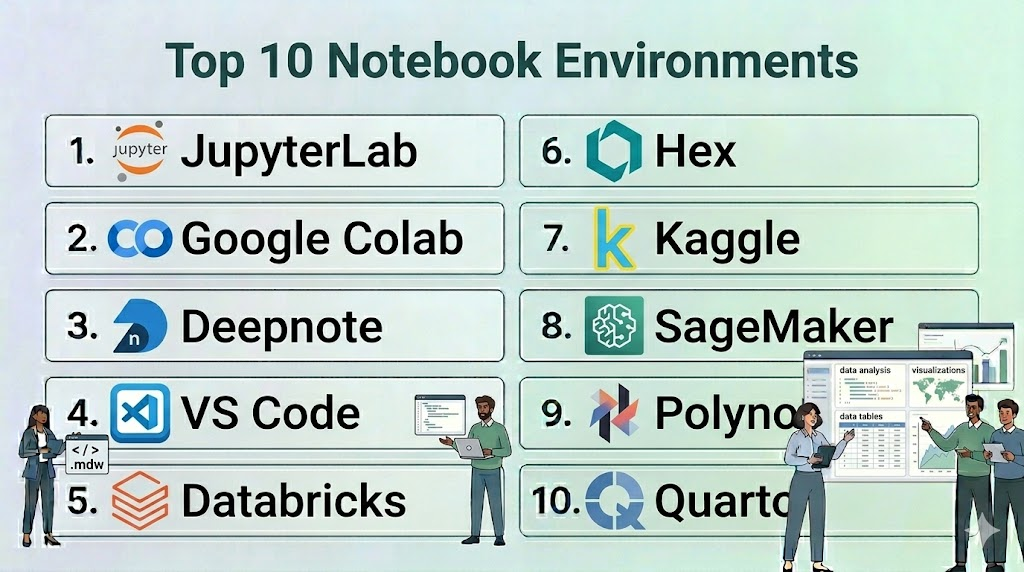
Top 10 Notebook Environments
#1 — JupyterLab
Short description: The next-generation web-based interface for the Project Jupyter ecosystem, serving as the industry standard for open-source interactive computing.
Key Features
- Modular Interface: Users can arrange notebooks, terminals, text editors, and file browsers in a flexible tabbed layout.
- Multi-Language Support: Compatible with over 100 kernels, including Python, R, Julia, and Scala.
- Interactive Widgets: Support for ipywidgets to build custom UI elements directly in the notebook.
- Extension System: A vast ecosystem of third-party plugins for Git integration, LSP support, and theme customization.
- Document Viewer: Native support for viewing CSVs, images, PDFs, and Markdown files within the interface.
- Virtual Desktop Integration: Can be deployed locally or as a multi-user environment via JupyterHub.
Pros
- The most widely supported and documented notebook environment in existence.
- Completely open-source with no vendor lock-in.
Cons
- Requires manual effort to set up real-time collaboration.
- Managing package dependencies can be complex for non-technical users.
Platforms / Deployment
- Web / Windows / macOS / Linux
- Cloud / Self-hosted / Hybrid
Security & Compliance
- SSO/SAML support via JupyterHub, RBAC (via Hub).
- Not publicly stated.
Integrations & Ecosystem
JupyterLab is the core of the data science world and integrates with almost everything.
- GitHub / GitLab
- Docker / Kubernetes
- Pandas / Matplotlib / Scikit-learn
- Dask / Spark
Support & Community
Unrivaled global community. Thousands of free tutorials, massive StackOverflow presence, and dedicated professional support through third-party vendors.
#2 — Google Colab
Short description: A cloud-based notebook environment provided by Google that requires zero configuration and offers free access to powerful computing resources.
Key Features
- Free GPU/TPU Access: Provides access to high-performance hardware for machine learning and deep learning tasks.
- Google Drive Integration: Notebooks are stored directly in Drive, allowing for easy sharing and permissions management.
- Real-time Collaboration: Multiple users can edit the same notebook simultaneously with live presence indicators.
- Built-in Code Snippets: A library of ready-to-use code for common tasks like data visualization and camera access.
- Forms UI: Allows users to add interactive sliders and input fields to notebooks for non-programmers.
- Colab Pro: Paid tiers offering high-memory VMs and priority access to faster GPUs.
Pros
- Zero setup; starts in seconds with all major libraries pre-installed.
- Excellent for students and researchers who don’t have powerful local hardware.
Cons
- Sessions can time out, leading to loss of unsaved variables.
- Limited control over the underlying OS and background environment.
Platforms / Deployment
- Web
- Cloud
Security & Compliance
- Standard Google Account security (MFA, SSO).
- ISO 27001, SOC 2 (Google Cloud level).
Integrations & Ecosystem
Deeply integrated into the Google Cloud and AI research ecosystem.
- Google Drive / GCS
- BigQuery
- GitHub
- TensorFlow / PyTorch (Pre-installed)
Support & Community
Massive community support through forums and YouTube tutorials. Official support is limited to documentation and enterprise GCP tiers.
#3 — Deepnote
Short description: A collaborative, cloud-native notebook designed for teams, emphasizing “Google Docs-style” editing and seamless data connectivity.
Key Features
- Collaborative Workspaces: Real-time multi-user editing with built-in commenting and mentions.
- Native Data Connectors: Easy UI-based connections to Snowflake, BigQuery, Redshift, and S3.
- Variable Explorer: A visual sidebar that allows users to track dataframes and variables without printing them.
- No-Code Visualizations: Built-in charting tools to create plots without writing Matplotlib code.
- Environment Management: Simplified package management via a visual UI for requirements files.
- Publishing: Turn notebooks into interactive reports or dashboards with a public URL.
Pros
- Best-in-class collaboration features for modern data teams.
- Reduces “boilerplate” code needed for data ingestion and charting.
Cons
- The free tier has strict limitations on compute power.
- Proprietary platform; moving away may require manual code migration.
Platforms / Deployment
- Web
- Cloud
Security & Compliance
- SSO/SAML, MFA, RBAC.
- SOC 2 Type II compliance.
Integrations & Ecosystem
Focused on the modern data stack and team productivity.
- Snowflake / BigQuery
- PostgreSQL / MongoDB
- Slack / GitHub
- Pandas / Plotly
Support & Community
Growing community, highly responsive technical support for business tiers, and excellent onboarding documentation.
#4 — VS Code Notebooks
Short description: A local-first notebook experience integrated directly into Visual Studio Code, combining the power of an IDE with the flexibility of a notebook.
Key Features
- Integrated Debugging: Allows users to set breakpoints and step through notebook cells like standard Python scripts.
- IntelliSense: High-quality code completion, parameter hints, and member lists powered by Pylance.
- Local & Remote Kernels: Connects to local Python environments or remote Jupyter servers.
- Variable Viewer: A robust panel to inspect dataframes, tensors, and complex objects.
- Polyglot Support: Supports Jupyter (.ipynb) files as well as .NET Interactive and other notebook formats.
- Extension Support: Access to thousands of VS Code extensions for themes, Git, and Docker.
Pros
- Ideal for developers who want to stay in one tool for both scripting and notebooks.
- Full access to the powerful VS Code ecosystem and customization.
Cons
- Lacks native real-time collaboration features found in cloud platforms.
- Requires local environment setup (Python, Conda, etc.) which can be tricky.
Platforms / Deployment
- Windows / macOS / Linux / Web
- Local / Hybrid
Security & Compliance
- Local security managed by the OS.
- Not publicly stated.
Integrations & Ecosystem
Leverages the massive Microsoft and Open Source extension marketplace.
- GitHub (Native)
- Azure / AWS / GCP (via Extensions)
- Jupyter Ecosystem
- Docker
Support & Community
Backed by Microsoft with a massive global community. Fast development cycle with monthly updates.
#5 — Databricks Notebooks
Short description: An enterprise-grade notebook environment integrated into the Databricks Lakehouse platform, built for big data and Spark-based workloads.
Key Features
- Spark Native: Built-in support for Spark (PySpark, Spark SQL) for processing petabytes of data.
- Multi-language Cells: The ability to mix Python, SQL, R, and Scala within the same notebook using “magic commands.”
- Revision History: Built-in versioning that allows teams to revert to any point in time.
- Dashboards: Single-click conversion of notebook results into a clean business dashboard.
- MLflow Integration: Native tracking of machine learning experiments and model versioning.
- Enterprise Security: Comprehensive governance features, including credential passthrough and audit logs.
Pros
- The standard for big data engineering and collaborative enterprise data science.
- Handles massive compute clusters seamlessly without user-side configuration.
Cons
- Can be very expensive for small projects or individual researchers.
- Significant learning curve associated with the broader Databricks platform.
Platforms / Deployment
- AWS / Azure / GCP
- Cloud
Security & Compliance
- SSO, MFA, RBAC, Encryption at rest/transit, Private Link.
- SOC 2, ISO 27001, HIPAA, FedRAMP.
Integrations & Ecosystem
Designed to be the center of the enterprise data lakehouse.
- Delta Lake
- Apache Spark
- Tableau / Power BI
- MLflow
Support & Community
Premium enterprise support and a large community of data engineers. Extensive “Databricks Academy” training.
#6 — Hex
Short description: A modern notebook for data analysis that bridges the gap between deep technical work and sharing results with stakeholders.
Key Features
- Polyglot Logic: Seamlessly mix SQL and Python cells with automatic data transfer.
- App Builder: A drag-and-drop interface to turn a notebook into a beautiful interactive app.
- Logic View: A visual DAG (Directed Acyclic Graph) showing how cells depend on each other.
- Magic AI: Built-in AI assistant for generating SQL, Python code, and explanations.
- Version Control: Built-in Git-like versioning and branch management for teams.
- Input Components: Interactive sliders, dropdowns, and date pickers that drive the notebook logic.
Pros
- Best-in-class tool for data teams that need to “productize” their analysis for business users.
- Excellent handling of SQL-first workflows.
Cons
- More expensive than basic cloud notebooks.
- Proprietary logic view makes it harder to port code to vanilla Jupyter.
Platforms / Deployment
- Web
- Cloud
Security & Compliance
- SSO, RBAC, MFA, Encryption.
- SOC 2 Type II compliance.
Integrations & Ecosystem
Tight integration with modern cloud data warehouses.
- Snowflake / BigQuery / Redshift
- dbt (Integration for metadata)
- GitHub
- Slack
Support & Community
Active and professional community; excellent documentation and responsive customer success teams.
#7 — Kaggle Kernels
Short description: A specialized notebook environment hosted by Kaggle, designed for data science competitions and community learning.
Key Features
- Integrated Datasets: One-click access to thousands of public datasets hosted on Kaggle.
- Free Compute: Offers free quotas for NVIDIA GPUs and Google TPUs.
- Version Snapshots: Automatically saves “versions” of your work that include output files and logs.
- Community Forking: Allows users to “copy and edit” existing public notebooks to learn from others.
- Pre-installed Packages: Environment comes pre-loaded with almost every major data science library.
- Offline Execution: Supports long-running “commit” jobs that run in the background after you close the tab.
Pros
- The best environment for learning data science through community examples.
- No setup required and completely free to use.
Cons
- Limited private storage for personal datasets.
- Not designed for enterprise production or private team collaboration.
Platforms / Deployment
- Web
- Cloud
Security & Compliance
- Standard Google/Kaggle login security.
- Not publicly stated.
Integrations & Ecosystem
Focused on the Kaggle competition ecosystem.
- Google Cloud Storage
- BigQuery
- GitHub (Link to repositories)
- Major ML frameworks (XGBoost, CatBoost, etc.)
Support & Community
One of the world’s largest data science communities. Support is primarily community-driven through forums.
#8 — Amazon SageMaker Studio
Short description: A comprehensive web-based IDE for machine learning, providing a unified interface for all ML development steps on AWS.
Key Features
- SageMaker JumpStart: Access to pre-trained models and one-click deployment for common ML tasks.
- Data Wrangler: A visual interface within the notebook to clean and prepare data without code.
- Autopilot: Automated machine learning (AutoML) that builds and ranks models based on your data.
- Feature Store: A centralized repository to store and share ML features across the organization.
- Shared Spaces: Dedicated collaborative environments for teams to work on shared notebooks.
- Resource Monitoring: Real-time tracking of training jobs, endpoint health, and compute costs.
Pros
- The most powerful tool for teams fully committed to the AWS ecosystem.
- Scales from single notebooks to massive enterprise ML pipelines.
Cons
- Highly complex interface that can be overwhelming for beginners.
- Costs can escalate quickly if compute resources are not carefully managed.
Platforms / Deployment
- Web (AWS Console)
- Cloud
Security & Compliance
- IAM roles, VPC, KMS encryption, PrivateLink.
- SOC 1/2/3, ISO 27001, HIPAA, FedRAMP.
Integrations & Ecosystem
Native integration with the entire AWS data and ML stack.
- AWS S3 / Redshift / Athena
- Amazon EMR (Spark)
- GitHub / Bitbucket
- TensorFlow / PyTorch
Support & Community
Enterprise-grade support from AWS; extensive documentation and a large professional user base.
#9 — Polynote
Short description: An open-source, polyglot notebook environment originally created by Netflix, featuring deep support for Scala and first-class IDE features.
Key Features
- True Polyglot Support: Allows variables to be shared seamlessly between cells of different languages (Scala, Python, SQL).
- Reproducibility: Uses a “top-to-bottom” execution model that prevents out-of-order execution bugs.
- Rich Text Editor: Built-in WYSIWYG editor for Markdown and LaTeX.
- Visual Data Inspection: Automatic visualization of data structures and Spark dataframes.
- IDE Features: Offers symbol highlighting, error reporting, and autocomplete within the notebook UI.
- Configuration UI: A simple interface to manage dependencies and Spark configurations without code.
Pros
- Excellent for Spark developers who prefer Scala over Python.
- Solves the “hidden state” problem common in vanilla Jupyter notebooks.
Cons
- Smaller community and ecosystem compared to Jupyter.
- Primarily focused on the JVM/Spark stack.
Platforms / Deployment
- Windows / macOS / Linux
- Self-hosted / Hybrid
Security & Compliance
- Dependent on the deployment environment.
- Not publicly stated.
Integrations & Ecosystem
Built for the big data and Spark ecosystem.
- Apache Spark
- HDFS / S3
- Scala / Python / SQL
- Vega (for visualizations)
Support & Community
Open-source project with community support via GitHub; primarily used in large-scale data engineering shops.
#10 — Quarto
Short description: An open-source scientific and technical publishing system that allows notebooks to be rendered into high-quality articles, books, and websites.
Key Features
- Language Agnostic: Works with Jupyter notebooks, R Markdown, and plain text files.
- Publication Quality: Produces professional-grade PDFs (via LaTeX), ePubs, and MS Word documents.
- Interactive Components: Supports Shiny, Observable JS, and Jupyter Widgets for web outputs.
- Technical Writing: Built-in support for citations, cross-references, equations, and footnotes.
- Project Management: Allows for the creation of multi-page websites and books from a collection of notebooks.
- Visual Editor: A user-friendly editor for those who prefer not to write raw Markdown.
Pros
- The best choice for researchers and technical writers who need to “publish” their notebooks.
- Extremely flexible and works with existing Jupyter (.ipynb) files.
Cons
- Not a standalone “execution engine”; requires an underlying kernel (Python/R).
- More of a publishing tool than a collaborative data exploration platform.
Platforms / Deployment
- Windows / macOS / Linux
- Local / Cloud (via Quarto Pub)
Security & Compliance
- Local security managed by the OS.
- Not publicly stated.
Integrations & Ecosystem
Bridges the gap between data science and professional publishing.
- Jupyter / RStudio / VS Code
- GitHub Pages / Netlify
- Pandas / Tidyverse
- LaTeX
Support & Community
Excellent documentation and a rapidly growing community of scientists and technical bloggers.
Comparison Table (Top 10)
| Tool Name | Best For | Platform(s) Supported | Deployment | Standout Feature | Public Rating |
| JupyterLab | Open-source standard | Windows, Mac, Linux | Hybrid | Modular Interface | 4.8/5 |
| Google Colab | Students / GPU access | Web | Cloud | Free GPU/TPU | 4.7/5 |
| Deepnote | Team Collaboration | Web | Cloud | Real-time presence | 4.6/5 |
| VS Code | Local Developers | Windows, Mac, Linux | Local | IDE Debugging | 4.9/5 |
| Databricks | Big Data / Enterprise | AWS, Azure, GCP | Cloud | Spark Native | 4.5/5 |
| Hex | Sharing Results / Apps | Web | Cloud | SQL + Python Apps | 4.7/5 |
| Kaggle | Community / Learning | Web | Cloud | Public Datasets | 4.6/5 |
| SageMaker | AWS ML Production | Web (AWS) | Cloud | Data Wrangler | 4.4/5 |
| Polynote | Scala / Spark | Windows, Mac, Linux | Self-hosted | Multi-language sharing | N/A |
| Quarto | Technical Publishing | Windows, Mac, Linux | Local | Scientific Output | 4.8/5 |
Evaluation & Scoring of Notebook Environments
The following scoring table evaluates the top environments based on a weighted model to help buyers determine the best fit for their specific organizational needs.
| Tool Name | Core (25%) | Ease (15%) | Integrations (15%) | Security (10%) | Performance (10%) | Support (10%) | Value (15%) | Weighted Total |
| JupyterLab | 10 | 6 | 10 | 7 | 8 | 10 | 10 | 8.85 |
| Google Colab | 8 | 10 | 8 | 8 | 9 | 7 | 10 | 8.45 |
| Deepnote | 9 | 9 | 9 | 9 | 8 | 9 | 8 | 8.75 |
| VS Code | 10 | 7 | 10 | 6 | 9 | 10 | 10 | 8.70 |
| Databricks | 9 | 5 | 10 | 10 | 10 | 9 | 6 | 8.05 |
| Hex | 9 | 9 | 9 | 9 | 8 | 9 | 7 | 8.60 |
| Kaggle | 7 | 10 | 7 | 6 | 8 | 8 | 10 | 7.80 |
| SageMaker | 10 | 4 | 10 | 10 | 10 | 9 | 6 | 8.05 |
| Polynote | 8 | 6 | 7 | 5 | 9 | 6 | 9 | 7.30 |
| Quarto | 8 | 8 | 9 | 6 | 7 | 9 | 10 | 8.15 |
How to Interpret the Scores:
- Weighted Total: A score of 8.5 or higher indicates a market-leading tool that excels in both versatility and technical depth.
- Ease vs. Performance: Notice that professional suites like SageMaker and Databricks score perfectly in performance but lower in ease of use due to their complexity.
- Value: This reflects the balance of cost against utility; open-source and free tools like JupyterLab and VS Code lead this category.
Which Notebook Environment Tool Is Right for You?
Solo / Freelancer
For an individual analyst or freelancer, VS Code Notebooks paired with JupyterLab is the ultimate combination. This setup allows you to leverage powerful local compute, Git integration, and professional IDE features without any recurring subscription costs.
SMB
Small and medium businesses should prioritize Deepnote or Hex. These platforms offer the “Google Docs” collaborative experience that teams need to stay aligned, while providing easy connectors to modern data warehouses like Snowflake.
Mid-Market
For companies with established data teams that are beginning to scale their ML efforts, Google Colab Enterprise or Hex offers the best balance of collaborative ease and cloud compute access.
Enterprise
For large organizations dealing with massive datasets, strict compliance (HIPAA/SOC 2), and production ML requirements, Databricks Notebooks or Amazon SageMaker Studio are the gold standards. These tools provide the governance and scale that smaller platforms cannot match.
Budget vs Premium
- Budget: Google Colab (Free), Kaggle (Free), JupyterLab (Free).
- Premium: Databricks, Amazon SageMaker, Hex (Enterprise tiers).
Feature Depth vs Ease of Use
- Maximum Depth: Amazon SageMaker Studio, Databricks.
- Maximum Ease: Google Colab, Deepnote.
Integrations & Scalability
- Top Scalability: Databricks, SageMaker Studio.
- Top Integrations: JupyterLab, VS Code Notebooks.
Security & Compliance Needs
Organizations requiring “Air-gapped” or highly regulated environments should stick to Self-hosted JupyterLab or enterprise-vetted cloud solutions like Databricks and Azure Machine Learning.
Frequently Asked Questions (FAQs)
1. What is the difference between an IDE and a Notebook?
An IDE is designed for writing and debugging complex software applications with many files, while a Notebook is an interactive document designed for explaining data, running small code chunks, and visualizing results.
2. Can I use Notebooks for production code?
While historically discouraged, modern platforms like Databricks and SageMaker allow you to schedule notebooks as production jobs. However, for core software architecture, converting notebook logic into Python scripts is still the best practice.
3. Are Jupyter notebooks free to use?
Yes, the core Jupyter software is open-source and free. However, if you use a hosted version like Google Colab or Deepnote, you may pay for the underlying compute (GPU/CPU) and extra collaboration features.
4. Which language is best for notebook environments?
Python is the most common language, but many environments support R (for statistics), SQL (for data retrieval), and Scala (for big data). The “best” language depends entirely on your specific data task.
5. How do I handle version control in a notebook?
Vanilla notebook files (.ipynb) are hard to read in Git. Most professionals use tools like VS Code or specialized platforms like Deepnote and Hex that have built-in “notebook-friendly” version control and diffing.
6. Can I run notebooks without an internet connection?
Yes, by installing JupyterLab or VS Code locally on your computer. You only need an internet connection for cloud-based platforms like Colab or Deepnote.
7. Do notebooks support real-time collaboration?
Only certain platforms like Deepnote, Hex, and Google Colab offer native real-time “multiplayer” editing. Standard JupyterLab requires a JupyterHub setup with specific plugins to enable this.
8. What are “magic commands” in notebooks?
Magic commands are special shortcuts (like %sql or %%bash) that allow you to switch languages or perform system tasks directly within a cell without leaving the notebook interface.
9. Why do my notebook variables sometimes get “mixed up”?
This is due to “out-of-order execution.” If you run cells in a random order, the variables in memory might not match the current text in the cells. Always try to run your notebook from top to bottom before sharing.
10. Can I turn a notebook into a website?
Yes, tools like Quarto, Voilà, and Hex allow you to hide the code cells and present only the visualizations and text as a clean, interactive web application or report.
Conclusion
Notebook environments have transformed from simple educational tools into the primary workspace for modern data and AI development. Whether you are a student using Google Colab to learn deep learning, a developer using VS Code for local scripts, or an enterprise engineer using Databricks for big data, there is a specialized environment designed for your workflow.The “best” tool is no longer just the one with the most features, but the one that aligns with your team’s collaboration style and deployment needs. We recommend starting with JupyterLab or VS Code to master the basics, and then exploring collaborative cloud platforms like Deepnote or Hex as your team’s needs for sharing and production apps grow.

Find Trusted Cardiac Hospitals
Compare heart hospitals by city and services — all in one place.
Explore Hospitals
Notebook environments are explained clearly, and the comparison helps in understanding how tools like Jupyter and cloud notebooks support data analysis and machine learning workflows.