Introduction
Experiment tracking tools are specialized platforms designed to help data scientists and machine learning (ML) engineers log, organize, and compare the various components of their ML workflows. In a typical development cycle, an engineer might run hundreds of iterations, changing hyperparameters, feature sets, and model architectures. Without a dedicated tracking system, valuable insights are often lost in spreadsheets or disparate log files. These tools act as a “system of record” for the laboratory phase of AI development, ensuring that every experiment is reproducible and its results are transparent.
In the landscape of industrial AI, the complexity of models—particularly Large Language Models (LLMs) and generative agents—has made manual tracking impossible. Experiment tracking is now the foundation of “Model Observability,” providing the data needed to audit model performance, collaborate across global teams, and transition successfully from research to production. By capturing metadata, code versions, and hardware environment details, these tools turn the chaotic process of experimentation into a structured, scientific discipline.
Real-world use cases:
- Hyperparameter Optimization: Automatically logging results from thousands of “sweeps” to find the ideal learning rate or batch size.
- Model Lineage & Auditing: Tracking exactly which dataset and code version produced a specific model for regulatory compliance.
- Team Collaboration: Sharing a centralized dashboard so multiple researchers can see each other’s results and avoid redundant work.
- Resource Monitoring: Observing GPU and memory utilization during training to optimize cloud compute costs.
- LLM Evaluation: Comparing different prompt versions and temperature settings to determine the best response quality for generative tasks.
Evaluation criteria for buyers:
- Ease of Integration: How many lines of code are required to start logging (e.g., auto-logging support).
- Visualization Capabilities: The quality of charts, scatter plots, and parallel coordinate plots for analyzing multi-dimensional data.
- Scalability: The ability to handle millions of logged parameters without slowing down the UI.
- Framework Support: Compatibility with PyTorch, TensorFlow, Scikit-learn, and Hugging Face.
- Storage Flexibility: Support for local storage, on-premises servers, or fully managed cloud databases.
- Artifact Management: Capabilities for storing model weights, datasets, and high-resolution images alongside metadata.
- Comparison Tools: Features for “diffing” two or more experiments to see exactly what changed.
- Collaboration Features: Support for project workspaces, user roles, and report generation.
- Deployment Independence: Whether the tool forces you into a specific deployment ecosystem or remains neutral.
- Security & Governance: Presence of SSO, RBAC, and data encryption for sensitive corporate IP.
Best for: Data scientists, ML engineers, and AI research leads who need to maintain a rigorous, reproducible, and collaborative modeling process.
Not ideal for: Simple data analysis tasks that don’t involve iterative modeling, or software engineers who are purely consuming finished APIs rather than building models.
Key Trends in Experiment Tracking Tools
- LLM-Centric Tracking: New features specifically for prompt engineering, allowing users to track prompts, completions, and human evaluations alongside traditional metrics.
- Automated “Auto-logging”: Frameworks are moving toward zero-configuration tracking where simply importing a library logs all relevant parameters automatically.
- Embedded Compute Orchestration: Experiment trackers are increasingly able to launch training jobs directly on remote clusters (Kubernetes, AWS) from the UI.
- Real-time Collaboration Reports: A shift toward “Live Reports” where teams can collaborate on a shared, interactive document that updates as experiments finish.
- Hardware Profiling: Deeper integration with hardware metrics to identify bottlenecks in data loading or GPU utilization during training.
- Model Registry Convergence: The blending of experiment tracking with model registries, allowing a single click to promote a “winning” experiment to production status.
- Edge Tracking: The ability to log lightweight telemetry from models running on edge devices back to a central research hub.
- Data-Centric ML Tracking: Specialized versioning for datasets, tracking how different data augmentations or slices impact the final model performance.
How We Selected These Tools (Methodology)
Our selection of the top 10 experiment tracking tools is based on a balance of technical capability, market adoption, and reliability in professional environments. We prioritized:
- Integration Ecosystem: Tools that provide “first-class” support for the most popular ML libraries (PyTorch, Lightning, etc.).
- Data Integrity: Preference for tools with robust backends that prevent data loss during long-running training jobs.
- Analytical Depth: Tools that offer advanced visualization beyond simple line charts.
- Production Readiness: Focus on platforms that can scale from a single laptop to a global enterprise team.
- Community & Support: Analyzing the availability of documentation, community forums, and professional technical support.
- Reproducibility Signals: The tool’s ability to capture the environment (Docker, Conda, Git hash) effectively.
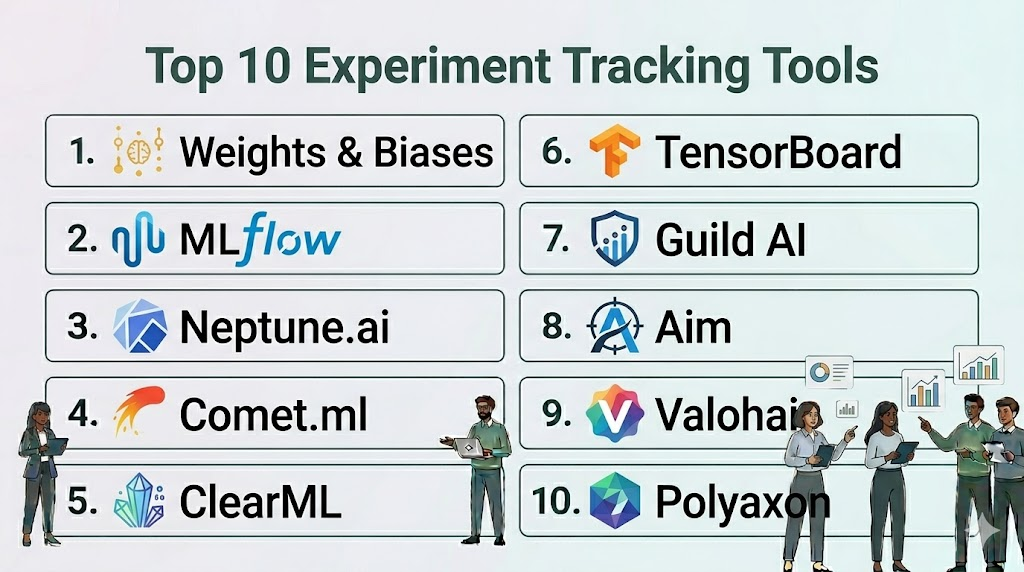
Top 10 Experiment Tracking Tools
#1 — Weights & Biases (W&B)
Short description: Often considered the industry standard for experiment tracking, W&B provides a sleek, high-performance platform for logging and visualizing ML workflows.
Key Features
- W&B Prompts: Specialized suite for visualizing and debugging LLM inputs and outputs.
- System Metrics: Automatic logging of CPU/GPU utilization, thermal status, and disk I/O.
- Sweeps: Managed hyperparameter optimization that suggests the best parameter combinations.
- Reports: Collaborative, interactive documents that combine code, text, and live experiment charts.
- Artifacts: A complete versioning system for datasets and model weights.
- W&B Tables: High-performance data visualizer for exploring millions of rows of predictions.
Pros
- Exceptional user experience with a modern, intuitive interface.
- Deep integrations with almost every major ML framework.
Cons
- The cloud-hosted version can become expensive for large teams with high data volume.
- Self-hosting is generally restricted to the enterprise tier.
Platforms / Deployment
- Windows / macOS / Linux
- Cloud / On-prem / Hybrid
Security & Compliance
- SSO/SAML, RBAC, Encryption, Private Cloud options.
- SOC 2 Type II, ISO 27001.
Integrations & Ecosystem
Integrates seamlessly with the entire modern AI stack.
- PyTorch / TensorFlow / Keras
- Hugging Face / LangChain
- Kubernetes / AWS / GCP
- GitHub
Support & Community
Massive community of users, excellent technical documentation, and dedicated enterprise support teams.
#2 — MLflow
Short description: An open-source platform managed by the Linux Foundation (and heavily supported by Databricks) designed to manage the full ML lifecycle.
Key Features
- MLflow Tracking: An API and UI for logging parameters, code versions, metrics, and output files.
- MLflow Projects: A standard format for packaging reusable data science code.
- MLflow Models: A convention for packaging models for use in diverse serving environments.
- Model Registry: A centralized store for managing the full lifecycle of an MLflow Model.
- Auto-logging: Built-in support for automatically capturing metrics from popular libraries.
- REST API: Fully accessible via API for custom integrations and automation.
Pros
- Open-source and highly flexible; can be run locally or on a massive cluster.
- Large ecosystem of contributors and wide industry adoption.
Cons
- The UI is functional but lacks the visual polish and interactivity of W&B.
- Managing a self-hosted MLflow server requires dedicated DevOps effort.
Platforms / Deployment
- Windows / macOS / Linux
- Self-hosted / Databricks / Cloud
Security & Compliance
- Standard RBAC and SSO when used via Databricks; otherwise dependent on local setup.
- Not publicly stated (Open-source).
Integrations & Ecosystem
Works with nearly every data science tool in the market.
- Apache Spark
- Scikit-learn / XGBoost
- Docker / Kubernetes
- SageMaker / Azure ML
Support & Community
Huge community support and professional backing from Databricks for enterprise users.
#3 — Neptune.ai
Short description: A focused experiment tracker built for teams that demand high performance and a “metadata-first” approach to ML development.
Key Features
- Flexible Metadata Structure: Log any type of data—metrics, code, images, interactive charts, and more.
- Custom Dashboards: Build personalized views that focus only on the metrics that matter for your project.
- Comparison Tooling: Powerful side-by-side comparison for metrics and hyperparameter configurations.
- Version Control: Tracks Git hashes and notebook snapshots to ensure reproducibility.
- API-First Design: Extremely stable and fast API that doesn’t slow down training scripts.
- Query Language: A specialized query language to filter through thousands of runs instantly.
Pros
- Extremely stable even when logging at very high frequencies.
- Very intuitive organization of “Projects” and “Experiments.”
Cons
- Pricing can be complex for teams with irregular usage patterns.
- Lacks some of the native “orchestration” (job launching) features of its competitors.
Platforms / Deployment
- Windows / macOS / Linux
- Cloud / On-prem
Security & Compliance
- SSO/SAML, RBAC, Data encryption.
- SOC 2 Type II.
Integrations & Ecosystem
Broad support for the ML engineering toolset.
- PyTorch Lightning
- Optuna
- Streamlit / Plotly
- Jupyter Notebooks
Support & Community
Responsive technical support and a high-quality blog and documentation library.
#4 — Comet.ml
Short description: An enterprise-grade experiment tracking and model management platform that emphasizes speed and team collaboration.
Key Features
- Model Production Monitoring: Unique features for tracking model performance after deployment.
- Code Diffing: View exactly what changed in the source code between two experiment runs.
- Comet Optimizer: Built-in hyperparameter search engine with visual comparison.
- Project Panels: Pre-built and custom visualizations to track team progress over time.
- Audio/Video/Image Logging: Specialized support for multi-modal data types.
- Workspaces: Robust organizational structure for large enterprises with multiple teams.
Pros
- Excellent for both the research and the monitoring/production phases.
- Strong focus on enterprise needs like project management and auditing.
Cons
- Can feel “overbuilt” for a solo researcher or small academic project.
- Learning curve for the more advanced organizational features.
Platforms / Deployment
- Windows / macOS / Linux
- Cloud / On-prem / VPC
Security & Compliance
- SSO, RBAC, Multi-tenancy support.
- SOC 2 Type II, HIPAA (on-request).
Integrations & Ecosystem
Deeply integrated with the enterprise ML world.
- TensorBoard
- Google Cloud AI Platform
- Kubernetes
- Slack (for notifications)
Support & Community
Professional support tiers and an active community of enterprise data scientists.
#5 — ClearML
Short description: An open-source, end-to-end MLOps platform that combines experiment tracking with orchestration and data management.
Key Features
- ClearML Experiment: Auto-magically captures every detail of your ML runs (code, metrics, console).
- ClearML Orchestration: Launch training jobs on any remote machine or cloud provider from the UI.
- ClearML Data: A specialized versioning system for data pipelines.
- Auto-Magical Logging: Tracks environment variables, installed packages, and uncommitted code changes.
- Integrated Model Registry: Manage the promotion and deployment of models.
- Hyperparameter Optimization: Native support for various optimization strategies.
Pros
- The most feature-rich open-source option; includes orchestration which others lack.
- Very easy to setup—one line of code can often track an entire script.
Cons
- The UI can be overwhelming due to the sheer number of features.
- Requires more infrastructure setup if you choose the self-hosted route.
Platforms / Deployment
- Windows / macOS / Linux
- Self-hosted / Cloud
Security & Compliance
- RBAC, SSO, Secure credentials management.
- Not publicly stated.
Integrations & Ecosystem
Focuses on the full engineering lifecycle.
- Kubernetes / Slurm
- AWS / GCP / Azure
- JupyterLab
- GitLab / GitHub
Support & Community
Very active Slack community and comprehensive open-source documentation.
#6 — TensorBoard
Short description: The original visualization tool for TensorFlow, now widely used via bridges for PyTorch and other frameworks.
Key Features
- Scalar Tracking: Visualize metrics like loss and accuracy over time.
- Graph Visualizer: Inspect the actual structure and flow of the neural network.
- Histogram Dashboard: See how weights and biases change during training.
- Image/Audio/Text Dashboards: Visualize the actual data the model is processing.
- HParams Dashboard: Basic tool for comparing different hyperparameter settings.
- Embedding Projector: Project high-dimensional data into 3D space for analysis.
Pros
- Completely free and the most well-known tool in the research community.
- Lightweight and easy to run locally during a training session.
Cons
- Lacks built-in collaboration, versioning, and enterprise features.
- UI can feel dated and struggles with managing hundreds of projects.
Platforms / Deployment
- Windows / macOS / Linux
- Self-hosted
Security & Compliance
- N/A (Local application).
Integrations & Ecosystem
The core tool for the Google/TensorFlow ecosystem.
- TensorFlow
- PyTorch (via SummaryWriter)
- Keras
- Colab
Support & Community
Massive academic and research community; endless community-created tutorials.
#7 — Guild AI
Short description: An open-source, lightweight tool that requires zero code changes to track experiments, focusing on the command line and reproducibility.
Key Features
- No Code Changes: Tracks experiments by observing the script execution from the outside.
- Comparison Console: Powerful terminal-based UI for comparing runs side-by-side.
- Local-First: All data is stored as standard files on your disk, no server required.
- Model Diffing: Compare files and configurations between different runs easily.
- Grid Search & Random Search: Built-in support for parameter optimization from the CLI.
- Export to CSV/JSON: Easily move your experiment data to other analysis tools.
Pros
- Ideal for researchers who prefer the command line over a heavy web UI.
- Maximum transparency—no “black box” server between you and your data.
Cons
- Lacks the collaborative dashboard features of W&B or Comet.
- Requires a more “manual” approach to data management and visualization.
Platforms / Deployment
- Windows / macOS / Linux
- Local-only
Security & Compliance
- N/A (Local file-based).
Integrations & Ecosystem
Works with any language or script, not just Python.
- Python / R / Julia
- Scikit-learn
- TensorFlow / PyTorch
- Keras
Support & Community
Smaller, highly technical community focused on rigorous reproducibility.
#8 — Aim
Short description: A high-performance, open-source experiment tracker designed to be extremely fast and highly customizable for large-scale datasets.
Key Features
- Aim UI: A clean, modern interface focused on deep exploration of logs.
- High-Speed Search: Optimized for filtering through tens of thousands of runs in real-time.
- Parallel Coordinates Plot: Powerful visualizer for understanding hyperparameter impacts.
- Aim SDK: A simple, efficient SDK for logging from any Python environment.
- Live Metrics: Real-time updates during the training process.
- Integrations for AI Art: Specialized features for logging and viewing generated images.
Pros
- Very fast and responsive UI compared to other self-hosted options.
- Modern look and feel that rivals commercial products like W&B.
Cons
- Lacks the deep artifact versioning found in MLflow or W&B.
- Newer tool with a smaller ecosystem of plugins and connectors.
Platforms / Deployment
- Windows / macOS / Linux
- Self-hosted / Cloud
Security & Compliance
- Basic RBAC in the self-hosted version.
- Not publicly stated.
Integrations & Ecosystem
Growing support for the standard ML stack.
- PyTorch / PyTorch Lightning
- Hugging Face
- Keras
- Optuna
Support & Community
Active GitHub community and a growing Discord server for developer support.
#9 — Valohai
Short description: An enterprise MLOps platform that treats every experiment as a versioned, reproducible pipeline from the start.
Key Features
- Automatic Reproducibility: Every run captures the exact environment, code, and data version automatically.
- Agnostic Execution: Run jobs on any cloud or on-premise hardware without changing your code.
- Visual Pipeline Editor: Build complex multi-step workflows (data prep, train, test) in a GUI.
- Comparison Dashboard: Detailed tools for comparing metrics across thousands of runs.
- Versioning at the Core: Every artifact produced is uniquely versioned and traceable.
- Job Queueing: Manage and prioritize experiments across a team of researchers.
Pros
- Excellent for organizations that want to strictly enforce reproducibility across the company.
- Combines tracking with actual compute management seamlessly.
Cons
- Requires a higher upfront time investment to “wrap” your scripts into the Valohai format.
- Can be overkill for individual researchers who just want to log a few scalars.
Platforms / Deployment
- Windows / macOS / Linux
- Cloud / Hybrid / VPC
Security & Compliance
- SSO, RBAC, Full Audit Logs, VPC-only options.
- SOC 2 Type II, ISO 27001.
Integrations & Ecosystem
Broad enterprise and cloud support.
- AWS / Azure / GCP
- Docker
- S3 / Azure Blob / GCS
- Slack
Support & Community
High-touch professional support and dedicated account management for enterprise clients.
#10 — Polyaxon
Short description: A cloud-native platform for managing the full ML lifecycle, with a heavy focus on Kubernetes-based workflows.
Key Features
- K8s Native: Built from the ground up to run on Kubernetes clusters.
- Scheduling & Orchestration: Advanced features for scheduling experiments and hyperparameter sweeps.
- Log Management: Centralized logging for all containers in an experiment.
- Component Hub: Reusable components for data science tasks that can be shared across the team.
- Comparison Dashboard: Standard tracking of metrics, parameters, and artifacts.
- Dashboard Customization: Tailor the UI to show only relevant project information.
Pros
- The best choice for teams that have already committed to a Kubernetes infrastructure.
- Offers high levels of automation for scaling experiments across large clusters.
Cons
- Requires significant Kubernetes expertise to manage and maintain.
- Less ideal for researchers who do most of their work on local workstations.
Platforms / Deployment
- Linux (Kubernetes)
- Cloud / On-prem (K8s)
Security & Compliance
- SSO, RBAC, Namespace isolation on Kubernetes.
- Not publicly stated.
Integrations & Ecosystem
Centered around the Kubernetes and cloud data ecosystems.
- Kubernetes / Helm
- Prometheus
- Docker
- MinIO / S3 / GCS
Support & Community
Strong technical documentation and a community focused on scalable infrastructure.
Comparison Table (Top 10)
| Tool Name | Best For | Platform(s) Supported | Deployment | Standout Feature | Public Rating |
|---|---|---|---|---|---|
| Weights & Biases | Visual Collaboration | Multi-Platform | Hybrid | Collaborative Reports | 4.9/5 |
| MLflow | Lifecycle Management | Multi-Platform | Hybrid | Open-source Ecosystem | 4.7/5 |
| Neptune.ai | High-Performance Teams | Multi-Platform | Hybrid | Flexible Metadata Structure | 4.8/5 |
| Comet.ml | Enterprise Monitoring | Multi-Platform | Hybrid | Production Monitoring | 4.7/5 |
| ClearML | Integrated Orchestration | Multi-Platform | Hybrid | Remote Job Launching | 4.8/5 |
| TensorBoard | Lightweight Research | Multi-Platform | Self-hosted | Graph Visualization | 4.5/5 |
| Guild AI | CLI & Reproducibility | Multi-Platform | Local | No-Code Tracking | 4.6/5 |
| Aim | Fast Self-hosted UI | Multi-Platform | Hybrid | UI Responsiveness | 4.7/5 |
| Valohai | Pipeline Enforcement | Multi-Platform | Hybrid | Versioned Pipelines | 4.5/5 |
| Polyaxon | Kubernetes Users | Linux (K8s) | Hybrid | K8s Orchestration | 4.4/5 |
Evaluation & Scoring of Experiment Tracking Tools
The scores below represent how these tools perform across the critical dimensions of modern machine learning engineering.
| Tool Name | Core (25%) | Ease (15%) | Integrations (15%) | Security (10%) | Performance (10%) | Support (10%) | Value (15%) | Weighted Total |
|---|---|---|---|---|---|---|---|---|
| Weights & Biases | 10 | 9 | 10 | 9 | 9 | 10 | 7 | 9.10 |
| MLflow | 9 | 7 | 10 | 7 | 8 | 8 | 10 | 8.55 |
| Neptune.ai | 9 | 8 | 9 | 8 | 10 | 9 | 8 | 8.70 |
| Comet.ml | 9 | 8 | 9 | 9 | 8 | 9 | 7 | 8.45 |
| ClearML | 10 | 7 | 9 | 8 | 8 | 8 | 9 | 8.40 |
| TensorBoard | 6 | 9 | 8 | 5 | 9 | 7 | 10 | 7.40 |
| Guild AI | 7 | 9 | 7 | 6 | 10 | 6 | 9 | 7.60 |
| Aim | 8 | 8 | 8 | 7 | 9 | 7 | 9 | 8.00 |
| Valohai | 9 | 5 | 8 | 9 | 8 | 9 | 7 | 7.80 |
| Polyaxon | 8 | 5 | 8 | 8 | 8 | 8 | 8 | 7.35 |
How to Interpret These Scores:
- Weighted Total: A score above 8.5 indicates a premier tool capable of supporting world-class ML organizations.
- Core vs. Ease: Notice that tools with integrated orchestration (Valohai, Polyaxon) score lower on Ease due to the setup complexity of their execution engines.
- Value: Reflects the total cost of ownership; open-source tools (MLflow, Aim) score higher here despite fewer high-touch support services.
Which Experiment Tracking Tool Is Right for You?
Solo / Freelancer
If you are an independent researcher, TensorBoard or Weights & Biases (Free Tier) are the best choices. They provide immediate visualization with minimal setup. If you prefer the command line, Guild AI is an excellent, local-only choice that respects your privacy.
SMB
Small and medium-sized businesses should look at Neptune.ai or Aim. These tools offer a high performance-to-cost ratio and are very easy for a small team to adopt without needing a dedicated MLOps engineer to manage the infrastructure.
Mid-Market
For companies with 10–50 data scientists, Weights & Biases or Comet.ml provide the best collaboration features. Their ability to generate reports and share project workspaces helps maintain consistency as the team grows.
Enterprise
Large enterprises with strict compliance and security needs should evaluate ClearML (for its open-source flexibility) or Valohai (for its rigorous pipeline versioning). These tools allow for centralized control over hardware and data access across the entire organization.
Budget vs Premium
- Budget: TensorBoard (Free), MLflow (Open-source), Aim (Open-source).
- Premium: Weights & Biases, Comet.ml, Valohai.
Feature Depth vs Ease of Use
- Deep Feature Depth: ClearML, Valohai, Polyaxon.
- High Ease of Use: Weights & Biases, Neptune.ai, TensorBoard.
Integrations & Scalability
- Top Integrations: MLflow, Weights & Biases.
- Top Scalability: Neptune.ai, ClickHouse-based Aim (for self-hosting).
Security & Compliance Needs
Organizations requiring SOC 2 or HIPAA compliance should prioritize the managed enterprise tiers of Comet.ml, Weights & Biases, or Neptune.ai.
Frequently Asked Questions (FAQs)
- Why can’t I just use Excel or Google Sheets to track experiments?
Manual tracking is prone to human error and cannot capture high-resolution data like model weights, interactive charts, or complete hardware environment snapshots required for reproducibility. - Does logging experiments slow down my training code?
Most modern tools use asynchronous logging, meaning the data is sent to a background process or a separate thread, resulting in negligible impact on your model’s training speed. - What is “Auto-logging” and which tools support it?
Auto-logging allows a tool to automatically capture parameters and metrics by hooking into the ML framework. W&B, MLflow, and ClearML offer extensive auto-logging for major libraries. - Can I use these tools if I don’t have a constant internet connection?
Yes, tools like Guild AI and MLflow (local) work entirely offline. Commercial tools like W&B and Neptune also offer “offline modes” that cache data locally and sync it once a connection is restored. - Is experiment tracking only for Deep Learning?
No, these tools are equally valuable for traditional ML (Scikit-learn, XGBoost) and even for prompt engineering in LLM development workflows. - How much storage space do experiment tracking logs take?
Simple metrics (scalars) take very little space. However, if you log high-resolution images or model artifacts (weights), storage needs can scale to hundreds of gigabytes per project. - Can I track experiments written in languages other than Python?
While Python has the best support, tools like MLflow and Guild AI can track scripts in R, Julia, C++, or even standard shell scripts through their CLI or REST APIs. - What is the difference between experiment tracking and a Model Registry?
Experiment tracking captures the process of finding the best model, while a Model Registry is a catalog of final models that have been approved for use in production. - Do I need a separate tool for hyperparameter tuning?
Many experiment trackers (ClearML, W&B, Comet) have built-in tuners, but they also integrate seamlessly with dedicated libraries like Optuna or Ray Tune. - How do I ensure my experiments are actually reproducible?
Tracking is only half the battle; you must ensure the tool captures the Git hash, the exact version of every library installed, and the random seeds used in your code.
Conclusion
The transition from “manual” to “automated” experiment tracking is the hallmark of a mature AI team. While Weights & Biases remains the leader for its polished UX and collaborative features, the open-source flexibility of MLflow and the high-speed metadata approach of Neptune.ai provide compelling alternatives.Ultimately, the best tool is the one that your team will actually use. We recommend starting with a trial of a commercial tool like W&B to see the “art of the possible,” then evaluating open-source options like Aim or ClearML if you have specific security or infrastructure requirements.

Find Trusted Cardiac Hospitals
Compare heart hospitals by city and services — all in one place.
Explore Hospitals
well explained
Experiment tracking tools are explained clearly, and the comparison helps in understanding how to track runs, metrics, and improve model performance efficiently.