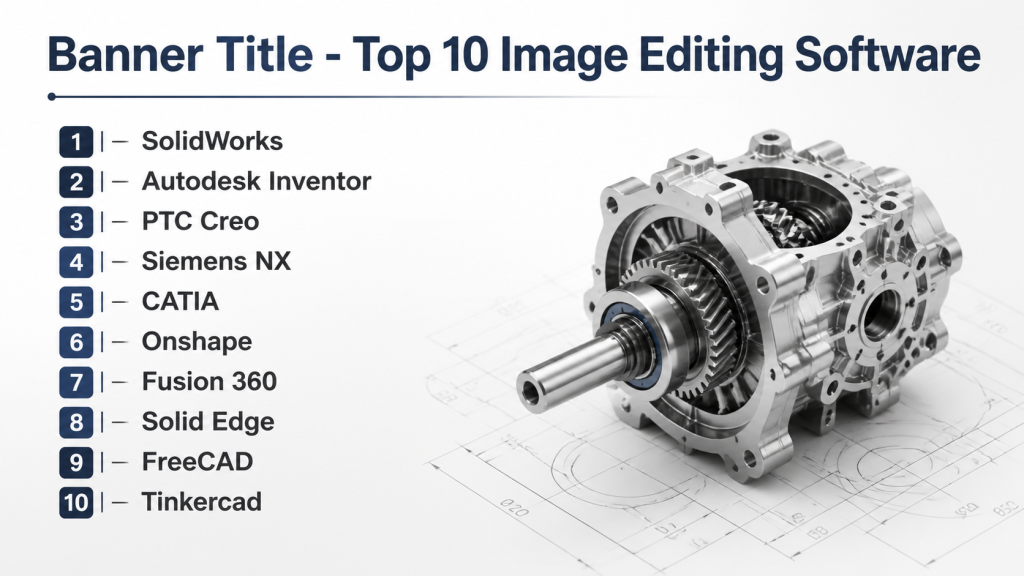
Introduction
Mechanical Design Software enables engineers, designers, and manufacturing teams to create, test, and optimize mechanical components and assemblies in a digital environment. These tools streamline workflows, reduce physical prototyping costs, and allow teams to validate designs for performance, durability, and manufacturability before production. Modern mechanical design software incorporates advanced 3D modeling, simulation, and AI-assisted features to support complex engineering requirements.
This software is essential because companies are increasingly pressured to reduce time-to-market while maintaining quality and compliance standards. Engineers can simulate thermal, structural, and dynamic properties, allowing rapid iterations and data-driven design decisions. Real-world applications include: designing automotive and aerospace components, developing consumer electronics housings, optimizing industrial machinery, simulating thermal and mechanical stresses, and creating complex assemblies for heavy engineering.
When selecting mechanical design software, buyers should evaluate:
- 3D modeling capabilities (parametric, direct, freeform)
- Simulation and validation tools (FEA, CFD, motion analysis)
- Assembly management and version control
- Integration with PLM, ERP, and CAM systems
- Deployment options (cloud, hybrid, on-premises)
- Collaboration and multi-user support
- Security and compliance features
- Automation and scripting potential
- Vendor support, training, and community strength
- Cost-effectiveness relative to team size and usage
Best for: Mechanical engineers, product designers, industrial designers, and manufacturing teams requiring robust 3D modeling, simulation, and collaboration features.
Not ideal for: Hobbyists, small teams with minimal design complexity, or organizations needing only basic 2D CAD or drafting tools.
Key Trends in Mechanical Design Software for 2026 and Beyond
- AI-Assisted Design: Automated part suggestions and design optimization using generative algorithms.
- Cloud Collaboration: Real-time multi-user access and cloud-based project storage.
- Simulation-Driven Design: Integrated FEA, CFD, and thermal analysis for early-stage validation.
- Generative and Topology Optimization: Automatic generation of optimized shapes based on functional constraints.
- Additive Manufacturing Support: Direct integration with 3D printing workflows and industrial additive machines.
- Parametric and Feature-Based Modeling: Flexible modification of components and assemblies with version control.
- Interoperability Standards: Enhanced compatibility with STEP, IGES, and other CAD formats.
- Subscription and Usage-Based Pricing: Flexible licensing and cloud service options.
- Immersive Visualization: AR/VR support for design reviews and stakeholder engagement.
- Automation and Scripting: Macros and scripting reduce repetitive tasks and accelerate workflows.
How We Selected These Tools (Methodology)
- Evaluated market adoption, mindshare, and brand recognition.
- Assessed feature completeness for modeling, assembly management, and simulation.
- Reviewed performance metrics for large assemblies and complex workflows.
- Analyzed security posture including encryption, SSO, and access control.
- Considered integration with PLM, ERP, CAM, and additive manufacturing systems.
- Verified fit for solo users, SMBs, and enterprise teams.
- Evaluated support, documentation, and community resources.
- Assessed modern trends including AI-assisted and cloud-enabled capabilities.
- Reviewed flexibility in deployment: cloud, hybrid, or on-premises.
Top 10 Mechanical Design Software Tools
1 — SolidWorks
Short description (2–3 lines): Industry-leading parametric CAD software for mechanical engineers, ideal for 3D part and assembly design across manufacturing sectors.
Key Features
- Parametric and feature-based modeling
- Assembly and motion simulation
- Sheet metal and weldments design
- Integrated FEA and CFD simulation
- Component libraries and standard parts
- Cloud collaboration via 3DEXPERIENCE
Pros
- Widely adopted with extensive support
- Intuitive interface and learning resources
- Strong integration with CAM and PLM tools
Cons
- High licensing cost for full features
- Resource-intensive for large assemblies
- Some simulation features require add-ons
Platforms / Deployment
- Windows
- Cloud / Hybrid
Security & Compliance
- SSO and encryption supported
- Not publicly stated for formal certifications
Integrations & Ecosystem
SolidWorks connects to PLM, CAM, and simulation tools.
- ERP systems (SAP, Oracle)
- Simulia simulation suite
- 3D printing and additive manufacturing workflows
Support & Community
Extensive vendor support, active forums, and online tutorials.
2 — Autodesk Inventor
Short description (2–3 lines): Professional mechanical design software with parametric modeling, simulation, and integrated collaboration for manufacturing teams.
Key Features
- Parametric, freeform, and direct modeling
- Assembly and motion analysis
- Integrated stress and thermal simulation
- Collaboration via Autodesk Vault
- Component libraries and design templates
Pros
- Seamless integration with AutoCAD
- Flexible modeling options
- Cloud collaboration support
Cons
- Steeper learning curve for advanced tools
- Performance may decrease with large assemblies
- Subscription-based pricing may be costly long-term
Platforms / Deployment
- Windows
- Cloud / Hybrid
Security & Compliance
- Not publicly stated
Integrations & Ecosystem
- Fusion 360 cloud collaboration
- ERP and PLM connectors
- Simulation and additive manufacturing modules
Support & Community
Official support, forums, tutorials, and online training resources.
3 — PTC Creo
Short description (2–3 lines): Robust CAD software with parametric, direct, and generative design capabilities, supporting large assemblies and advanced simulation.
Key Features
- Parametric and direct modeling
- Generative design and optimization
- Integrated CAD, CAE, and CAM
- Advanced assembly management
- Cloud-enabled collaboration
Pros
- Handles complex assemblies effectively
- Strong simulation integration
- Enterprise adoption and reliability
Cons
- Complex interface for beginners
- Licensing cost is high
- Requires robust hardware
Platforms / Deployment
- Windows
- Cloud / Hybrid
Security & Compliance
- Not publicly stated
Integrations & Ecosystem
- PLM via Windchill
- ERP connectors
- Simulation and additive manufacturing tools
Support & Community
Professional documentation, training, and forums.
4 — Siemens NX
Short description (2–3 lines): High-end mechanical design solution for complex engineering, widely adopted in aerospace and automotive industries.
Key Features
- Parametric and freeform modeling
- Advanced structural, thermal, and motion simulation
- Generative design and optimization
- Multi-CAD data support
- Integrated CAM
Pros
- Enterprise-grade performance
- Scalable for large teams
- Strong simulation-driven workflows
Cons
- Expensive licensing
- Steep learning curve
- Resource-heavy for large assemblies
Platforms / Deployment
- Windows
- Cloud / Hybrid
Security & Compliance
- Not publicly stated
Integrations & Ecosystem
- Teamcenter PLM integration
- CAM and simulation modules
- ERP connectors
Support & Community
Vendor training programs, technical documentation, and global support network.
5 — CATIA
Short description (2–3 lines): Advanced CAD solution for mechanical and product design, excelling in complex geometries and multi-domain engineering.
Key Features
- Surface and parametric modeling
- Assembly management and collaboration
- Integrated simulation and manufacturing tools
- Cloud collaboration
- Multi-domain engineering support
Pros
- Handles complex and large-scale designs
- Supports multi-domain engineering workflows
- Strong PLM integration
Cons
- High cost and complexity
- Specialized training required
- Steep learning curve
Platforms / Deployment
- Windows
- Cloud / Hybrid
Security & Compliance
- Not publicly stated
Integrations & Ecosystem
- 3DEXPERIENCE platform
- Simulation and additive manufacturing modules
- ERP and PLM integration
Support & Community
Vendor support, professional training, and global user network.
6 — Onshape
Short description (2–3 lines): Cloud-native CAD platform designed for real-time collaboration and version-controlled mechanical design.
Key Features
- Browser-based parametric CAD
- Real-time multi-user collaboration
- Version control and branching
- Integrated simulation
- Mobile-friendly review
Pros
- Zero installation required
- Ideal for distributed teams
- Frequent cloud updates
Cons
- Advanced simulation may require add-ons
- Offline functionality limited
- Subscription costs can add up
Platforms / Deployment
- Web / Windows / macOS / Linux / iOS / Android
- Cloud
Security & Compliance
- SSO, encryption, audit logs
- Not publicly stated for certifications
Integrations & Ecosystem
- PLM connectors
- Cloud storage services
- Simulation and CAM modules
Support & Community
Documentation, responsive support, and active online community.
7 — Fusion 360
Short description (2–3 lines): Unified CAD, CAM, and CAE platform offering cloud collaboration, generative design, and integrated manufacturing workflows.
Key Features
- Parametric and direct modeling
- Generative design
- Integrated CAM and simulation
- Cloud-based collaboration
- Version control and project management
Pros
- Affordable for SMBs and startups
- Unified workflow reduces tool switching
- Cloud-enabled collaboration
Cons
- Performance may lag for very large assemblies
- Internet dependency for full functionality
- Some advanced features require extra licensing
Platforms / Deployment
- Windows / macOS
- Cloud
Security & Compliance
- SSO and encryption supported
- Not publicly stated
Integrations & Ecosystem
- PLM and ERP connectors
- Additive manufacturing workflows
- Simulation extensions
Support & Community
Online tutorials, forums, and training resources.
8 — Solid Edge
Short description (2–3 lines): Parametric and synchronous modeling software focused on rapid design iterations and manufacturing integration.
Key Features
- Parametric and synchronous modeling
- Sheet metal and assembly design
- Integrated simulation
- Collaboration and version control
- Manufacturing-ready outputs
Pros
- Rapid modeling with synchronous technology
- Strong integration with CAM and PLM
- Flexible deployment options
Cons
- Interface complexity for new users
- Advanced simulation requires add-ons
- Smaller community compared to leading tools
Platforms / Deployment
- Windows
- Cloud / Hybrid
Security & Compliance
- Not publicly stated
Integrations & Ecosystem
- PLM and ERP integration
- CAM workflows
- Additive manufacturing support
Support & Community
Vendor support, online documentation, and training.
9 — FreeCAD
Short description (2–3 lines): Open-source parametric 3D CAD tool suitable for hobbyists, startups, and educational use.
Key Features
- Parametric modeling and sketching
- Assembly management
- Python scripting for automation
- Modular architecture for extensions
- Export to common CAD formats
Pros
- Free and open-source
- Highly customizable
- Lightweight and cross-platform
Cons
- Limited advanced simulation
- Smaller user community
- Learning curve without formal support
Platforms / Deployment
- Windows / macOS / Linux
- Varies / N/A
Security & Compliance
- Not publicly stated
Integrations & Ecosystem
- Open-source plugins
- Python-based automation
- File exports to STEP, IGES
Support & Community
Community forums, documentation, and tutorials.
10 — Tinkercad
Short description (2–3 lines): Browser-based, beginner-friendly CAD platform ideal for rapid prototyping and educational purposes.
Key Features
- Simple parametric modeling
- Drag-and-drop components
- 3D printing preparation
- Collaborative project sharing
- Cloud storage
Pros
- Easy to learn
- Great for education and rapid prototyping
- No installation required
Cons
- Limited for complex assemblies
- Internet required
- Minimal advanced CAD functionality
Platforms / Deployment
- Web
- Cloud
Security & Compliance
- Not publicly stated
Integrations & Ecosystem
- 3D printing services
- STL/OBJ export
- Basic collaboration tools
Support & Community
Online tutorials, help guides, and community forums.
Comparison Table (Top 10)
| Tool Name | Best For | Platform(s) Supported | Deployment | Standout Feature | Public Rating |
|---|---|---|---|---|---|
| SolidWorks | Enterprise & SMB | Windows | Cloud / Hybrid | Parametric 3D modeling & assemblies | N/A |
| Autodesk Inventor | Manufacturing & product design | Windows | Cloud / Hybrid | Integrated simulation & AutoCAD interoperability | N/A |
| PTC Creo | Large assemblies & complex engineering | Windows | Cloud / Hybrid | Generative design & direct modeling | N/A |
| Siemens NX | Aerospace & automotive | Windows | Cloud / Hybrid | High-end simulation & multi-CAD support | N/A |
| CATIA | Complex surface modeling | Windows | Cloud / Hybrid | Advanced surface & multi-domain engineering | N/A |
| Onshape | Distributed teams & collaboration | Web / Windows / macOS / Linux / iOS / Android | Cloud | Real-time version-controlled modeling | N/A |
| Fusion 360 | SMBs & startups | Windows / macOS | Cloud | Unified CAD/CAM/CAE with generative design | N/A |
| Solid Edge | Rapid design & manufacturing | Windows | Cloud / Hybrid | Synchronous & parametric modeling | N/A |
| FreeCAD | Open-source & hobbyists | Windows / macOS / Linux | Varies / N/A | Python scripting & modular extensions | N/A |
| Tinkercad | Beginners & education | Web | Cloud | Quick 3D prototyping | N/A |
Evaluation & Scoring of Mechanical Design Software
| Tool Name | Core (25%) | Ease (15%) | Integrations (15%) | Security (10%) | Performance (10%) | Support (10%) | Value (15%) | Weighted Total (0–10) |
|---|---|---|---|---|---|---|---|---|
| SolidWorks | 10 | 8 | 9 | 7 | 9 | 8 | 7 | 8.8 |
| Autodesk Inventor | 9 | 7 | 8 | 7 | 8 | 7 | 8 | 8.0 |
| PTC Creo | 10 | 7 | 8 | 6 | 9 | 7 | 7 | 8.0 |
| Siemens NX | 10 | 6 | 8 | 7 | 9 | 6 | 6 | 7.7 |
| CATIA | 10 | 6 | 8 | 6 | 9 | 6 | 6 | 7.6 |
| Onshape | 8 | 9 | 7 | 7 | 8 | 7 | 8 | 8.0 |
| Fusion 360 | 9 | 8 | 7 | 7 | 8 | 7 | 8 | 8.0 |
| Solid Edge | 8 | 7 | 7 | 7 | 8 | 7 | 7 | 7.6 |
| FreeCAD | 7 | 6 | 6 | 6 | 6 | 6 | 9 | 6.8 |
| Tinkercad | 6 | 9 | 5 | 6 | 6 | 6 | 8 | 6.8 |
Interpretation: Scores are comparative, showing how each tool ranks across core features, ease of use, integrations, security, performance, support, and value. Weighted totals help prioritize tools based on organizational needs.
Which Mechanical Design Software Tool Is Right for You?
Solo / Freelancer
Fusion 360 and Tinkercad offer cost-effective, flexible solutions for individual designers, hobbyists, and educators.
SMB
SolidWorks, Autodesk Inventor, and Onshape provide scalable features for small to medium-sized businesses requiring collaboration and simulation.
Mid-Market
PTC Creo and Solid Edge are suitable for mid-sized teams with moderately complex projects and manufacturing integration needs.
Enterprise
Siemens NX and CATIA excel in large organizations handling highly complex, multi-domain designs with advanced simulation requirements.
Budget vs Premium
FreeCAD and Tinkercad serve as free or low-cost options, while premium tools provide advanced capabilities, enterprise support, and robust reliability.
Feature Depth vs Ease of Use
SolidWorks and Fusion 360 strike a balance between functionality and ease, while CATIA and Siemens NX favor depth over simplicity.
Integrations & Scalability
Onshape and Fusion 360 support cloud collaboration and multi-user scalability, whereas desktop tools may require additional effort for integrations.
Security & Compliance Needs
Enterprise tools include access control, audit logs, and encryption; open-source and educational platforms may have limited security features.
Frequently Asked Questions (FAQs)
What is the cost model for mechanical design software?
Most premium tools are subscription-based, with enterprise licenses and cloud options. FreeCAD and Tinkercad are fully accessible at no cost.
How steep is the learning curve for these tools?
Beginner-friendly platforms like Tinkercad are intuitive, while CATIA and Siemens NX require formal training and experience.
Can these tools handle large assemblies?
Enterprise-grade software such as SolidWorks, Siemens NX, and PTC Creo are optimized for complex assemblies; smaller tools are limited.
Do these tools support simulation and analysis?
Premium software integrates FEA, CFD, and motion simulation; simpler or open-source tools may lack advanced simulation capabilities.
How does cloud CAD compare to desktop software?
Cloud-based tools like Onshape allow real-time collaboration and easier updates; desktop software may perform better on very large assemblies.
Are these tools compatible with 3D printing workflows?
Most professional tools support STL and OBJ exports and integrate with 3D printing software for additive manufacturing.
Can mechanical design software integrate with PLM and ERP systems?
Enterprise solutions provide connectors and APIs for seamless integration across PLM, ERP, and CAM systems.
Is AI-assisted design common in mechanical CAD?
AI features, including generative design and optimization, are increasingly included in premium tools like Fusion 360 and PTC Creo.
How important is vendor support and community?
Strong support and an active user community accelerate learning and troubleshooting, especially for complex projects.
What should I consider when switching tools?
Evaluate file compatibility, learning curve, integration capabilities, team adoption, and security features before switching.
Conclusion
Choosing the right mechanical design software depends on team size, project complexity, and workflow requirements. Enterprise teams may prioritize depth, simulation, and integration, while SMBs and freelancers focus on ease, cost, and collaboration. Modern trends like AI-assisted design, generative workflows, and cloud collaboration influence selection. Next steps: shortlist 2–3 tools, run a pilot project to evaluate features and integration, and verify security and compliance capabilities before full-scale adoption.

Find Trusted Cardiac Hospitals
Compare heart hospitals by city and services — all in one place.
Explore Hospitals
Mechanical design software tools are explained clearly, and the comparison helps in understanding how modeling, simulation, and product design work together in real engineering workflows.