Introduction
3D Animation Software helps creators build moving digital scenes, characters, products, environments, effects, and cinematic visuals using three-dimensional models. Instead of working only with flat images, users can create objects with depth, rig characters, animate movement, simulate physics, add lighting, and render final videos or interactive assets. These tools are used across films, games, advertising, architecture, product design, education, virtual production, simulation, and immersive experiences.
3D animation matters now because businesses and creators need richer visual content for storytelling, product demos, training, entertainment, games, social media, virtual worlds, and interactive experiences. Modern buyers should evaluate animation quality, rigging tools, rendering performance, modeling depth, simulation features, plugin ecosystem, asset compatibility, learning curve, pricing, hardware requirements, collaboration options, and security controls.
Real-world use cases include:
- Character animation for films, games, and branded content
- Product visualization and explainer videos
- Architectural walkthroughs and environment design
- VFX, simulations, and cinematic effects
- Interactive experiences for games, XR, and virtual production
Buyer evaluation criteria:
- Animation and rigging depth
- Rendering quality and speed
- Modeling and sculpting capabilities
- Simulation and effects support
- File format compatibility
- Plugin and integration ecosystem
- Ease of learning and onboarding
- Hardware and performance requirements
- Pricing and licensing flexibility
- Security, admin, and collaboration controls
Best for: animators, VFX artists, game studios, motion designers, product visualization teams, educators, architects, creative agencies, and enterprises producing high-quality 3D content.
Not ideal for: teams that only need simple 2D graphics, basic video editing, quick social media templates, or lightweight product mockups where simpler design tools may be faster and easier.
Key Trends in 3D Animation Software
- AI-assisted animation is becoming more useful: Many tools now support faster posing, motion cleanup, character blocking, facial animation assistance, and workflow automation.
- Real-time rendering is changing production: Game engines and real-time preview tools help teams reduce render waiting and make faster creative decisions.
- Motion capture is more accessible: Creators can now use body, face, and hand tracking workflows without needing large studio setups.
- Procedural workflows are growing: Node-based systems help artists create repeatable effects, environments, crowds, destruction, and motion graphics.
- Open standards are becoming more important: Teams often move assets between modeling tools, animation software, renderers, game engines, and review platforms.
- Cloud-connected pipelines are increasing: Studios want shared assets, remote review, version control, secure collaboration, and scalable rendering options.
- Character animation remains a key differentiator: Rigging, pose libraries, IK/FK systems, facial animation, and timeline tools remain essential for serious animation.
- Hybrid workflows are common: Many teams use multiple tools together, such as one for modeling, another for animation, another for effects, and another for rendering.
- Open-source tools are gaining serious adoption: Free and community-driven platforms are now strong enough for freelancers, schools, indie studios, and professional teams.
- Security expectations are rising: Larger teams need license control, access management, secure asset handling, admin permissions, and vendor security clarity.
How We Selected These Tools
The tools in this list were selected using practical buyer-focused evaluation logic:
- Market adoption: Preference was given to tools widely used by studios, freelancers, educators, game developers, and creative teams.
- Feature completeness: Tools were evaluated for animation, modeling, rendering, rigging, simulation, and production capabilities.
- Animation depth: Character animation, timeline control, keyframing, motion capture, and rigging strength were considered.
- Workflow flexibility: The list includes full 3D suites, real-time engines, character-focused tools, procedural platforms, and open-source options.
- Performance and reliability: Viewport speed, rendering workflows, scene handling, and production stability were considered.
- Integrations and ecosystem: Plugin support, common file formats, render engines, asset marketplaces, and pipeline compatibility were reviewed.
- Ease of use: Beginner accessibility, learning curve, documentation, and onboarding resources influenced the ranking.
- Professional fit: Studio readiness, scripting, customization, enterprise use, and team scalability were considered.
- Value for money: Both premium and free tools were included to support different budgets.
- Community and support: Tools with strong documentation, tutorials, active communities, and support channels were prioritized.
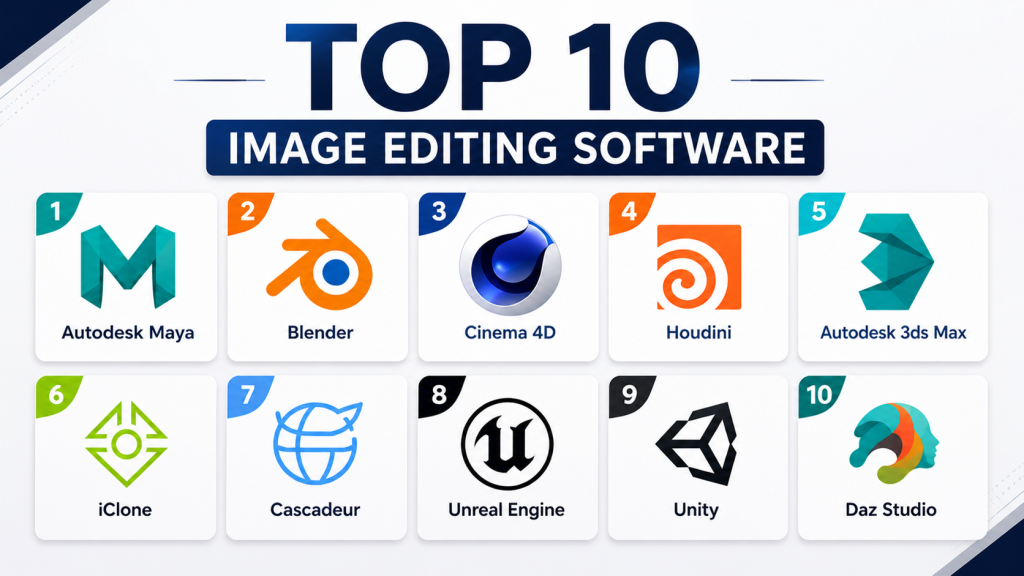
Top 10 3D Animation Software Tools
#1 — Autodesk Maya
Short description: Autodesk Maya is a professional 3D animation, modeling, rigging, simulation, and rendering platform. It is widely used by film, VFX, game, and animation studios that need advanced control over characters, assets, and production pipelines.
Key Features
- Advanced character rigging and deformation tools
- Keyframe, nonlinear, and motion-capture animation workflows
- Strong modeling tools for characters, props, and environments
- Simulation and effects workflows for complex production needs
- Integrated rendering options for high-quality output
- Scripting and automation support for custom pipelines
- Strong compatibility with professional studio workflows
Pros
- Excellent for professional character animation and rigging
- Strong pipeline customization for technical artists and studios
- Widely recognized in film, TV, VFX, and game production
Cons
- Steep learning curve for beginners
- Subscription cost may be high for freelancers and small teams
- Requires strong hardware for complex scenes and simulations
Platforms / Deployment
Windows / macOS / Linux
Desktop-based / Cloud-connected licensing
Security & Compliance
Autodesk business environments commonly provide account management and administrative controls, but specific compliance details should be validated by the buyer. SOC 2, ISO 27001, HIPAA, and similar certifications are Not publicly stated for this exact use case.
Integrations & Ecosystem
Maya fits well into professional pipelines where teams need compatibility with rendering tools, game engines, compositing software, asset managers, and custom automation. It is especially useful in studios that depend on scripting, plugins, and standardized production workflows.
- FBX, Alembic, USD, and common production formats
- Game engine pipeline support
- Python and MEL scripting
- Renderer and plugin ecosystem
- Asset management workflow compatibility
- VFX and animation studio pipeline support
Support & Community
Maya has extensive documentation, professional training resources, vendor support options, and a large community of animators, riggers, modelers, and technical directors.
#2 — Blender
Short description: Blender is a free and open-source 3D creation suite for modeling, rigging, animation, simulation, rendering, compositing, and video editing. It is ideal for freelancers, students, indie studios, educators, and teams that want a powerful tool without licensing barriers.
Key Features
- Full 3D pipeline from modeling to final rendering
- Character rigging, keyframing, graph editor, and animation timeline
- Built-in rendering engines for real-time and high-quality output
- Geometry Nodes for procedural creation
- Sculpting, UV editing, simulation, and compositing tools
- Python scripting and add-on development
- Large open-source community and plugin ecosystem
Pros
- Free and open source with strong professional capability
- Covers nearly the entire 3D production workflow
- Massive learning community, tutorials, and add-ons
Cons
- Can feel complex for complete beginners
- Enterprise support depends on internal teams or third-party providers
- Some studios may still prefer specialized tools for advanced pipelines
Platforms / Deployment
Windows / macOS / Linux
Self-hosted / Desktop-based
Security & Compliance
As an open-source desktop tool, security depends on local deployment, add-on choices, file handling, and organizational controls. Formal enterprise certifications such as SOC 2, ISO 27001, and HIPAA are Not publicly stated.
Integrations & Ecosystem
Blender is highly extensible and works well with many creative pipelines. Its open-source model makes it flexible for custom workflows, education, indie production, and automation-heavy environments.
- FBX, OBJ, Alembic, USD, glTF, and other common formats
- Python scripting and custom add-ons
- Geometry Nodes ecosystem
- Game engine export workflows
- Third-party renderer support
- Community asset and plugin libraries
Support & Community
Blender has one of the strongest communities in the 3D industry. Users can access documentation, forums, tutorials, community courses, add-ons, and open development discussions.
#3 — Maxon Cinema 4D
Short description: Cinema 4D is a professional 3D modeling, animation, simulation, and rendering tool known for motion graphics and design-friendly workflows. It is popular with motion designers, creative agencies, broadcast teams, product marketers, and visual content studios.
Key Features
- Strong motion graphics workflow
- Modeling, animation, simulation, lighting, and rendering tools
- Artist-friendly interface and fast creative workflow
- Dynamics, particles, cloth, and simulation support
- Integration with professional rendering workflows
- Strong design visualization and advertising use cases
- Useful ecosystem for motion design and creative production
Pros
- Easier to learn than many advanced 3D tools
- Excellent for motion graphics and visual design
- Strong fit for agencies, brand teams, and broadcast workflows
Cons
- Less dominant than Maya for deep character animation
- Subscription and ecosystem costs can grow
- Highly technical procedural work may require another tool
Platforms / Deployment
Windows / macOS
Desktop-based / Cloud-connected licensing
Security & Compliance
Commercial account and licensing controls are available, but detailed compliance certifications for Cinema 4D workflows are Not publicly stated.
Integrations & Ecosystem
Cinema 4D works well for design teams that need fast 3D production, motion graphics, product visuals, and rendered animation. Its ecosystem supports creative teams that use compositing, video editing, and rendering tools.
- Motion graphics ecosystem
- Rendering workflow integrations
- Adobe creative workflow compatibility
- OBJ, FBX, Alembic, and common 3D formats
- Plugin and asset marketplace support
- Creative production pipeline compatibility
Support & Community
Cinema 4D has strong documentation, training resources, vendor support, and a large motion design community. It is especially popular among designers who want professional results without extremely technical setup.
#4 — SideFX Houdini
Short description: Houdini is a procedural 3D animation, simulation, VFX, and content creation platform built around node-based workflows. It is best for technical artists, VFX studios, game teams, and creators who need advanced control over simulations and procedural assets.
Key Features
- Node-based procedural workflow
- Advanced simulations for destruction, fluids, particles, cloth, and effects
- Modeling, rigging, animation, lighting, and rendering support
- Procedural environment and asset generation
- Strong automation and repeatability
- Game and VFX pipeline compatibility
- Useful for large-scale technical production workflows
Pros
- Excellent for procedural effects and simulations
- Strong for VFX, destruction, particles, and environment generation
- Highly scalable for technical teams and complex productions
Cons
- Steep learning curve for non-technical artists
- Less beginner-friendly than Blender or Cinema 4D
- Character animation may be better handled in other dedicated tools
Platforms / Deployment
Windows / macOS / Linux
Desktop-based / Hybrid pipeline deployment
Security & Compliance
Specific compliance certifications for Houdini deployment are Not publicly stated. Teams should validate license handling, asset storage, plugin policies, and pipeline security based on their internal requirements.
Integrations & Ecosystem
Houdini is highly valued in pipelines where procedural generation, simulations, and repeatable effects are essential. It can connect with game engines, renderers, asset tools, and studio automation systems.
- Houdini Engine workflows
- USD, Alembic, FBX, and VFX formats
- Game engine pipeline support
- Renderer integrations
- Procedural asset workflows
- Custom technical pipeline automation
Support & Community
Houdini has strong documentation, official learning resources, technical forums, and a dedicated professional community. It is especially popular among VFX artists, technical directors, and procedural content teams.
#5 — Autodesk 3ds Max
Short description: Autodesk 3ds Max is a professional 3D modeling, animation, and rendering tool often used for architecture visualization, game assets, product scenes, and design animation. It is best for Windows-based teams that need strong modeling and visualization workflows.
Key Features
- Polygon modeling and modifier-based workflows
- Animation tools for objects, cameras, and characters
- Integrated rendering workflows
- Character animation toolkit support
- Strong architecture and product visualization workflows
- Broad file format support
- Large plugin ecosystem for visualization and rendering
Pros
- Strong for architecture, product visualization, and game assets
- Mature modifier stack supports flexible modeling workflows
- Large library of plugins and third-party tools
Cons
- Mainly Windows-focused
- Less preferred than Maya for advanced character animation
- Interface and workflow may require training for new users
Platforms / Deployment
Windows
Desktop-based
Security & Compliance
Autodesk account and licensing controls may be available depending on plan and deployment, but exact compliance details should be verified. SOC 2, ISO 27001, HIPAA, and similar certifications are Not publicly stated for this exact workflow.
Integrations & Ecosystem
3ds Max is a strong fit for visualization-heavy workflows where modeling, rendering, and asset preparation are central. It connects well with CAD workflows, renderers, and game asset pipelines.
- CAD and visualization workflow compatibility
- FBX, USD, glTF, and common 3D formats
- Rendering plugin ecosystem
- Game asset export workflows
- Third-party visualization tools
- Asset library and marketplace support
Support & Community
3ds Max has extensive documentation, vendor support options, training resources, and a long-established community in visualization, architecture, and game asset production.
#6 — Reallusion iClone
Short description: iClone is a real-time 3D character animation platform focused on mocap, facial animation, lip-sync, scene creation, and cinematic storytelling. It is ideal for creators who want faster character animation without building a full traditional animation pipeline.
Key Features
- Real-time character animation workflow
- Facial animation and lip-sync tools
- Motion capture support and editing
- Timeline and curve editing tools
- Character creation ecosystem compatibility
- Cinematic cameras and scene-building features
- Useful for previsualization, virtual production, and creator content
Pros
- Faster character animation workflow than many traditional suites
- Strong for mocap-driven and facial animation projects
- Good fit for solo creators, educators, and small studios
Cons
- Less complete as a full 3D modeling and rendering suite
- Asset ecosystem costs can increase over time
- Best results may require related tools or mocap hardware
Platforms / Deployment
Windows
Desktop-based
Security & Compliance
Security and compliance details such as SOC 2, ISO 27001, HIPAA, audit logs, or advanced enterprise RBAC are Not publicly stated.
Integrations & Ecosystem
iClone is designed around character animation speed and works well with companion tools, mocap devices, and external production platforms. It is useful when teams need animated characters quickly for video, training, education, or virtual presentation.
- Character creation workflow compatibility
- Motion capture hardware support
- FBX export workflows
- Game engine pipeline support
- Facial animation workflows
- Asset marketplace ecosystem
Support & Community
iClone offers documentation, tutorials, learning content, marketplace resources, and community support. It is especially approachable for creators who want character animation without deep technical rigging knowledge.
#7 — Cascadeur
Short description: Cascadeur is an AI-assisted and physics-aware 3D animation tool focused on character posing, keyframe animation, and motion cleanup. It is best for animators who want faster blocking, natural movement, and improved pose control.
Key Features
- AI-assisted posing tools
- Physics-aware animation support
- Keyframe animation workflow
- Imported animation cleanup
- Useful for action scenes and character motion
- Common file format support
- Can complement larger 3D animation pipelines
Pros
- Helpful for fast character posing and believable motion
- Useful for game animation and action-heavy scenes
- Works well as a supporting tool in larger pipelines
Cons
- Not a complete modeling, rendering, or simulation suite
- Best used alongside tools like Maya, Blender, Unreal Engine, or Unity
- Smaller ecosystem than major full-suite platforms
Platforms / Deployment
Windows / macOS / Linux
Desktop-based
Security & Compliance
Security and compliance details such as SOC 2, ISO 27001, HIPAA, audit logs, and enterprise RBAC are Not publicly stated.
Integrations & Ecosystem
Cascadeur is focused on improving character animation rather than replacing a full 3D production suite. It is useful for animators who want to create, adjust, or clean character movement before exporting it to another tool.
- FBX workflow support
- Character animation import/export
- Game animation workflows
- Pipeline use with Maya and Blender
- Pipeline use with Unreal Engine and Unity
- Supporting role in action animation production
Support & Community
Cascadeur provides documentation, tutorials, and community resources. Its community is smaller than Blender or Maya but valuable for users focused on character motion and game animation.
#8 — Unreal Engine
Short description: Unreal Engine is a real-time 3D creation platform used for games, cinematics, virtual production, simulation, architecture, and interactive animation. It is best for teams that need high-quality real-time visuals and interactive 3D experiences.
Key Features
- Real-time rendering and animation workflows
- Sequencer for cinematic timelines
- Control Rig for in-engine rigging and animation
- Animation Blueprints for interactive character behavior
- Virtual production and camera workflows
- Large marketplace of assets and plugins
- Strong fit for games, XR, simulation, and cinematic content
Pros
- Excellent real-time rendering and cinematic output
- Strong for games, virtual production, and interactive animation
- Large ecosystem and professional community
Cons
- More technical than basic animation tools
- Not primarily a traditional modeling or sculpting application
- Advanced projects may require development and pipeline expertise
Platforms / Deployment
Windows / macOS / Linux
Engine-based / Hybrid deployment
Security & Compliance
Security depends on source control, project hosting, plugins, team permissions, and deployment model. Product-specific compliance certifications for general 3D animation use are Not publicly stated.
Integrations & Ecosystem
Unreal Engine is highly valuable when animation must be rendered or experienced in real time. It fits into pipelines for games, cinematic production, virtual sets, training simulations, digital twins, and immersive content.
- FBX, USD, and production asset workflows
- MetaHuman ecosystem compatibility
- Sequencer cinematic workflow
- Control Rig animation workflow
- Marketplace assets and plugins
- Source control and studio pipeline compatibility
Support & Community
Unreal Engine has extensive documentation, official learning content, sample projects, forums, marketplace resources, and a large professional community across games, film, visualization, and simulation.
9 — Unity
Short description: Unity is a real-time development platform used for games, XR, training, simulation, and interactive 3D content. It is best for teams that need animation inside interactive applications rather than only rendered video.
Key Features
- Animation system for characters, objects, lights, and scene properties
- Animator Controller and timeline workflows
- Real-time preview and testing
- Cross-platform publishing support
- Asset Store ecosystem
- C# scripting for runtime animation control
- Strong fit for games, XR, education, and simulations
Pros
- Excellent for interactive 3D animation and cross-platform deployment
- Large developer ecosystem and learning resources
- Strong for mobile, XR, simulation, and training applications
Cons
- Not a complete traditional modeling or sculpting tool
- High-end cinematic rendering may require additional setup
- Advanced animation systems can require technical skills
Platforms / Deployment
Windows / macOS / Linux
Engine-based / Hybrid deployment
Security & Compliance
Security depends on project setup, cloud services, source control, build pipeline, and enterprise configuration. Specific compliance details for general animation usage are Not publicly stated.
Integrations & Ecosystem
Unity is strongest when animation needs to become part of an interactive product. It is widely used for games, mobile experiences, XR applications, simulation, education, and digital training environments.
- FBX and common asset workflows
- Asset Store plugins and tools
- XR and simulation integrations
- Timeline and Animator workflows
- C# scripting ecosystem
- Version control and build pipeline support
Support & Community
Unity has official documentation, tutorials, training resources, forums, enterprise support options, and a large global community of developers, designers, and interactive 3D creators.
10 — Daz Studio
Short description: Daz Studio is a 3D character creation, posing, rendering, and scene-building tool centered around ready-made characters and assets. It is best for creators who want fast character visuals without modeling every asset from scratch.
Key Features
- Character creation and posing workflows
- Large marketplace of characters, clothing, props, and environments
- Rigged character assets
- Morph controls for character customization
- Rendering support for stills and animation
- Useful for concept art and storyboards
- Beginner-friendly entry point for character-based 3D work
Pros
- Easy access to ready-made characters and assets
- Good for fast character scene creation
- Lower technical barrier than many professional 3D suites
Cons
- Less suitable for advanced studio animation pipelines
- Marketplace dependency can increase costs
- Not ideal for complex simulations or procedural VFX
Platforms / Deployment
Windows / macOS
Desktop-based
Security & Compliance
Security and compliance details such as SOC 2, ISO 27001, HIPAA, enterprise RBAC, or audit logs are Not publicly stated.
Integrations & Ecosystem
Daz Studio is useful for creators who need character scenes quickly. Its ecosystem is built around ready-made models, environments, poses, clothing, and accessories.
- Character marketplace ecosystem
- Rigged figure workflows
- Morph and posing tools
- Export workflows to other 3D tools
- Rendering workflows
- Community-created assets and tutorials
Support & Community
Daz Studio has documentation, tutorials, forums, marketplace support, and a strong user base among character artists, illustrators, hobbyists, and independent creators.
Comparison Table
| Tool Name | Best For | Platform(s) Supported | Deployment | Standout Feature | Public Rating |
|---|---|---|---|---|---|
| Autodesk Maya | Film, VFX, and character animation | Windows, macOS, Linux | Desktop / Cloud-connected | Advanced rigging and animation pipeline | N/A |
| Blender | Open-source full 3D creation | Windows, macOS, Linux | Self-hosted / Desktop | Free full-pipeline 3D suite | N/A |
| Cinema 4D | Motion graphics and design animation | Windows, macOS | Desktop / Cloud-connected | Motion graphics workflow | N/A |
| Houdini | Procedural VFX and simulations | Windows, macOS, Linux | Desktop / Hybrid | Node-based procedural effects | N/A |
| 3ds Max | Architecture and visualization | Windows | Desktop | Modifier-based modeling workflow | N/A |
| iClone | Real-time character animation | Windows | Desktop | Mocap and facial animation workflow | N/A |
| Cascadeur | AI-assisted character motion | Windows, macOS, Linux | Desktop | Physics-aware character animation | N/A |
| Unreal Engine | Real-time cinematic animation | Windows, macOS, Linux | Engine-based / Hybrid | Real-time rendering and Sequencer | N/A |
| Unity | Interactive 3D and XR animation | Windows, macOS, Linux | Engine-based / Hybrid | Cross-platform interactive animation | N/A |
| Daz Studio | Fast character scenes and posing | Windows, macOS | Desktop | Ready-made character ecosystem | N/A |
Evaluation & Scoring of 3D Animation Software
| Tool Name | Core (25%) | Ease (15%) | Integrations (15%) | Security (10%) | Performance (10%) | Support (10%) | Value (15%) | Weighted Total |
|---|---|---|---|---|---|---|---|---|
| Autodesk Maya | 10 | 7 | 10 | 8 | 9 | 9 | 7 | 8.75 |
| Blender | 9 | 7 | 9 | 7 | 8 | 9 | 10 | 8.55 |
| Cinema 4D | 8 | 9 | 8 | 7 | 8 | 8 | 7 | 7.95 |
| Houdini | 10 | 6 | 9 | 7 | 9 | 8 | 7 | 8.35 |
| 3ds Max | 8 | 7 | 8 | 8 | 8 | 8 | 7 | 7.75 |
| iClone | 7 | 9 | 7 | 6 | 8 | 7 | 8 | 7.55 |
| Cascadeur | 7 | 8 | 7 | 5 | 8 | 6 | 8 | 7.05 |
| Unreal Engine | 9 | 7 | 9 | 7 | 10 | 9 | 9 | 8.65 |
| Unity | 8 | 8 | 9 | 7 | 8 | 9 | 8 | 8.15 |
| Daz Studio | 6 | 9 | 6 | 5 | 7 | 7 | 8 | 6.85 |
The scoring is comparative and should be used as a decision-support model, not as a universal ranking for every team. A tool with a lower total may still be the best option for a specific workflow. For example, Daz Studio is not the strongest full 3D suite, but it can be excellent for fast character scenes. Houdini has a steep learning curve, but it is one of the strongest choices for procedural effects and simulations. The right tool depends on production goals, team skill, budget, pipeline complexity, and delivery format.
Which 3D Animation Software Tool Is Right for You?
Solo / Freelancer
Freelancers should focus on cost, learning resources, export flexibility, and speed of production. Blender is usually the strongest all-around choice because it provides modeling, animation, rendering, simulation, compositing, and scripting without license cost. Daz Studio is useful for creators who need fast character visuals, concept art, or posed scenes. Cascadeur is a strong supporting tool if character movement and action animation are a priority.
SMB
Small and growing creative teams need tools that are powerful but not too difficult to manage. Cinema 4D is a good fit for agencies, motion designers, and product marketing teams because it offers a friendly workflow for polished 3D visuals. Blender works well for cost-conscious teams that can invest in training. iClone is practical for teams creating character-led videos, training content, and virtual presenters.
Mid-Market
Mid-market teams should prioritize workflow compatibility, team collaboration, render quality, and scalability. Maya is strong for professional animation teams that need rigging, character animation, and pipeline control. Unreal Engine is ideal for real-time cinematic work, interactive experiences, and virtual production. Houdini is best when procedural effects, simulations, or technical art are central to the workflow.
Enterprise
Enterprise teams should evaluate vendor support, licensing control, pipeline customization, asset security, format compatibility, and long-term maintainability. Maya, Houdini, Unreal Engine, and 3ds Max are strong enterprise candidates depending on the use case. Large studios often use several tools together instead of relying on one platform. A common workflow may include Maya for animation, Houdini for effects, Unreal Engine for real-time output, and Blender or 3ds Max for supporting asset work.
Budget vs Premium
For budget-focused users, Blender offers the strongest value because it is free and highly capable. Daz Studio can also be budget-friendly for character-focused work, although asset costs can increase. Premium tools like Maya, Cinema 4D, Houdini, and 3ds Max may be worth the investment when teams need professional support, mature workflows, specialized features, or studio compatibility.
Feature Depth vs Ease of Use
If feature depth is the priority, Maya, Houdini, Blender, and Unreal Engine are strong choices. If ease of use matters more, Cinema 4D, iClone, and Daz Studio are more approachable. Cascadeur is not a complete 3D suite, but it can make character animation easier when paired with another platform.
Integrations & Scalability
Teams with complex pipelines should check file format support, renderer compatibility, game engine workflows, scripting access, asset management, and plugin ecosystems. Maya, Houdini, Blender, Unreal Engine, and Unity are strong for scalable pipelines because they support broad ecosystems and common production formats. Always test export and import workflows before committing to a tool.
Security & Compliance Needs
Most 3D animation platforms are creative production tools, not compliance-first enterprise SaaS platforms. Buyers should review license management, account controls, plugin risks, file storage practices, asset permissions, and vendor security documentation. For confidential projects, validate whether assets stay local, how collaboration works, who can access files, and how third-party plugins are managed.
Frequently Asked Questions
1. What is 3D animation software?
3D animation software helps users create moving digital objects, characters, environments, effects, and scenes in three-dimensional space. It usually includes tools for modeling, rigging, keyframing, lighting, simulation, rendering, and export.
2. Which 3D animation software is best for beginners?
Blender is a strong beginner option because it is free, powerful, and supported by many tutorials. Daz Studio is easier for character posing, while Cinema 4D is beginner-friendly for motion graphics and design-focused work.
3. Which tool is best for professional character animation?
Autodesk Maya is one of the strongest choices for professional character animation because of its rigging, animation, and pipeline capabilities. iClone is better for faster real-time character animation, while Cascadeur helps with AI-assisted posing and motion refinement.
4. Is Blender good enough for professional use?
Yes, Blender is capable of professional modeling, animation, rendering, simulation, and compositing. Some studios still prefer Maya, Houdini, or Cinema 4D for specialized pipelines, but Blender is a serious option for freelancers, educators, indie studios, and production teams.
5. Which software is best for motion graphics?
Cinema 4D is one of the strongest tools for motion graphics because of its design-friendly workflow and motion graphics features. Blender can also handle motion graphics well, especially with procedural tools, but Cinema 4D is widely favored by many motion designers.
6. Which software is best for VFX and simulations?
Houdini is one of the best choices for procedural VFX, destruction, particles, fluids, smoke, cloth, and complex simulations. Maya is also widely used in VFX pipelines, especially for animation and rigging.
7. Which 3D animation software is best for games?
Maya, Blender, Unreal Engine, Unity, and Cascadeur are all useful for game animation. Maya and Blender are strong for asset creation and animation, while Unreal Engine and Unity are used to implement animation inside interactive game environments.
8. How much does 3D animation software cost?
Pricing varies depending on the tool, license type, plan, and user segment. Blender is free and open source, while many professional tools use paid subscriptions or commercial licenses. If exact pricing is unclear, treat it as Varies / N/A and confirm directly before buying.
9. What are common mistakes when choosing 3D animation software?
Common mistakes include choosing based only on popularity, ignoring hardware needs, skipping file format testing, underestimating training time, and failing to check plugin compatibility. Teams should test tools with a real project before committing.
10. Can AI replace 3D animators?
AI can help with posing, motion cleanup, animation blocking, and repetitive tasks, but it does not replace creative judgment. Strong animation still requires storytelling, timing, character acting, scene composition, and artistic direction.
11. What hardware is needed for 3D animation?
Hardware needs depend on scene complexity, rendering method, simulation workload, and software choice. A strong CPU, capable GPU, enough RAM, fast storage, and a reliable display are helpful for smooth production. Large projects may also need render farms or cloud rendering.
12. Should I use a game engine for 3D animation?
Use Unreal Engine or Unity when your animation needs real-time playback, interactivity, games, XR, simulations, or virtual production. For offline film-style animation, tools like Maya, Blender, Houdini, or Cinema 4D may be better as the main creation platform.
13. Is open-source 3D animation software reliable?
Open-source software can be reliable when it has strong community support, frequent development, and good documentation. Blender is the leading example. Enterprise teams should still plan for version control, add-on review, training, and internal support.
14. Can I switch from one 3D animation tool to another?
Yes, but switching can be difficult if your team depends on proprietary rigs, materials, plugins, render settings, or scripts. Use common formats where possible and test migration with real assets before changing production tools.
15. What is the difference between 3D modeling and 3D animation?
3D modeling focuses on creating objects, characters, environments, and shapes. 3D animation focuses on making those objects move through rigs, timelines, keyframes, motion capture, simulations, and rendering. Many modern tools include both modeling and animation features.
Conclusion
The best 3D Animation Software depends on your creative goals, budget, team size, technical skill, and production pipeline. Autodesk Maya is a strong professional choice for character animation and studio pipelines, while Houdini is ideal for procedural effects and technical VFX. Cinema 4D is excellent for motion graphics, 3ds Max is strong for visualization, and Blender offers outstanding value as a full-featured open-source platform.
For real-time and interactive animation, Unreal Engine and Unity are powerful choices, especially for games, XR, simulation, and virtual production. For faster character-focused work, iClone, Cascadeur, and Daz Studio can help creators produce results with less manual setup. The best next step is to shortlist two or three tools, test them with a real project, validate file compatibility, review hardware and security needs, and choose the platform that fits your production workflow instead of chasing a single universal winner.

Find Trusted Cardiac Hospitals
Compare heart hospitals by city and services — all in one place.
Explore Hospitals
3D animation tools are explained clearly, and the comparison helps in understanding which software fits different needs and skill levels.