Introduction
Color grading software is specialized editing software used to adjust and enhance the color, contrast, brightness, saturation, and overall aesthetic of video footage. While simple adjustments can be made in basic editors, dedicated color grading tools offer precision color control, advanced scopes, tracking masks, LUT support, HDR workflows, and film‑emulation profiles. These tools are critical in post‑production workflows for film, television, commercials, music videos, and online media content.
Color grading matters because color sets the emotional tone of a scene, ensures visual consistency across shots, and supports narrative intent. Whether crafting a stylized look for a feature film, balancing exposure and color in documentaries, or ensuring broadcast compliance, color grading software empowers professionals to achieve the desired visual impact.
Real‑world use cases:
- Feature film color finishing
- Commercial and ad post‑production
- Broadcast and online video color standardization
- HDR mastering and wide color gamut projects
- Music videos and fashion film aesthetics
What buyers should evaluate:
- Precision primary and secondary color controls
- Scopes (waveform, vectorscope, histogram)
- Support for HDR and wide color gamut workflows
- LUT (Look‑Up Table) support and management
- Masking and tracking tools for selective grading
- Integration with editorial and VFX workflows
- Real‑time playback performance
- Cross‑platform availability
- Collaboration and version control
- Export format and codec support
Best for: Colorists, post‑production studios, filmmakers, editors, and anyone needing fine control over visual tone and consistency.
Not ideal for: Users needing only basic exposure or contrast adjustments; lightweight editors may suffice for simple projects.
Key Trends in Color Grading Software
- HDR and wide‑gamut workflows becoming standard for high‑end delivery.
- AI‑assisted balancing and matching to automate repetitive adjustments.
- Real‑time GPU‑accelerated playback for live preview during grading.
- Integrated scopes and histogram tools for accurate broadcast compliance.
- Cross‑tool interoperability with editorial and VFX pipelines.
- Cloud collaboration and remote grading sessions.
- Support for log, raw, and ACES color management systems.
- LUT libraries and film emulation profiles widely used for creative looks.
- Improved masking and tracking for localized grading.
How We Selected These Tools (Methodology)
- Evaluated feature completeness including primary/secondary grading tools and scopes.
- Assessed performance and reliability for large, high‑resolution projects.
- Reviewed integration with editorial and finishing tools.
- Considered platform support (Windows, macOS, Linux).
- Checked HDR and wide color gamut support.
- Balanced representation of professional, indie, and open‑source options.
- Looked at LUT support and creative effect libraries.
- Assessed ease of use and learning curve.
- Considered workflow extensibility via scripting or plugins.
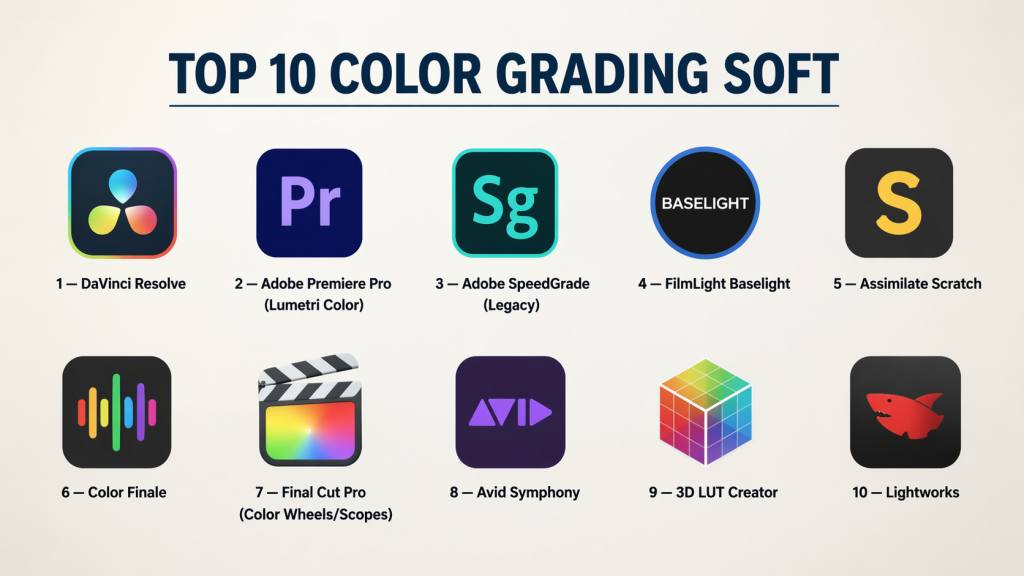
Top 10 Color Grading Soft
#1 — DaVinci Resolve
Short description: A comprehensive post‑production suite with industry‑leading color grading tools used in feature films, TV, and commercials.
Key Features
- Node‑based color workflows
- Advanced primary/secondary grading
- HDR and wide color gamut support
- Professional scopes and waveform displays
- Power windows and motion‑tracked masks
- LUT support and film emulation
Pros
- Extremely powerful and flexible
- Free version available with robust feature set
- Unified editing, VFX, and color workflows
Cons
- New users may face learning curve
- Hardware‑intensive for real‑time playback
Platforms / Deployment
Windows / macOS / Linux
Security & Compliance
Not publicly stated
Integrations & Ecosystem
Resolve integrates with editing, visual effects, and audio tools.
- Editing timeline for seamless grading
- Fusion VFX workflow
- Fairlight audio post
- Export presets for broadcast and web
Support & Community
Extensive documentation, certified training, and large global community.
#2 — Adobe Premiere Pro (Lumetri Color)
Short description: A widely used NLE with integrated color grading tools (Lumetri Color) suitable for professional editors and creatives.
Key Features
- Primary color wheels
- Basic secondary color controls
- LUT import and application
- Scopes and histogram tools
- Lumetri presets and balance tools
- Integration with Adobe ecosystem
Pros
- Integrated into mainstream editing workflow
- Easy for editors to adopt without switching tools
- Large effects and preset library
Cons
- Less granular control than dedicated grading software
- Performance depends on system and project size
Platforms / Deployment
Windows / macOS
Security & Compliance
Not publicly stated
Integrations & Ecosystem
Part of Adobe Creative Cloud:
- Premiere timeline
- After Effects dynamic link
- Photoshop and Audition workflows
Support & Community
Massive user base, tutorials, and Adobe resources.
#3 — Adobe SpeedGrade (Legacy)
Short description: A dedicated color grading tool previously offered by Adobe, now discontinued but still used in legacy workflows.
Key Features
- Primary and secondary grading
- LUT support
- Integration with Adobe workflows
- Scopes and monitoring tools
Pros
- Designed for colorists with editor integration
- Familiar Adobe UI
Cons
- Discontinued and no longer updated
- Limited HDR and modern format support
Platforms / Deployment
Windows / macOS
Security & Compliance
Not publicly stated
Integrations & Ecosystem
Integration with Adobe tools when active.
Support & Community
Legacy documentation and community knowledge.
#4 — FilmLight Baselight
Short description: A high‑end, professional color grading system widely used in film and episodic TV post‑production.
Key Features
- Advanced grading and finishing tools
- Integrated HDR workflows
- Team collaboration features
- Customizable UI
- Film Emulation and ACES support
- External control surfaces support
Pros
- Professional‑grade color finishing
- Collaborative workflows
- Exceptional HDR support
Cons
- Costly for small teams
- Requires training for full utilization
Platforms / Deployment
Windows / macOS / Linux
Security & Compliance
Not publicly stated
Integrations & Ecosystem
Often used in studio pipelines.
- Interoperability with editorial and VFX tools
- ACES color workflow
- LUT and film profiles
Support & Community
Industry documentation and accredited training.
#5 — Assimilate Scratch
Short description: A professional finishing and color grading tool with strong real‑time playback and project management for high‑end workflows.
Key Features
- Real‑time color grading
- HDR and ACES workflows
- Frame‑accurate playback
- Live grading and review tools
- Project versioning and collaboration
Pros
- Excellent real‑time performance
- Designed for grading and finishing
- Collaboration support
Cons
- Less widespread than some competitors
- Specialized interface
Platforms / Deployment
Windows / macOS / Linux
Security & Compliance
Not publicly stated
Integrations & Ecosystem
- Integration with editorial systems
- VFX and render pipelines
- Review and version tools
Support & Community
Professional documentation and support.
#6 — Color Finale
Short description: A color grading plugin for Final Cut Pro that adds advanced grading controls and layer workflows to Apple’s editing platform.
Key Features
- Layer‑based grading
- LUT support
- Scopes and waveform views
- Primary and secondary controls
- Presets and creative tools
Pros
- Enhances Final Cut Pro workflows
- Powerful grading inside non‑linear editor
- Affordable
Cons
- Limited outside Final Cut Pro
- Not as powerful as standalone grading tools
Platforms / Deployment
macOS
Security & Compliance
Not publicly stated
Integrations & Ecosystem
Works within Final Cut Pro:
- Editing timeline
- Scopes integration
- Presets
Support & Community
Active user tutorials and forums.
#7 — Final Cut Pro (Color Wheels/Scopes)
Short description: Apple’s professional editing software with built‑in color tools for primary and secondary adjustments.
Key Features
- Color wheels and curves
- Scopes and histogram tools
- LUT application support
- HDR workflow support
- Real‑time preview
Pros
- Integrated grading within editing timeline
- Optimized for macOS performance
- Good for indie and pro workflows
Cons
- Less deep than dedicated grading suites
- Limited node‑based workflows
Platforms / Deployment
macOS
Security & Compliance
Not publicly stated
Integrations & Ecosystem
- Timeline editors
- Motion graphics support
- Plugin ecosystem
Support & Community
Large Apple creative community.
#8 — Avid Symphony
Short description: A professional grading and finishing solution integrated into Avid’s Media Composer ecosystem for broadcast and film workflows.
Key Features
- Precision grading tools
- Integration with editing workflows
- Scopes and monitoring
- HDR and gamut support
- Color automation tools
Pros
- Tight integration with Avid editing
- Reliable broadcast workflows
- Good for multi‑shot consistency
Cons
- Less extensive than high‑end dedicated tools
- Avid ecosystem required
Platforms / Deployment
Windows / macOS
Security & Compliance
Not publicly stated
Integrations & Ecosystem
Works within Avid Media Composer ecosystem:
- Timeline workflows
- Project and media management
- Scopes and broadcast tools
Support & Community
Professional Avid support and documentation.
#9 — 3D LUT Creator
Short description: A specialized tool focused on creating and editing 3D LUTs (Look‑Up Tables) for color grading and creative looks.
Key Features
- 3D LUT creation and export
- Precision control grids
- Color space manipulation
- Real‑time preview
- Integration with grading workflows
Pros
- Excellent for creating distinctive color looks
- Works with many grading pipelines
- Good precision controls
Cons
- Not a full grading suite
- Focused on LUT creation rather than footage grading
Platforms / Deployment
Windows / macOS
Security & Compliance
Not publicly stated
Integrations & Ecosystem
- LUT export to grading tools
- Compatible with many editors and grading suites
Support & Community
Community forums and tutorials.
#10 — Lightworks
Short description: An editing system with integrated color grading tools suited for editors who need basic to intermediate grading without switching apps.
Key Features
- Color correction and grading panels
- Scopes and waveform displays
- LUT support
- Real‑time previews
- Editing and finishing workflows
Pros
- Combines editing and grading
- Cross‑platform
- Good for indie projects
Cons
- Grading depth less than dedicated tools
- Performance varies with project complexity
Platforms / Deployment
Windows / macOS / Linux
Security & Compliance
Not publicly stated
Integrations & Ecosystem
- Editing timelines
- Export workflows
- Third‑party codec support
Support & Community
Active user base and tutorials.
Comparison Table (Top 10)
| Tool Name | Best For | Platform(s) Supported | Deployment | Standout Feature | Public Rating |
|---|---|---|---|---|---|
| DaVinci Resolve | High‑end grading + full suite | Windows/macOS/Linux | Hybrid | Node‑based grading | N/A |
| Premiere Pro (Lumetri) | Editor‑centric workflows | Windows/macOS | Hybrid | Editing integration | N/A |
| Adobe SpeedGrade | Legacy grading workflows | Windows/macOS | Hybrid | Adobe integration | N/A |
| FilmLight Baselight | Professional finishing | Windows/macOS/Linux | Hybrid | Collaborative HDR | N/A |
| Assimilate Scratch | Real‑time finishing | Windows/macOS/Linux | Hybrid | Playback performance | N/A |
| Color Finale | Final Cut Pro extension | macOS | Hybrid | Layer grading | N/A |
| Final Cut Pro | Editor + grading | macOS | Hybrid | Real‑time macOS performance | N/A |
| Avid Symphony | Broadcast/film grading | Windows/macOS | Hybrid | Avid integration | N/A |
| 3D LUT Creator | LUT creation experts | Windows/macOS | Self‑hosted | Precision LUT tools | N/A |
| Lightworks | Editing + basic grading | Windows/macOS/Linux | Hybrid | Combined editing | N/A |
Evaluation & Scoring of Color Grading Software
| Tool Name | Core (25%) | Ease (15%) | Integrations (15%) | Security (10%) | Performance (10%) | Support (10%) | Value (15%) | Weighted Total (0–10) |
|---|---|---|---|---|---|---|---|---|
| DaVinci Resolve | 10 | 7 | 9 | 6 | 9 | 9 | 8 | 8.45 |
| Premiere Pro (Lumetri) | 8 | 9 | 9 | 6 | 8 | 9 | 8 | 8.10 |
| Adobe SpeedGrade | 6 | 7 | 7 | 6 | 6 | 7 | 7 | 6.70 |
| FilmLight Baselight | 10 | 6 | 9 | 6 | 9 | 8 | 6 | 7.95 |
| Assimilate Scratch | 9 | 7 | 8 | 6 | 8 | 8 | 7 | 7.90 |
| Color Finale | 7 | 8 | 7 | 6 | 7 | 7 | 9 | 7.65 |
| Final Cut Pro | 8 | 9 | 8 | 6 | 8 | 8 | 8 | 8.10 |
| Avid Symphony | 8 | 7 | 8 | 6 | 8 | 8 | 7 | 7.65 |
| 3D LUT Creator | 7 | 7 | 7 | 6 | 7 | 7 | 9 | 7.60 |
| Lightworks | 7 | 8 | 7 | 6 | 7 | 7 | 8 | 7.75 |
How to interpret the scores:
- Higher totals reflect balanced feature depth, integration flexibility, and value.
- Tools tailored for high‑end grading (like DaVinci Resolve) tend to score higher on core capabilities.
- Tools integrated into editing environments score highly on ease and workflow integration but may trade depth for accessibility.
Which Color Grading Tool Is Right for You?
Solo / Freelancer
- Final Cut Pro, Color Finale, and Lightworks are accessible with strong grading capabilities tied to editing workflows.
SMB
- Premiere Pro (Lumetri) and Assimilate Scratch strike a good balance between power and usability for small post‑production teams.
Mid‑Market
- DaVinci Resolve, FilmLight Baselight, and Avid Symphony fit studios needing robust grading and cross‑department workflows.
Enterprise
- DaVinci Resolve and FilmLight Baselight offer collaborative tools, HDR grading, and pipeline integration for large projects.
Budget vs Premium
- Budget: Final Cut Pro, Color Finale, Lightworks
- Premium: DaVinci Resolve, Baselight, Scratch
Feature Depth vs Ease of Use
- Depth: DaVinci Resolve, Baselight, Scratch
- Ease: Premiere Pro (Lumetri), Final Cut Pro, Lightworks
Integrations & Scalability
- Tools like DaVinci Resolve and Premiere Pro excel in editorial/finishing pipelines and collaborative workflows.
Security & Compliance Needs
- Larger teams should verify deployment environment controls and project security options with vendors.
Frequently Asked Questions (FAQs)
1. What is color grading software?
Color grading software adjusts color, contrast, and tone to achieve artistic or technical looks across video content.
2. Do I need separate grading software if I edit video?
It depends on project depth — integrated tools may suffice for basic work, but dedicated grading tools provide precision for professional workflows.
3. Can color grading tools export LUTs?
Yes — many tools allow creating and exporting LUTs to reuse looks across projects.
4. What’s the benefit of a node‑based workflow?
Node workflows offer non‑destructive, flexible connections between adjustments, ideal for complex grading.
5. Do these tools support HDR?
High‑end tools like DaVinci Resolve, Baselight, and Scratch support HDR and wide‑gamut workflows.
6. Is real‑time grading possible?
With GPU acceleration and optimized software, many tools enable real‑time preview during grading.
7. Do grading tools integrate with editors?
Yes — most integrate via timelines or export/import workflows with popular NLEs.
8. Which tool is best for beginners?
Premiere Pro (Lumetri), Lightworks, and Final Cut Pro offer accessible entry points.
9. Are there free grading options?
Yes — DaVinci Resolve offers a powerful free edition with robust grading tools.
10. What formats should I consider?
Ensure support for your project formats — log, raw, EXR sequences, and HDR delivery formats.
Conclusion
Color grading software is an essential part of the post‑production process for achieving compelling and consistent visuals. DaVinci Resolve stands out for its depth and powerful node‑based workflows, while Premiere Pro (Lumetri) and Final Cut Pro offer accessible grading within editing environments. FilmLight Baselight and Assimilate Scratch support high‑end broadcast and film pipelines, and tools like Color Finale and Lightworks provide excellent options for indie projects. Evaluate your workflow needs, target delivery formats, and team size to select a grading solution that fits your creative and technical goals. Shortlist a few tools, test them with real project files, and validate integration and performance before standardizing your color grading toolkit.

Find Trusted Cardiac Hospitals
Compare heart hospitals by city and services — all in one place.
Explore Hospitals